Help Output
usage: dgenerate [-h] [-v] [--version] [--file | --shell | --no-stdin | --console] [--set VARIABLE=VALUE]
[--setp VARIABLE=VALUE] [--plugin-modules PATH [PATH ...]] [--sub-command SUB_COMMAND]
[--sub-command-help [SUB_COMMAND ...]] [-ofm] [--templates-help [VARIABLE_NAME ...]]
[--directives-help [DIRECTIVE_NAME ...]] [--functions-help [FUNCTION_NAME ...]] [-gc FILE]
[-mt MODEL_TYPE] [-rev BRANCH] [-var VARIANT] [-sbf SUBFOLDER] [-olc FILE] [-olc2 FILE]
[-atk TOKEN] [-bs INTEGER] [-bgs SIZE]
[-ad ADETAILER_DETECTOR_URIS [ADETAILER_DETECTOR_URIS ...]] [-adm]
[-adf CLASS_FILTER [CLASS_FILTER ...]] [-adi INTEGER [INTEGER ...]]
[-ads ADETAILER_MASK_SHAPE [ADETAILER_MASK_SHAPE ...]]
[-addp ADETAILER_DETECTOR_PADDING [ADETAILER_DETECTOR_PADDING ...]]
[-admp ADETAILER_MASK_PADDING [ADETAILER_MASK_PADDING ...]]
[-adb ADETAILER_MASK_BLUR [ADETAILER_MASK_BLUR ...]]
[-add ADETAILER_MASK_DILATION [ADETAILER_MASK_DILATION ...]]
[-adsz ADETAILER_SIZE [ADETAILER_SIZE ...]] [-adc]
[-te TEXT_ENCODER_URIS [TEXT_ENCODER_URIS ...]]
[-te2 TEXT_ENCODER_URIS [TEXT_ENCODER_URIS ...]] [-un UNET_URI] [-un2 UNET_URI]
[-tf TRANSFORMER_URI] [-vae VAE_URI] [-vt] [-vs] [-lra LORA_URI [LORA_URI ...]]
[-lrfs LORA_FUSE_SCALE] [-ie IMAGE_ENCODER_URI] [-ipa IP_ADAPTER_URI [IP_ADAPTER_URI ...]]
[-ti URI [URI ...]] [-cn CONTROLNET_URI [CONTROLNET_URI ...] |
-t2i T2I_ADAPTER_URI [T2I_ADAPTER_URI ...]] [-q QUANTIZER_URI]
[--quantizer-help [QUANTIZER_NAME ...]] [-qm SUBMODULE [SUBMODULE ...]] [-q2 QUANTIZER_URI]
[-qm2 SUBMODULE [SUBMODULE ...]] [-sch SCHEDULER_URI [SCHEDULER_URI ...]]
[-sch2 SCHEDULER_URI [SCHEDULER_URI ...]] [-fu CSV_FLOAT [CSV_FLOAT ...]] [-hd]
[--hi-diffusion-no-win-attn] [--hi-diffusion-no-raunet] [--sada]
[--sada-max-downsamples INTEGER [INTEGER ...]] [--sada-sxs INTEGER [INTEGER ...]]
[--sada-sys INTEGER [INTEGER ...]] [--sada-acc-ranges INTEGER [INTEGER ...]]
[--sada-lagrange-terms INTEGER [INTEGER ...]] [--sada-lagrange-ints INTEGER [INTEGER ...]]
[--sada-lagrange-steps INTEGER [INTEGER ...]] [--sada-max-fixes INTEGER [INTEGER ...]]
[--sada-max-intervals INTEGER [INTEGER ...]] [-rfu CSV_FLOAT [CSV_FLOAT ...]] [-dc]
[-dci INTEGER [INTEGER ...]] [-dcb INTEGER [INTEGER ...]] [-rdc]
[-rdci INTEGER [INTEGER ...]] [-rdcb INTEGER [INTEGER ...]] [-tc] [-tcr [FLOAT ...]] [-ra]
[-rif] [-rsr FLOAT [FLOAT ...]] [-rhr FLOAT [FLOAT ...]] [-rss FLOAT [FLOAT ...]]
[-rer CSV_INT [CSV_INT ...]] [-rme RAS_METRIC [RAS_METRIC ...]]
[-rst INTEGER [INTEGER ...]] [-res INTEGER [INTEGER ...]] [-rsn INTEGER [INTEGER ...]]
[-rsl INTEGER [INTEGER ...]] [-pag] [-pags FLOAT [FLOAT ...]] [-pagas FLOAT [FLOAT ...]]
[-rpag] [-rpags FLOAT [FLOAT ...]] [-rpagas FLOAT [FLOAT ...]] [-mqo | -mco] [-mqo2 |
-mco2] [--s-cascade-decoder MODEL_URI] [--sdxl-refiner MODEL_URI] [--sdxl-refiner-edit]
[--sdxl-t2i-adapter-factors FLOAT [FLOAT ...]] [--sdxl-aesthetic-scores FLOAT [FLOAT ...]]
[--sdxl-crops-coords-top-left COORD [COORD ...]] [--sdxl-original-sizes SIZE [SIZE ...]]
[--sdxl-target-sizes SIZE [SIZE ...]] [--sdxl-negative-aesthetic-scores FLOAT [FLOAT ...]]
[--sdxl-negative-original-sizes SIZE [SIZE ...]]
[--sdxl-negative-target-sizes SIZE [SIZE ...]]
[--sdxl-negative-crops-coords-top-left COORD [COORD ...]]
[--sdxl-refiner-aesthetic-scores FLOAT [FLOAT ...]]
[--sdxl-refiner-crops-coords-top-left COORD [COORD ...]]
[--sdxl-refiner-original-sizes SIZE [SIZE ...]]
[--sdxl-refiner-target-sizes SIZE [SIZE ...]]
[--sdxl-refiner-negative-aesthetic-scores FLOAT [FLOAT ...]]
[--sdxl-refiner-negative-original-sizes SIZE [SIZE ...]]
[--sdxl-refiner-negative-target-sizes SIZE [SIZE ...]]
[--sdxl-refiner-negative-crops-coords-top-left COORD [COORD ...]] [-hnf FLOAT [FLOAT ...]]
[-rgr FLOAT [FLOAT ...]] [-sc] [-d DEVICE] [-t DTYPE] [-s SIZE] [-na] [-o PATH]
[-op PREFIX] [-ox] [-oc] [-om | -oam] [-pw PROMPT_WEIGHTER_URI] [-pw2 PROMPT_WEIGHTER_URI]
[--prompt-weighter-help [PROMPT_WEIGHTER_NAMES ...]]
[-lp LATENTS_PROCESSOR_URI [LATENTS_PROCESSOR_URI ...]]
[-ilp LATENTS_PROCESSOR_URI [LATENTS_PROCESSOR_URI ...]]
[-lpp LATENTS_PROCESSOR_URI [LATENTS_PROCESSOR_URI ...]]
[--latents-processor-help [LATENTS_PROCESSOR_NAMES ...]]
[-pu PROMPT_UPSCALER_URI [PROMPT_UPSCALER_URI ...]]
[-pu2 PROMPT_UPSCALER_URI [PROMPT_UPSCALER_URI ...]]
[--second-model-second-prompt-upscaler PROMPT_UPSCALER_URI [PROMPT_UPSCALER_URI ...]]
[--second-prompt-upscaler PROMPT_UPSCALER_URI [PROMPT_UPSCALER_URI ...]]
[--third-prompt-upscaler PROMPT_UPSCALER_URI [PROMPT_UPSCALER_URI ...]]
[--prompt-upscaler-help [PROMPT_UPSCALER_NAMES ...]] [-p PROMPT [PROMPT ...]]
[--second-prompts PROMPT [PROMPT ...]] [--third-prompts PROMPT [PROMPT ...]]
[--second-model-prompts PROMPT [PROMPT ...]]
[--second-model-second-prompts PROMPT [PROMPT ...]] [--max-sequence-length INTEGER]
[-cs INTEGER [INTEGER ...]] [-se SEED [SEED ...]] [-sei] [-gse COUNT] [-af FORMAT]
[-if FORMAT] [-nf] [-fs FRAME_NUMBER] [-fe FRAME_NUMBER] [-is SEED [SEED ...]]
[-sip PROCESSOR_URI [PROCESSOR_URI ...]] [-mip PROCESSOR_URI [PROCESSOR_URI ...]]
[-cip PROCESSOR_URI [PROCESSOR_URI ...]] [--image-processor-help [PROCESSOR_NAME ...]]
[-pp PROCESSOR_URI [PROCESSOR_URI ...]] [-iss FLOAT [FLOAT ...] |
-uns INTEGER [INTEGER ...]] [-ic] [-icp PADDING [PADDING ...]] [-icm]
[-icf FEATHER [FEATHER ...]] [-gs FLOAT [FLOAT ...]]
[-si CSV_FLOAT_OR_EXPRESSION [CSV_FLOAT_OR_EXPRESSION ...]] [-igs FLOAT [FLOAT ...]]
[-gr FLOAT [FLOAT ...]] [-ifs INTEGER [INTEGER ...]] [-ifs2 INTEGER [INTEGER ...]]
[-gs2 FLOAT [FLOAT ...]] [-sir CSV_FLOAT_OR_EXPRESSION [CSV_FLOAT_OR_EXPRESSION ...]]
[-ds FLOAT] [-de FLOAT]
model_path
Batch image generation and manipulation tool supporting Stable Diffusion and related techniques /
algorithms, with support for video and animated image processing.
positional arguments:
model_path
Hugging Face model repository slug, Hugging Face blob link to a model file, path to folder on disk,
or path to a .pt, .pth, .bin, .ckpt, or .safetensors file.
----------------------------------------------------------
options:
-h, --help
show this help message and exit
-------------------------------
-v, --verbose
Output information useful for debugging, such as pipeline call and model load parameters.
-----------------------------------------------------------------------------------------
--version
Show dgenerate's version and exit
---------------------------------
--file
Convenience argument for reading a configuration script from a file instead of using a pipe. This is
a meta argument which can not be used within a configuration script and is only valid from the
command line or during a popen invocation of dgenerate. This argument understands glob syntax, even
on windows, and can accept multiple config file names, which will be executed in sequence.
------------------------------------------------------------------------------------------
--shell
When reading configuration from STDIN (a pipe), read forever, even when configuration errors occur.
This allows dgenerate to run in the background and be controlled by another process sending
commands. Launching dgenerate with this option and not piping it input will attach it to the
terminal like a shell. Entering configuration into this shell requires two newlines to submit a
command due to parsing lookahead. IE: two presses of the enter key. This is a meta argument which
can not be used within a configuration script and is only valid from the command line or during a
popen invocation of dgenerate.
------------------------------
--no-stdin
Can be used to indicate to dgenerate that it will not receive any piped in input. This is useful for
running dgenerate via popen from Python or another application using normal arguments, where it
would otherwise try to read from STDIN and block forever because it is not attached to a terminal.
This is a meta argument which can not be used within a configuration script and is only valid from
the command line or during a popen invocation of dgenerate.
-----------------------------------------------------------
--console
Launch a terminal-like Tkinter GUI that interacts with an instance of dgenerate running in the
background. This allows you to interactively write dgenerate config scripts as if dgenerate were a
shell / REPL. This is a meta argument which can not be used within a configuration script and is
only valid from the command line or during a popen invocation of dgenerate.
---------------------------------------------------------------------------
--set VARIABLE=VALUE
Set template variables that will be applied before config execution. Mirrors the functionality of
the \set config directive. Must use the syntax --set variable=value [variable2=value2 ...]. Can
accept multiple variable=value pairs and can be used multiple times. All --set and --setp arguments
are processed in the order they appear on the command line. This is a meta argument which can not be
used within a configuration script and is only valid from the command line or during a popen
invocation of dgenerate.
------------------------
--setp VARIABLE=VALUE
Set template variables to the result of evaluating python expressions that will be applied before
config execution. Mirrors the functionality of the \setp config directive. Must use the syntax
--setp variable=expression [variable2=expression2 ...]. Can accept multiple variable=expression
pairs and can be used multiple times. All --set and --setp arguments are processed in the order they
appear on the command line. This is a meta argument which can not be used within a configuration
script and is only valid from the command line or during a popen invocation of dgenerate.
-----------------------------------------------------------------------------------------
--plugin-modules PATH [PATH ...]
Specify one or more plugin module folder paths (folder containing __init__.py) or Python .py file
paths, or Python module names to load as plugins. Plugin modules can currently implement image
processors, config directives, config template functions, prompt weighters, and sub-commands.
---------------------------------------------------------------------------------------------
--sub-command SUB_COMMAND
Specify the name a sub-command to invoke. dgenerate exposes some extra image processing
functionality through the use of sub-commands. Sub commands essentially replace the entire set of
accepted arguments with those of a sub-command which implements additional functionality. See
--sub-command-help for a list of sub-commands and help.
-------------------------------------------------------
--sub-command-help [SUB_COMMAND ...]
Use this option alone (or with --plugin-modules) and no model specification in order to list
available sub-command names. Calling a sub-command with "--sub-command name --help" will produce
argument help output for that sub-command. When used with --plugin-modules, sub-commands implemented
by the specified plugins will also be listed.
---------------------------------------------
-ofm, --offline-mode
Prevent dgenerate from downloading resources that do not already exist on disk. Referencing a model
on Hugging Face hub that has not been cached because it was not previously downloaded will result in
a failure when using this option, as well as attempting to download any new content into dgenerates
web cache. This will prevent dgenerate from downloading anything, it will only look for cached
resources when processing URLs or Hugging Face slugs. It will not be able to download any default
models that have been baked into the code as well. This option is fed to sub-commands when using the
--sub-command argument, meaning that all sub-commands can parse this argument by default, though
they may complain if it is not supported, such as with the "civitai-links" sub-command.
---------------------------------------------------------------------------------------
--templates-help [VARIABLE_NAME ...]
Print a list of template variables available in the interpreter environment used for dgenerate
config scripts, particularly the variables set after a dgenerate invocation occurs. When used as a
command line option, their values are not presented, just their names and types. Specifying names
will print type information for those variable names.
-----------------------------------------------------
--directives-help [DIRECTIVE_NAME ...]
Use this option alone (or with --plugin-modules) and no model specification in order to list
available config directive names. Providing names will print documentation for the specified
directive names. When used with --plugin-modules, directives implemented by the specified plugins
will also be listed.
--------------------
--functions-help [FUNCTION_NAME ...]
Use this option alone (or with --plugin-modules) and no model specification in order to list
available config template function names. Providing names will print documentation for the specified
function names. When used with --plugin-modules, functions implemented by the specified plugins will
also be listed.
---------------
-gc, --global-config FILE
Provide a json, yaml, or toml file to configure dgenerate's global settings. These settings include
various default values for generation and garbage collection settings for the in memory caches.
-----------------------------------------------------------------------------------------------
-mt, --model-type MODEL_TYPE
Use when loading different model types. Currently supported: sd, pix2pix, sdxl, sdxl-pix2pix,
kolors, upscaler-x2, upscaler-x4, if, ifs, ifs-img2img, s-cascade, sd3, sd3-pix2pix, flux,
flux-fill, or flux-kontext. (default: sd)
-----------------------------------------
-rev, --revision BRANCH
The model revision to use when loading from a Hugging Face repository, (The Git branch / tag,
default is "main")
------------------
-var, --variant VARIANT
If specified when loading from a Hugging Face repository or folder, load weights from "variant"
filename, e.g. "pytorch_model.<variant>.safetensors". Defaults to automatic selection.
--------------------------------------------------------------------------------------
-sbf, --subfolder SUBFOLDER
Main model subfolder. If specified when loading from a Hugging Face repository or folder, load
weights from the specified subfolder.
-------------------------------------
-olc, --original-config FILE
This argument can be used to supply an original LDM config .yaml file that was provided with a
single file checkpoint.
-----------------------
-olc2, --second-model-original-config FILE
This argument can be used to supply an original LDM config .yaml file that was provided with a
single file checkpoint for the secondary model, i.e. the SDXL Refiner or Stable Cascade Decoder.
------------------------------------------------------------------------------------------------
-atk, --auth-token TOKEN
Huggingface auth token. Required to download restricted repositories that have access permissions
granted to your Hugging Face account.
-------------------------------------
-bs, --batch-size INTEGER
The number of image variations to produce per set of individual diffusion parameters in one
rendering step simultaneously on a single GPU.
When generating animations with a --batch-size greater than one, a separate animation (with the
filename suffix "animation_N") will be written to for each image in the batch.
If --batch-grid-size is specified when producing an animation then the image grid is used for the
output frames.
During animation rendering each image in the batch will still be written to the output directory
along side the produced animation as either suffixed files or image grids depending on the options
you choose. (Default: 1)
------------------------
-bgs, --batch-grid-size SIZE
Produce a single image containing a grid of images with the number of COLUMNSxROWS given to this
argument when --batch-size is greater than 1. If not specified with a --batch-size greater than 1,
images will be written individually with an image number suffix (image_N) in the filename signifying
which image in the batch they are.
----------------------------------
-ad, --adetailer-detectors ADETAILER_DETECTOR_URIS [ADETAILER_DETECTOR_URIS ...]
Specify one or more adetailer YOLO detector model URIs. When specifying this option, you must
provide an image to --image-seeds, inpaint masks will be auto generated based on what is detected by
the provided detector models.
The models will be used in sequence to detect and then inpaint your image within the detection
areas. This can be used for face detailing, face swapping, hand detailing, etc. on any arbitrary
image provided using an image generation model of your choice.
This option supports: --model-type sd, sdxl, kolors, sd3, flux, and flux-fill
Example: --adetailer-detectors Bingsu/adetailer;weight-name=face_yolov8n.pt
The "revision" argument specifies the model revision to use for the adetailer model when loading
from Hugging Face repository, (The Git branch / tag, default is "main").
The "subfolder" argument specifies the adetailer model subfolder, if specified when loading from a
Hugging Face repository or folder, weights from the specified subfolder.
The "weight-name" argument indicates the name of the weights file to be loaded when loading from a
Hugging Face repository or folder on disk.
The "class-filter" (overrides --adetailer-class-filter) argument is a list of class IDs or class
names that indicates what YOLO detection classes to keep. This filter is applied first, before
index-filter. Detections that don't match any of the specified classes will be ignored.
Example "class-filter" values:
* Only keep detection class ID 0:
class-filter=0
* Only keep detection class "hand":
class-filter=hand
* Keep class IDs 2 and 3:
class-filter=2,3
* Keep class ID 0 and class name "hand":
class-filter=0,hand
* String digits are interpreted as integers:
class-filter="0" (interpreted as class name "0", not likely useful)
* List syntax is also supported:
class-filter=[0, "hand"]
The "index-filter" (overrides --adetailer-index-filter) argument is a list values or a
single value that indicates what YOLO detection indices to keep, the index values start
at zero. Detections are sorted by their top left bounding box coordinate from left to right,
top to bottom, by (confidence descending). The order of detections in the image is identical to
the reading order of words on a page (english). Inpainting will only be performed on the
specified detection indices, if no indices are specified, then inpainting
will be performed on all detections. This filter is applied after class-filter.
Example "index-filter" values:
* keep the first, leftmost, topmost detection:
index-filter=0
* keep detections 1 and 3:
index-filter=[1, 3]
* CSV syntax is supported (tuple):
index-filter=1,3
The "detector-padding" (overrides --adetailer-detector-paddings) argument specifies the amount of
padding that will be added to the detection rectangle which is used to generate a masked area. The
default is 0, you can make the mask area around the detected feature larger with positive padding
and smaller with negative padding.
Padding examples:
32 (32px Uniform, all sides)
10x20 (10px Horizontal, 20px Vertical)
10x20x30x40 (10px Left, 20px Top, 30px Right, 40px Bottom)
The "mask-padding" (overrides --adetailer-mask-paddings) argument indicates how much padding to
place around the masked area when cropping out the image to be inpainted. This value must be large
enough to accommodate any feathering on the edge of the mask caused by "mask-blur" or
"mask-dilation" for the best result, the default value is 32. The syntax for specifying this value
is identical to "detector-padding".
The "mask-shape" (overrides --adetailer-mask-shapes) argument indicates what mask shape adetailer
should attempt to draw around a detected feature, the default value is "rectangle". You may also
specify "circle" to generate an ellipsoid shaped mask, which might be helpful for achieving better
blending. Valid values are: ("r", "rect", "rectangle"), or ("c", "circle", "ellipse").
The "mask-blur" (overrides --adetailer-mask-blurs) argument indicates the level of gaussian blur to
apply to the generated inpaint mask, which can help with smooth blending in of the inpainted feature
The "model-masks" (overrides --adetailer-model-masks) argument indicates that masks generated by the
model itself should be preferred over masks generated from the detection bounding box. If this is
True, and the model itself returns mask data, "mask-shape", "mask-padding", and "detector-padding"
will all be ignored.
The "mask-dilation" (overrides --adetailer-mask-dilations) argument indicates the amount of dilation
applied to the inpaint mask, see: cv2.dilate
The "confidence" argument indicates the confidence value to use with the YOLO detector model, this
value defaults to 0.3 if not specified.
The "prompt" (overrides --prompt positive) argument overrides the positive inpainting prompt for
detections by this detector.
The "negative-prompt" (overrides --prompt negative) argument overrides the negative inpainting
prompt for detections by this detector.
The "device" argument indicates a device override for the YOLO detector model, the detector model
can be set to run on a different device if desired, for example: cuda:0, cuda:1, cpu, etc. It runs
on the same device as --device by default.
If you wish to load a weights file directly from disk, use: --adetailer-detectors "yolo_model.pt"
You may also load a YOLO model directly from a URL or Hugging Face blob link.
Example: --adetailer-detectors https://modelsite.com/yolo-model.pt
------------------------------------------------------------------
-adm, --adetailer-model-masks
Indicates that masks generated by the model itself should be preferred over masks generated from the
detection bounding box. If this is specified, and the model itself returns mask data,
--adetailer-mask-shapes, --adetailer-mask-paddings, and --adetailer-detector-paddings will all be
ignored.
--------
-adf, --adetailer-class-filter CLASS_FILTER [CLASS_FILTER ...]
A list of class IDs or class names that indicates what YOLO detection classes to keep. This filter
is applied before index-filter. Detections that don't match any of the specified classes will be
ignored. This filtering occurs before --adetailer-index-filter.
Examples:
--adetailer-class-filter 0 2 # Keep only class IDs 0 and 2
--adetailer-class-filter person car # Keep only "person" and "car" classes
--adetailer-class-filter 0 person # Keep class ID 0 and class name "person"
-----------------------------------------------------------------------------
-adi, --adetailer-index-filter INTEGER [INTEGER ...]
A list index values that indicates what adetailer YOLO detection indices to keep, the index values
start at zero. Detections are sorted by their top left bounding box coordinate from left to right,
top to bottom, by (confidence descending). The order of detections in the image is identical to the
reading order of words on a page (english). Inpainting will only be performed on the specified
detection indices, if no indices are specified, then inpainting will be performed on all detections.
This filter is applied after class-filter.
------------------------------------------
-ads, --adetailer-mask-shapes ADETAILER_MASK_SHAPE [ADETAILER_MASK_SHAPE ...]
One or more adetailer mask shapes to try. This indicates what mask shape adetailer should attempt to
draw around a detected feature, the default value is "rectangle". You may also specify "circle" to
generate an ellipsoid shaped mask, which might be helpful for achieving better blending.
Valid values are: ("r", "rect", "rectangle"), or ("c", "circle", "ellipse")
(default: rectangle).
---------------------
-addp, --adetailer-detector-paddings ADETAILER_DETECTOR_PADDING [ADETAILER_DETECTOR_PADDING ...]
One or more adetailer detector padding values to try. This value specifies the amount of padding
that will be added to the detection rectangle which is used to generate a masked area. The default
is 0, you can make the mask area around the detected feature larger with positive padding and
smaller with negative padding.
Example:
32 (32px Uniform, all sides)
10x20 (10px Horizontal, 20px Vertical)
10x20x30x40 (10px Left, 20px Top, 30px Right, 40px Bottom)
(default: 0).
-------------
-admp, --adetailer-mask-paddings ADETAILER_MASK_PADDING [ADETAILER_MASK_PADDING ...]
One or more adetailer mask padding values to try. This value indicates how much padding to place
around the masked area when cropping out the image to be inpainted, this value must be large enough
to accommodate any feathering on the edge of the mask caused by "--adetailer-mask-blurs" or
"--adetailer-mask-dilations" for the best result.
Example:
32 (32px Uniform, all sides)
10x20 (10px Horizontal, 20px Vertical)
10x20x30x40 (10px Left, 20px Top, 30px Right, 40px Bottom)
(default: 32).
--------------
-adb, --adetailer-mask-blurs ADETAILER_MASK_BLUR [ADETAILER_MASK_BLUR ...]
The level of gaussian blur to apply to the generated adetailer inpaint mask, which can help with
smooth blending in of the inpainted feature. (default: 4)
---------------------------------------------------------
-add, --adetailer-mask-dilations ADETAILER_MASK_DILATION [ADETAILER_MASK_DILATION ...]
The amount of dilation applied to the adetailer inpaint mask, see: cv2.dilate. (default: 4)
-------------------------------------------------------------------------------------------
-adsz, --adetailer-sizes ADETAILER_SIZE [ADETAILER_SIZE ...]
One or more target sizes for processing detected areas. When specified, detected areas will always
be scaled to this target size (with aspect ratio preserved) for processing, then scaled back to the
original size for compositing. This can significantly improve detail quality for small detected
features like faces or hands, or reduce processing time for overly large detected areas. The scaling
is based on the larger dimension (width or height) of the detected area. The optimal resampling
method is automatically selected for both upscaling and downscaling. Each value must be an integer
greater than 1. (default: none - process at native resolution)
--------------------------------------------------------------
-adc, --adetailer-crop-control-image
Should adetailer crop ControlNet control images to the feature detection area? Your input image and
control image should be the the same dimension, otherwise this argument is ignored with a warning.
When this argument is not specified, the control image provided is simply resized to the same size
as the detection area.
----------------------
-te, --text-encoders TEXT_ENCODER_URIS [TEXT_ENCODER_URIS ...]
Specify Text Encoders for the main model using URIs, main models may use one or more text encoders
depending on the --model-type value and other dgenerate arguments. See: --text-encoders help for
information about what text encoders are needed for your invocation.
Examples:
"CLIPTextModel;model=huggingface/text_encoder"
"CLIPTextModelWithProjection;model=huggingface/text_encoder;revision=main"
"T5EncoderModel;model=text_encoder_folder_on_disk"
"DistillT5EncoderModel;model=text_encoder_folder_on_disk"
For main models which require multiple text encoders, the + symbol may be used to indicate that a
default value should be used for a particular text encoder, for example: --text-encoders + +
huggingface/encoder3. Any trailing text encoders which are not specified are given their default
value.
The value "null" may be used to indicate that a specific text encoder should not be loaded.
The "revision" argument specifies the model revision to use for the Text Encoder when loading from
Hugging Face repository, (The Git branch / tag, default is "main").
The "variant" argument specifies the Text Encoder model variant. If "variant" is specified when
loading from a Hugging Face repository or folder, weights will be loaded from "variant" filename,
e.g. "pytorch_model.<variant>.safetensors". For this argument, "variant" defaults to the value of
--variant if it is not specified in the URI.
The "subfolder" argument specifies the Text Encoder model subfolder, if specified when loading from
a Hugging Face repository or folder, weights from the specified subfolder.
The "dtype" argument specifies the Text Encoder model precision, it defaults to the value of
-t/--dtype and should be one of: auto, bfloat16, float16, or float32.
The "quantizer" URI argument can be used to specify a quantization backend for the text encoder
using the same URI syntax as --quantizer. This is supported when loading from Hugging Face repo
slugs / folders on disk, and when using the "mode" argument with monolithic (non-sharded)
checkpoints. This is not supported when loading a submodule out of a combined checkpoint file with
"subfolder". If working from the command line you may need to nested quote this URI, i.e:
--text-encoders 'CLIPTextModel;model=huggingface/text_encoder;quantizer="bnb;bits=8"'
The "mode" argument can be used to load monolithic single file checkpoints with specific
architecture configurations. Available modes are:
Flux & T5 universal modes:
* "clip-l" for monolithic Flux CLIP-L checkpoints
* "t5-xxl" for monolithic Flux T5 checkpoints
SD3 and SD3.5 specific modes:
* "clip-l-sd3" for SD3/SD3.5 medium CLIP-L checkpoints
* "clip-g-sd3" for SD3/SD3.5 medium CLIP-G checkpoints
* "t5-xxl-sd3" for SD3/SD3.5 T5-XXL checkpoints
* "clip-l-sd35-large" for SD3.5 large variant CLIP-L checkpoints
* "clip-g-sd35-large" for SD3.5 large variant CLIP-G checkpoints
The "mode" option is mutually exclusive with "subfolder".
Available encoder classes are:
* CLIPTextModel
* CLIPTextModelWithProjection
* T5EncoderModel
* DistillT5EncoderModel (see: LifuWang/DistillT5)
* ChatGLMModel (for Kolors models)
If you wish to load weights directly from a path on disk, you must point this argument at the folder
they exist in, which should also contain the config.json file for the Text Encoder. For example, a
downloaded repository folder from Hugging Face.
-----------------------------------------------
-te2, --second-model-text-encoders TEXT_ENCODER_URIS [TEXT_ENCODER_URIS ...]
--text-encoders but for the SDXL refiner or Stable Cascade decoder model.
-------------------------------------------------------------------------
-un, --unet UNET_URI
Specify a UNet using a URI.
Examples:
"huggingface/unet", "huggingface/unet;revision=main", "unet_folder_on_disk"
The "revision" argument specifies the model revision to use for the UNet when loading from Hugging
Face repository, (The Git branch / tag, default is "main").
The "variant" argument specifies the UNet model variant. If "variant" is specified when loading from
a Hugging Face repository or folder, weights will be loaded from "variant" filename, e.g.
"pytorch_model.<variant>.safetensors. For this argument, "variant" defaults to the value of
--variant if it is not specified in the URI.
The "subfolder" argument specifies the UNet model subfolder, if specified when loading from a
Hugging Face repository or folder, weights from the specified subfolder. If you are loading from a
combined single file checkpoint containing multiple components, this value will be used to determine
the key in the checkpoint that contains the unet, by default "unet" is used if subfolder is not
provided.
The "dtype" argument specifies the UNet model precision, it defaults to the value of -t/--dtype and
should be one of: auto, bfloat16, float16, or float32.
The "quantizer" argument specifies a quantization backend and configuration for the UNet model
individually, and uses the same URI syntax as --quantizer. If working from the command line you may
need to nested quote this URI, i.e:
--unet 'huggingface/unet;quantizer="bnb;bits=8"'
If you wish to load weights directly from a path on disk, you must point this argument at the folder
they exist in, which should also contain the config.json file for the UNet. For example, a
downloaded repository folder from Hugging Face.
-----------------------------------------------
-un2, --second-model-unet UNET_URI
Specify a second UNet, this is only valid when using SDXL or Stable Cascade model types. This UNet
will be used for the SDXL refiner, or Stable Cascade decoder model.
-------------------------------------------------------------------
-tf, --transformer TRANSFORMER_URI
Specify a Stable Diffusion 3 or Flux Transformer model using a URI.
Examples:
"huggingface/transformer"
"huggingface/transformer;revision=main"
"transformer_folder_on_disk"
Blob links / single file loads are supported for SD3 Transformers.
The "revision" argument specifies the model revision to use for the Transformer when loading from
Hugging Face repository or blob link, (The Git branch / tag, default is "main").
The "variant" argument specifies the Transformer model variant. If "variant" is specified when
loading from a Hugging Face repository or folder, weights will be loaded from "variant" filename,
e.g. "pytorch_model.<variant>.safetensors. For this argument, "variant" defaults to the value of
--variant if it is not specified in the URI.
The "subfolder" argument specifies the Transformer model subfolder, if specified when loading from a
Hugging Face repository or folder, weights from the specified subfolder.
The "dtype" argument specifies the Transformer model precision, it defaults to the value of
-t/--dtype and should be one of: auto, bfloat16, float16, or float32.
The "quantizer" argument specifies a quantization backend and configuration for the Transformer
model individually, and uses the same URI syntax as --quantizer. If working from the command line
you may need to nested quote this URI, i.e:
--transformer 'huggingface/transformer;quantizer="bnb;bits=8"'
If you wish to load a weights file directly from disk, the simplest way is: --transformer
"transformer.safetensors", or with a dtype "transformer.safetensors;dtype=float16". All loading
arguments except "dtype" and "quantizer" are unused in this case and may produce an error message if
used.
If you wish to load a specific weight file from a Hugging Face repository, use the blob link loading
syntax: --transformer
"AutoencoderKL;https://huggingface.co/UserName/repository-name/blob/main/transformer.safetensors",
the "revision" argument may be used with this syntax.
-----------------------------------------------------
-vae, --vae VAE_URI
Specify a VAE using a URI, the URI syntax is: "AutoEncoderClass;model=(Hugging Face repository
slug/blob link or file/folder path)".
Examples:
"AutoencoderKL;model=vae.pt"
"AsymmetricAutoencoderKL;model=huggingface/vae"
"AutoencoderTiny;model=huggingface/vae"
"ConsistencyDecoderVAE;model=huggingface/vae"
The AutoencoderKL encoder class accepts Hugging Face repository slugs/blob links, .pt, .pth, .bin,
.ckpt, and .safetensors files.
Other encoders can only accept Hugging Face repository slugs/blob links, or a path to a folder on
disk with the model configuration and model file(s).
If an AutoencoderKL VAE model file exists at a URL which serves the file as a raw download, you may
provide an http/https link to it and it will be downloaded to dgenerate's web cache.
Aside from the "model" argument, there are four other optional arguments that can be specified,
these are: "revision", "variant", "subfolder", "dtype".
They can be specified as so in any order, they are not positional:
"AutoencoderKL;model=huggingface/vae;revision=main;variant=fp16;subfolder=sub_folder;dtype=float16"
The "revision" argument specifies the model revision to use for the VAE when loading from Hugging
Face repository or blob link, (The Git branch / tag, default is "main").
The "variant" argument specifies the VAE model variant. If "variant" is specified when loading from
a Hugging Face repository or folder, weights will be loaded from "variant" filename, e.g.
"pytorch_model.<variant>.safetensors. "variant" in the case of --vae does not default to the value
of --variant to prevent failures during common use cases.
The "subfolder" argument specifies the VAE model subfolder, if specified when loading from a Hugging
Face repository or folder, weights from the specified subfolder.
The "extract" argument specifies that "model" points at a combind single file checkpoint containing
multiple components such as the UNet and Text Encoders, and that we should extract the VAE. When
using this argument you can use "subfolder" to indicate the key in the checkpoint containing the
model, this defaults to "vae".
The "dtype" argument specifies the VAE model precision, it defaults to the value of -t/--dtype and
should be one of: auto, bfloat16, float16, or float32.
If you wish to load a weights file directly from disk, the simplest way is: --vae
"AutoencoderKL;my_vae.safetensors", or with a dtype
"AutoencoderKL;my_vae.safetensors;dtype=float16". All loading arguments except "dtype" are unused in
this case and may produce an error message if used.
If you wish to load a specific weight file from a Hugging Face repository, use the blob link loading
syntax: --vae
"AutoencoderKL;https://huggingface.co/UserName/repository-name/blob/main/vae_model.safetensors", the
"revision" argument may be used with this syntax.
-------------------------------------------------
-vt, --vae-tiling
Enable VAE tiling. Assists in the generation of large images with lower memory overhead. The VAE
will split the input tensor into tiles to compute decoding and encoding in several steps. This is
useful for saving a large amount of memory and to allow processing larger images. Note that if you
are using --control-nets you may still run into memory issues generating large images, or with
--batch-size greater than 1.
----------------------------
-vs, --vae-slicing
Enable VAE slicing. Assists in the generation of large images with lower memory overhead. The VAE
will split the input tensor in slices to compute decoding in several steps. This is useful to save
some memory, especially when --batch-size is greater than 1. Note that if you are using
--control-nets you may still run into memory issues generating large images.
----------------------------------------------------------------------------
-lra, --loras LORA_URI [LORA_URI ...]
Specify one or more LoRA models using URIs. These should be a Hugging Face repository slug / blob
link, path to model file on disk (for example, a .pt, .pth, .bin, .ckpt, or .safetensors file), or
model folder containing model files.
If a LoRA model file exists at a URL which serves the file as a raw download, you may provide an
http/https link to it and it will be downloaded to dgenerate's web cache.
Optional arguments can be provided after a LoRA model specification, these are: "scale", "revision",
"subfolder", and "weight-name".
They can be specified as so in any order, they are not positional:
"huggingface/lora;scale=1.0;revision=main;subfolder=repo_subfolder;weight-name=lora.safetensors"
The "scale" argument indicates the scale factor of the LoRA.
The "revision" argument specifies the model revision to use for the LoRA when loading from Hugging
Face repository, (The Git branch / tag, default is "main").
The "subfolder" argument specifies the LoRA model subfolder, if specified when loading from a
Hugging Face repository or folder, weights from the specified subfolder.
The "weight-name" argument indicates the name of the weights file to be loaded when loading from a
Hugging Face repository or folder on disk.
If you wish to load a weights file directly from disk, the simplest way is: --loras
"my_lora.safetensors", or with a scale "my_lora.safetensors;scale=1.0", all other loading arguments
are unused in this case and may produce an error message if used.
-----------------------------------------------------------------
-lrfs, --lora-fuse-scale LORA_FUSE_SCALE
LoRA weights are merged into the main model at this scale. When specifying multiple LoRA models,
they are fused together into one set of weights using their individual scale values, after which
they are fused into the main model at this scale value. (default: 1.0).
-----------------------------------------------------------------------
-ie, --image-encoder IMAGE_ENCODER_URI
Specify an Image Encoder using a URI.
Image Encoders are used with --ip-adapters models, and must be specified if none of the loaded
--ip-adapters contain one. An error will be produced in this situation, which requires you to use
this argument.
An image encoder can also be manually specified for Stable Cascade models.
Examples:
"huggingface/image_encoder"
"huggingface/image_encoder;revision=main"
"image_encoder_folder_on_disk"
Blob links / single file loads are not supported for Image Encoders.
The "revision" argument specifies the model revision to use for the Image Encoder when loading from
Hugging Face repository or blob link, (The Git branch / tag, default is "main").
The "variant" argument specifies the Image Encoder model variant. If "variant" is specified when
loading from a Hugging Face repository or folder, weights will be loaded from "variant" filename,
e.g. "pytorch_model.<variant>.safetensors.
Similar to --vae, "variant" does not default to the value of --variant in order to prevent errors
with common use cases. If you specify multiple IP Adapters, they must all have the same "variant"
value or you will receive a usage error.
The "subfolder" argument specifies the Image Encoder model subfolder, if specified when loading from
a Hugging Face repository or folder, weights from the specified subfolder.
The "dtype" argument specifies the Image Encoder model precision, it defaults to the value of
-t/--dtype and should be one of: auto, bfloat16, float16, or float32.
If you wish to load weights directly from a path on disk, you must point this argument at the folder
they exist in, which should also contain the config.json file for the Image Encoder. For example, a
downloaded repository folder from Hugging Face.
-----------------------------------------------
-ipa, --ip-adapters IP_ADAPTER_URI [IP_ADAPTER_URI ...]
Specify one or more IP Adapter models using URIs. These should be a Hugging Face repository slug /
blob link, path to model file on disk (for example, a .pt, .pth, .bin, .ckpt, or .safetensors file),
or model folder containing model files.
If an IP Adapter model file exists at a URL which serves the file as a raw download, you may provide
an http/https link to it and it will be downloaded to dgenerate's web cache.
Optional arguments can be provided after an IP Adapter model specification, these are: "scale",
"revision", "subfolder", and "weight-name".
They can be specified as so in any order, they are not positional:
"huggingface/ip-adapter;scale=1.0;revision=main;subfolder=repo_subfolder;weight-name=ip_adapter.safetensors".
The "scale" argument indicates the scale factor of the IP Adapter.
The "revision" argument specifies the model revision to use for the IP Adapter when loading from
Hugging Face repository, (The Git branch / tag, default is "main").
The "subfolder" argument specifies the IP Adapter model subfolder, if specified when loading from a
Hugging Face repository or folder, weights from the specified subfolder.
The "weight-name" argument indicates the name of the weights file to be loaded when loading from a
Hugging Face repository or folder on disk.
If you wish to load a weights file directly from disk, the simplest way is: --ip-adapters
"ip_adapter.safetensors", or with a scale "ip_adapter.safetensors;scale=1.0", all other loading
arguments are unused in this case and may produce an error message if used.
---------------------------------------------------------------------------
-ti, --textual-inversions URI [URI ...]
Specify one or more Textual Inversion models using URIs. These should be a Hugging Face repository
slug / blob link, path to model file on disk (for example, a .pt, .pth, .bin, .ckpt, or .safetensors
file), or model folder containing model files.
If a Textual Inversion model file exists at a URL which serves the file as a raw download, you may
provide an http/https link to it and it will be downloaded to dgenerate's web cache.
Optional arguments can be provided after the Textual Inversion model specification, these are:
"token", "revision", "subfolder", and "weight-name".
They can be specified as so in any order, they are not positional:
"huggingface/ti_model;revision=main;subfolder=repo_subfolder;weight-name=ti_model.safetensors".
The "token" argument can be used to override the prompt token used for the textual inversion prompt
embedding. For normal Stable Diffusion the default token value is provided by the model itself, but
for Stable Diffusion XL and Flux the default token value is equal to the model file name with no
extension and all spaces replaced by underscores.
The "revision" argument specifies the model revision to use for the Textual Inversion model when
loading from Hugging Face repository, (The Git branch / tag, default is "main").
The "subfolder" argument specifies the Textual Inversion model subfolder, if specified when loading
from a Hugging Face repository or folder, weights from the specified subfolder.
The "weight-name" argument indicates the name of the weights file to be loaded when loading from a
Hugging Face repository or folder on disk.
If you wish to load a weights file directly from disk, the simplest way is: --textual-inversions
"my_ti_model.safetensors", all other loading arguments are unused in this case and may produce an
error message if used.
----------------------
-cn, --control-nets CONTROLNET_URI [CONTROLNET_URI ...]
Specify one or more ControlNet models using URIs. This should be a Hugging Face repository slug /
blob link, path to model file on disk (for example, a .pt, .pth, .bin, .ckpt, or .safetensors file),
or model folder containing model files.
If a ControlNet model file exists at a URL which serves the file as a raw download, you may provide
an http/https link to it and it will be downloaded to dgenerate's web cache.
Optional arguments can be provided after the ControlNet model specification, these are: "scale",
"start", "end", "mode", "revision", "variant", "subfolder", and "dtype".
They can be specified as so in any order, they are not positional:
"huggingface/controlnet;scale=1.0;start=0.0;end=1.0;revision=main;variant=fp16;subfolder=repo_subfolder;dtype=float16".
The "scale" argument specifies the scaling factor applied to the ControlNet model, the default value
is 1.0.
The "start" argument specifies at what fraction of the total inference steps to begin applying the
ControlNet, defaults to 0.0, IE: the very beginning.
The "end" argument specifies at what fraction of the total inference steps to stop applying the
ControlNet, defaults to 1.0, IE: the very end.
The "mode" argument can be used when using --model-type sdxl / flux and a ControlNet Union model to
specify the ControlNet mode. This may be a string or an integer.
For --model-type sdxl Acceptable "mode" values are:
"openpose" = 0
"depth" = 1
"hed" = 2
"pidi" = 2
"scribble" = 2
"ted" = 2
"canny" = 3
"lineart" = 3
"anime_lineart" = 3
"mlsd" = 3
"normal" = 4
"segment" = 5
For --model-type flux Acceptable "mode" values are:
"canny" = 0
"tile" = 1
"depth" = 2
"blur" = 3
"pose" = 4
"gray" = 5
"lq" = 6
The "revision" argument specifies the model revision to use for the ControlNet model when loading
from Hugging Face repository, (The Git branch / tag, default is "main").
The "variant" argument specifies the ControlNet model variant, if "variant" is specified when
loading from a Hugging Face repository or folder, weights will be loaded from "variant" filename,
e.g. "pytorch_model.<variant>.safetensors. "variant" defaults to automatic selection. "variant" in
the case of --control-nets does not default to the value of --variant to prevent failures during
common use cases.
The "subfolder" argument specifies the ControlNet model subfolder, if specified when loading from a
Hugging Face repository or folder, weights from the specified subfolder.
The "dtype" argument specifies the ControlNet model precision, it defaults to the value of
-t/--dtype and should be one of: auto, bfloat16, float16, or float32.
If you wish to load a weights file directly from disk, the simplest way is: --control-nets
"my_controlnet.safetensors" or --control-nets "my_controlnet.safetensors;scale=1.0;dtype=float16",
all other loading arguments aside from "scale", "start", "end", and "dtype" are unused in this case
and may produce an error message if used.
If you wish to load a specific weight file from a Hugging Face repository, use the blob link loading
syntax: --control-nets
"https://huggingface.co/UserName/repository-name/blob/main/controlnet.safetensors", the "revision"
argument may be used with this syntax.
--------------------------------------
-t2i, --t2i-adapters T2I_ADAPTER_URI [T2I_ADAPTER_URI ...]
Specify one or more T2IAdapter models using URIs. This should be a Hugging Face repository slug /
blob link, path to model file on disk (for example, a .pt, .pth, .bin, .ckpt, or .safetensors file),
or model folder containing model files.
If a T2IAdapter model file exists at a URL which serves the file as a raw download, you may provide
an http/https link to it and it will be downloaded to dgenerate's web cache.
Optional arguments can be provided after the T2IAdapter model specification, these are: "scale",
"revision", "variant", "subfolder", and "dtype".
They can be specified as so in any order, they are not positional:
"huggingface/t2iadapter;scale=1.0;revision=main;variant=fp16;subfolder=repo_subfolder;dtype=float16".
The "scale" argument specifies the scaling factor applied to the T2IAdapter model, the default value
is 1.0.
The "revision" argument specifies the model revision to use for the T2IAdapter model when loading
from Hugging Face repository, (The Git branch / tag, default is "main").
The "variant" argument specifies the T2IAdapter model variant, if "variant" is specified when
loading from a Hugging Face repository or folder, weights will be loaded from "variant" filename,
e.g. "pytorch_model.<variant>.safetensors. "variant" defaults to automatic selection. "variant" in
the case of --t2i-adapters does not default to the value of --variant to prevent failures during
common use cases.
The "subfolder" argument specifies the ControlNet model subfolder, if specified when loading from a
Hugging Face repository or folder, weights from the specified subfolder.
The "dtype" argument specifies the T2IAdapter model precision, it defaults to the value of
-t/--dtype and should be one of: auto, bfloat16, float16, or float32.
If you wish to load a weights file directly from disk, the simplest way is: --t2i-adapters
"my_t2i_adapter.safetensors" or --t2i-adapters "my_t2i_adapter.safetensors;scale=1.0;dtype=float16",
all other loading arguments aside from "scale" and "dtype" are unused in this case and may produce
an error message if used.
If you wish to load a specific weight file from a Hugging Face repository, use the blob link loading
syntax: --t2i-adapters
"https://huggingface.co/UserName/repository-name/blob/main/t2i_adapter.safetensors", the "revision"
argument may be used with this syntax.
--------------------------------------
-q, --quantizer QUANTIZER_URI
Global quantization configuration via URI.
This URI specifies the quantization backend and its configuration.
Quantization will be applied to all text encoders, and unet / transformer models with the provided
settings when using this argument. ControlNet models are NOT quantized by default and must be
explicitly included via --quantizer-map.
If you wish to specify different quantization types per encoder, unet / transformer, or controlnet,
you should use the "quantizer" URI argument of --text-encoders, --unet / --transformer, or
--control-nets to specify the quantization settings on a per model basis.
Available backends are: (bnb / bitsandbytes, sdnq)
bitsandbytes can be specified with "bnb" or "bitsandbytes"
Example:
--quantizer bnb;bits=4
or:
--quantizer bitsandbytes;bits=4
The bitsandbytes backend URI possesses these arguments and defaults:
* bits: int = 8 (must be 4 or 8)
* bits4-compute-dtype: str = None (auto set when not specified)
* bits4-quant-type: str = "fp4"
* bits4-use-double-quant = False
* bits4-quant-storage: str = None
SDNQ (SD.Next Quantization) backend can be specified with "sdnq"
Example:
--quantizer sdnq;type=int4
The SDNQ backend URI possesses these arguments and defaults:
* type: str = "int8"
* group-size: int = 0 (how many tensor elements will share a quantization group, must be >= 0)
* quant-conv: bool = False (quantize convolutional layers)
* quantized-matmul: bool = False (use quantized matrix multiplication)
* quantized-matmul-conv: bool = False (use quantized matrix multiplication for convolutional layers)
SDNQ supports the quantization types:
* bool
* int8, int7, int6, int5, int4, int3, int2
* uint8, uint7, uint6, uint5, uint4, uint3, uint2, uint1,
* float8_e4m3fn, float8_e4m3fnuz, float8_e5m2, float8_e5m2fnuz
--------------------------------------------------------------
--quantizer-help [QUANTIZER_NAME ...]
Use this option alone with no model specification in order to list quantizer (quantization backend)
names. Specifying one or more quantizer names after this option will cause usage documentation for
the specified quantization backend to be printed.
-------------------------------------------------
-qm, --quantizer-map SUBMODULE [SUBMODULE ...]
Global quantization map, used with --quantizer.
This argument can be used to specify which sub-modules have the quantization pre-process performed
on them.
By default when a --quantizer URI is specified, the UNet / Transformer, and all Text Encoders are
processed. ControlNet models are NOT processed by default.
When using --quantizer, you can use this argument to specify exactly which sub-modules undergo
quantization.
Accepted values are: "unet", "transformer", "text_encoder", "text_encoder_2", "text_encoder_3",
"controlnet"
------------
-q2, --second-model-quantizer QUANTIZER_URI
Global quantization configuration via URI for the secondary model, such as the SDXL Refiner or
Stable Cascade decoder. See: --quantizer for syntax examples.
-------------------------------------------------------------
-qm2, --second-model-quantizer-map SUBMODULE [SUBMODULE ...]
Global quantization map for the secondary model, used with --second-model-quantizer. This affects
the SDXL Refiner or Stable Cascade decoder, See: --quantizer-map for syntax examples.
-------------------------------------------------------------------------------------
-sch, --scheduler, --schedulers SCHEDULER_URI [SCHEDULER_URI ...]
Specify a scheduler (sampler) by URI.
Passing "help" to this argument will print the compatible schedulers for a model without generating any images.
Passing "helpargs" will yield a help message with a list of overridable arguments for each scheduler and their typical defaults.
Arguments listed by "helpargs" can be overridden using the URI syntax typical to other dgenerate URI
arguments.
You may pass multiple scheduler URIs to this argument, each URI will be tried in turn.
--------------------------------------------------------------------------------------
-sch2, --second-model-scheduler, --second-model-schedulers SCHEDULER_URI [SCHEDULER_URI ...]
Specify a scheduler (sampler) by URI for the SDXL Refiner or Stable Cascade Decoder pass. Operates
the exact same way as --scheduler including the "help" option. Passing 'helpargs' will yield a help
message with a list of overridable arguments for each scheduler and their typical defaults. Defaults
to the value of --scheduler.
You may pass multiple scheduler URIs to this argument, each URI will be tried in turn.
--------------------------------------------------------------------------------------
-fu, --freeu-params CSV_FLOAT [CSV_FLOAT ...]
FreeU is a technique for improving image quality by re-balancing the contributions from the UNet's
skip connections and backbone feature maps.
This can be used with no cost to performance, to potentially improve image quality.
This argument can be used to specify The FreeU parameters: s1, s2, b1, and b2 in that order.
It accepts CSV, for example: --freeu-params "0.9,0.2,1.1,1.2"
If you supply multiple CSV strings, they will be tried in turn.
This argument only applies to models that utilize a UNet: SD1.5/2, SDXL, and Kolors
See: https://huggingface.co/docs/diffusers/main/en/using-diffusers/freeu
And: https://github.com/ChenyangSi/FreeU
----------------------------------------
-hd, --hi-diffusion
Activate HiDiffusion for the primary model?
This can increase the resolution at which the model can output images while retaining quality with
no overhead, and possibly improved performance.
See: https://github.com/megvii-research/HiDiffusion
This is supported for --model-type sd, sdxl, kolors, pix2pix, and sdxl-pix2pix.
-------------------------------------------------------------------------------
--hi-diffusion-no-win-attn
Disable window attention when using HiDiffusion for the primary model?
This disables the MSW-MSA (Multi-Scale Window Multi-Head Self-Attention) component of HiDiffusion.
See: https://github.com/megvii-research/HiDiffusion
This is supported for: --model-type sd, sdxl, and --kolors.
-----------------------------------------------------------
--hi-diffusion-no-raunet
Disable RAU-Net when using HiDiffusion for the primary model?
This disables the Resolution-Aware U-Net component of HiDiffusion.
See: https://github.com/megvii-research/HiDiffusion
This is supported for: --model-type sd, sdxl, and --kolors.
-----------------------------------------------------------
--sada
Enable SADA (Stability-guided Adaptive Diffusion Acceleration) with model-specific default
parameters for the primary model.
This is equivalent to setting all SADA parameters to their model-specific default values:
- SD/SD2:
* --sada-max-downsamples 1
* --sada-sxs 3
* --sada-sys 3
* --sada-lagrange-terms 4
* --sada-lagrange-ints 4
* --sada-lagrange-steps 24
* --sada-max-fixes 5120
- SDXL/Kolors:
* --sada-max-downsamples 2
* --sada-sxs 3
* --sada-sys 3
* --sada-lagrange-terms 4
* --sada-lagrange-ints 4
* --sada-lagrange-steps 24
* --sada-max-fixes 10240
- Flux:
* --sada-max-downsamples 0
* --sada-lagrange-terms 3
* --sada-lagrange-ints 4
* --sada-lagrange-steps 20
* --sada-max-fixes 0
See: https://github.com/Ting-Justin-Jiang/sada-icml
This is supported for: --model-type sd, sdxl, kolors, flux*.
SADA is not compatible with HiDiffusion, DeepCache, or TeaCache.
----------------------------------------------------------------
--sada-max-downsamples INTEGER [INTEGER ...]
SADA maximum downsample factors for the primary model.
Controls the maximum downsample factor in the SADA algorithm. Lower values can improve quality but
may reduce speedup.
Model-specific defaults:
- SD/SD2: 1
- SDXL/Kolors: 2
- Flux: 0
Supplying any SADA parameter implies that SADA is enabled.
This is supported for: --model-type sd, sdxl, kolors, flux*.
Each value supplied will be tried in turn.
------------------------------------------
--sada-sxs INTEGER [INTEGER ...]
SADA spatial downsample factors X for the primary model.
Controls the spatial downsample factor in the X dimension. Higher values can increase speedup but
may affect quality.
Model-specific defaults:
- SD/SD2: 3
- SDXL/Kolors: 3
- Flux: 0 (not used)
Supplying any SADA parameter implies that SADA is enabled.
This is supported for: --model-type sd, sdxl, kolors, flux*.
Each value supplied will be tried in turn.
------------------------------------------
--sada-sys INTEGER [INTEGER ...]
SADA spatial downsample factors Y for the primary model.
Controls the spatial downsample factor in the Y dimension. Higher values can increase speedup but
may affect quality.
Model-specific defaults:
- SD/SD2: 3
- SDXL/Kolors: 3
- Flux: 0 (not used)
Supplying any SADA parameter implies that SADA is enabled.
This is supported for: --model-type sd, sdxl, kolors, flux*.
Each value supplied will be tried in turn.
------------------------------------------
--sada-acc-ranges INTEGER [INTEGER ...]
SADA acceleration range start / end steps for the primary model.
Defines the start / end step for SADA acceleration.
Starting step must be at least 3 as SADA leverages third-order dynamics.
Defaults to "10,47".
Supply ranges as comma seperated values, for example: --sada-acc-ranges "10,47" "12,40"
Supplying any SADA parameter implies that SADA is enabled.
This is supported for: --model-type sd, sdxl, kolors, flux*.
Each value supplied will be tried in turn.
------------------------------------------
--sada-lagrange-terms INTEGER [INTEGER ...]
SADA Lagrangian interpolation terms for the primary model.
Number of terms to use in Lagrangian interpolation. Set to 0 to disable Lagrangian interpolation.
Model-specific defaults:
- SD/SD2: 4
- SDXL/Kolors: 4
- Flux: 3
Supplying any SADA parameter implies that SADA is enabled.
This is supported for: --model-type sd, sdxl, kolors, flux*.
Each value supplied will be tried in turn.
------------------------------------------
--sada-lagrange-ints INTEGER [INTEGER ...]
SADA Lagrangian interpolation intervals for the primary model.
Interval for Lagrangian interpolation. Must be compatible with sada-lagrange-steps (lagrange-step %
lagrange-int == 0).
Model-specific defaults:
- SD/SD2: 4
- SDXL/Kolors: 4
- Flux: 4
Supplying any SADA parameter implies that SADA is enabled.
This is supported for: --model-type sd, sdxl, kolors, flux*.
Each value supplied will be tried in turn.
------------------------------------------
--sada-lagrange-steps INTEGER [INTEGER ...]
SADA Lagrangian interpolation steps for the primary model.
Step value for Lagrangian interpolation. Must be compatible with sada-lagrange-ints (lagrange-step %
lagrange-int == 0).
Model-specific defaults:
- SD/SD2: 24
- SDXL/Kolors: 24
- Flux: 20
Supplying any SADA parameter implies that SADA is enabled.
This is supported for: --model-type sd, sdxl, kolors, flux*.
Each value supplied will be tried in turn.
------------------------------------------
--sada-max-fixes INTEGER [INTEGER ...]
SADA maximum fixed memories for the primary model.
Maximum amount of fixed memory to use in SADA optimization.
Model-specific defaults:
- SD/SD2: 5120 (5 * 1024)
- SDXL/Kolors: 10240 (10 * 1024)
- Flux: 0
Supplying any SADA parameter implies that SADA is enabled.
This is supported for: --model-type sd, sdxl, kolors, flux*.
Each value supplied will be tried in turn.
------------------------------------------
--sada-max-intervals INTEGER [INTEGER ...]
SADA maximum intervals for optimization for the primary model.
Maximum interval between optimizations in the SADA algorithm.
Defaults to 4.
Supplying any SADA parameter implies that SADA is enabled.
This is supported for: --model-type sd, sdxl, kolors, flux*.
Each value supplied will be tried in turn.
------------------------------------------
-rfu, --sdxl-refiner-freeu-params CSV_FLOAT [CSV_FLOAT ...]
FreeU parameters for the SDXL refiner, see: --freeu-params
----------------------------------------------------------
-dc, --deep-cache
Activate DeepCache for the main model?
DeepCache caches intermediate attention layer outputs to speed up the diffusion process. Recommended
for higher inference steps.
See: https://github.com/horseee/DeepCache
This is supported for Stable Diffusion, Stable Diffusion XL, Stable Diffusion Upscaler X4, Kolors,
and Pix2Pix variants.
---------------------
-dci, --deep-cache-intervals INTEGER [INTEGER ...]
Cache interval for DeepCache for the main model.
Controls how frequently the attention layers are cached during the diffusion process. Lower values
cache more frequently, potentially resulting in more speedup but using more memory.
This value must be greater than zero.
Each value supplied will be tried in turn.
Supplying any values implies --deep-cache.
This is supported for Stable Diffusion, Stable Diffusion XL, Stable Diffusion Upscaler X4, Kolors,
and Pix2Pix variants.
(default: 5)
------------
-dcb, --deep-cache-branch-ids INTEGER [INTEGER ...]
Branch ID for DeepCache for the main model.
Controls which branches of the UNet attention blocks the caching is applied to. Advanced usage only.
This value must be greater than or equal to 0.
Each value supplied will be tried in turn.
Supplying any values implies --deep-cache.
This is supported for Stable Diffusion, Stable Diffusion XL, Stable Diffusion Upscaler X4, Kolors,
and Pix2Pix variants.
(default: 1)
------------
-rdc, --sdxl-refiner-deep-cache
Activate DeepCache for the SDXL Refiner?
See: --deep-cache
This is supported for Stable Diffusion XL and Kolors based models.
------------------------------------------------------------------
-rdci, --sdxl-refiner-deep-cache-intervals INTEGER [INTEGER ...]
Cache interval for DeepCache for the SDXL Refiner.
Controls how frequently the attention layers are cached during the diffusion process. Lower values
cache more frequently, potentially resulting in more speedup but using more memory.
This value must be greater than zero.
Each value supplied will be tried in turn.
Supplying any values implies --sdxl-refiner-deep-cache.
This is supported for Stable Diffusion XL and Kolors based models.
(default: 5)
------------
-rdcb, --sdxl-refiner-deep-cache-branch-ids INTEGER [INTEGER ...]
Branch ID for DeepCache for the SDXL Refiner.
Controls which branches of the UNet attention blocks the caching is applied to. Advanced usage only.
This value must be greater than or equal to 0.
Each value supplied will be tried in turn.
Supplying any values implies --sdxl-refiner-deep-cache.
This is supported for Stable Diffusion XL and Kolors based models.
(default: 1)
------------
-tc, --tea-cache
Activate TeaCache for the primary model?
This is supported for Flux, TeaCache uses a novel caching mechanism in the forward pass of the flux
transformer to reduce the amount of computation needed to generate an image, this can speed up
inference with small amounts of quality loss.
See: https://github.com/ali-vilab/TeaCache
Also see: --tea-cache-rel-l1-thresholds
This is supported for: --model-type flux*.
------------------------------------------
-tcr, --tea-cache-rel-l1-thresholds [FLOAT ...]
TeaCache relative L1 thresholds to try when --tea-cache is enabled.
This should be one or more float values between 0.0 and 1.0, each value will be tried in turn.
Higher values mean more speedup.
Defaults to 0.6 (2.0x speedup). 0.25 for 1.5x speedup, 0.4 for 1.8x speedup, 0.6 for 2.0x speedup,
0.8 for 2.25x speedup
See: https://github.com/ali-vilab/TeaCache
Supplying any values implies --tea-cache.
This is supported for: --model-type flux*.
(default: 0.6)
--------------
-ra, --ras
Activate RAS (Region-Adaptive Sampling) for the primary model?
This can increase inference speed with SD3.
See: https://github.com/microsoft/ras
This is supported for: --model-type sd3.
----------------------------------------
-rif, --ras-index-fusion
Enable index fusion in RAS (Reinforcement Attention System) for the primary model?
This can improve attention computation in RAS for SD3 models.
Supplying this flag implies --ras.
This is supported for: --model-type sd3, (but not for SD3.5 models)
-------------------------------------------------------------------
-rsr, --ras-sample-ratios FLOAT [FLOAT ...]
Average sample ratios for each RAS step.
For instance, setting this to 0.5 on a sequence of 4096 tokens will result in the noise of averagely
2048 tokens to be updated during each RAS step.
Must be between 0.0 and 1.0 (non-inclusive)
Each value will be tried in turn.
Supplying any values implies --ras.
This is supported for: --model-type sd3.
(default: 0.5)
--------------
-rhr, --ras-high-ratios FLOAT [FLOAT ...]
Ratios of high value tokens to be cached in RAS.
Based on the metric selected, the ratio of the high value chosen to be cached.
Must be between 0.0 and 1.0 (non-inclusive) to balance the sample ratio between the main subject and
the background.
Each value will be tried in turn.
Supplying any values implies --ras.
This is supported for: --model-type sd3.
(default: 1.0)
--------------
-rss, --ras-starvation-scales FLOAT [FLOAT ...]
Starvation scales for RAS patch selection.
RAS tracks how often a token is dropped and incorporates this count as a scaling factor in the
metric for selecting tokens. This scale factor prevents excessive blurring or noise in the final
generated image.
Larger scaling factor will result in more uniform sampling.
Must be between 0.0 and 1.0 (non-inclusive)
Each value will be tried in turn.
Supplying any values implies --ras.
This is supported for: --model-type sd3.
(default: 0.1)
--------------
-rer, --ras-error-reset-steps CSV_INT [CSV_INT ...]
Dense sampling steps to reset accumulated error in RAS.
The dense sampling steps inserted between the RAS steps to reset the accumulated error. Each
argument should be either a single integer or a comma-separated list of integers, e.g. 12 or
"12,22".
Multiple values or comma-separated lists can be provided, and each will be tried in turn.
Example: --ras-error-reset-steps 12 "5,10,15"
Supplying any values implies --ras.
This is supported for: --model-type sd3.
(default: "12,22")
------------------
-rme, --ras-metrics RAS_METRIC [RAS_METRIC ...]
Metrics to try for RAS (Region-Adaptive Sampling).
This controls how RAS measures the importance of tokens for caching. Valid values are "std"
(standard deviation) or "l2norm" (L2 norm).
Each value will be tried in turn.
Supplying any values implies --ras.
This is supported for: --model-type sd3.
(default: "std")
----------------
-rst, --ras-start-steps INTEGER [INTEGER ...]
Starting steps to try for RAS (Region-Adaptive Sampling).
This controls when RAS begins applying its sampling strategy. Must be greater than or equal to 1.
Each value will be tried in turn.
Supplying any values implies --ras.
This is supported for: --model-type sd3.
(default: 4)
------------
-res, --ras-end-steps INTEGER [INTEGER ...]
Ending steps to try for RAS (Region-Adaptive Sampling).
This controls when RAS stops applying its sampling strategy. Must be greater than or equal to 1.
Each value will be tried in turn.
Supplying any values implies --ras.
This is supported for: --model-type sd3.
(default: --inference-steps)
----------------------------
-rsn, --ras-skip-num-steps INTEGER [INTEGER ...]
Skip steps for RAS (Region-Adaptive Sampling).
This controls the number of steps to skip between RAS steps.
The actual number of tokens skipped will be rounded down to the nearest multiple of 64 to ensure
efficient memory access patterns for attention computation.
When used with --ras-skip-num-step-lengths greater than 0, this value will determine how the number
of skipped tokens changes over time. Positive values will increase the number of skipped tokens over
time, while negative values will decrease it.
Each value will be tried in turn.
Supplying any values implies --ras.
This is supported for: --model-type sd3.
(default: 0)
------------
-rsl, --ras-skip-num-step-lengths INTEGER [INTEGER ...]
Skip step lengths for RAS (Region-Adaptive Sampling).
This controls the length of steps to skip between RAS steps. Must be greater than or equal to 0.
When set to 0, static dropping is used where the number of skipped tokens remains constant
throughout the generation process.
When greater than 0, dynamic dropping is enabled where the number of skipped tokens varies over time
based on --ras-skip-num-steps. The pattern of skipping will repeat every --ras-skip-num-step-lengths
steps.
Each value will be tried in turn.
Supplying any values implies --ras.
This is supported for: --model-type sd3.
(default: 0)
------------
-pag, --pag
Use perturbed attention guidance? This is supported for --model-type sd, sdxl, and sd3 for most use
cases. This enables PAG for the main model using default scale values.
----------------------------------------------------------------------
-pags, --pag-scales FLOAT [FLOAT ...]
One or more perturbed attention guidance scales to try. Specifying values enables PAG for the main
model. (default: [3.0])
-----------------------
-pagas, --pag-adaptive-scales FLOAT [FLOAT ...]
One or more adaptive perturbed attention guidance scales to try. Specifying values enables PAG for
the main model. (default: [0.0])
--------------------------------
-rpag, --sdxl-refiner-pag
Use perturbed attention guidance in the SDXL refiner? This is supported for --model-type sdxl for
most use cases. This enables PAG for the SDXL refiner model using default scale values.
---------------------------------------------------------------------------------------
-rpags, --sdxl-refiner-pag-scales FLOAT [FLOAT ...]
One or more perturbed attention guidance scales to try with the SDXL refiner pass. Specifying values
enables PAG for the refiner. (default: [3.0])
---------------------------------------------
-rpagas, --sdxl-refiner-pag-adaptive-scales FLOAT [FLOAT ...]
One or more adaptive perturbed attention guidance scales to try with the SDXL refiner pass.
Specifying values enables PAG for the refiner. (default: [0.0])
---------------------------------------------------------------
-mqo, --model-sequential-offload
Force sequential model offloading for the main pipeline, this may drastically reduce memory
consumption and allow large models to run when they would otherwise not fit in your GPUs VRAM.
Inference will be much slower. Mutually exclusive with --model-cpu-offload
--------------------------------------------------------------------------
-mco, --model-cpu-offload
Force model cpu offloading for the main pipeline, this may reduce memory consumption and allow large
models to run when they would otherwise not fit in your GPUs VRAM. Inference will be slower.
Mutually exclusive with --model-sequential-offload
--------------------------------------------------
-mqo2, --second-model-sequential-offload
Force sequential model offloading for the SDXL Refiner or Stable Cascade Decoder pipeline, this may
drastically reduce memory consumption and allow large models to run when they would otherwise not
fit in your GPUs VRAM. Inference will be much slower. Mutually exclusive with
--second-model-cpu-offload
--------------------------
-mco2, --second-model-cpu-offload
Force model cpu offloading for the SDXL Refiner or Stable Cascade Decoder pipeline, this may reduce
memory consumption and allow large models to run when they would otherwise not fit in your GPUs
VRAM. Inference will be slower. Mutually exclusive with --second-model-sequential-offload
-----------------------------------------------------------------------------------------
--s-cascade-decoder MODEL_URI
Specify a Stable Cascade (s-cascade) decoder model path using a URI. This should be a Hugging Face
repository slug / blob link, path to model file on disk (for example, a .pt, .pth, .bin, .ckpt, or
.safetensors file), or model folder containing model files.
Optional arguments can be provided after the decoder model specification, these are: "revision",
"variant", "subfolder", and "dtype".
They can be specified as so in any order, they are not positional:
"huggingface/decoder_model;revision=main;variant=fp16;subfolder=repo_subfolder;dtype=float16".
The "revision" argument specifies the model revision to use for the decoder model when loading from
Hugging Face repository, (The Git branch / tag, default is "main").
The "variant" argument specifies the decoder model variant and defaults to the value of --variant.
When "variant" is specified when loading from a Hugging Face repository or folder, weights will be
loaded from "variant" filename, e.g. "pytorch_model.<variant>.safetensors.
The "subfolder" argument specifies the decoder model subfolder, if specified when loading from a
Hugging Face repository or folder, weights from the specified subfolder.
The "dtype" argument specifies the Stable Cascade decoder model precision, it defaults to the value
of -t/--dtype and should be one of: auto, bfloat16, float16, or float32.
If you wish to load a weights file directly from disk, the simplest way is: --sdxl-refiner
"my_decoder.safetensors" or --sdxl-refiner "my_decoder.safetensors;dtype=float16", all other loading
arguments aside from "dtype" are unused in this case and may produce an error message if used.
If you wish to load a specific weight file from a Hugging Face repository, use the blob link loading
syntax: --s-cascade-decoder
"https://huggingface.co/UserName/repository-name/blob/main/decoder.safetensors", the "revision"
argument may be used with this syntax.
--------------------------------------
--sdxl-refiner MODEL_URI
Specify a Stable Diffusion XL (sdxl) refiner model path using a URI. This should be a Hugging Face
repository slug / blob link, path to model file on disk (for example, a .pt, .pth, .bin, .ckpt, or
.safetensors file), or model folder containing model files.
Optional arguments can be provided after the SDXL refiner model specification, these are:
"revision", "variant", "subfolder", and "dtype".
They can be specified as so in any order, they are not positional:
"huggingface/refiner_model_xl;revision=main;variant=fp16;subfolder=repo_subfolder;dtype=float16".
The "revision" argument specifies the model revision to use for the refiner model when loading from
Hugging Face repository, (The Git branch / tag, default is "main").
The "variant" argument specifies the SDXL refiner model variant and defaults to the value of
--variant. When "variant" is specified when loading from a Hugging Face repository or folder,
weights will be loaded from "variant" filename, e.g. "pytorch_model.<variant>.safetensors.
The "subfolder" argument specifies the SDXL refiner model subfolder, if specified when loading from
a Hugging Face repository or folder, weights from the specified subfolder.
The "dtype" argument specifies the SDXL refiner model precision, it defaults to the value of
-t/--dtype and should be one of: auto, bfloat16, float16, or float32.
If you wish to load a weights file directly from disk, the simplest way is: --sdxl-refiner
"my_sdxl_refiner.safetensors" or --sdxl-refiner "my_sdxl_refiner.safetensors;dtype=float16", all
other loading arguments aside from "dtype" are unused in this case and may produce an error message
if used.
If you wish to load a specific weight file from a Hugging Face repository, use the blob link loading
syntax: --sdxl-refiner
"https://huggingface.co/UserName/repository-name/blob/main/refiner_model.safetensors", the
"revision" argument may be used with this syntax.
-------------------------------------------------
--sdxl-refiner-edit
Force the SDXL refiner to operate in edit mode instead of cooperative denoising mode as it would
normally do for inpainting and ControlNet usage. The main model will perform the full amount of
inference steps requested by --inference-steps. The output of the main model will be passed to the
refiner model and processed with an image seed strength in img2img mode determined by (1.0 -
high-noise-fraction)
--------------------
--sdxl-t2i-adapter-factors FLOAT [FLOAT ...]
One or more SDXL specific T2I adapter factors to try, this controls the amount of time-steps for
which a T2I adapter applies guidance to an image, this is a value between 0.0 and 1.0. A value of
0.5 for example indicates that the T2I adapter is only active for half the amount of time-steps it
takes to completely render an image.
------------------------------------
--sdxl-aesthetic-scores FLOAT [FLOAT ...]
One or more Stable Diffusion XL (sdxl) "aesthetic-score" micro-conditioning parameters. Used to
simulate an aesthetic score of the generated image by influencing the positive text condition. Part
of SDXL's micro-conditioning as explained in section 2.2 of
[https://huggingface.co/papers/2307.01952].
-------------------------------------------
--sdxl-crops-coords-top-left COORD [COORD ...]
One or more Stable Diffusion XL (sdxl) "negative-crops-coords-top-left" micro-conditioning
parameters in the format "0,0". --sdxl-crops-coords-top-left can be used to generate an image that
appears to be "cropped" from the position --sdxl-crops-coords-top-left downwards. Favorable,
well-centered images are usually achieved by setting --sdxl-crops-coords-top-left to "0,0". Part of
SDXL's micro-conditioning as explained in section 2.2 of [https://huggingface.co/papers/2307.01952].
----------------------------------------------------------------------------------------------------
--sdxl-original-sizes SIZE [SIZE ...]
One or more Stable Diffusion XL (sdxl) "original-size" micro-conditioning parameters in the format
(WIDTH)x(HEIGHT). If not the same as --sdxl-target-sizes the image will appear to be down or
up-sampled. --sdxl-original-sizes defaults to --output-size or the size of any input images if not
specified. Part of SDXL's micro-conditioning as explained in section 2.2 of
[https://huggingface.co/papers/2307.01952]
------------------------------------------
--sdxl-target-sizes SIZE [SIZE ...]
One or more Stable Diffusion XL (sdxl) "target-size" micro-conditioning parameters in the format
(WIDTH)x(HEIGHT). For most cases, --sdxl-target-sizes should be set to the desired height and width
of the generated image. If not specified it will default to --output-size or the size of any input
images. Part of SDXL's micro-conditioning as explained in section 2.2 of
[https://huggingface.co/papers/2307.01952]
------------------------------------------
--sdxl-negative-aesthetic-scores FLOAT [FLOAT ...]
One or more Stable Diffusion XL (sdxl) "negative-aesthetic-score" micro-conditioning parameters.
Part of SDXL's micro-conditioning as explained in section 2.2 of
[https://huggingface.co/papers/2307.01952]. Can be used to simulate an aesthetic score of the
generated image by influencing the negative text condition.
-----------------------------------------------------------
--sdxl-negative-original-sizes SIZE [SIZE ...]
One or more Stable Diffusion XL (sdxl) "negative-original-sizes" micro-conditioning parameters.
Negatively condition the generation process based on a specific image resolution. Part of SDXL's
micro-conditioning as explained in section 2.2 of [https://huggingface.co/papers/2307.01952]. For
more information, refer to this issue thread: https://github.com/huggingface/diffusers/issues/4208
--------------------------------------------------------------------------------------------------
--sdxl-negative-target-sizes SIZE [SIZE ...]
One or more Stable Diffusion XL (sdxl) "negative-original-sizes" micro-conditioning parameters. To
negatively condition the generation process based on a target image resolution. It should be as same
as the "--sdxl-target-sizes" for most cases. Part of SDXL's micro-conditioning as explained in
section 2.2 of [https://huggingface.co/papers/2307.01952]. For more information, refer to this issue
thread: https://github.com/huggingface/diffusers/issues/4208.
-------------------------------------------------------------
--sdxl-negative-crops-coords-top-left COORD [COORD ...]
One or more Stable Diffusion XL (sdxl) "negative-crops-coords-top-left" micro-conditioning
parameters in the format "0,0". Negatively condition the generation process based on a specific crop
coordinates. Part of SDXL's micro-conditioning as explained in section 2.2 of
[https://huggingface.co/papers/2307.01952]. For more information, refer to this issue thread:
https://github.com/huggingface/diffusers/issues/4208.
-----------------------------------------------------
--sdxl-refiner-aesthetic-scores FLOAT [FLOAT ...]
See: --sdxl-aesthetic-scores, applied to SDXL refiner pass.
-----------------------------------------------------------
--sdxl-refiner-crops-coords-top-left COORD [COORD ...]
See: --sdxl-crops-coords-top-left, applied to SDXL refiner pass.
----------------------------------------------------------------
--sdxl-refiner-original-sizes SIZE [SIZE ...]
See: --sdxl-refiner-original-sizes, applied to SDXL refiner pass.
-----------------------------------------------------------------
--sdxl-refiner-target-sizes SIZE [SIZE ...]
See: --sdxl-refiner-target-sizes, applied to SDXL refiner pass.
---------------------------------------------------------------
--sdxl-refiner-negative-aesthetic-scores FLOAT [FLOAT ...]
See: --sdxl-negative-aesthetic-scores, applied to SDXL refiner pass.
--------------------------------------------------------------------
--sdxl-refiner-negative-original-sizes SIZE [SIZE ...]
See: --sdxl-negative-original-sizes, applied to SDXL refiner pass.
------------------------------------------------------------------
--sdxl-refiner-negative-target-sizes SIZE [SIZE ...]
See: --sdxl-negative-target-sizes, applied to SDXL refiner pass.
----------------------------------------------------------------
--sdxl-refiner-negative-crops-coords-top-left COORD [COORD ...]
See: --sdxl-negative-crops-coords-top-left, applied to SDXL refiner pass.
-------------------------------------------------------------------------
-hnf, --sdxl-high-noise-fractions FLOAT [FLOAT ...]
One or more high-noise-fraction values for Stable Diffusion XL (sdxl), this fraction of inference
steps will be processed by the base model, while the rest will be processed by the refiner model.
Multiple values to this argument will result in additional generation steps for each value. In
certain situations when collaborative denoising is not supported, such as when using --control-nets
and inpainting with SDXL, the inverse proportion of this value IE: (1.0 - high-noise-fraction)
becomes the --image-seed-strengths input to the SDXL refiner in plain img2img mode. Edit mode may be
forced with the option --sdxl-refiner-edit (default: [0.8])
-----------------------------------------------------------
-rgr, --sdxl-refiner-guidance-rescales FLOAT [FLOAT ...]
One or more guidance rescale values for the SDXL refiner when in use. Override the guidance rescale
value used by the SDXL refiner, which defaults to the value taken from --guidance-rescales.
-------------------------------------------------------------------------------------------
-sc, --safety-checker
Enable safety checker loading, this is off by default. When turned on images with NSFW content
detected may result in solid black output. Some pretrained models have no safety checker model
present, in that case this option has no effect.
------------------------------------------------
-d, --device DEVICE
cuda / cpu, or other device supported by torch. For example mps on MacOS, and xpu for intel GPUs.
default: cuda [prioritize when available] then xpu. And only mps on MacOS.
Use: cuda:0, cuda:1, cuda:2, etc. to specify a specific cuda supporting GPU.
Device indices are also supported for xpu, but not for mps.
-----------------------------------------------------------
-t, --dtype DTYPE
Model precision: auto, bfloat16, float16, or float32. (default: auto)
---------------------------------------------------------------------
-s, --output-size SIZE
Image output size, for txt2img generation this is the exact output size. The dimensions specified
for this value must be aligned by 8 or you will receive an error message. If an --image-seeds URI is
used its Seed, Mask, and/or Control component image sources will be resized to this dimension with
aspect ratio maintained before being used for generation by default, except in the case of Stable
Cascade where the images are used as a style prompt (not a noised seed), and can be of varying
dimensions.
If --no-aspect is not specified, width will be fixed and a new height (aligned by 8) will be
calculated for the input images. In most cases resizing the image inputs will result in an image
output of an equal size to the inputs, except for upscalers and Deep Floyd --model-type values
(if*).
If only one integer value is provided, that is the value for both dimensions. X/Y dimension values
should be separated by "x".
This value defaults to 512x512 for Stable Diffusion when no --image-seeds are specified (IE txt2img
mode), 1024x1024 for Stable Cascade and Stable Diffusion 3/XL or Flux model types, and 64x64 for
--model-type if (Deep Floyd stage 1).
Deep Floyd stage 1 images passed to superscaler models (--model-type ifs*) that are specified with
the 'floyd' keyword argument in an --image-seeds definition are never resized or processed in any
way.
----
-na, --no-aspect
This option disables aspect correct resizing of images provided to --image-seeds globally. Seed,
Mask, and Control guidance images will be resized to the closest dimension specified by
--output-size that is aligned by 8 pixels with no consideration of the source aspect ratio. This can
be overriden at the --image-seeds level with the image seed keyword argument 'aspect=true/false'.
-------------------------------------------------------------------------------------------------
-o, --output-path PATH
Output path for generated images and files. This directory will be created if it does not exist.
(default: ./output)
-------------------
-op, --output-prefix PREFIX
Name prefix for generated images and files. This prefix will be added to the beginning of every
generated file, followed by an underscore.
------------------------------------------
-ox, --output-overwrite
Enable overwrites of files in the output directory that already exists. The default behavior is not
to do this, and instead append a filename suffix: "_duplicate_(number)" when it is detected that the
generated file name already exists.
-----------------------------------
-oc, --output-configs
Write a configuration text file for every output image or animation. The text file can be used
reproduce that particular output image or animation by piping it to dgenerate STDIN or by using the
--file option, for example "dgenerate < config.dgen" or "dgenerate --file config.dgen". These files
will be written to --output-path and are affected by --output-prefix and --output-overwrite as well.
The files will be named after their corresponding image or animation file. Configuration files
produced for animation frame images will utilize --frame-start and --frame-end to specify the frame
number.
-------
-om, --output-metadata
Write the information produced by --output-configs to the image metadata of each image. Metadata
will not be written to animated files. For PNGs, the data is written to a PNG metadata property
named "DgenerateConfig" and can be read using ImageMagick like so: "magick identify -format
"%[Property:DgenerateConfig] generated_file.png". For JPEGs, the data is written to the EXIF
UserComment on the image. Only PNGs and JPEGs are supported for metadata writing, see:
--image-format
--------------
-oam, --output-auto1111-metadata
Write Automatic1111 compatible metadata to the image metadata of each image, this includes hashes
for single file model checkpoints. Metadata will not be written to animated files. For PNGs, the
data is written to a PNG metadata property named "parameters". For JPEGs, the data is written to the
EXIF UserComment on the image. Only PNGs and JPEGs are supported for metadata writing, see:
--image-format
--------------
-pw, --prompt-weighter PROMPT_WEIGHTER_URI
Specify a prompt weighter implementation by URI, for example:
--prompt-weighter compel, or --prompt-weighter sd-embed.
By default, no prompt weighting syntax is enabled,
meaning that you cannot adjust token weights as you may be able to do in software such as
ComfyUI, Automatic1111, CivitAI etc. And in some cases the length of your prompt is limited.
Prompt weighters support these special token weighting syntaxes and long prompts,
currently there are two implementations "compel" and "sd-embed". See: --prompt-weighter-help
for a list of implementation names. You may also use --prompt-weighter-help "name" to
see comprehensive documentation for a specific prompt weighter implementation.
------------------------------------------------------------------------------
-pw2, --second-model-prompt-weighter PROMPT_WEIGHTER_URI
--prompt-weighter URI value that that applies to to --sdxl-refiner or --s-cascade-decoder.
------------------------------------------------------------------------------------------
--prompt-weighter-help [PROMPT_WEIGHTER_NAMES ...]
Use this option alone (or with --plugin-modules) and no model specification in order to list
available prompt weighter names. Specifying one or more prompt weighter names after this option will
cause usage documentation for the specified prompt weighters to be printed. When used with
--plugin-modules, prompt weighters implemented by the specified plugins will also be listed.
--------------------------------------------------------------------------------------------
-lp, --latents-processors LATENTS_PROCESSOR_URI [LATENTS_PROCESSOR_URI ...]
Specify one or more latents processor URIs for processing raw input latents before pipeline
execution. These processors are applied to latents provided through --image-seeds when using latents
syntax such as "latents: file.pt", "img2img.png;latents=file.pt", or directly "file.pt" (raw latents
used as noise initialization). The processors are applied in sequence before the latents are passed
to the diffusion pipeline.
You may specify multiple processor URIs and they will be chained together sequentially.
If you have multiple latents specified for batching, for example
(--image-seeds "latents: latents-1.pt, latents-2.pt"),
you may use the delimiter "+" to separate latents processor chains, so that a certain chain affects
a certain latents input, the plus symbol may also be used to represent a null processor.
For example:
(--latents-processors affect-1 + affect-2)
(--latents-processors + affect-2)
(--latents-processors affect-1 +)
See: --latents-processor-help for a list of available implementations.
----------------------------------------------------------------------
-ilp, --img2img-latents-processors LATENTS_PROCESSOR_URI [LATENTS_PROCESSOR_URI ...]
Specify one or more latents processor URIs for processing img2img latents before pipeline execution.
These processors are applied to latent tensors provided through the --image-seeds argument when
doing img2img with tensor inputs. The processors are applied in sequence and may occur before VAE
decoding (for models that decode img2img latents) or before direct pipeline usage.
You may specify multiple processor URIs and they will be chained together sequentially.
If you have multiple img2img latents specified for batching, for example
(--image-seeds "images: latents-1.pt, latents-2.pt"),
you may use the delimiter "+" to separate latents processor chains, so that a certain chain affects
a certain latents input, the plus symbol may also be used to represent a null processor.
For example:
(--img2img-latents-processors affect-1 + affect-2)
(--img2img-latents-processors + affect-2)
(--img2img-latents-processors affect-1 +)
See: --latents-processor-help for a list of available implementations.
----------------------------------------------------------------------
-lpp, --latents-post-processors LATENTS_PROCESSOR_URI [LATENTS_PROCESSOR_URI ...]
Specify one or more latents processor URIs for processing output latents when outputting to latents.
These processors are applied to latents when --image-format is set to a tensor format (pt, pth,
safetensors). The processors are applied in sequence after the diffusion pipeline generates the
latents but before they are returned in the result.
You may specify multiple processor URIs and they will be chained together sequentially.
See: --latents-processor-help for a list of available implementations.
----------------------------------------------------------------------
--latents-processor-help [LATENTS_PROCESSOR_NAMES ...]
Use this option alone (or with --plugin-modules) and no model specification in order to list
available latents processor names. Specifying one or more latents processor names after this option
will cause usage documentation for the specified latents processors to be printed. When used with
--plugin-modules, latents processors implemented by the specified plugins will also be listed.
----------------------------------------------------------------------------------------------
-pu, --prompt-upscaler, --prompt-upscalers PROMPT_UPSCALER_URI [PROMPT_UPSCALER_URI ...]
Specify a prompt upscaler implementation by URI, for example: --prompt-weighter dynamicprompts.
Prompt upscaler plugins can perform pure text processing and expansion on incoming prompt text,
possibly resulting in more generation steps (variations) if the prompt upscaler returns multiple
prompts per input prompt.
For example: --prompt-upscaler "dynamicprompts;scale=1.5"
You may specify multiple upscaler URIs and they will be chained together sequentially.
--------------------------------------------------------------------------------------
-pu2, --second-model-prompt-upscaler, --second-model-prompt-upscalers PROMPT_UPSCALER_URI [PROMPT_UPSCALER_URI ...]
Specify a --prompt-upscaler URI that will affect --second-model-prompts only, by default the prompt
upscaler specified by --prompt-upscaler will be used.
-----------------------------------------------------
--second-model-second-prompt-upscaler, --second-model-second-prompt-upscalers PROMPT_UPSCALER_URI [PROMPT_UPSCALER_URI ...]
Specify a --prompt-upscaler URI that will affect --second-model-second-prompts only, by default the
prompt upscaler specified by --prompt-upscaler will be used.
------------------------------------------------------------
--second-prompt-upscaler, --second-prompt-upscalers PROMPT_UPSCALER_URI [PROMPT_UPSCALER_URI ...]
Specify a --prompt-upscaler URI that will affect --second-prompts only, by default the prompt
upscaler specified by --prompt-upscaler will be used.
-----------------------------------------------------
--third-prompt-upscaler, --third-prompt-upscalers PROMPT_UPSCALER_URI [PROMPT_UPSCALER_URI ...]
Specify a --prompt-upscaler URI that will affect --third-prompts only, by default the prompt
upscaler specified by --prompt-upscaler will be used.
-----------------------------------------------------
--prompt-upscaler-help [PROMPT_UPSCALER_NAMES ...]
Use this option alone (or with --plugin-modules) and no model specification in order to list
available prompt upscaler names. Specifying one or more prompt upscaler names after this option will
cause usage documentation for the specified prompt upscalers to be printed. When used with
--plugin-modules, prompt upscalers implemented by the specified plugins will also be listed.
--------------------------------------------------------------------------------------------
-p, --prompts PROMPT [PROMPT ...]
One or more prompts to try, an image group is generated for each prompt, prompt data is split by ;
(semi-colon). The first value is the positive text influence, things you want to see. The Second
value is negative influence IE. things you don't want to see.
Example: --prompts "photo of a horse in a field; artwork, painting, rain".
(default: [(empty string)])
---------------------------
--second-prompts PROMPT [PROMPT ...]
One or more secondary prompts to try using the sdxl (SDXL), sd3 (Stable Diffusion 3) or flux (Flux)
secondary text encoder. By default the model is passed the primary prompt for this value, this
option allows you to choose a different prompt. The negative prompt component can be specified with
the same syntax as --prompts
----------------------------
--third-prompts PROMPT [PROMPT ...]
One or more tertiary prompts to try using the sd3 (Stable Diffusion 3) tertiary (T5) text encoder,
Flux does not support this argument. By default the model is passed the primary prompt for this
value, this option allows you to choose a different prompt. The negative prompt component can be
specified with the same syntax as --prompts
-------------------------------------------
--second-model-prompts PROMPT [PROMPT ...]
One or more prompts to try with the SDXL Refiner or Stable Cascade decoder model, by default the
decoder model gets the primary prompt, this argument overrides that with a prompt of your choosing.
The negative prompt component can be specified with the same syntax as --prompts
--------------------------------------------------------------------------------
--second-model-second-prompts PROMPT [PROMPT ...]
One or more prompts to try with the SDXL refiner models secondary text encoder (Stable Cascade
Decoder is not supported), by default the SDXL refiner model gets the primary prompt passed to its
second text encoder, this argument overrides that with a prompt of your choosing. The negative
prompt component can be specified with the same syntax as --prompts
-------------------------------------------------------------------
--max-sequence-length INTEGER
The maximum amount of prompt tokens that the T5EncoderModel (third text encoder) of Stable Diffusion
3 or Flux can handle. This should be an integer value between 1 and 512 inclusive. The higher the
value the more resources and time are required for processing. (default: 256 for SD3, 512 for Flux)
---------------------------------------------------------------------------------------------------
-cs, --clip-skips INTEGER [INTEGER ...]
One or more clip skip values to try. Clip skip is the number of layers to be skipped from CLIP while
computing the prompt embeddings, it must be a value greater than or equal to zero. A value of 1
means that the output of the pre-final layer will be used for computing the prompt embeddings. This
is only supported for --model-type values "sd", "sdxl", and "sd3".
------------------------------------------------------------------
-se, --seeds SEED [SEED ...]
One or more seeds to try, define fixed seeds to achieve deterministic output. This argument may not
be used when --gse/--gen-seeds is used. (default: [randint(0, 99999999999999)])
-------------------------------------------------------------------------------
-sei, --seeds-to-images
When this option is enabled, each provided --seeds value or value generated by --gen-seeds is used
for the corresponding image input given by --image-seeds. If the amount of --seeds given is not
identical to that of the amount of --image-seeds given, the seed is determined as: seed =
seeds[image_seed_index % len(seeds)], IE: it wraps around.
----------------------------------------------------------
-gse, --gen-seeds COUNT
Auto generate N random seeds to try. This argument may not be used when -se/--seeds is used.
--------------------------------------------------------------------------------------------
-af, --animation-format FORMAT
Output format when generating an animation from an input video / gif / webp etc. Value must be one
of: mp4, png, apng, gif, or webp. You may also specify "frames" to indicate that only frames should
be output and no coalesced animation file should be rendered. (default: mp4)
----------------------------------------------------------------------------
-if, --image-format FORMAT
Output format when writing static images or tensors. For image formats, any selection other than
"png", "jpg", or "jpeg" is not compatible with --output-metadata. For tensor formats (pt, pth,
safetensors), raw latent tensors will be saved instead of decoded images. Value must be one of: png,
apng, avif, avifs, blp, bmp, dib, bufr, pcx, dds, ps, eps, gif, grib, h5, hdf, jp2, j2k, jpc, jpf,
jpx, j2c, icns, ico, im, jfif, jpe, jpg, jpeg, tif, tiff, mpo, msp, palm, pdf, pbm, pgm, ppm, pnm,
pfm, qoi, bw, rgb, rgba, sgi, tga, icb, vda, vst, webp, wmf, emf, xbm, pt, pth, or safetensors.
(default: png)
--------------
-nf, --no-frames
Do not write frame images individually when rendering an animation, only write the animation file.
This option is incompatible with --animation-format frames.
-----------------------------------------------------------
-fs, --frame-start FRAME_NUMBER
Starting frame slice point for animated files (zero-indexed), the specified frame will be included.
(default: 0)
------------
-fe, --frame-end FRAME_NUMBER
Ending frame slice point for animated files (zero-indexed), the specified frame will be included.
-------------------------------------------------------------------------------------------------
-is, --image-seeds SEED [SEED ...]
One or more image seed URIs to process, these may consist of URLs or file paths. Videos / GIFs /
WEBP files will result in frames being rendered as well as an animated output file being generated
if more than one frame is available in the input file. Inpainting for static images can be achieved
by specifying a black and white mask image in each image seed string using a semicolon as the
separating character, like so:
"my-seed-image.png;my-image-mask.png", white areas of the mask indicate where
generated content is to be placed in your seed image.
Output dimensions specific to the image seed can be specified by placing the dimension at the end of
the string following a semicolon like so:
"my-seed-image.png;512x512" or "my-seed-image.png;my-image-mask.png;512x512".
When using --control-nets, a singular image specification is interpreted as the control guidance
image, and you can specify multiple control image sources by separating them with commas in the case
where multiple ControlNets are specified, IE:
(--image-seeds "control-image1.png, control-image2.png") OR (--image-seeds "seed.png;control=control-image1.png, control-image2.png").
Using --control-nets with img2img or inpainting can be accomplished with the syntax:
"my-seed-image.png;mask=my-image-mask.png;control=my-control-image.png;resize=512x512".
The "mask" and "resize" arguments are optional when using --control-nets. Videos, GIFs, and WEBP are
also supported as inputs when using --control-nets, even for the "control" argument.
--image-seeds is capable of reading from multiple animated files at once or any combination of
animated files and images, the animated file with the least amount of frames dictates how many
frames are generated and static images are duplicated over the total amount of frames. The keyword
argument "aspect" can be used to determine resizing behavior when the global argument --output-size
or the local keyword argument "resize" is specified, it is a boolean argument indicating whether
aspect ratio of the input image should be respected or ignored.
The keyword argument "floyd" can be used to specify images from a previous deep floyd stage when
using --model-type ifs*. When keyword arguments are present, all applicable images such as "mask",
"control", etc. must also be defined with keyword arguments instead of with the short syntax.
In place of static images, you may pass a latents file generated by dgenerate containing the raw
un-decoded latents from a previous generation, latents can be generated with --image-format pt, pth,
or safetensors. Latents may be passed for img2img input only. Latents will first be decoded back
into pixel space (into a normal image) by the receiving models VAE. Except in the case of
--model-type upscaler-x2, which can handle the denoised latents directly.
Latent img2img input is not supported for --model-type s-cascade as Stable Cascade cannot perform
traditional img2img, and will result in an error if attempted. Latent input is also not supported
for ControlNet/T2I Adapter guidance images, or IP Adapter images, as these guidance models operate
on images in pixel space.
-------------------------
-sip, --seed-image-processors PROCESSOR_URI [PROCESSOR_URI ...]
Specify one or more image processor actions to perform on the primary img2img image(s) specified by
--image-seeds.
When specifying latents as img2img input, these processors will run on the image after the latents
are decoded by the VAE.
For example: --seed-image-processors "flip" "mirror" "grayscale".
To obtain more information about what image processors are available and how to use them, see:
--image-processor-help.
If you have multiple images specified for batching, for example
(--image-seeds "images: img2img-1.png, img2img-2.png"),
you may use the delimiter "+" to separate image processor chains, so that a certain chain affects a
certain seed image, the plus symbol may also be used to represent a null processor.
For example:
(--seed-image-processors affect-img-1 + affect-img-2)
(--seed-image-processors + affect-img-2)
(--seed-image-processors affect-img-1 +)
The amount of processors / processor chains must not exceed the amount of input images, or you will
receive a syntax error message. To obtain more information about what image processors are available
and how to use them, see: --image-processor-help.
-------------------------------------------------
-mip, --mask-image-processors PROCESSOR_URI [PROCESSOR_URI ...]
Specify one or more image processor actions to perform on the inpaint mask image(s) specified by
--image-seeds.
For example: --mask-image-processors "invert".
To obtain more information about what image processors are available and how to use them, see:
--image-processor-help.
If you have multiple masks specified for batching, for example --image-seeds ("images:
img2img-1.png, img2img-2.png; mask-1.png, mask-2.png"), you may use the delimiter "+" to separate
image processor chains, so that a certain chain affects a certain mask image, the plus symbol may
also be used to represent a null processor.
For example: (--mask-image-processors affect-mask-1 + affect-mask-2), or (--mask-image-processors +
affect-mask-2), or (--mask-image-processors affect-mask-1 +).
The amount of processors / processor chains must not exceed the amount of input mask images, or you
will receive a syntax error message. To obtain more information about what image processors are
available and how to use them, see: --image-processor-help.
-----------------------------------------------------------
-cip, --control-image-processors PROCESSOR_URI [PROCESSOR_URI ...]
Specify one or more image processor actions to perform on the control image specified by
--image-seeds, this option is meant to be used with --control-nets.
Example: --control-image-processors "canny;lower=50;upper=100".
The delimiter "+" can be used to specify a different processor group for each image when using
multiple control images with --control-nets.
For example if you have
--image-seeds "img1.png, img2.png"
or
--image-seeds "...;control=img1.png, img2.png"
specified and multiple ControlNet models specified with --control-nets, you can specify processors
for those control images with the syntax:
(--control-image-processors "processes-img1" + "processes-img2").
This syntax also supports chaining of processors, for example:
(--control-image-processors "first-process-img1" "second-process-img1" + "process-img2").
The amount of specified processors must not exceed the amount of specified control images, or you
will receive a syntax error message.
Images which do not have a processor defined for them will not be processed, and the plus character
can be used to indicate an image is not to be processed and instead skipped over when that image is
a leading element, for example
(--control-image-processors + "process-second")
would indicate that the first control guidance image is not to be processed, only the second.
To obtain more information about what image processors are available and how to use them, see:
--image-processor-help.
-----------------------
--image-processor-help [PROCESSOR_NAME ...]
Use this option alone (or with --plugin-modules) and no model specification in order to list
available image processor names. Specifying one or more image processor names after this option will
cause usage documentation for the specified image processors to be printed. When used with
--plugin-modules, image processors implemented by the specified plugins will also be listed.
--------------------------------------------------------------------------------------------
-pp, --post-processors PROCESSOR_URI [PROCESSOR_URI ...]
Specify one or more image processor actions to perform on generated output before it is saved.
For example: --post-processors "upcaler;model=4x_ESRGAN.pth".
To obtain more information about what processors are available and how to use them, see:
--image-processor-help.
-----------------------
-iss, --image-seed-strengths FLOAT [FLOAT ...]
One or more image strength values to try when using --image-seeds for img2img or inpaint mode.
Closer to 0 means high usage of the seed image (less noise convolution), 1 effectively means no
usage (high noise convolution). Low values will produce something closer or more relevant to the
input image, high values will give the AI more creative freedom. This value must be greater than 0
and less than or equal to 1. (default: [0.8])
---------------------------------------------
-uns, --upscaler-noise-levels INTEGER [INTEGER ...]
One or more upscaler noise level values to try when using the super resolution upscaler --model-type
upscaler-x4 or ifs. Specifying this option for --model-type upscaler-x2 will produce an error
message. The higher this value the more noise is added to the image before upscaling (similar to
--image-seed-strengths). (default: [20 for x4, 250 for ifs/ifs-img2img, 0 for ifs inpainting mode])
---------------------------------------------------------------------------------------------------
-ic, --inpaint-crop
Enable cropping to mask bounds for inpainting. When enabled, input images will be automatically
cropped to the bounds of their masks (plus any padding) before processing, then the generated result
will be pasted back onto the original uncropped image. This allows inpainting at higher effective
resolutions for better quality results.
Cannot be used with image seed batching (--image-seeds with multiple images/masks in the
definition).
Each image/mask pair must be processed individually as different masks may have different crop
bounds. However, --batch-size > 1 is supported for generating multiple variations of a single crop.
---------------------------------------------------------------------------------------------------
-icp, --inpaint-crop-paddings PADDING [PADDING ...]
One or more padding values to use around mask bounds for inpaint cropping. Automatically enables
--inpaint-crop. Each value will be tried in turn (combinatorial).
Example:
32 (32px Uniform, all sides)
10x20 (10px Horizontal, 20px Vertical)
10x20x30x40 (10px Left, 20px Top, 30px Right, 40px Bottom)
Note: Inpaint crop cannot be used with multiple input images. See --inpaint-crop for details.
(default: [32])
---------------
-icm, --inpaint-crop-masked
Use the mask when pasting the generated result back onto the original image for inpaint cropping.
Automatically enables --inpaint-crop. This means only the masked areas will be replaced. Cannot be
used together with --inpaint-crop-feathers.
Note: Inpaint crop cannot be used with individual --image-seeds batching. See --inpaint-crop for
details.
--------
-icf, --inpaint-crop-feathers FEATHER [FEATHER ...]
One or more feather values to use when pasting the generated result back onto the original image for
inpaint cropping. Automatically enables --inpaint-crop. Each value will be tried in turn
(combinatorial). Feathering creates smooth transitions from opaque to transparent. Cannot be used
together with --inpaint-crop-masked.
Note: Inpaint crop cannot be used with individual --image-seeds batching. See --inpaint-crop for
details.
(default: none - simple paste without feathering)
-------------------------------------------------
-gs, --guidance-scales FLOAT [FLOAT ...]
One or more guidance scale values to try. Guidance scale effects how much your text prompt is
considered. Low values draw more data from images unrelated to text prompt.
(default: [5])
--------------
-si, --sigmas CSV_FLOAT_OR_EXPRESSION [CSV_FLOAT_OR_EXPRESSION ...]
One or more comma-separated lists (or singular values) of floating point sigmas to try. This is
supported when using a --scheduler that supports setting sigmas. Sigma values control the noise
schedule in the diffusion process, allowing for fine-grained control over how noise is added and
removed during image generation.
Example: --sigmas "1.0,0.8,0.6,0.4,0.2"
Or expressions:
"expr: sigmas * .95"
sigmas from --scheduler are represented as a numpy array in an interpreted expression, numpy is
available through the namespace "np", this uses asteval.
Or singular values:
--sigmas 0.4
Expressions and CSV lists can be intermixed: --sigmas "1.0,..." "expr: sigmas * 0.95"
Each provided value (each quoted string in the example above) will be tried in turn.
------------------------------------------------------------------------------------
-igs, --image-guidance-scales FLOAT [FLOAT ...]
One or more image guidance scale values to try. This can push the generated image towards the
initial image when using --model-type *-pix2pix models, it is unsupported for other model types. Use
in conjunction with --image-seeds, inpainting (masks) and --control-nets are not supported. Image
guidance scale is enabled by setting image-guidance-scale > 1. Higher image guidance scale
encourages generated images that are closely linked to the source image, usually at the expense of
lower image quality. Requires a value of at least 1. (default: [1.5])
---------------------------------------------------------------------
-gr, --guidance-rescales FLOAT [FLOAT ...]
One or more guidance rescale factors to try. Proposed by
[Common Diffusion Noise Schedules and Sample Steps are Flawed](https://arxiv.org/pdf/2305.08891.pdf)
"guidance_scale" is defined as "φ" in equation 16. of
[Common Diffusion Noise Schedules and Sample Steps are Flawed](https://arxiv.org/pdf/2305.08891.pdf).
Guidance rescale factor should fix overexposure when using zero terminal SNR. This is supported for
basic text to image generation when using --model-type "sd" but not inpainting, img2img, or
--control-nets. When using --model-type "sdxl" it is supported for basic generation, inpainting, and
img2img, unless --control-nets is specified in which case only inpainting is supported. It is
supported for --model-type "sdxl-pix2pix" but not --model-type "pix2pix".
(default: [0.0])
----------------
-ifs, --inference-steps INTEGER [INTEGER ...]
One or more inference steps values to try. The amount of inference (de-noising) steps effects image
clarity to a degree, higher values bring the image closer to what the AI is targeting for the
content of the image. Values between 30-40 produce good results, higher values may improve image
quality and or change image content.
(default: [30])
---------------
-ifs2, --second-model-inference-steps INTEGER [INTEGER ...]
One or more inference steps values for the SDXL refiner or Stable Cascade decoder when in use.
Override the number of inference steps used by the second model, which defaults to the value taken
from --inference-steps for SDXL and 10 for Stable Cascade.
----------------------------------------------------------
-gs2, --second-model-guidance-scales FLOAT [FLOAT ...]
One or more inference steps values for the SDXL refiner or Stable Cascade decoder when in use.
Override the guidance scale value used by the second model, which defaults to the value taken from
--guidance-scales for SDXL and 0 for Stable Cascade.
----------------------------------------------------
-sir, --sdxl-refiner-sigmas CSV_FLOAT_OR_EXPRESSION [CSV_FLOAT_OR_EXPRESSION ...]
See: --sigmas, but for the SDXL Refiner.
----------------------------------------
-ds, --denoising-start FLOAT
Fraction of total timesteps at which denoising should start (0.0 to 1.0). This allows you to skip
the early noising steps and start denoising from a specific point in the noise schedule. Useful for
cooperative denoising workflows where one model handles the initial denoising and another model
refines the result.
Scheduler Compatibility:
For SD 1.5 models, only stateless schedulers are supported:
* EulerDiscreteScheduler
* LMSDiscreteScheduler
* EDMEulerScheduler,
* DPMSolverMultistepScheduler
* DDIMScheduler
* DDPMScheduler
* PNDMScheduler
For SDXL models, all schedulers are supported via native denoising_start/denoising_end.
For SD3/Flux models, FlowMatchEulerDiscreteScheduler is supported.
Example: --denoising-start 0.8
A value of 0.8 means denoising will start at 80 percent through the total timesteps, effectively
skipping the first 20 percent of the normal denoising process.
--------------------------------------------------------------
-de, --denoising-end FLOAT
Fraction of total timesteps at which denoising should end (0.0 to 1.0). This allows you to stop
denoising early, leaving the output in a partially noisy state. Useful for generating noisy latents
that can be saved with --image-format pt/pth/safetensors and passed to another model or generation
stage using the "latents: ..." or "img2img.png;latents= ..." syntax of --image-seeds.
Scheduler Compatibility:
For SD 1.5 models, only stateless schedulers are supported:
* EulerDiscreteScheduler
* LMSDiscreteScheduler
* EDMEulerScheduler,
* DPMSolverMultistepScheduler
* DDIMScheduler
* DDPMScheduler
* PNDMScheduler
For SDXL models, all schedulers are supported via native denoising_start/denoising_end.
For SD3/Flux models, FlowMatchEulerDiscreteScheduler is supported.
Example: --denoising-end 0.5
A value of 0.5 means denoising will stop at 50 percent through the total timesteps, leaving the
result partially noisy for further processing by another model.
---------------------------------------------------------------
Windows Install
You can install using the Windows installer provided with each release on the Releases Page, or you can manually install with pipx, (or pip if you want) as described below.
Manual Install
Install Visual Studios build tools, make sure “Desktop development with C++” is selected, unselect anything you do not need.
https://aka.ms/vs/17/release/vs_BuildTools.exe
Or
https://visualstudio.microsoft.com/downloads/
Install rust compiler using rustup-init.exe (x64), use the default install options.
https://www.rust-lang.org/tools/install
Install Python:
https://www.python.org/ftp/python/3.12.9/python-3.12.9-amd64.exe
Make sure you select the option “Add to PATH” in the python installer, otherwise invoke python directly using it’s full path while installing the tool.
Install GIT for Windows:
Install dgenerate
Using Windows CMD
Install pipx:
pip install pipx
pipx ensurepath

# Log out and log back in so PATH takes effect
Install dgenerate:
# possible dgenerate package extras:

# * ncnn
# * gpt4all
# * gpt4all_cuda
# * bitsandbytes
# * xformers (NVIDIA CUDA only - memory-efficient attention)
# * triton_windows
# * console_ui_opengl (OpenGL accelerated Console UI image viewer)

# Note that if you have a Maxwell (5.x), Pascal (6.x), Volta (7.0) GPU use
# --extra-index-url https://download.pytorch.org/whl/cu126/

pipx install dgenerate ^
--pip-args "--extra-index-url https://download.pytorch.org/whl/cu129/"

# with NCNN upscaler support

pipx install dgenerate[ncnn] ^
--pip-args "--extra-index-url https://download.pytorch.org/whl/cu129/"

# If you want a specific version

pipx install dgenerate==5.0.0 ^
--pip-args "--extra-index-url https://download.pytorch.org/whl/cu129/"

# with NCNN upscaler support and a specific version

pipx install dgenerate[ncnn]==5.0.0 ^
--pip-args "--extra-index-url https://download.pytorch.org/whl/cu129/"

# with memory-efficient attention (NVIDIA CUDA only)

pipx install dgenerate[xformers]==5.0.0 ^
--pip-args "--extra-index-url https://download.pytorch.org/whl/cu129/"

# You can install without pipx into your own environment like so

pip install dgenerate==5.0.0 --extra-index-url https://download.pytorch.org/whl/cu129/

# Or with NCNN

pip install dgenerate[ncnn]==5.0.0 --extra-index-url https://download.pytorch.org/whl/cu129/

# Or with xFormers (NVIDIA CUDA only)

pip install dgenerate[xformers]==5.0.0 --extra-index-url https://download.pytorch.org/whl/cu129/
It is recommended to install dgenerate with pipx if you are just intending to use it as a command line program, if you want to develop you can install it from a cloned repository like this:
# in the top of the repo make
# an environment and activate it

python -m venv venv
venv\Scripts\activate

# Install with pip into the environment

# possible dgenerate package extras:

# * ncnn
# * gpt4all
# * gpt4all_cuda
# * bitsandbytes
# * xformers (NVIDIA CUDA only - memory-efficient attention)
# * triton_windows
# * console_ui_opengl (OpenGL accelerated Console UI image viewer)

# Note that if you have a Maxwell (5.x), Pascal (6.x), Volta (7.0) GPU use
# --extra-index-url https://download.pytorch.org/whl/cu126/

pip install --editable .[dev] --extra-index-url https://download.pytorch.org/whl/cu129/

# Install with pip into the environment, include NCNN

pip install --editable .[dev,ncnn] --extra-index-url https://download.pytorch.org/whl/cu129/

# Install with pip into the environment, include xFormers (NVIDIA CUDA only)

pip install --editable .[dev,xformers] --extra-index-url https://download.pytorch.org/whl/cu129/
Run dgenerate to generate images:
# Images are output to the "output" folder
# in the current working directory by default

dgenerate --help

dgenerate stabilityai/stable-diffusion-2-1 ^
--prompts "an astronaut riding a horse" ^
--output-path output ^
--inference-steps 40 ^
--guidance-scales 10
Linux or WSL Install
You can install using the Linux installer provided with each release on the Releases Page, or you can manually install with pipx, (or pip if you want) as described below.
First update your system and install build-essential
#!/usr/bin/env bash

sudo apt update && sudo apt upgrade
sudo apt install build-essential
Install CUDA Toolkit 12.*: https://developer.nvidia.com/cuda-downloads
I recommend using the runfile option.
Do not attempt to install a driver from the prompts if using WSL.
Add libraries to linker path:
#!/usr/bin/env bash

# Add to ~/.bashrc

# For Linux add the following
export LD_LIBRARY_PATH=/usr/local/cuda/lib64:$LD_LIBRARY_PATH

# For WSL add the following
export LD_LIBRARY_PATH=/usr/lib/wsl/lib:/usr/local/cuda/lib64:$LD_LIBRARY_PATH

# Add this in both cases as well
export PATH=/usr/local/cuda/bin:$PATH
When done editing ~/.bashrc do:
#!/usr/bin/env bash

source ~/.bashrc
Install Python >=3.11,<3.13 (Debian / Ubuntu) and pipx
#!/usr/bin/env bash

sudo apt install python3 python3-pip python3-wheel python3-venv

# if you want to use the Tk based GUI, install Tk
sudo apt install python-tk

pipx ensurepath

source ~/.bashrc
Install dgenerate
#!/usr/bin/env bash

# possible dgenerate package extras:

# * ncnn
# * gpt4all
# * gpt4all_cuda
# * bitsandbytes
# * xformers (NVIDIA CUDA only - memory-efficient attention)
# * console_ui_opengl (OpenGL accelerated Console UI image viewer)

# Note that if you have a Maxwell (5.x), Pascal (6.x), Volta (7.0) GPU use
# --extra-index-url https://download.pytorch.org/whl/cu126/

# install with just support for torch

pipx install dgenerate \
--pip-args "--extra-index-url https://download.pytorch.org/whl/cu129/"

# With NCNN upscaler support (extra)

pipx install dgenerate[ncnn] \
--pip-args "--extra-index-url https://download.pytorch.org/whl/cu129/"

# With memory-efficient attention (NVIDIA CUDA only)

pipx install dgenerate[xformers] \
--pip-args "--extra-index-url https://download.pytorch.org/whl/cu129/"

# If you want a specific version

pipx install dgenerate==5.0.0 \
--pip-args "--extra-index-url https://download.pytorch.org/whl/cu129/"

# You can install without pipx into your own environment like so

pip3 install dgenerate==5.0.0 --extra-index-url https://download.pytorch.org/whl/cu129/

# Or with NCNN

pip3 install dgenerate[ncnn]==5.0.0 --extra-index-url https://download.pytorch.org/whl/cu129/

# Or with xFormers (NVIDIA CUDA only)

pip3 install dgenerate[xformers]==5.0.0 --extra-index-url https://download.pytorch.org/whl/cu129/
It is recommended to install dgenerate with pipx if you are just intending to use it as a command line program, if you want to install into your own virtual environment you can do so like this:
#!/usr/bin/env bash

# in the top of the repo make
# an environment and activate it

python3 -m venv venv
source venv/bin/activate

# Install with pip into the environment (editable, for development)

# Note that if you have a Maxwell (5.x), Pascal (6.x), Volta (7.0) GPU use
# --extra-index-url https://download.pytorch.org/whl/cu126/

pip3 install --editable .[dev] --extra-index-url https://download.pytorch.org/whl/cu129/

# Install with pip into the environment (editable, with xFormers for NVIDIA CUDA)

pip3 install --editable .[dev,xformers] --extra-index-url https://download.pytorch.org/whl/cu129/

# Install with pip into the environment (non-editable)

pip3 install . --extra-index-url https://download.pytorch.org/whl/cu129/
Run dgenerate to generate images:
#!/usr/bin/env bash

# Images are output to the "output" folder
# in the current working directory by default

dgenerate --help

dgenerate stabilityai/stable-diffusion-2-1 \
--prompts "an astronaut riding a horse" \
--output-path output \
--inference-steps 40 \
--guidance-scales 10
Linux with ROCm (AMD Cards)
On Linux you can use the ROCm torch backend with AMD cards. This is only supported on Linux, as torch does not distribute this backend for Windows.
ROCm has been minimally verified to work with dgenerate using a rented MI300X AMD GPU instance / space, and has not been tested extensively.
When specifying any --device value use cuda, cuda:1, etc. as you would for Nvidia GPUs.
You need to first install ROCm support, follow: https://rocm.docs.amd.com/projects/install-on-linux/en/latest/install/quick-start.html
Then use: --extra-index-url https://download.pytorch.org/whl/rocm6.4/ when installing via pip or pipx.
Install Python >=3.11,<3.13 (Debian / Ubuntu) and pipx
#!/usr/bin/env bash

sudo apt install python3 python3-pip pipx python3-venv python3-wheel

# if you want to use the Tk based GUI, install Tk
sudo apt install python-tk

pipx ensurepath

source ~/.bashrc
Setup Environment
You may need to export the environmental variable PYTORCH_ROCM_ARCH before attempting to use dgenerate.
This value will depend on the model of your card, you may wish to add this and any other necessary
environmental variables to ~/.bashrc so that they persist in your shell environment.
For details, see: https://rocm.docs.amd.com/projects/install-on-linux/en/latest/install/3rd-party/pytorch-install.html
Generally, this information can be obtained by running the command: rocminfo
# example

export PYTORCH_ROCM_ARCH="gfx1030"
Install dgenerate
#!/usr/bin/env bash

# possible dgenerate package extras: ncnn, gpt4all

# install with just support for torch

pipx install dgenerate \
--pip-args "--extra-index-url https://download.pytorch.org/whl/rocm6.4/"

# With NCNN upscaler support

pipx install dgenerate[ncnn] \
--pip-args "--extra-index-url https://download.pytorch.org/whl/rocm6.4/"

# If you want a specific version

pipx install dgenerate==5.0.0 \
--pip-args "--extra-index-url https://download.pytorch.org/whl/rocm6.4/"


# you can attempt to install the pre-release bitsandbytes
# multiplatform version for Linux + ROCm, though, I am not sure if it will
# function correctly, this will allow use of the --quantizer option
# and quantizer URI arguments with bitsandbytes.

pipx inject dgenerate https://github.com/bitsandbytes-foundation/bitsandbytes/releases/download/continuous-release_multi-backend-refactor/bitsandbytes-0.45.3.dev272-py3-none-manylinux_2_24_x86_64.whl


# You can install without pipx into your own environment like so

pip3 install dgenerate==5.0.0 --extra-index-url https://download.pytorch.org/whl/rocm6.4/

# Or with NCNN

pip3 install dgenerate[ncnn]==5.0.0 --extra-index-url https://download.pytorch.org/whl/rocm6.4/


# you can attempt to install the pre-release bitsandbytes multiplatform version like so:

pip3 install https://github.com/bitsandbytes-foundation/bitsandbytes/releases/download/continuous-release_multi-backend-refactor/bitsandbytes-0.45.3.dev272-py3-none-manylinux_2_24_x86_64.whl
Linux with opencv-python-headless (libGL.so.1 issues)
If you are running into issues with OpenCV being unable to load libGL.so.1
because your system is headless and you are using the extra: ncnn
If it is applicable, install these: libgl1 libglib2.0-0
sudo apt install libgl1 libglib2.0-0
If that does not sound reasonable for your systems setup. install dgenerate into a virtual environment as described above in the linux install section.
Then activate the environment and remove opencv-python and opencv-python-headless,
then reinstall opencv-python-headless.
source venv\bin\activate

pip uninstall opencv-python-headless opencv-python

pip install opencv-python-headless~=4.12.0.88
This work around is needed because ncnn depends on opencv-python and pip
gives no way to prevent it from being installed when installing from a wheel.
opencv-python expects you to probably have a window manager and GL, maybe mesa.
dgenerate does not use anything that requires opencv-python over opencv-python-headless, so you can
just replace the package in the environment with the headless version.
If you are using pipx, you can do this:
pipx runpip dgenerate uninstall opencv-python-headless opencv-python

pipx inject dgenerate opencv-python-headless~=4.12.0.88
MacOS Install (Apple Silicon Only)
MacOS on Apple Silicon (arm64) is experimentally supported.
You can install using the MacOS installer provided with each release on the Releases Page, or you can manually install with pipx, (or pip if you want) as described below.
Rendering can be performed in CPU only mode, and with hardware acceleration using --device mps (Metal Performance Shaders).
The default device on MacOS is mps unless specified otherwise.
You can install on MacOS by first installing python from the universal pkg installer
located at: https://www.python.org/downloads/release/python-3136/
It is also possible to install Python using homebrew, though tkinter will not be available meaning that you cannot run the Console UI.
Once you have done so, you can install using pipx (recommended), or create a virtual
environment in a directory of your choosing and install dgenerate into it.
Do not specify any --extra-index-url to pip, it is not necessary on MacOS.
When using SDXL on MacOS with --dtype float16, you might need to specify
--vae AutoencoderKL;model=madebyollin/sdxl-vae-fp16-fix if your images
are rendering solid black.
MacOS pipx install
Installing with pipx allows you to easily install dgenerate and
have it available globally from the command line without installing
global python site packages.
#!/usr/bin/env bash

# install pipx

pip3 install pipx
pipx ensurepath

# install dgenerate into an isolated
# environment with pipx

# possible dgenerate package extras:

# * ncnn
# * gpt4all
# * console_ui_opengl (OpenGL accelerated Console UI image viewer)

pipx install dgenerate==5.0.0

# or with extras

pipx install dgenerate[ncnn,gpt4all,console_ui_opengl]==5.0.0

# open a new terminal or logout & login

# launch the Console UI to test the install.
# tkinter will be available when you install
# python using the dmg from pythons official
# website

dgenerate --console

# or generate images

dgenerate stabilityai/stable-diffusion-2-1 \
--prompts "an astronaut riding a horse" \
--output-path output \
--inference-steps 40 \
--guidance-scales 10
If you want to upgrade dgenerate, uninstall it first and then install the new version with pipx.
pipx uninstall dgenerate
pipx install dgenerate==5.0.0
MacOS venv install
You can also manually install into a virtual environment of your own creation.
#!/usr/bin/env bash

# create the environment

python3 -m venv dgenerate_venv

# you must activate this environment
# every time you want to use dgenerate
# with this install method

source dgenerate_venv/bin/activate

# install dgenerate into an isolated environment

# possible dgenerate package extras:

# * ncnn
# * gpt4all
# * console_ui_opengl (OpenGL accelerated Console UI image viewer)

pip3 install dgenerate==5.0.0

# or with extras

pip3 install dgenerate[ncnn,gpt4all,console_ui_opengl]==5.0.0

# launch the Console UI to test the install.
# tkinter will be available when you install
# python using the dmg from pythons official
# website

dgenerate --console

# or generate images

dgenerate stabilityai/stable-diffusion-2-1 \
--prompts "an astronaut riding a horse" \
--output-path output \
--inference-steps 40 \
--guidance-scales 10
Google Colab Install
The following cell entries will get you started in a Google Collab environment.
Make sure you select a GPU runtime for your notebook, such as the T4 runtime.
1.) Install virtualenv.
!pip install virtualenv
2.) Create a virtual environment.
!virtualenv venv
3.) Install dgenerate, you must activate the virtual environment in the same cell.
!source /content/venv/bin/activate; pip install dgenerate==5.0.0 --extra-index-url https://download.pytorch.org/whl/cu128
4.) Finally you can run dgenerate, you must prefix all calls to dgenerate with an activation of the virtual environment, as the virtual environment is not preserved between cells. For brevity, and as an example, just print the help text here.
!source /content/venv/bin/activate; dgenerate --help
Install with XPU support
In order to install with XPU support (Intel), follow the install guide for your respective platform, but use the XPU-specific PyTorch wheel index:
--extra-index-url https://download.pytorch.org/whl/xpu
This will ensure you get XPU-optimized versions of PyTorch with built-in Intel XPU support. No additional Intel Extension packages are required - XPU support is included directly in the PyTorch XPU wheel.
This is supported experimentally.
Installing From Development Branches
You can also install dgenerate directly from git to try out versions in development.
In this instance, replace BRANCH_NAME with the branch you want to install from.
Note that the name of the pip executable may be named pip3 on some systems.
# cuda

pip install git+https://github.com/Teriks/dgenerate@BRANCH_NAME --extra-index-url https://download.pytorch.org/whl/cu128

# ROCm

pip install git+https://github.com/Teriks/dgenerate@BRANCH_NAME --extra-index-url https://download.pytorch.org/whl/rocm6.4/

# With extras, for example "quant"

pip install "dgenerate[quant] @ git+https://github.com/Teriks/dgenerate@BRANCH_NAME" --extra-index-url https://download.pytorch.org/whl/cu128
This same syntax should work with pipx as well, as long as you have git installed.
Basic Usage
The example below attempts to generate an astronaut riding a horse using 5 different random seeds, 3 different inference steps values, and 3 different guidance scale values.
It utilizes the stabilityai/stable-diffusion-2-1 model repo on Hugging Face.
45 uniquely named images will be generated (5 x 3 x 3)
Also Adjust output size to 512x512 and output generated images to the astronaut folder in the current working directory.
When --output-path is not specified, the default output location is the output folder
in the current working directory, if the path that is specified does not exist then it will be created.
#!/usr/bin/env bash

dgenerate stabilityai/stable-diffusion-2-1 \
--prompts "an astronaut riding a horse" \
--gen-seeds 5 \
--output-path astronaut \
--inference-steps 30 40 50 \
--guidance-scales 5 7 10 \
--output-size 512x512
Loading models from huggingface blob links is also supported:
#!/usr/bin/env bash

dgenerate https://huggingface.co/stabilityai/stable-diffusion-2-1/blob/main/v2-1_768-ema-pruned.safetensors \
--prompts "an astronaut riding a horse" \
--gen-seeds 5 \
--output-path astronaut \
--inference-steps 30 40 50 \
--guidance-scales 5 7 10 \
--output-size 512x512
SDXL is supported and can be used to generate highly realistic images.
Prompt only generation, img2img, and inpainting is supported for SDXL.
Refiner models can be specified, fp16 model variant and a datatype of float16 is
recommended to prevent out of memory conditions on the average GPU :)
#!/usr/bin/env bash

dgenerate stabilityai/stable-diffusion-xl-base-1.0 --model-type sdxl \
--sdxl-high-noise-fractions 0.6 0.7 0.8 \
--gen-seeds 5 \
--inference-steps 50 \
--guidance-scales 12 \
--sdxl-refiner stabilityai/stable-diffusion-xl-refiner-1.0 \
--prompts "real photo of an astronaut riding a horse on the moon" \
--variant fp16 --dtype float16 \
--output-size 1024
Negative Prompt
In order to specify a negative prompt, each prompt argument is split
into two parts separated by ;
The prompt text occurring after ; is the negative influence prompt.
To attempt to avoid rendering of a saddle on the horse being ridden, you
could for example add the negative prompt saddle or wearing a saddle
or horse wearing a saddle etc.
#!/usr/bin/env bash

dgenerate stabilityai/stable-diffusion-2-1 \
--prompts "an astronaut riding a horse; horse wearing a saddle" \
--gen-seeds 5 \
--output-path astronaut \
--inference-steps 50 \
--guidance-scales 10 \
--output-size 512x512
Multiple Prompts
Multiple prompts can be specified one after another in quotes in order to generate images using multiple prompt variations.
The following command generates 10 uniquely named images using two
prompts and five random seeds (2x5)
5 of them will be from the first prompt and 5 of them from the second prompt.
All using 50 inference steps, and 10 for guidance scale value.
#!/usr/bin/env bash

dgenerate stabilityai/stable-diffusion-2-1 \
--prompts "an astronaut riding a horse" "an astronaut riding a donkey" \
--gen-seeds 5 \
--output-path astronaut \
--inference-steps 50 \
--guidance-scales 10 \
--output-size 512x512
Image Seeds
The --image-seeds argument can be used to specify one or more image input resource groups
for use in rendering, and allows for the specification of img2img source images, inpaint masks,
noisy latents, controlnet guidance images, deep floyd stage images, image group resizing, and frame slicing values
for animations. It possesses it’s own URI syntax for defining different image inputs used for image generation,
the example described below is the simplest case for one image input (img2img).
This example uses a photo of Buzz Aldrin on the moon to generate a photo of an astronaut standing on mars using img2img, this uses an image seed downloaded from wikipedia.
Disk file paths may also be used for image seeds and generally that is the standard use case, multiple image seed definitions may be provided and images will be generated from each image seed individually.
#!/usr/bin/env bash

# Generate this image using 5 different seeds, 3 different inference-step values, 3 different
# guidance-scale values as above.

# In addition this image will be generated using 3 different image seed strengths.

# Adjust output size to 512x512 and output generated images to 'astronaut' folder, the image seed
# will be resized to that dimension with aspect ratio respected by default, the width is fixed and
# the height will be calculated, this behavior can be changed globally with the --no-aspect option
# if desired or locally by specifying "img2img-seed.png;aspect=false" as your image seed

# If you do not adjust the output size of the generated image, the size of the input image seed will be used.

# 135 uniquely named images will be generated (5x3x3x3)

dgenerate stabilityai/stable-diffusion-2-1 \
--prompts "an astronaut walking on mars" \
--image-seeds https://upload.wikimedia.org/wikipedia/commons/9/98/Aldrin_Apollo_11_original.jpg \
--image-seed-strengths 0.2 0.5 0.8 \
--gen-seeds 5 \
--output-path astronaut \
--inference-steps 30 40 50 \
--guidance-scales 5 7 10 \
--output-size 512x512
--image-seeds serves as the entire mechanism for determining if img2img or inpainting is going to occur via
it’s URI syntax described further in the section Inpainting.
In addition to this it can be used to provide control guidance images in the case of txt2img, img2img, or inpainting via the use of a URI syntax involving keyword arguments.
The syntax --image-seeds "my-image-seed.png;control=my-control-image.png" can be used with --control-nets to specify
img2img mode with a ControlNet for example, see: Specifying ControlNets for more information.
IP Adapter images may be provided via a special adapters: ... syntax and
via the adapters URI argument discussed in: Specifying IP Adapters
Batching or providing multiple image inputs for the same generation, resulting in multiple output
variations possibly using different input images, or multiple image prompts, is possible using the
images: ... syntax discussed in the section: Batching Input Images and Inpaint Masks.
For img2img sources, you may also specify a pt, pth, or safetensors file,
this is for passing in latents in place of images in pixel space, image processing will not be
applied to these inputs and will be ignored with warnings, this includes resizing, aspect
correction, alignment, and image processors. Latents can be generated by using the
option --image-format with the value pt, pth, or safetensors.
These latents will be decoded by the receiving VAE and used as the img2img input, for passing raw latents without a VAE decode, see: Latents Interchange for details.
Latent img2img input is not supported for --model-type s-cascade as Stable Cascade
cannot perform traditional img2img, and will result in an error if attempted. Latent input
is also not supported for ControlNet/T2I Adapter guidance images, or IP Adapter images, as
these guidance models operate on images in pixel space.
Inpainting
Inpainting on an image can be performed by providing a mask image with your image seed. This mask should be a black and white image of identical size to your image seed. White areas of the mask image will be used to tell the AI what areas of the seed image should be filled in with generated content.
For using inpainting on animated image seeds, jump to: Inpainting Animations
Some possible definitions for inpainting are:
--image-seeds "my-image-seed.png;my-mask-image.png"
--image-seeds "my-image-seed.png;mask=my-mask-image.png"
The format is your image seed and mask image separated by ;, optionally mask can be named argument.
The alternate syntax is for disambiguation when performing img2img or inpainting operations while Specifying ControlNets
or other operations where keyword arguments might be necessary for disambiguation such as per image seed Animation Slicing,
and the specification of the image from a previous Deep Floyd stage using the floyd argument.
Mask images can be downloaded from URL’s just like any other resource mentioned in an --image-seeds definition,
however for this example files on disk are used for brevity.
You can download them here:
The command below generates a cat sitting on a bench with the images from the links above, the mask image masks out areas over the dog in the original image, causing the dog to be replaced with an AI generated cat.
#!/usr/bin/env bash

dgenerate stabilityai/stable-diffusion-2-inpainting \
--image-seeds "my-image-seed.png;my-mask-image.png" \
--prompts "Face of a yellow cat, high resolution, sitting on a park bench" \
--image-seed-strengths 0.8 \
--guidance-scales 10 \
--inference-steps 100
Inpainting With Auto Crop
The inpaint crop feature provides built-in functionality for automatically cropping to mask bounds during inpainting operations. This allows inpainting at higher effective resolutions for better quality results by processing only the relevant masked region at full resolution, then pasting the result back onto the original image.
The simplest way to enable inpaint cropping is with the --inpaint-crop argument:
#!/usr/bin/env bash

dgenerate stabilityai/stable-diffusion-xl-base-1.0 \
--model-type sdxl \
--image-seeds "examples/media/horse1.jpg;examples/media/horse1-mask.jpg" \
--inpaint-crop \
--output-size 1024 \
--prompts "a pink horse from a fantasy world"
This will automatically crop the input image and mask to the bounds of the mask area (with 32 pixels of padding by default), process the cropped region at the specified output resolution (aspect correct, fixed width), and paste the generated result back onto the original uncropped image.
The inpaint crop arguments are:
--inpaint-crop/-ic- Enable cropping to mask bounds for inpainting--inpaint-crop-paddings/-icp- (Combinatorial) Specify padding values around mask bounds (default: 32)--inpaint-crop-feathers/-icf- (Combinatorial) Apply feathering for smooth blending when pasting back--inpaint-crop-masked/-icm- Use mask when pasting to replace only masked areas
Important limitations:
Cannot be used with image seed batching (
--image-seedswith multiple images/masks in the definition), see Batching Input Images and Inpaint Masks for detailsHowever,
--batch-size > 1is supported for generating multiple variations of a single crop--inpaint-crop-feathersand--inpaint-crop-maskedare mutually exclusive
Padding formats for --inpaint-crop-paddings:
32- 32px uniform padding on all sides10x20- 10px horizontal, 20px vertical padding10x20x30x40- 10px left, 20px top, 30px right, 40px bottom padding
#! /usr/bin/env dgenerate --file
#! dgenerate 5.0.0

# This example uses --inpaint-crop
# instead of image processors

# The image we will be inpainting

\set image ../media/horse1.jpg
\set mask ../media/horse1-mask.jpg

# invert the mask, making the horse the
# inpainted area instead of the background
# add some blur to the mask to make it a bit
# softer

# This crops to the mask area (32 padding by default), upscales that area to 1024 (aspect correct),
# preforms inpainting on it, and then pastes the generated content back over the original image

stabilityai/stable-diffusion-xl-base-1.0
--model-type sdxl
--dtype float16
--variant fp16
--image-seeds "{{image}};{{mask}}"
--mask-image-processors invert gaussian-blur;size=9
--inpaint-crop
--inference-steps 40
--guidance-scales 7
--output-path hi_res_auto_cropped
--vae-tiling
--seeds 34037262714926
--output-size 1024
--image-seed-strengths 0.70
--prompts "a pink horse from a fantasy world, standing and looking towards the viewer"
You can also use automatic mask detection with SAM or YOLO for dynamic masking scenarios:
#! /usr/bin/env dgenerate --file
#! dgenerate 5.0.0

# This example uses --inpaint-crop
# instead of image processors

\set image ../media/americangothic.jpg

# create the face mask with u-sam

# This crops to the mask area (32 padding by default), upscales that area to 1024 (aspect correct),
# preforms inpainting on it, and then pastes the generated content back over the original image

stabilityai/stable-diffusion-xl-base-1.0
--model-type sdxl
--dtype float16
--variant fp16
--image-seeds "{{image}};{{image}}"
--mask-image-processors u-sam;asset=sam2.1_l.pt;boxes=133x248x299x488;masks=True gaussian-blur;size=9
--inpaint-crop
--inference-steps 40
--guidance-scales 7
--output-path hi_res_auto_cropped_sam
--vae-tiling
--seeds 92051405511913
--output-size 1024
--image-seed-strengths 0.65
--prompt-weighter sd-embed
--prompts "a smiling woman"
#! /usr/bin/env dgenerate --file
#! dgenerate 5.0.0

# This example uses --inpaint-crop
# instead of image processors

\set image ../media/americangothic.jpg

# Create the face mask with yolo

# This crops to the mask area (32 padding by default), upscales that area to 1024 (aspect correct),
# preforms inpainting on it, and then pastes the generated content back over the original image

stabilityai/stable-diffusion-xl-base-1.0
--model-type sdxl
--dtype float16
--variant fp16
--image-seeds "{{image}};{{image}}"
--mask-image-processors yolo;model=Bingsu/adetailer;weight-name=face_yolov8n.pt;index-filter=0;masks=True;mask-shape=circle;detector-padding=5
--inpaint-crop
--inference-steps 40
--guidance-scales 7
--output-path hi_res_auto_cropped_yolo
--vae-tiling
--seeds 92051405511913
--output-size 1024
--image-seed-strengths 0.65
--prompt-weighter sd-embed
--prompts "a smiling woman"
The inpaint crop functionality provides a built-in alternative to manually using image
processors for the same effect. The manual approach using crop-to-mask and paste
processors offers more granular control but requires more complex configuration,
while the built-in --inpaint-crop is simpler and more compatible with animated
inputs and automatic feature detection.
For example, this functionality can be duplicated for images with image processors, but not easily for animations:
#! /usr/bin/env dgenerate --file
#! dgenerate 5.0.0

# You can use the crop-to-mask and paste processor
# To automatically crop your inpainting task to a bounding
# box around the mask with some padding, then process cropped
# image with diffusion at a higher resolution for a better result,
# and paste the result back over the original image to complete the
# image

# The image we will be inpainting

\set image ../media/horse1.jpg


# invert the mask, making the horse the
# inpainted area instead of the background
# add some blur to the mask to make it a bit
# softer

\image_process ../media/horse1-mask.jpg
--output processors_hi_res_auto_cropped/mask.png -ox
--processors invert gaussian-blur;size=9

# Set the mask variable to the image we just processed

\set mask {{ first(last_images) }}

# crop the input image and mask down to the bounding box of the mask
# itself, with an additional 32 pixels of padding
# these processors should run before the resize to 1024, hence pre-resize=True
# This is so the resulting image aligns well with the background
# we are going to paste on to

# perform the diffusion inpainting at near native resolution
# scale up the cropped images with correct aspect, to 1024 width
# the default behavior is aspect correct, width determined by --output-size

stabilityai/stable-diffusion-xl-base-1.0
--model-type sdxl
--dtype float16
--variant fp16
--image-seeds "{{image}};{{mask}}"
--seed-image-processors crop-to-mask;mask="{{mask}}";padding=32;pre-resize=True
--mask-image-processors crop-to-mask;padding=32;pre-resize=True
--inference-steps 40
--guidance-scales 7
--output-path processors_hi_res_auto_cropped
--vae-tiling
--seeds 34037262714926
--output-size 1024
--image-seed-strengths 0.70
--prompts "a pink horse from a fantasy world, standing and looking towards the viewer"
--post-processors paste;image="{{image}}";position-mask="{{mask}}";position-mask-padding=32;reverse=True

# at the end, the generated image is pasted back on to our background with --post-processors
# the initial mask is used again to calculate the bounding box where the generated
# image will be pasted, reverse=True means we are taking the image that is
# being processed and pasting it onto "image", we add identical padding to the
# bounding box (50) where it will be pasted

# The generated image will be scaled into this box, to fit where it needs to
# go to replace the original content

# the result is that the inpainting has been performed at a higher resolution, leading
# to better results since most of the area being inpainted is close to SDXLs native output resolution
# of 1024, this resolution could be further increased with --hi-diffusion if desired

# The result in this example is not spectacular, but it demonstrates the concept
Per Image Seed Resizing
If you want to specify multiple image seeds that will have different output sizes irrespective
of their input size or a globally defined output size defined with --output-size,
You can specify their output size individually at the end of each provided image seed.
This will work when using a mask image for inpainting as well, including when using animated inputs.
This also works when Specifying ControlNets and guidance images for controlnets.
Resizing in this fashion will resize any img2img image, inpaint mask, or control image to the specified
size, generally all of these images need to be the same size. In combination with the URI argument
aspect=False this can be used to force multiple images of different sizes to the same dimension.
This does not resize IP Adapter images as they have their own special per image resizing syntax discussed in: Specifying IP Adapters
Here are some possible definitions:
--image-seeds "my-image-seed.png;512x512"(img2img)
--image-seeds "my-image-seed.png;my-mask-image.png;512x512"(inpainting)
--image-seeds "my-image-seed.png;resize=512x512"(img2img)
--image-seeds "my-image-seed.png;mask=my-mask-image.png;resize=512x512"(inpainting)
The alternate syntax with named arguments is for disambiguation when Specifying ControlNets, or
performing per image seed Animation Slicing, or specifying the previous Deep Floyd stage output
with the floyd keyword argument.
When one dimension is specified, that dimension is the width, and the height.
The height of an image is calculated to be aspect correct by default for all resizing
methods unless --no-aspect has been given as an argument on the command line or the
aspect keyword argument is used in the --image-seeds definition.
The the aspect correct resize behavior can be controlled on a per image seed definition basis
using the aspect keyword argument. Any value given to this argument overrides the presence
or absense of the --no-aspect command line argument.
the aspect keyword argument can only be used when all other components of the image seed
definition are defined using keyword arguments. aspect=false disables aspect correct resizing,
and aspect=true enables it.
Some possible definitions:
--image-seeds "my-image-seed.png;resize=512x512;aspect=false"(img2img)
--image-seeds "my-image-seed.png;mask=my-mask-image.png;resize=512x512;aspect=false"(inpainting)
You may also specify the align keyword argument in order to force a specific image alignment for
all incoming images, this alignment value must be divisible by 8, and can be used with or without
the specification of resize.
Some possible definitions with align:
--image-seeds "my-image-seed.png;resize=1000;align=64"(equates to960x960)
--image-seeds "my-image-seed.png;align=64"(force the original size to 64 pixel alignment)
The following example performs img2img generation, followed by inpainting generation using 2 image seed definitions. The involved images are resized using the basic syntax with no keyword arguments present in the image seeds.
#!/usr/bin/env bash

dgenerate stabilityai/stable-diffusion-2-1 \
--image-seeds "my-image-seed.png;1024" "my-image-seed.png;my-mask-image.png;512x512" \
--prompts "Face of a yellow cat, high resolution, sitting on a park bench" \
--image-seed-strengths 0.8 \
--guidance-scales 10 \
--inference-steps 100
Animated Output
dgenerate supports many video formats through the use of PyAV (ffmpeg), as well as GIF & WebP.
See --help for information about all formats supported for the --animation-format option.
When an animated image seed is given, animated output will be produced in the format of your choosing.
In addition, every frame will be written to the output folder as a uniquely named image.
By specifying --animation-format frames you can tell dgenerate that you just need
the frame images and not to produce any coalesced animation file for you. You may also
specify --no-frames to indicate that you only want an animation file to be produced
and no intermediate frames, though using this option with --animation-format frames
is considered an error.
If the animation is not 1:1 aspect ratio, the width will be fixed to the width of the
requested output size, and the height calculated to match the aspect ratio of the animation.
Unless --no-aspect or the --image-seeds keyword argument aspect=false are specified,
in which case the video will be resized to the requested dimension exactly.
If you do not set an output size, the size of the input animation will be used.
#!/usr/bin/env bash

# Use a GIF of a man riding a horse to create an animation of an astronaut riding a horse.

dgenerate stabilityai/stable-diffusion-2-1 \
--prompts "an astronaut riding a horse" \
--image-seeds https://upload.wikimedia.org/wikipedia/commons/7/7b/Muybridge_race_horse_~_big_transp.gif \
--image-seed-strengths 0.5 \
--output-path astronaut \
--inference-steps 50 \
--guidance-scales 10 \
--output-size 512x512 \
--animation-format mp4
The above syntax is the same syntax used for generating an animation with a control
image when --control-nets or --t2i-adapters is used.
Animations can also be generated using an alternate syntax for --image-seeds
that allows the specification of a control image source when it is desired to use
--control-nets with img2img or inpainting.
For more information about this see: Specifying ControlNets
And also: Specifying T2I Adapters
As well as the information about --image-seeds from dgenerate’s --help
output.
IP Adapter images can also be animated inputs see: Specifying IP Adapters
In general, every image component of an --image-seeds specification may be an
animated file, animated files may be mixed with static images. The animated input with the
shortest length determines the number of output frames, and any static image components
are duplicated over that amount of frames.
Animation Slicing
Animated inputs can be sliced by a frame range either globally using
--frame-start and --frame-end or locally using the named argument
syntax for --image-seeds, for example:
--image-seeds "animated.gif;frame-start=3;frame-end=10".
When using animation slicing at the --image-seed level, all image input definitions
other than the main image must be specified using keyword arguments.
For example here are some possible definitions:
--image-seeds "seed.gif;frame-start=3;frame-end=10"
--image-seeds "seed.gif;mask=mask.gif;frame-start=3;frame-end=10
--image-seeds "seed.gif;control=control-guidance.gif;frame-start=3;frame-end=10
--image-seeds "seed.gif;mask=mask.gif;control=control-guidance.gif;frame-start=3;frame-end=10
--image-seeds "seed.gif;floyd=stage1.gif;frame-start=3;frame-end=10"
--image-seeds "seed.gif;mask=mask.gif;floyd=stage1.gif;frame-start=3;frame-end=10"
Specifying a frame slice locally in an image seed overrides the global frame
slice setting defined by --frame-start or --frame-end, and is specific only
to that image seed, other image seed definitions will not be affected.
Perhaps you only want to run diffusion on the first frame of an animated input in
order to save time in finding good parameters for generating every frame. You could
slice to only the first frame using --frame-start 0 --frame-end 0, which will be much
faster than rendering the entire video/gif outright.
The slice range zero indexed and also inclusive, inclusive means that the starting and ending frames
specified by --frame-start and --frame-end will be included in the slice. Both slice points
do not have to be specified at the same time. You can exclude the tail end of a video with
just --frame-end alone, or seek to a certain start frame in the video with --frame-start alone
and render from there onward, this applies for keyword arguments in the --image-seeds definition as well.
If your slice only results in the processing of a single frame, an animated file format will not be generated, only a single image output will be generated for that image seed during the generation step.
#!/usr/bin/env bash

# Generate using only the first frame

dgenerate stabilityai/stable-diffusion-2-1 \
--prompts "an astronaut riding a horse" \
--image-seeds https://upload.wikimedia.org/wikipedia/commons/7/7b/Muybridge_race_horse_~_big_transp.gif \
--image-seed-strengths 0.5 \
--output-path astronaut \
--inference-steps 50 \
--guidance-scales 10 \
--output-size 512x512 \
--animation-format mp4 \
--frame-start 0 \
--frame-end 0
Inpainting Animations
Image seeds can be supplied an animated or static image mask to define the areas for inpainting while generating an animated output.
Any possible combination of image/video parameters can be used. The animation with least amount of frames in the entire specification determines the frame count, and any static images present are duplicated across the entire animation. The first animation present in an image seed specification always determines the output FPS of the animation.
When an animated seed is used with an animated mask, the mask for every corresponding frame in the input is taken from the animated mask, the runtime of the animated output will be equal to the shorter of the two animated inputs. IE: If the seed animation and the mask animation have different length, the animated output is clipped to the length of the shorter of the two.
When a static image is used as a mask, that image is used as an inpaint mask for every frame of the animated seed.
When an animated mask is used with a static image seed, the animated output length is that of the animated mask. A video is created by duplicating the image seed for every frame of the animated mask, the animated output being generated by masking them together.
#!/usr/bin/env bash

# A video with a static inpaint mask over the entire video

dgenerate stabilityai/stable-diffusion-2-inpainting \
--prompts "an astronaut riding a horse" \
--image-seeds "my-animation.mp4;my-static-mask.png" \
--output-path inpaint \
--animation-format mp4

# Zip two videos together, masking the left video with corresponding frames
# from the right video. The two animated inputs do not have to be the same file format
# you can mask videos with gif/webp and vice versa

dgenerate stabilityai/stable-diffusion-2-inpainting \
--prompts "an astronaut riding a horse" \
--image-seeds "my-animation.mp4;my-animation-mask.mp4" \
--output-path inpaint \
--animation-format mp4

dgenerate stabilityai/stable-diffusion-2-inpainting \
--prompts "an astronaut riding a horse" \
--image-seeds "my-animation.mp4;my-animation-mask.gif" \
--output-path inpaint \
--animation-format mp4

dgenerate stabilityai/stable-diffusion-2-inpainting \
--prompts "an astronaut riding a horse" \
--image-seeds "my-animation.gif;my-animation-mask.gif" \
--output-path inpaint \
--animation-format mp4

dgenerate stabilityai/stable-diffusion-2-inpainting \
--prompts "an astronaut riding a horse" \
--image-seeds "my-animation.gif;my-animation-mask.webp" \
--output-path inpaint \
--animation-format mp4

dgenerate stabilityai/stable-diffusion-2-inpainting \
--prompts "an astronaut riding a horse" \
--image-seeds "my-animation.webp;my-animation-mask.gif" \
--output-path inpaint \
--animation-format mp4

dgenerate stabilityai/stable-diffusion-2-inpainting \
--prompts "an astronaut riding a horse" \
--image-seeds "my-animation.gif;my-animation-mask.mp4" \
--output-path inpaint \
--animation-format mp4

# etc...

# Use a static image seed and mask it with every frame from an
# Animated mask file

dgenerate stabilityai/stable-diffusion-2-inpainting \
--prompts "an astronaut riding a horse" \
--image-seeds "my-static-image-seed.png;my-animation-mask.mp4" \
--output-path inpaint \
--animation-format mp4

dgenerate stabilityai/stable-diffusion-2-inpainting \
--prompts "an astronaut riding a horse" \
--image-seeds "my-static-image-seed.png;my-animation-mask.gif" \
--output-path inpaint \
--animation-format mp4

dgenerate stabilityai/stable-diffusion-2-inpainting \
--prompts "an astronaut riding a horse" \
--image-seeds "my-static-image-seed.png;my-animation-mask.webp" \
--output-path inpaint \
--animation-format mp4

# etc...
Latents Interchange
The --image-seeds argument supports a special latents syntax that allows you to pass raw latent tensors
between diffusion pipeline stages, enabling advanced techniques like cooperative denoising where multiple
models work together on the same image generation process.
This feature is particularly useful for splitting the denoising process across different models or stages, allowing for creative combinations and enhanced control over the generation process.
In addition to this, latents can also be passed into the --image-seeds arguments img2img
position, and they will be decoded by the receiving VAE (converted back into an image) prior
to use.
Supported Model Types:
Stable Diffusion 1.5/2.x models (use
latents: ...orlatents= ...syntax)Stable Diffusion 3 models (use
latents: ...orlatents= ...syntax)Flux models (use
latents: ...orlatents= ...syntax)SDXL / Kolors models (use direct img2img latents input, no special syntax)
Latents Input Syntax
There are two primary syntax forms for working with latents in --image-seeds:
Direct Latents Input:
--image-seeds "latents: path/to/latents.pt"
This syntax passes raw latent tensors directly to the pipeline without any img2img source image.
The latents file can be in pt, pth, or safetensors format. It will not be decoded
by the receiving VAE.
Note for SDXL: SDXL models do not use the latents: ... syntax (or latents= ... syntax) for
cooperative denoising. Instead, SDXL takes latent tensors directly through the standard img2img slot
without special syntax.
Both SD3 and Flux models use the latents: syntax similar to SD 1.5/2.x models.
Combined Image and Latents Input:
--image-seeds "img2img.png;latents=path/to/latents.pt"
Inpainting:
--image-seeds "img2img.png;mask=mask.png;latents=path/to/latents.pt"
This syntax allows you to specify both an img2img source image and noisy starting latents simultaneously.
Generating Latents
To generate latent tensors that can be used with the latents syntax, use the --image-format
argument with one of the supported tensor formats:
# Generate latents in PyTorch format

dgenerate stabilityai/stable-diffusion-2-1 \
--prompts "a beautiful landscape" \
--image-format pt \
--output-path latents_output

# Generate latents in SafeTensors format

dgenerate stabilityai/stable-diffusion-2-1 \
--prompts "a beautiful landscape" \
--image-format safetensors \
--output-path latents_output
The generated tensor files contain the raw latent representation that can be passed to subsequent pipeline invocations using the latents syntax. Note that in the case above, the latents are fully denoised, so they are only good for use as img2img input where they will be decoded by the receiving VAE prior to use, and not for cooperative denoising.
To generate latents for cooperative denoising, you must use the --denoising-end argument to
specify that denoising is to be stopped at a certain percentage of the total denoising steps.
Cooperative Denoising
Cooperative denoising is a technique where the diffusion process is split between multiple models,
with each model handling a specific portion of the denoising steps. This is accomplished using
the --denoising-start and --denoising-end arguments in combination with latents interchange.
This is supported for SD1.5/2.x (with certain schedulers), SDXL, Kolors, SD3, and Flux models.
The process works as follows:
A model denoises from pure noise up to a specified percentage (e.g., 80%)
The intermediate latents are saved and passed to the next stage
A different model continues denoising from where the first stage left off
This technique allows you to:
Combine the strengths of different models
Create unique artistic effects by switching models mid-generation
Optimize generation speed by using faster models for early denoising stages
Experiment with different model combinations
This is compatible with the following stateless schedulers when using an SD1.5/2.x model:
EulerDiscreteSchedulerLMSDiscreteSchedulerEDMEulerSchedulerDPMSolverMultistepSchedulerDDIMSchedulerDDPMSchedulerPNDMScheduler
Stable Diffusion 1.5/2.x Cooperative Denoising:
#! /usr/bin/env dgenerate --file
#! dgenerate 5.0.0

{% if "--output-metadata" in injected_args %}
    \set _ {{ injected_args.remove("--output-metadata") }}
{% endif %}


# Using --denoising-end and --denoising-start we can split
# the denoising process of a Stable Diffusion pipeline into two stages,
# allowing us to pass the latents from the first stage to the second stage.

# These latents must be passed in as raw latents using a special --image-seeds
# syntax.  This is different from the SDXL refiner example, where we passed
# the latents in as img2img input.

# The first pipeline will denoise the latents up to 80 percent, and then
# the second pipeline will denoise the latents the rest of the way

# The output formats "pt", "pth", and "safetensors" are supported


# how much denoising to apply in the first stage
# or rather how many inference steps out of the total

\set high_noise_fraction 0.80

\set steps 30


stable-diffusion-v1-5/stable-diffusion-v1-5
--inference-steps {{ steps }}
--guidance-scales 5
--gen-seeds 1
--output-size 768
--image-format pt
--output-path cooperative
--denoising-end {{ high_noise_fraction }}
--prompts "a beautiful sunset over the mountains"

# Use the --image-seeds "latents: ..." syntax to pass the latents

# If there is additional img2img / mask data we want to pass in,
# we could potentially use the --image-seeds "img2img.png;latents=..." syntax
# to pass the latents along side the images if desired, in this case we are
# simply using the latents in txt2img mode as a starting point for the second
# pipeline.

Lykon/DreamShaper
--inference-steps {{ steps }}
--guidance-scales 5
--gen-seeds 1
--output-size 768
--output-path cooperative
--image-seeds "latents: {{ quote(last_images) }}"
--denoising-start {{ high_noise_fraction }}
--prompts "clouds in the sky on a sunny day"
Stable Diffusion 3 Cooperative Denoising:
#! /usr/bin/env dgenerate --file
#! dgenerate 5.0.0

{% if "--output-metadata" in injected_args %}
    \set _ {{ injected_args.remove("--output-metadata") }}
{% endif %}


\set token %HF_TOKEN%

{% if not token.strip() and not '--auth-token' in injected_args %}
    \print Set HF_TOKEN environmental variable or --auth-token to run this example!
    \exit
{% endif %}

{% if have_cuda() and have_feature('bitsandbytes') and total_memory(unit='gib') > 24 %}
    \set optimization --quantizer bnb;bits=8
{% else %}
    \set optimization --model-sequential-offload
{% endif %}


# Using --denoising-end and --denoising-start we can split
# the denoising process of a Stable Diffusion pipeline into two stages,
# allowing us to pass the latents from the first stage to the second stage.

# These latents must be passed in as raw latents using a special --image-seeds
# syntax.  This is different from the SDXL refiner example, where we passed
# the latents in as img2img input.

# The first pipeline will denoise the latents up to 80 percent, and then
# the second pipeline will denoise the latents the rest of the way

# The output formats "pt", "pth", and "safetensors" are supported


# how much denoising to apply in the first stage
# or rather how many inference steps out of the total

\set high_noise_fraction 0.80

\set steps 30


stabilityai/stable-diffusion-3-medium-diffusers
--model-type sd3 {{ optimization }}
--variant fp16
--dtype float16
--inference-steps {{ steps }}
--guidance-scales 5
--gen-seeds 1
--output-size 768
--image-format pt
--output-path cooperative
--denoising-end {{ high_noise_fraction }}
--prompts "a beautiful sunset over the mountains"

# Use the --image-seeds "latents: ..." syntax to pass the latents

# If there is additional img2img / mask data we want to pass in,
# we could potentially use the --image-seeds "img2img.png;latents=..." syntax
# to pass the latents along side the images if desired, in this case we are
# simply using the latents in txt2img mode as a starting point for the second
# pipeline.

stabilityai/stable-diffusion-3-medium-diffusers
--model-type sd3 {{ optimization }}
--variant fp16
--dtype float16
--inference-steps {{ steps }}
--guidance-scales 5
--gen-seeds 1
--output-size 768
--output-path cooperative
--image-seeds "latents: {{ quote(last_images) }}"
--denoising-start {{ high_noise_fraction }}
--prompts "clouds in the sky on a sunny day"
Flux Cooperative Denoising:
#! /usr/bin/env dgenerate --file
#! dgenerate 5.0.0

{% if "--output-metadata" in injected_args %}
    \set _ {{ injected_args.remove("--output-metadata") }}
{% endif %}


\set token %HF_TOKEN%

{% if not token.strip() and not '--auth-token' in injected_args %}
    \print Set HF_TOKEN environmental variable or --auth-token to run this example!
    \exit
{% endif %}

{% if have_cuda() and have_feature('bitsandbytes') and total_memory(unit='gib') > 15 %}
    \set optimization --quantizer bnb;bits=4
{% else %}
    \set optimization --model-sequential-offload
{% endif %}


# how much denoising to apply in the first stage
# or rather how many inference steps out of the total

\set high_noise_fraction 0.80


black-forest-labs/FLUX.1-dev
--model-type flux {{ optimization }}
--dtype bfloat16
--inference-steps 50
--guidance-scales 3.5
--gen-seeds 1
--output-path cooperative
--image-format pt
--denoising-end {{ high_noise_fraction }}
--output-size 1024
--prompts "Photo of a horse standing near the open door of a red barn, high resolution"


black-forest-labs/FLUX.1-dev
--model-type flux {{ optimization }}
--dtype bfloat16
--inference-steps 50
--guidance-scales 3.5
--gen-seeds 1
--output-path cooperative
--image-seeds "latents: {{ quote(last_images) }}"
--denoising-start {{ high_noise_fraction }}
--output-size 1024
--prompts "Photo of a horse standing near the open door of a red barn, high resolution"
SDXL and Kolors models handle latents interchange differently than other model families.
For SDXL or Kolors cooperative denoising, latents are passed directly as img2img input without
the special latents: syntax, these latents will not be decoded by the receiving VAE
when --denoising-start has been specified with an SDXL or Kolors model:
#! /usr/bin/env dgenerate --file
#! dgenerate 5.0.0

{% if "--output-metadata" in injected_args %}
    \set _ {{ injected_args.remove("--output-metadata") }}
{% endif %}


# We can manually run the SDXL refiner as an img2img pipeline,
# passing the latents into the second stage via the `--image-seeds` argument,
# this latent data should go in as img2img input.

# this is essentially the same as using the --sdxl-refiner argument of dgenerate

# The output formats "pt", "pth", and "safetensors" are supported for --image-format,
# these formats will output latents to a tensor file.

# output to --image-format "pt", a tensor in latent space


# how much denoising to apply in the first stage
# or rather how many inference steps out of the total

\set high_noise_fraction 0.85

\set steps 30


stabilityai/stable-diffusion-xl-base-1.0
--model-type sdxl
--dtype float16
--variant 'fp16'
--inference-steps {{ steps }}
--guidance-scales 5
--gen-seeds 1
--output-path refining
--image-format pt
--denoising-end {{ high_noise_fraction }}
--prompts "a horse in a field"

# Call an SDXL img2img pipeline to refine the latents

stabilityai/stable-diffusion-xl-refiner-1.0
--dtype float16
--variant 'fp16'
--model-type sdxl
--inference-steps {{ steps }}
--guidance-scales 5
--gen-seeds 1
--output-path refining
--image-seeds {{ quote(last_images) }}
--denoising-start {{ high_noise_fraction }}
--prompts "a horse in a field"
Advanced Usage with Image Input:
You can also combine cooperative denoising with img2img input by using the combined syntax,
this works for SD1.5/2.x, SD3, and Flux models using the latents= ... syntax:
#!/usr/bin/env bash

# First stage: Process an input image with partial denoising
dgenerate stabilityai/stable-diffusion-2-1 \
--image-seeds "input.png" \
--prompts "enhanced version of the input" \
--image-seed-strengths 0.7 \
--denoising-end 0.6 \
--image-format pt \
--output-path cooperative

# Second stage: Continue with a different model using the latents
dgenerate Lykon/DreamShaper \
--image-seeds "input.png;latents=cooperative/*.pt" \
--prompts "artistic interpretation with enhanced details" \
--denoising-start 0.6 \
--output-path cooperative
The same sort of technique mentioned above will also work with inpainting.
Note that when inpainting with SDXL and refining an image, you simply run the
refiner in img2img mode with the generated image you wish to refine, passed
as an actual image and not latents.
Img2Img with VAE Decode Example:
For cases where you want to generate latents and then decode them through a different model’s VAE:
#! /usr/bin/env dgenerate --file
#! dgenerate 5.0.0

{% if "--output-metadata" in injected_args %}
    \set _ {{ injected_args.remove("--output-metadata") }}
{% endif %}


# We can pass latents from the first pipeline to the second pipeline
# using the --image-format argument to specify a tensor format,
# in this case "pt"

# The output formats "pt", "pth", and "safetensors" are supported

# output to --image-format "pt", a tensor in latent space


stable-diffusion-v1-5/stable-diffusion-v1-5
--inference-steps 30
--guidance-scales 5
--gen-seeds 1
--output-path vae_decode
--output-size 768
--image-format pt
--prompts "a beautiful sunset over the mountains"

# Call an img2img pipeline, the VAE of this pipeline
# will decode the latent data into an image, this also
# works for inpainting

stable-diffusion-v1-5/stable-diffusion-v1-5
--inference-steps 30
--guidance-scales 5
--gen-seeds 1
--output-path vae_decode
--output-size 768
--image-seeds {{ quote(last_images) }}
--prompts "a beautiful sunset over the mountains"
Deterministic Output
If you generate an image you like using a random seed, you can later reuse that seed in another generation.
Updates to the backing model may affect determinism in the generation.
Output images have a name format that starts with the seed, IE: s_(seed here)_ ...png
Reusing a seed has the effect of perfectly reproducing the image in the case that all other parameters are left alone, including the model version.
You can output a configuration file for each image / animation produced that will reproduce it
exactly using the option --output-configs, that same information can be written to the
metadata of generated PNG files using the option --output-metadata and can be read back
with ImageMagick for example as so:
#!/usr/bin/env bash

magick identify -format "%[Property:DgenerateConfig]" generated_file.png
Generated configuration can be read back into dgenerate via a pipe or file redirection.
#!/usr/bin/env bash

# DO NOT DO THIS IF THE IMAGE IS UNTRUSTED, SUCH AS IF IT IS SOMEONE ELSE'S IMAGE!
# VERIFY THAT THE METADATA CONTENT OF THE IMAGE IS NOT MALICIOUS FIRST,
# USING THE IDENTIFY COMMAND ALONE

magick identify -format "%[Property:DgenerateConfig]" generated_file.png | dgenerate

dgenerate < generated-config.dgen
Specifying a seed directly and changing the prompt slightly, or parameters such as image seed strength if using a seed image, guidance scale, or inference steps, will allow for generating variations close to the original image which may possess all the original qualities about the image that you liked as well as additional qualities. You can further manipulate the AI into producing results that you want with this method.
Changing output resolution will drastically affect image content when reusing a seed to the point where trying to reuse a seed with a different output size is pointless.
The following command demonstrates manually specifying two different seeds to try: 1234567890, and 9876543210
#!/usr/bin/env bash

dgenerate stabilityai/stable-diffusion-2-1 \
--prompts "an astronaut riding a horse" \
--seeds 1234567890 9876543210 \
--output-path astronaut \
--inference-steps 50 \
--guidance-scales 10 \
--output-size 512x512
Specifying a specific GPU for CUDA
The desired GPU to use for CUDA acceleration can be selected using --device cuda:N where N is
the device number of the GPU as reported by nvidia-smi.
#!/usr/bin/env bash

# Console 1, run on GPU 0

dgenerate stabilityai/stable-diffusion-2-1 \
--prompts "an astronaut riding a horse" \
--output-path astronaut_1 \
--inference-steps 50 \
--guidance-scales 10 \
--output-size 512x512 \
--device cuda:0

# Console 2, run on GPU 1 in parallel

dgenerate stabilityai/stable-diffusion-2-1 \
--prompts "an astronaut riding a cow" \
--output-path astronaut_2 \
--inference-steps 50 \
--guidance-scales 10 \
--output-size 512x512 \
--device cuda:1
Specifying a Scheduler (sampler)
A scheduler (otherwise known as a sampler) for the main model can be selected via the use of --scheduler.
And in the case of SDXL and Stable Cascade the refiner / decoder scheduler can be
selected independently with --second-model-scheduler.
Both of these default to the value of --scheduler, which in turn defaults to automatic selection.
Available schedulers for a specific combination of dgenerate arguments can be
queried using --scheduler help or --second-model-scheduler help.
In order to use the query feature it is ideal that you provide all the other arguments that you plan on using while making the query, as different combinations of arguments will result in different underlying pipeline implementations being created, each of which may have different compatible scheduler names listed. The model needs to be loaded in order to gather this information.
For example there is only one compatible scheduler for this upscaler configuration:
#!/usr/bin/env bash

dgenerate stabilityai/sd-x2-latent-upscaler --variant fp16 --dtype float16 \
--model-type upscaler-x2 \
--prompts "none" \
--image-seeds my-image.png \
--output-size 256 \
--scheduler help

# Outputs:
#
# Compatible schedulers for "stabilityai/sd-x2-latent-upscaler" are:
#
#    "EulerDiscreteScheduler"
Typically however, there will be many compatible schedulers:
#!/usr/bin/env bash

dgenerate stabilityai/stable-diffusion-2 \
--inference-steps 40 \
--guidance-scales 8 \
--output-size 1024 \
--gen-seeds 2 \
--prompts "none" \
--scheduler help

# Outputs:
#
# Compatible schedulers for "stabilityai/stable-diffusion-2" are:
#
#     "DDIMScheduler"
#     "DDPMScheduler"
#     "DEISMultistepScheduler"
#     "DPMSolverMultistepScheduler"
#     "DPMSolverSDEScheduler"
#     "DPMSolverSinglestepScheduler"
#     "EDMEulerScheduler"
#     "EulerAncestralDiscreteScheduler"
#     "EulerDiscreteScheduler"
#     "HeunDiscreteScheduler"
#     "KDPM2AncestralDiscreteScheduler"
#     "KDPM2DiscreteScheduler"
#     "LCMScheduler"
#     "LMSDiscreteScheduler"
#     "PNDMScheduler"
#     "UniPCMultistepScheduler"
Passing helpargs to a --scheduler related option will reveal configuration arguments that
can be overridden via a URI syntax, for every possible scheduler.
#!/usr/bin/env bash

dgenerate stabilityai/stable-diffusion-2 \
--inference-steps 40 \
--guidance-scales 8 \
--output-size 1024 \
--gen-seeds 2 \
--prompts "none" \
--scheduler helpargs


# Outputs (shortened for brevity...):
#
# Compatible schedulers for "stabilityai/stable-diffusion-2" are:
#    ...
#
#    PNDMScheduler:
#            clone-config: bool = True
#            num-train-timesteps: int = 1000
#            beta-start: float = 0.0001
#            beta-end: float = 0.02
#            beta-schedule: str = linear
#            trained-betas: list | None = None
#            skip-prk-steps: bool = False
#            set-alpha-to-one: bool = False
#            prediction-type: str = epsilon
#            timestep-spacing: str = leading
#            steps-offset: int = 0
#   ...
As an example, you may override the mentioned arguments for any scheduler in this manner:
#!/usr/bin/env bash

# Change prediction type of the scheduler to "v_prediction".
# for some models this may be necessary, not for this model
# this is just a syntax example

dgenerate stabilityai/stable-diffusion-2 \
--inference-steps 40 \
--guidance-scales 8 \
--output-size 1024 \
--gen-seeds 2 \
--prompts "none" \
--scheduler "PNDMScheduler;prediction-type=v_prediction"
In the case of list / array arguments such as trained-betas you may use python
literal syntax, i.e: [1, 2, 3] or CSV (tuple) 1,2,3.
Take note that the default values displayed by helpargs may not be how the scheduler
gets configured internally unless you manually specify scheduler config argument
with said value, this is due to the default behavior of cloning the models original
scheduler configuration into the alternate scheduler that you have specified.
You may notice that every scheduler possesses the argument clone-config with a default
value of True. This indicates that the schedulers config will be cloned from the
scheduler config that the model was originally loaded with.
Usually a diffusion model will be loaded with a pre-configured scheduler that is appropriate for the way it was trained. And when you specify an alternate scheduler, the original configuration or parts of it that are applicable to the alternate scheduler, are cloned into the new schedulers config.
This allows you to have a somewhat sane configuration for the alternate scheduler without specifying many argument overrides.
If you would rather this not occur, and to manually configure the scheduler without the interference
of the values from the original scheduler configuration, or to just use it with the default values
that are presented by helpargs, you can set clone-config to False and the config cloning
behavior will be disabled.
Setting clone-config to False results in the new scheduler being initialized entirely
with the default argument values that are presented by helpargs, you can then specify
overrides as needed.
These scheduler arguments and default values may also be easily viewed in the Console UI from the
Edit -> Insert URI -> Karras Scheduler URI dialog, or the recipes form scheduler selection field.
Like diffusion parameter arguments, you may specify multiple scheduler URIs and they will be tried in turn, this allows you to iterate over alternate schedulers, to produce variations that use different schedulers.
When you specify multiple schedulers in this manner they will be added to the beginning of the
output file name, in the order: (scheduler)_(refiner / decoder scheduler)
#!/usr/bin/env bash

# Try these two schedulers one after another

dgenerate stabilityai/stable-diffusion-2-1 \
--inference-steps 30 \
--guidance-scales 5 \
--schedulers EulerAncestralDiscreteScheduler KDPM2AncestralDiscreteScheduler \
--output-size 512x512 \
--prompts "a horse standing in a field"


# This works for all scheduler arguments, for instance
# this SDXL command results in 4 generation steps, trying
# all possible combinations of schedulers provided

dgenerate stabilityai/stable-diffusion-xl-base-1.0 \
--model-type sdxl \
--dtype float16 \
--variant fp16 \
--sdxl-refiner stabilityai/stable-diffusion-xl-refiner-1.0 \
--schedulers EulerAncestralDiscreteScheduler EulerDiscreteScheduler \
--second-model-schedulers KDPM2AncestralDiscreteScheduler KDPM2DiscreteScheduler \
--inference-steps 30 \
--guidance-scales 5 \
--prompts "a horse standing in a field"
Specifying Sigmas (denoising schedule)
The denoising schedule sigma values can be overridden with the options --sigmas or --sdxl-refiner-sigmas
This is supported when the selected --scheduler or --second-model-scheduler supports overriding
sigma values. Which is the case in the default scheduler for most model types.
An error will be issued if this particular operation is not supported for the model or the model and selected scheduler.
Sigma values can be overridden by providing a CSV list of float values, or by using an expression that acts on the existing sigmas calculated by the scheduler.
The --sigmas and --sdxl-refiner-sigmas options are combinatorial, meaning you can provide
multiple CSV lists, or multiple expressions, and each one of those will be tried in batch.
To specify a list of sigma values to try, simply use: --sigmas 1.0,0.8,0.6,0.4,0.2 for example,
this CSV list is parsed as one token, so you may want to quote it depending on the situation.
To specify an expression you should use: --sigmas "expr: sigmas * 0.95" for instance,
the expr: prefix on the argument value indicates that you are using an expression.
Expressions are evaluated using asteval which is also used for some expression
parsing operations in dgenerate’s shell.
In this expression environment, numpy is available through the namespace np if you
wish to use it to help with calculating a set of sigma values.
A common operation is simply scaling the sigma values, the variable sigmas in the
expression environment is set to the sigmas calculated by the models scheduler, it is
represented as a numpy array so you may use the multiplication operator to scale the
entire array of sigmas by a value.
Here is an example of manually calculating sigmas for Flux and passing them as CSV from inside of a dgenerate config, this is essentially using the default sigmas curve that Flux already uses and scaling it by a value.
#! /usr/bin/env dgenerate --file
#! dgenerate 5.0.0

\set token %HF_TOKEN%

{% if not token.strip() and not '--auth-token' in injected_args %}
    \print Set HF_TOKEN environmental variable or --auth-token to run this example!
    \exit
{% endif %}

{% if have_cuda() and have_feature('bitsandbytes') and total_memory(unit='gib') > 15 %}
    \set optimization --quantizer bnb;bits=4
{% else %}
    \set optimization --model-sequential-offload
{% endif %}

# Use numpy to generate scaled linear sigmas for Flux

# import numpy as np

\import numpy as np

\setp inference_steps 50
\setp sigma_scale 0.95

\set sigmas {{ csv(np.linspace(1.0, 1 / inference_steps, inference_steps) * sigma_scale) }}

black-forest-labs/FLUX.1-dev
--model-type flux {{ auth_token }} {{ optimization }}
--dtype bfloat16
--inference-steps {{ inference_steps }}
--guidance-scales 3.5
--gen-seeds 1
--sigmas {{ sigmas }}
--output-path sigmas_manual
--output-size 1024x1024
--prompts "a horse standing inside a barn"
In the case that we want to use the sigmas generated by the scheduler and then scale them, instead of entirely calculating them on our own, we can use the expression feature, this is helpful for SDXL or other models where calculating the intial set of sigmas may not be so trivial.
#! /usr/bin/env dgenerate --file
#! dgenerate 5.0.0

\set token %HF_TOKEN%

{% if not token.strip() and not '--auth-token' in injected_args %}
    \print Set HF_TOKEN environmental variable or --auth-token to run this example!
    \exit
{% endif %}

{% if have_cuda() and have_feature('bitsandbytes') and total_memory(unit='gib') > 15 %}
    \set optimization --quantizer bnb;bits=4
{% else %}
    \set optimization --model-sequential-offload
{% endif %}

# Use a sigmas expression to scale the sigmas from Flux's scheduler

# we can pass expressions that act on the sigmas generated by
# the selected --scheduler, for instance, we can scale the "sigmas"
# calculated by the scheduler by 0.95, the "sigmas" variable
# is represented as a numpy array, this expression parser
# uses asteval, numpy functions are available through the
# namespace 'np' which is imported by default

# You may also use python builtins such as "max", "min" etc.

black-forest-labs/FLUX.1-dev
--model-type flux {{ auth_token }} {{ optimization }}
--dtype bfloat16
--inference-steps 50
--guidance-scales 3.5
--gen-seeds 1
--sigmas "expr: sigmas * 0.95"
--output-path sigmas_expr
--output-size 1024x1024
--prompts "a horse standing inside a barn"
Specifying a VAE
To specify a VAE directly use --vae.
VAEs are supported for these model types:
--model-type sd
--model-type pix2pix
--model-type upscaler-x2
--model-type upscaler-x4
--model-type sdxl
--model-type sdxl-pix2pix
--model-type kolors
--model-type sd3
--model-type flux
The URI syntax for --vae is AutoEncoderClass;model=(huggingface repository slug/blob link or file/folder path)
Named arguments when loading a VAE are separated by the ; character and are not positional,
meaning they can be defined in any order.
Loading arguments available when specifying a VAE are: model, revision, variant, subfolder, and dtype
The only named arguments compatible with loading a .safetensors or other model file
directly off disk are model and dtype
The other named arguments are available when loading from a huggingface repository or folder that may or may not be a local git repository on disk.
Available encoder classes are:
AutoencoderKL
AsymmetricAutoencoderKL (Does not support
--vae-slicingor--vae-tiling)AutoencoderTiny
ConsistencyDecoderVAE
The AutoencoderKL encoder class accepts huggingface repository slugs/blob links, .pt, .pth, .bin, .ckpt, and .safetensors files. Other encoders can only accept huggingface repository slugs/blob links, or a path to a folder on disk with the model configuration and model file(s).
#!/usr/bin/env bash

dgenerate stabilityai/stable-diffusion-2-1 \
--vae "AutoencoderKL;model=stabilityai/sd-vae-ft-mse" \
--prompts "an astronaut riding a horse" \
--output-path astronaut \
--inference-steps 50 \
--guidance-scales 10 \
--output-size 512x512
If you want to select the repository revision, such as main etc, use the named argument revision,
subfolder is required in this example as well because the VAE model file exists in a subfolder
of the specified huggingface repository.
#!/usr/bin/env bash

dgenerate stabilityai/stable-diffusion-2-1 \
--revision fp16 \
--dtype float16 \
--vae "AutoencoderKL;model=stabilityai/stable-diffusion-2-1;revision=fp16;subfolder=vae" \
--prompts "an astronaut riding a horse" \
--output-path astronaut \
--inference-steps 50 \
--guidance-scales 10 \
--output-size 512x512
If you wish to specify a weights variant IE: load pytorch_model.<variant>.safetensors, from a huggingface
repository that has variants of the same model, use the named argument variant. this value does NOT default to the value
--variant to prevent errors during common use cases. If you wish to select a variant you must specify it in the URI.
#!/usr/bin/env bash

dgenerate stabilityai/stable-diffusion-2-1 \
--variant fp16 \
--vae "AutoencoderKL;model=stabilityai/stable-diffusion-2-1;subfolder=vae;variant=fp16" \
--prompts "an astronaut riding a horse" \
--output-path astronaut \
--inference-steps 50 \
--guidance-scales 10 \
--output-size 512x512
If your weights file exists in a subfolder of the repository, use the named argument subfolder
#!/usr/bin/env bash

dgenerate stabilityai/stable-diffusion-2-1 \
--vae "AutoencoderKL;model=stabilityai/stable-diffusion-2-1;subfolder=vae" \
--prompts "an astronaut riding a horse" \
--output-path astronaut \
--inference-steps 50 \
--guidance-scales 10 \
--output-size 512x512
If you want to specify the model precision, use the named argument dtype,
accepted values are the same as --dtype, IE: float32, float16, auto
#!/usr/bin/env bash

dgenerate stabilityai/stable-diffusion-2-1 \
--revision fp16 \
--dtype float16 \
--vae "AutoencoderKL;model=stabilityai/stable-diffusion-2-1;revision=fp16;subfolder=vae;dtype=float16" \
--prompts "an astronaut riding a horse" \
--output-path astronaut \
--inference-steps 50 \
--guidance-scales 10 \
--output-size 512x512
If you are loading a .safetensors or other file from a path on disk, only the model, and dtype
arguments are available.
#!/usr/bin/env bash

# These are only syntax examples

dgenerate huggingface/diffusion_model \
--vae "AutoencoderKL;model=my_vae.safetensors" \
--prompts "Syntax example"

dgenerate huggingface/diffusion_model \
--vae "AutoencoderKL;model=my_vae.safetensors;dtype=float16" \
--prompts "Syntax example"
VAE Tiling and Slicing
You can use --vae-tiling and --vae-slicing to enable to generation of huge images
without running your GPU out of memory. Note that if you are using --control-nets you may
still be memory limited by the size of the image being processed by the ControlNet, and still
may run in to memory issues with large image inputs.
When --vae-tiling is used, the VAE will split the input tensor into tiles to
compute decoding and encoding in several steps. This is useful for saving a large amount of
memory and to allow processing larger images.
When --vae-slicing is used, the VAE will split the input tensor in slices to
compute decoding in several steps. This is useful to save some memory, especially
when --batch-size is greater than 1.
#!/usr/bin/env bash

# Here is an SDXL example of high resolution image generation utilizing VAE tiling/slicing

dgenerate stabilityai/stable-diffusion-xl-base-1.0 --model-type sdxl \
--variant fp16 --dtype float16 \
--vae "AutoencoderKL;model=madebyollin/sdxl-vae-fp16-fix" \
--vae-tiling \
--vae-slicing \
--sdxl-refiner stabilityai/stable-diffusion-xl-refiner-1.0 \
--sdxl-high-noise-fractions 0.8 \
--inference-steps 30 \
--guidance-scales 8 \
--output-size 2048 \
--sdxl-target-sizes 2048 \
--prompts "Photo of a horse standing near the open door of a red barn, high resolution; artwork"
Specifying a UNet
An alternate UNet model can be specified via a URI with the --unet option, in a
similar fashion to --vae and other model arguments that accept URIs.
UNets are supported for these model types:
--model-type sd
--model-type if
--model-type ifs
--model-type ifs-img2img
--model-type pix2pix
--model-type upscaler-x2
--model-type upscaler-x4
--model-type sdxl
--model-type sdxl-pix2pix
--model-type kolors
--model-type s-cascade
This is useful in particular for using the latent consistency scheduler as well as the
lite variants of the unet models used with Stable Cascade.
The first component of the --unet URI is the model path itself.
You can provide a path to a huggingface repo, or a folder on disk (downloaded huggingface repository).
The latent consistency UNet for SDXL can be specified with the --unet argument.
#!/usr/bin/env bash

dgenerate stabilityai/stable-diffusion-xl-base-1.0 --model-type sdxl \
--variant fp16 --dtype float16 \
--unet latent-consistency/lcm-sdxl \
--scheduler LCMScheduler \
--inference-steps 4 \
--guidance-scales 8 \
--gen-seeds 2 \
--output-size 1024 \
--prompts "a close-up picture of an old man standing in the rain"
Loading arguments available when specifying a UNet are: revision, variant, subfolder, dtype, and quantizer
In the case of --unet the variant loading argument defaults to the value
of --variant if you do not specify it in the URI.
The --second-model-unet option can be used to specify a UNet for the
SDXL Refiner or Stable Cascade Decoder,
and uses the same syntax as --unet.
The quantizer argument may be used to set a --quantizer URI (quantization backend)
specifically for the UNet model.
Here is an example of using the lite variants of Stable Cascade’s
UNet models which have a smaller memory footprint using --unet and --second-model-unet.
#!/usr/bin/env bash

dgenerate stabilityai/stable-cascade-prior \
--model-type s-cascade \
--variant bf16 \
--dtype bfloat16 \
--unet "stabilityai/stable-cascade-prior;subfolder=prior_lite" \
--second-model-unet "stabilityai/stable-cascade;subfolder=decoder_lite" \
--model-cpu-offload \
--second-model-cpu-offload \
--s-cascade-decoder "stabilityai/stable-cascade;dtype=float16" \
--inference-steps 20 \
--guidance-scales 4 \
--second-model-inference-steps 10 \
--second-model-guidance-scales 0 \
--gen-seeds 2 \
--prompts "an image of a shiba inu, donning a spacesuit and helmet"
Specifying a Transformer (SD3 and Flux)
Stable Diffusion 3 and Flux do not use a UNet architecture, and instead use a Transformer model in place of a UNet.
A specific transformer model can be specified using the --transformer argument.
This argument is nearly identical to --unet, however it can support single file loads
from safetensors files or huggingface blob links if desired.
In addition to the arguments that --unet supports, --transformer supports the quantizer
URI argument for enabling a quantization backend using the same URI syntax as --quantizer.
SD3 Example:
#!/usr/bin/env bash

# This just loads the default transformer out of the repo on huggingface

dgenerate stabilityai/stable-diffusion-3-medium-diffusers \
--model-type sd3 \
--transformer "stabilityai/stable-diffusion-3-medium-diffusers;subfolder=transformer" \
--variant fp16 \
--dtype float16 \
--inference-steps 30 \
--guidance-scales 5.00 \
--clip-skips 0 \
--gen-seeds 2 \
--output-path output \
--model-sequential-offload \
--prompts "Photo of a horse standing near the open door of a red barn, high resolution; artwork"
Flux Example:
#!/usr/bin/env bash

# use Flux with quantized transformer and T5 text encoder (bitsandbytes, 4 bits)

dgenerate black-forest-labs/FLUX.1-dev \
--model-type flux \
--dtype bfloat16 \
--transformer "black-forest-labs/FLUX.1-dev;subfolder=transformer;quantizer='bnb;bits=4'" \
--text-encoders + "T5EncoderModel;model=black-forest-labs/FLUX.1-dev;subfolder=text_encoder_2;quantizer='bnb;bits=4'" \
--model-cpu-offload \
--inference-steps 20 \
--guidance-scales 3.5 \
--gen-seeds 1 \
--output-path output \
--prompts "Photo of a horse standing near the open door of a red barn, high resolution"
Specifying an SDXL Refiner
When the main model is an SDXL model and --model-type sdxl is specified,
you may specify a refiner model with --sdxl-refiner.
You can provide a path to a huggingface repo/blob link, folder on disk, or a model file on disk such as a .pt, .pth, .bin, .ckpt, or .safetensors file.
This argument is parsed in much the same way as the argument --vae, except the
model is the first value specified.
Loading arguments available when specifying a refiner are: revision, variant, subfolder, and dtype
The only named argument compatible with loading a .safetensors or other file directly off disk is dtype
The other named arguments are available when loading from a huggingface repo/blob link, or folder that may or may not be a local git repository on disk.
#!/usr/bin/env bash

# Basic usage of SDXL with a refiner

dgenerate stabilityai/stable-diffusion-xl-base-1.0 --model-type sdxl \
--variant fp16 --dtype float16 \
--sdxl-refiner stabilityai/stable-diffusion-xl-refiner-1.0 \
--sdxl-high-noise-fractions 0.8 \
--inference-steps 40 \
--guidance-scales 8 \
--output-size 1024 \
--prompts "Photo of a horse standing near the open door of a red barn, high resolution; artwork"
If you want to select the repository revision, such as main etc, use the named argument revision
#!/usr/bin/env bash

dgenerate stabilityai/stable-diffusion-xl-base-1.0 --model-type sdxl \
--variant fp16 --dtype float16 \
--sdxl-refiner "stabilityai/stable-diffusion-xl-refiner-1.0;revision=main" \
--sdxl-high-noise-fractions 0.8 \
--inference-steps 40 \
--guidance-scales 8 \
--output-size 1024 \
--prompts "Photo of a horse standing near the open door of a red barn, high resolution; artwork"
If you wish to specify a weights variant IE: load pytorch_model.<variant>.safetensors, from a huggingface
repository that has variants of the same model, use the named argument variant. By default this
value is the same as --variant unless you override it.
#!/usr/bin/env bash

dgenerate stabilityai/stable-diffusion-xl-base-1.0 --model-type sdxl \
--variant fp16 --dtype float16 \
--sdxl-refiner "stabilityai/stable-diffusion-xl-refiner-1.0;variant=fp16" \
--sdxl-high-noise-fractions 0.8 \
--inference-steps 40 \
--guidance-scales 8 \
--output-size 1024 \
--prompts "Photo of a horse standing near the open door of a red barn, high resolution; artwork"
If your weights file exists in a subfolder of the repository, use the named argument subfolder
#!/usr/bin/env bash

# This is only a syntax example

dgenerate huggingface/sdxl_model --model-type sdxl \
--variant fp16 --dtype float16 \
--sdxl-refiner "huggingface/sdxl_refiner;subfolder=repo_subfolder"
If you want to select the model precision, use the named argument dtype. By
default this value is the same as --dtype unless you override it. Accepted
values are the same as --dtype, IE: ‘float32’, ‘float16’, ‘auto’
#!/usr/bin/env bash

dgenerate stabilityai/stable-diffusion-xl-base-1.0 --model-type sdxl \
--variant fp16 --dtype float16 \
--sdxl-refiner "stabilityai/stable-diffusion-xl-refiner-1.0;dtype=float16" \
--sdxl-high-noise-fractions 0.8 \
--inference-steps 40 \
--guidance-scales 8 \
--output-size 1024 \
--prompts "Photo of a horse standing near the open door of a red barn, high resolution; artwork"
If you are loading a .safetensors or other file from a path on disk, simply do:
#!/usr/bin/env bash

# This is only a syntax example

dgenerate huggingface/sdxl_model --model-type sdxl \
--sdxl-refiner my_refinermodel.safetensors
When performing inpainting or when using ControlNets, the
refiner will automatically operate in edit mode instead of cooperative denoising mode.
Edit mode can be forced in other situations with the option --sdxl-refiner-edit.
Edit mode means that the refiner model is accepting the fully (or mostly) denoised output of the main model generated at the full number of inference steps specified, and acting on it with an image strength (image seed strength) determined by (1.0 - high-noise-fraction).
The output latent from the main model is renoised with a certain amount of noise determined by the strength, a lower number means less noise and less modification of the latent output by the main model.
This is similar to what happens when using dgenerate in img2img with a standalone model, technically it is just img2img, however refiner models are better at enhancing details from the main model in this use case.
Specifying a Stable Cascade Decoder
When the main model is a Stable Cascade prior model and --model-type s-cascade is specified,
you may specify a decoder model with --s-cascade-decoder.
The syntax (and URI arguments) for specifying the decoder model is identical to specifying an SDXL refiner model as mentioned above.
#!/usr/bin/env bash

dgenerate stabilityai/stable-cascade-prior \
--model-type s-cascade \
--variant bf16 \
--dtype bfloat16 \
--model-cpu-offload \
--second-model-cpu-offload \
--s-cascade-decoder "stabilityai/stable-cascade;dtype=float16" \
--inference-steps 20 \
--guidance-scales 4 \
--second-model-inference-steps 10 \
--second-model-guidance-scales 0 \
--gen-seeds 2 \
--prompts "an image of a shiba inu, donning a spacesuit and helmet"
Specifying LoRAs
It is possible to specify one or more LoRA models using --loras
LoRAs are supported for these model types:
--model-type sd
--model-type pix2pix
--model-type upscaler-x4
--model-type sdxl
--model-type sdxl-pix2pix
--model-type kolors
--model-type sd3
--model-type flux
--model-type flux-fill
When multiple specifications are given, all mentioned models will be fused together
into one set of weights at their individual scale, and then those weights will be
fused into the main model at the scale value of --lora-fuse-scale, which
defaults to 1.0.
You can provide a huggingface repository slug, .pt, .pth, .bin, .ckpt, or .safetensors files.
Blob links are not accepted, for that use subfolder and weight-name described below.
The individual LoRA scale for each provided model can be specified after the model path
by placing a ; (semicolon) and then using the named argument scale
When a scale is not specified, 1.0 is assumed.
Named arguments when loading a LoRA are separated by the ; character and are
not positional, meaning they can be defined in any order.
Loading arguments available when specifying a LoRA are: scale, revision, subfolder, and weight-name
The only named argument compatible with loading a .safetensors or other file directly off disk is scale
The other named arguments are available when loading from a huggingface repository or folder that may or may not be a local git repository on disk.
This example shows loading a LoRA using a huggingface repository slug and specifying scale for it.
#!/usr/bin/env bash

# Don't expect great results with this example,
# Try models and LoRA's downloaded from CivitAI

dgenerate Lykon/dreamshaper-8 \
--loras "pcuenq/pokemon-lora;scale=0.5" \
--prompts "Gengar standing in a field at night under a full moon, highquality, masterpiece, digital art" \
--inference-steps 40 \
--guidance-scales 10 \
--gen-seeds 5 \
--output-size 800
Specifying the file in a repository directly can be done with the named argument weight-name
Shown below is an SDXL compatible LoRA being used with the SDXL base model and a refiner.
#!/usr/bin/env bash

dgenerate stabilityai/stable-diffusion-xl-base-1.0 --model-type sdxl \
--inference-steps 30 \
--sdxl-refiner stabilityai/stable-diffusion-xl-refiner-1.0 \
--prompts "sketch of a horse by Leonardo da Vinci" \
--variant fp16 --dtype float16 \
--loras "goofyai/SDXL-Lora-Collection;scale=1.0;weight-name=leonardo_illustration.safetensors" \
--output-size 1024
If you want to select the repository revision, such as main etc, use the named argument revision
#!/usr/bin/env bash

dgenerate Lykon/dreamshaper-8 \
--loras "pcuenq/pokemon-lora;scale=0.5;revision=main" \
--prompts "Gengar standing in a field at night under a full moon, highquality, masterpiece, digital art" \
--inference-steps 40 \
--guidance-scales 10 \
--gen-seeds 5 \
--output-size 800
If your weights file exists in a subfolder of the repository, use the named argument subfolder
#!/usr/bin/env bash

# This is only a syntax example

dgenerate huggingface/model \
--prompts "Syntax example" \
--loras "huggingface/lora_repo;scale=1.0;subfolder=repo_subfolder;weight-name=lora_weights.safetensors"
If you are loading a .safetensors or other file from a path on disk, only the scale argument is available.
#!/usr/bin/env bash

# This is only a syntax example

dgenerate Lykon/dreamshaper-8 \
--prompts "Syntax example" \
--loras "my_lora.safetensors;scale=1.0"
Specifying Textual Inversions (embeddings)
One or more Textual Inversion models (otherwise known as embeddings) may be specified with --textual-inversions
Textual inversions are supported for these model types:
--model-type sd
--model-type pix2pix
--model-type upscaler-x4
--model-type sdxl
--model-type sdxl-pix2pix
--model-type flux(txt2img,txt2img + ControlNets,inpainting + ControlNetsonly)
--model-type flux-fill(inpaintingonly)
You can provide a huggingface repository slug, .pt, .pth, .bin, .ckpt, or .safetensors files.
Blob links are not accepted, for that use subfolder and weight-name described below.
Arguments pertaining to the loading of each textual inversion model may be specified in the same
way as when using --loras minus the scale argument.
Available arguments are: token, revision, subfolder, and weight-name
Named arguments are available when loading from a huggingface repository or folder that may or may not be a local git repository on disk, when loading directly from a .safetensors file or other file from a path on disk they should not be used.
The token argument may be used to override the prompt token value, which is the text token
in the prompt that triggers the inversion, textual inversions for stable diffusion usually
include this token value in the model itself, for instance in the example below the token
for Isometric_Dreams-1000.pt is Isometric_Dreams.
The token value used for SDXL and Flux models is a bit different, a default value is not provided in the model file. If you do not provide a token value, dgenerate will assign the tokens default value to the filename of the model with any spaces converted to underscores, and with the file extension removed.
#!/usr/bin/env bash

# Load a textual inversion from a huggingface repository specifying it's name in the repository
# as an argument

dgenerate Duskfallcrew/isometric-dreams-sd-1-5  \
--textual-inversions "Duskfallcrew/IsometricDreams_TextualInversions;weight-name=Isometric_Dreams-1000.pt" \
--scheduler KDPM2DiscreteScheduler \
--inference-steps 30 \
--guidance-scales 7 \
--prompts "a bright photo of the Isometric_Dreams, a tv and a stereo in it and a book shelf, a table, a couch,a room with a bed"
You can change the token value to affect the prompt token used to trigger the embedding
#!/usr/bin/env bash

# Load a textual inversion from a huggingface repository specifying it's name in the repository
# as an argument

dgenerate Duskfallcrew/isometric-dreams-sd-1-5  \
--textual-inversions "Duskfallcrew/IsometricDreams_TextualInversions;weight-name=Isometric_Dreams-1000.pt;token=<MY_TOKEN>" \
--scheduler KDPM2DiscreteScheduler \
--inference-steps 30 \
--guidance-scales 7 \
--prompts "a bright photo of the <MY_TOKEN>, a tv and a stereo in it and a book shelf, a table, a couch,a room with a bed"
If you want to select the repository revision, such as main etc, use the named argument revision
#!/usr/bin/env bash

# This is a non working example as I do not know of a repo that utilizes revisions with
# textual inversion weights :) this is only a syntax example

dgenerate huggingface/model \
--prompts "Syntax example" \
--textual-inversions "huggingface/ti_repo;revision=main"
If your weights file exists in a subfolder of the repository, use the named argument subfolder
#!/usr/bin/env bash

# This is only a syntax example

dgenerate huggingface/model \
--prompts "Syntax example" \
--textual-inversions "huggingface/ti_repo;subfolder=repo_subfolder;weight-name=ti_model.safetensors"
If you are loading a .safetensors or other file from a path on disk, simply do:
#!/usr/bin/env bash

# This is only a syntax example

dgenerate Lykon/dreamshaper-8 \
--prompts "Syntax example" \
--textual-inversions "my_ti_model.safetensors"
Specifying ControlNets
One or more ControlNet models may be specified with --control-nets, and multiple control
net guidance images can be specified via --image-seeds in the case that you specify
multiple controlnet models.
ControlNet models are supported for these model types:
--model-type sd
--model-type sdxl
--model-type kolors
--model-type sd3(img2img and inpainting not supported)
--model-type flux
You can provide a huggingface repository slug / blob link, .pt, .pth, .bin, .ckpt, or .safetensors files.
Control images for the ControlNets can be provided using --image-seeds
When using --control-nets specifying control images via --image-seeds can be accomplished in these ways:
--image-seeds "control-image.png"(txt2img)
--image-seeds "img2img-seed.png;control=control-image.png"(img2img)
--image-seeds "img2img-seed.png;mask=mask.png;control=control-image.png"(inpainting)
Multiple control image sources can be specified in these ways when using multiple controlnets:
--image-seeds "control-1.png, control-2.png"(txt2img)
--image-seeds "control-1.png, control-2.png;align=64"(resize arguments work here)
--image-seeds "img2img-seed.png;control=control-1.png, control-2.png"(img2img)
--image-seeds "img2img-seed.png;mask=mask.png;control=control-1.png, control-2.png"(inpainting)
It is considered a syntax error if you specify a non-equal amount of control guidance
images and --control-nets URIs and you will receive an error message if you do so.
resize=WIDTHxHEIGHT can be used to select a per --image-seeds resize dimension for all image
sources involved in that particular specification, as well as align, aspect=true/false, and
the frame slicing arguments frame-start and frame-end.
ControlNet guidance images may actually be animations such as MP4s, GIFs etc. Frames can be taken from multiple videos simultaneously. Any possible combination of image/video parameters can be used. The animation with least amount of frames in the entire specification determines the frame count, and any static images present are duplicated across the entire animation. The first animation present in an image seed specification always determines the output FPS of the animation.
Arguments pertaining to the loading of each ControlNet model specified with --control-nets may be
declared in the same way as when using --vae with the addition of a scale argument.
Available arguments are: --model-type values are: scale, start, end, revision, variant, subfolder, dtype
Most named arguments apply to loading from a huggingface repository or folder
that may or may not be a local git repository on disk, when loading directly from a .safetensors file
or other file from a path on disk the available arguments are scale, start, and end.
The scale argument indicates the affect scale of the controlnet model.
For torch, the start argument indicates at what fraction of the total inference steps
at which the controlnet model starts to apply guidance. If you have multiple
controlnet models specified, they can apply guidance over different segments
of the inference steps using this option, it defaults to 0.0, meaning start at the
first inference step.
for torch, the end argument indicates at what fraction of the total inference steps
at which the controlnet model stops applying guidance. It defaults to 1.0, meaning
stop at the last inference step.
These examples use: vermeer_canny_edged.png
#!/usr/bin/env bash

# SD1.5 example, use "vermeer_canny_edged.png" as a control guidance image

dgenerate Lykon/dreamshaper-8 \
--inference-steps 40 \
--guidance-scales 8 \
--prompts "Painting, Girl with a pearl earring by Leonardo Da Vinci, masterpiece; low quality, low resolution, blank eyeballs" \
--control-nets "lllyasviel/sd-controlnet-canny;scale=0.5" \
--image-seeds "vermeer_canny_edged.png"


# If you have an img2img image seed, use this syntax

dgenerate Lykon/dreamshaper-8 \
--inference-steps 40 \
--guidance-scales 8 \
--prompts "Painting, Girl with a pearl earring by Leonardo Da Vinci, masterpiece; low quality, low resolution, blank eyeballs" \
--control-nets "lllyasviel/sd-controlnet-canny;scale=0.5" \
--image-seeds "my-image-seed.png;control=vermeer_canny_edged.png"


# If you have an img2img image seed and an inpainting mask, use this syntax

dgenerate Lykon/dreamshaper-8 \
--inference-steps 40 \
--guidance-scales 8 \
--prompts "Painting, Girl with a pearl earring by Leonardo Da Vinci, masterpiece; low quality, low resolution, blank eyeballs" \
--control-nets "lllyasviel/sd-controlnet-canny;scale=0.5" \
--image-seeds "my-image-seed.png;mask=my-inpaint-mask.png;control=vermeer_canny_edged.png"

# SDXL example

dgenerate stabilityai/stable-diffusion-xl-base-1.0 --model-type sdxl \
--variant fp16 --dtype float16 \
--vae "AutoencoderKL;model=madebyollin/sdxl-vae-fp16-fix" \
--sdxl-refiner stabilityai/stable-diffusion-xl-refiner-1.0 \
--inference-steps 30 \
--guidance-scales 8 \
--prompts "Taylor Swift, high quality, masterpiece, high resolution; low quality, bad quality, sketches" \
--control-nets "diffusers/controlnet-canny-sdxl-1.0;scale=0.5" \
--image-seeds "vermeer_canny_edged.png" \
--output-size 1024
If you want to select the repository revision, such as main etc, use the named argument revision
#!/usr/bin/env bash

# This is only a syntax example

dgenerate huggingface/model \
--prompts "Syntax example" \
--control-nets "huggingface/cn_repo;revision=main"
If your weights file exists in a subfolder of the repository, use the named argument subfolder
#!/usr/bin/env bash

# This is only a syntax example

dgenerate huggingface/model \
--prompts "Syntax example" \
--control-nets "huggingface/cn_repo;subfolder=repo_subfolder"
If you are loading a .safetensors or other file from a path on disk, simply do:
#!/usr/bin/env bash

# This is only a syntax example

dgenerate Lykon/dreamshaper-8 \
--prompts "Syntax example" \
--control-nets "my_cn_model.safetensors"
SDXL ControlNet Union Mode
SDXL can utilize a combined control-net model called ControlNet Union, i.e xinsir/controlnet-union-sdxl-1.0.
This model is a union (combined weights) of different several different controlnet models for SDXL in one file under one HuggingFace repository.
Contained within the safetensors file are ControlNet weights which cover 12 different types of control image input.
When using this controlnet repository, you must specify which image input guidance mode you want to use.
You can do this by specifying the mode name to the mode URI argument of --control-nets.
The controlnet “mode” option may be set to one of:
openpose
depth
hed
pidi
scribble
ted
canny
lineart
anime_lineart
mlsd
normal
segment
Here is an example making use of depth and openpose:
#! /usr/bin/env dgenerate --file
#! dgenerate 5.0.0

# You can utilize multiple SDXL ControlNet union models with different modes

# The models used must be exactly the same model specification,
# or dgenerate will throw a relevant error, the only URI arguments
# that can vary are the "mode" and "scale" argument.

# The "start" and "end" argument can be used with the first specification.
# Only the "start" and "end" values from the first specification are used
# and any further specifications are ignored.  These values apply to
# the ControlNet model globally, (technically it is one model being used)

# The "scale" argument can be applied per "mode", to indicate the amount
# that particular mode contributes to guidance

# Use depth + pose below, two images are used (the same images),
# for each "mode" that is mentioned.

# even 50/50 split on mode contribution

stabilityai/stable-diffusion-xl-base-1.0 --model-type sdxl
--variant fp16 --dtype float16
--vae AutoencoderKL;model=madebyollin/sdxl-vae-fp16-fix
--sdxl-refiner stabilityai/stable-diffusion-xl-refiner-1.0
--gen-seeds 2
--inference-steps 30
--guidance-scales 8
--output-path multiple
--output-size 1024
--model-cpu-offload
--vae-tiling
--vae-slicing
--prompts "A boxer throwing a punch in the ring"
--control-nets xinsir/controlnet-union-sdxl-1.0;scale=0.5;mode=depth xinsir/controlnet-union-sdxl-1.0;scale=0.5;mode=openpose
--image-seeds "examples/media/man-fighting-pose.jpg, examples/media/man-fighting-pose.jpg"
--control-image-processors midas + "openpose;include-hand=true;include-face=true;output-file=boxer/boxer-openpose.png"
Flux ControlNet Union Mode
Flux can also utilize a ControlNet Union model, more specifically: InstantX/FLUX.1-dev-Controlnet-Union.
This model is a union (combined weights) of seven different trained controlnet models for Flux in one file under one HuggingFace repository.
When using this controlnet repository, you must specify which image input guidance mode you want to use.
You can do this by specifying the mode name to the mode URI argument of --control-nets.
The controlnet “mode” option may be set to one of:
canny
tile
depth
blur
pose
gray
lq(enhance low quality image)
#!/usr/bin/env bash

# Use a character from the examples media folder
# of this repository to generate an openpose rigging,
# and then feed that image to Flux using the ControlNet
# union repository, with the mode specified as "pose"

dgenerate black-forest-labs/FLUX.1-schnell \
--model-type flux \
--dtype bfloat16 \
--model-sequential-offload \
--control-nets "InstantX/FLUX.1-dev-Controlnet-Union;scale=0.8;mode=pose" \
--image-seeds examples/media/man-fighting-pose.jpg \
--control-image-processors openpose \
--inference-steps 4 \
--guidance-scales 0 \
--gen-seeds 1 \
--output-path output \
--output-size 1024x1024 \
--prompts "a boxer throwing a punch in the ring"
You can specify multiple instances of this controlnet URI with different modes if desired.
Everything else about controlnet URI usage, such as URI arguments, is unchanged from what is described in the main Specifying ControlNets section.
Specifying T2I Adapters
One or more T2I Adapters models may be specified with --t2i-adapters, and multiple
T2I Adapter guidance images can be specified via --image-seeds in the case that you specify
multiple T2I Adapter models.
T2I Adapters are similar to ControlNet models and are mutually exclusive with ControlNet models, IE: they cannot be used together.
T2I Adapters are more lightweight than ControlNet models, but only support txt2img generation with control images for guidance, img2img and inpainting is not supported with T2I Adapters.
T2I Adapter models are supported for these model types:
--model-type sd
--model-type sdxl
You can provide a huggingface repository slug / blob link, .pt, .pth, .bin, .ckpt, or .safetensors files.
Control images for the T2I Adapters can be provided using --image-seeds
When using --t2i-adapters specifying control images via --image-seeds can be accomplished like this:
--image-seeds "control-image.png"(txt2img)
Multiple control image sources can be specified like this when using multiple T2I Adapters:
--image-seeds "control-1.png, control-2.png"(txt2img)
It is considered a syntax error if you specify a non-equal amount of control guidance
images and --t2i-adapters URIs and you will receive an error message if you do so.
Available URI arguments are: scale, revision, variant, subfolder, dtype
The scale argument indicates the affect scale of the T2I Adapter model.
When using SDXL, the dgenerate argument --sdxl-t2i-adapter-factors can be used to specify
multiple adapter factors to try generating images with, the adapter factor is value between 0.0 and 1.0
indicating the fraction of time-steps over which the T2I adapter guidance is applied.
For example, a --sdxl-t2i-adapter-factors value of 0.5 would mean to only apply guidance
over the first half of the time-steps needed to generate the image.
When using multiple T2I Adapters, this value applies to all T2I Adapter models mentioned.
These examples use: vermeer_canny_edged.png
#!/usr/bin/env bash

# SD1.5 example, use "vermeer_canny_edged.png" as a control guidance image

dgenerate Lykon/dreamshaper-8 \
--inference-steps 40 \
--guidance-scales 8 \
--prompts "Painting, Girl with a pearl earring by Leonardo Da Vinci, masterpiece; low quality, low resolution, blank eyeballs" \
--t2i-adapters "TencentARC/t2iadapter_canny_sd15v2;scale=0.5" \
--image-seeds "vermeer_canny_edged.png"

# SDXL example

dgenerate stabilityai/stable-diffusion-xl-base-1.0 --model-type sdxl \
--variant fp16 --dtype float16 \
--vae "AutoencoderKL;model=madebyollin/sdxl-vae-fp16-fix" \
--sdxl-refiner stabilityai/stable-diffusion-xl-refiner-1.0 \
--inference-steps 30 \
--guidance-scales 8 \
--prompts "Taylor Swift, high quality, masterpiece, high resolution; low quality, bad quality, sketches" \
--t2i-adapters "TencentARC/t2i-adapter-canny-sdxl-1.0;scale=0.5" \
--image-seeds "vermeer_canny_edged.png" \
--output-size 1024
If you want to select the repository revision, such as main etc, use the named argument revision
#!/usr/bin/env bash

# This is only a syntax example

dgenerate huggingface/model \
--prompts "Syntax example" \
--t2i-adapters "huggingface/t2i_repo;revision=main"
If your weights file exists in a subfolder of the repository, use the named argument subfolder
#!/usr/bin/env bash

# This is only a syntax example

dgenerate huggingface/model \
--prompts "Syntax example" \
--t2i-adapters "huggingface/t2i_repo;subfolder=repo_subfolder"
If you are loading a .safetensors or other file from a path on disk, simply do:
#!/usr/bin/env bash

# This is only a syntax example

dgenerate Lykon/dreamshaper-8 \
--prompts "Syntax example" \
--t2i-adapters "my_t2i_model.safetensors"
Specifying IP Adapters
One or more IP Adapter models can be specified with the --ip-adapters argument.
The URI syntax for this argument is identical to --loras, which is discussed in: Specifying LoRAs
IP Adapters are supported for these model types:
--model-type sd
--model-type pix2pix
--model-type sdxl
--model-type kolors
--model-type flux(basic adapter image specification only)
Here is a brief example of loading an IP Adapter in the most basic way and passing it an image via --image-seeds.
This example nearly duplicates an image created with a code snippet in the diffusers documentation page found here.
#!/usr/bin/env bash

# this uses one IP Adapter input image with the IP Adapter h94/IP-Adapter

dgenerate stabilityai/stable-diffusion-xl-base-1.0 \
--model-type sdxl \
--dtype float16 \
--variant fp16 \
--sdxl-refiner stabilityai/stable-diffusion-xl-refiner-1.0 \
--inference-steps 30 \
--guidance-scales 5 \
--sdxl-high-noise-fractions 0.8 \
--seeds 0 \
--output-path basic \
--model-cpu-offload \
--image-seeds "adapter: https://huggingface.co/datasets/huggingface/documentation-images/resolve/main/diffusers/ip_adapter_diner.png" \
--ip-adapters "h94/IP-Adapter;subfolder=sdxl_models;weight-name=ip-adapter_sdxl.bin" \
--output-size 1024x1024 \
--prompts "a polar bear sitting in a chair drinking a milkshake; \
           deformed, ugly, wrong proportion, low res, bad anatomy, worst quality, low quality"
The main complexity of working with IP Adapters comes when specifying the --image-seeds URI for tasks other than the most basic usage
shown above.
Each IP Adapter model can accept multiple IP Adapter input images, and they do not need to all be the same dimension or aligned in any particular way for the model to work.
In addition, IP Adapter models can be used with ControlNet and T2I Adapter models introducing additional complexities in specifying image input.
If you specify multiple IP Adapters, they must all have the same variant URI argument value or you will receive a usage error.
basic –image-seeds specification
The first syntax we can use with --image-seeds is designed to allow using IP Adapter images alone or with ControlNet images.
--image-seeds "adapter: adapter-image.png"(txt2img)
--image-seeds "adapter: adapter-image.png;control=control-image.png"(txt2img + ControlNet or T2I Adapter)
You may specify multiple IP Adapter images with the + image syntax, and multiple control images as you normally would with control images.
--image-seeds "adapter: adapter-image1.png + adapter-image2.png"
--image-seeds "adapter: adapter-image1.png + adapter-image2.png;control=control-image1.png, control-image2.png"
If you have multiple IP Adapter models loaded via --ip-adapters, a comma delimits the images passed to each IP Adapter model.
--image-seeds "adapter: model1-adapter-image1.png + model1-adapter-image2.png, model2-adapter-image1.png + model2-adapter-image2.png"
If you specify the resize, aspect, or align arguments for resizing the --image-seeds components, these arguments do
not affect the IP Adapter images. Only the control images in the cases being discussed here.
In order to resize IP adapter images from the --image-seeds URI, you must use a sub-uri syntax for each adapter image.
This is always true for all adapter image specification syntaxes.
This sub-uri syntax uses the pipe | symbol to delimit its URI arguments for the specific IP Adapter image.
--image-seeds "adapter: adapter-image.png|resize=256|align=8|aspect=True"
--image-seeds "adapter: adapter-image1.png|resize=256|align=8|aspect=True + adapter-image2.png|resize=256|align=8|aspect=True"
This sub-uri syntax allows resizing each IP Adapter input image individually.
This syntax supports the arguments resize, align, and aspect, which refer to the resize
dimension, image alignment, and whether or not the image resize that occurs is aspect correct.
These arguments mirror the behavior of the top level --image-seeds arguments with the same names.
However, alignment for IP Adapter images defaults to 1, meaning that there is no forced alignment unless you force it manually.
img2img –image-seeds specification
You may use a traditional img2img input image along with IP Adapter input images.
The adapter images are then specified with the URI argument adapter.
The exact same syntax is used when specifying the IP Adapter images this way as when using the adapter: prefix mentioned in the section above.
Including the + syntax and sub-uri resizing syntax.
--image-seeds "img2img-input.png;adapter=adapter-image.png"(img2img)
--image-seeds "img2img-input.png;adapter=adapter-image.png;control=control-image.png"(img2img + ControlNet or T2I Adapter)
inpainting –image-seeds specification
You may use inpainting with IP Adapter images by specifying an img2img input image and the mask argument of the --image-seeds URI.
The mask argument in this case does not refer to IP Adapter mask images, but simply inpainting mask images.
--image-seeds "img2img-input.png;mask=inpaint-mask.png;adapter=adapter-image.png"(inpaint)
--image-seeds "img2img-input.png;mask=inpaint-mask.png;adapter=adapter-image.png;control=control-image.png"(inpaint + ControlNet or T2I Adapter)
quoting IP Adapter image URLs with plus symbols
If you happen to need to download an IP Adapter image from a URL containing a plus symbol, the URL can be quoted using single or double quotes depending on context.
There are quite a few different ways to quote the URI itself that will work, especially in config scripts where ; is not
considered to be any kind of significant operator, and | is only used as an operator with the \exec directive.
--image-seeds "adapter: 'https://url.com?arg=hello+world' + image2.png"
--image-seeds 'adapter:"https://url.com?arg=hello+world" + image2.png'
--image-seeds "img2img.png;adapter='https://url.com?arg=hello+world' + image2.png"
--image-seeds 'img2img.png;adapter="https://url.com?arg=hello+world" + image2.png'
animated inputs & combinatorics
Animated inputs work for IP Adapter images, when you specify an image seed with animated components such as videos or gifs, the shortest animation dictates the amount of frames which will be processed in total, and any static images specified in the image seed are duplicated across those frames.
The IP Adapter syntax introduces a lot of possible combinations for --image-seeds input images, and
not all possible combinations are covered in this documentation as it would be hard to do so.
If you find a combination that behaves strangely or incorrectly, or that should work but doesn’t, please submit an issue :)
Specifying Text Encoders
Diffusion pipelines supported by dgenerate may use a varying number of
text encoder sub models, currently up to 3. --model-type sd3
for instance uses 3 text encoder sub models, all of which can be
individually specified from the command line if desired.
To specify a Text Encoder models directly use --text-encoders for
the primary model and --second-model-text-encoders for the SDXL Refiner or
Stable Cascade decoder.
The syntax for specifying text encoders is similar to that of --vae
The URI syntax for --text-encoders is TextEncoderClass;model=(huggingface repository slug or folder path)
Loading arguments available when specifying a Text Encoder are: model, revision, variant, subfolder, dtype, quantizer, and mode
The model argument is the path to the the model, this may be a Hugging Face slug, a folder on disk,
a checkpoint file on disk, a URL pointing to a single file model, or a Hugging Face blob link.
The revision argument is used to specify the repo revision when loading out
of a Hugging Face repo, or a checked out repo on disk.
The variant argument defaults to the value of --variant, specifying null explicitly
indicates to not use any variant, even if --variant is specified.
The subfolder argument specifies the subfolder when loading from a Hugging Face repository,
when loading from a single file checkpoint that has text encoders packaged with it, this can
be used to specify the sub-model inside the checkpoint, for instance text_encoder will
work identically on a single file checkpoint containing said text encoder as it does
with a Hugging Face repository or folder on disk. This is useful for monolithic
checkpoints from places like CivitAI which contain a UNet + Text Encoders.
The dtype argument defaults to the value of --dtype and specifies the dtype
for the weights to be loaded in, for example: float32, float16, or bfloat16.
The quantizer URI argument can be used to specify a quantization backend
for the text encoder using the same URI syntax as --quantizer, this is supported
when loading from Hugging Face repo slugs / folders on disk, and when using the mode
argument with monolithic (non-sharded) checkpoints. This is not supported when
loading a submodule out of a combined checkpoint file with subfolder.
The mode URI argument can be used to provide an additional hint about the loading
method for a single file checkpoint.
Flux & T5 universal modes:
clip-lfor monolithic Flux CLIP-L checkpointst5-xxlfor monolithic Flux T5 checkpoints
SD3 and SD3.5 specific modes:
clip-l-sd3for SD3/SD3.5 medium CLIP-L checkpointsclip-g-sd3for SD3/SD3.5 medium CLIP-G checkpointst5-xxl-sd3for SD3/SD3.5 T5-XXL checkpointsclip-l-sd35-largefor SD3.5 large variant CLIP-L checkpointsclip-g-sd35-largefor SD3.5 large variant CLIP-G checkpoints
These SD3/SD3.5 specific modes are designed with the correct architecture parameters for each model variant.
diffusers usually shards T5 / large weights for performance, though monolithic checkpoints
are often available for use with ComfyUI or distributed on CivitAI. This is for compatibility
with other software. The mode option is mutually exclusive with subfolder.
Available encoder classes are:
CLIPTextModelCLIPTextModelWithProjectionT5EncoderModelDistillT5EncoderModel(see: [LifuWang/DistillT5](https://huggingface.co/LifuWang/DistillT5))ChatGLMModel(for Kolors models)
You can query the text encoder types and position for a model by passing help
as an argument to --text-encoders or --second-model-text-encoders. This feature
may not be used for both arguments simultaneously, and also may not be used
when passing help or helpargs to any --scheduler type argument.
#!/usr/bin/env bash

# ask for text encoder help on the main model that is mentioned

dgenerate https://huggingface.co/stabilityai/stable-diffusion-3-medium/blob/main/sd3_medium_incl_clips.safetensors \
--model-type sd3 \
--variant fp16 \
--dtype float16 \
--text-encoders help

# outputs:

# Text encoder type help:
#
#     0 = CLIPTextModelWithProjection
#     1 = CLIPTextModelWithProjection
#     2 = T5EncoderModel

# this means that there are 3 text encoders that we
# could potentially specify manually in the order
# displayed for this model
When specifying multiple text encoders, a special syntax is allowed to indicate that a text encoder should be loaded from defaults, this syntax involves the plus symbol. When a plus symbol is encountered it is regarded as “use default”.
For instance in the example below, only the last of the three text encoders involved in the Stable Diffusion 3 pipeline is specified, as it is the only one not included with the main model file.
This text encoder is loaded from a subfolder of the Stable Diffusion 3 repository on huggingface.
#! /usr/bin/env dgenerate --file
#! dgenerate 5.0.0

\set token %HF_TOKEN%

{% if not token.strip() and not '--auth-token' in injected_args %}
    \print Set HF_TOKEN environmental variable or --auth-token to run this example!
    \exit
{% endif %}


{% if have_cuda() and have_feature('bitsandbytes') and total_memory(unit='gib') > 24 %}
    \set optimization --quantizer bnb;bits=8
{% else %}
    \set optimization --model-sequential-offload
{% endif %}


# This is an example of individually specifying text encoders
# specifically for stable diffusion 3, this model from the blob
# link includes the clip encoders, so we only need to specify
# the T5 encoder, which is encoder number 3, the + symbols indicate
# the first 2 encoders are assigned their default value, they are
# loaded from the checkpoint file for the main model

https://huggingface.co/stabilityai/stable-diffusion-3-medium/blob/main/sd3_medium_incl_clips.safetensors
--model-type sd3 {{ optimization }}
--variant fp16
--dtype float16
--inference-steps 30
--guidance-scales 5.00
--text-encoders + + \
    T5EncoderModel;model=stabilityai/stable-diffusion-3-medium-diffusers;subfolder=text_encoder_3 \
--clip-skips 0
--gen-seeds 2
--output-path specify_encoders
--prompts "a horse outside a barn"
You may also use the URI value null, to indicate that you do not want to ever load a specific text encoder at all.
For instance, you can prevent Stable Diffusion 3 from loading and using the T5 encoder all together.
#! /usr/bin/env dgenerate --file
#! dgenerate 5.0.0

\set token %HF_TOKEN%

{% if not token.strip() and not '--auth-token' in injected_args %}
    \print Set HF_TOKEN environmental variable or --auth-token to run this example!
    \exit
{% endif %}


{% if have_cuda() and have_feature('bitsandbytes') and total_memory(unit='gib') > 24 %}
    \set optimization --quantizer bnb;bits=8
{% else %}
    \set optimization --model-sequential-offload
{% endif %}


# Stable Diffusion 3 can run without using the T5 encoder
# this is an example of disabling it entirely by using
# the value "null" in place of a text encoder URI

https://huggingface.co/stabilityai/stable-diffusion-3-medium/blob/main/sd3_medium_incl_clips.safetensors
--model-type sd3 {{ optimization }}
--variant fp16
--dtype float16
--inference-steps 30
--guidance-scales 5.00
--text-encoders + + null \
--clip-skips 0
--gen-seeds 2
--output-path without_t5
--prompts "a horse outside a barn"
Any text encoder shared via the \use_modules directive in a config files is considered a default
value for the text encoder in the next pipeline that runs, using + will maintain this value
and using null will override it.
#! /usr/bin/env dgenerate --file
#! dgenerate 5.0.0

\set token %HF_TOKEN%

{% if not token.strip() and not '--auth-token' in injected_args %}
    \print Set HF_TOKEN environmental variable or --auth-token to run this example!
    \exit
{% endif %}


{% if have_cuda() and have_feature('bitsandbytes') and total_memory(unit='gib') > 24 %}
    \set optimization --quantizer bnb;bits=8
{% else %}
    \set optimization --model-sequential-offload
{% endif %}


# this model will load all three text encoders,
# they are not cached individually as we did not explicitly
# specify any of them, they are cached with the pipeline
# as a whole

stabilityai/stable-diffusion-3-medium-diffusers
--model-type sd3 {{ optimization }}
--variant fp16
--dtype float16
--inference-steps 30
--guidance-scales 5.00
--clip-skips 0
--gen-seeds 2
--output-path share_encoders
--prompts "a horse outside a barn"

# store all the text encoders from the last pipeline
# into the variable "encoders"

\save_modules encoders text_encoder text_encoder_2 text_encoder_3

# share them with the next pipeline

\use_modules encoders

# use all of the encoders except the T5 encoder (third encoder)
# sharing modules this way saves a significant amount
# of memory

stabilityai/stable-diffusion-3-medium-diffusers
--model-type sd3 {{ optimization }}
--variant fp16
--dtype float16
--inference-steps 30
--guidance-scales 5.00
--clip-skips 0
--text-encoders + + null
--gen-seeds 2
--output-path share_encoders
--prompts "a horse outside a barn"
Monolithic CLIP-L, CLIP-G, and T5-XXL checkpoints (Used with Flux and SD3) can be loaded by utilizing the mode argument.
For instance, this can be used to load the Flux text encoders from ComfyUI style checkpoints, which are also sometimes distributed alongside Flux transformer only checkpoints on CivitAI with additional fine-tuning.
#! /usr/bin/env dgenerate --file
#! dgenerate 5.0.0


\set token %HF_TOKEN%
\set civit_ai_token %CIVIT_AI_TOKEN%

{% if not civit_ai_token.strip() %}
    \print Set CIVIT_AI_TOKEN environmental variable to run this example!
    \exit
{% endif %}

{% if not token.strip() and not '--auth-token' in injected_args %}
    \print Set HF_TOKEN environmental variable or --auth-token to run this example!
    \exit
{% endif %}

# Loading flux checkpoints from CivitAI becomes tricky because you need to provide
# The recommended text encoder models and the VAE manually for it to be able
# to load the pipeline correctly when using safetensors checkpoints.


# bitsandbytes 4 bit nf4
\set quantizer bnb;bits=4;bits4-quant-type=nf4


# PixelWave: https://civitai.com/models/141592/pixelwave?modelVersionId=992642

# This is the full bf16 safetensors checkpoint, it will take some time to load and use up around 30 gigs
# of system memory, CPU side ram, before entering the GPU.

# Non-sharded text encoder checkpoints can be loaded by specifying "mode" in the text encoder URI
# You can specify 'clip-l' to load a "openai/clip-vit-large-patch14" based clip checkpoint

# Or you can specify 't5-xxl' to load a "google/t5-v1_1-xxl" based checkpoint

# here we are loading ComfyUI non-sharded checkpoints from hugging face blob links,
# this can also be a URL to an arbitrary model such as a model on CivitAI if needed

# These are slower to load without sharding due to IO bottlenecking, but some models on CivitAI
# provide their own clip-l, or possible t5-xxl checkpoint in this format, this is how
# you would load those

\set model https://civitai.com/api/download/models/992642?type=Model&format=SafeTensor&size=full&fp=bf16
\set clip_l https://huggingface.co/comfyanonymous/flux_text_encoders/blob/main/clip_l.safetensors
\set t5_xxl https://huggingface.co/comfyanonymous/flux_text_encoders/blob/main/t5xxl_fp16.safetensors

{{ model }}
--model-type flux
--dtype bfloat16
--quantizer {{ quantizer }}
--text-encoders CLIPTextModel;model={{ clip_l }};mode=clip-l;quantizer="{{ quantizer }}" \
                T5EncoderModel;model={{ t5_xxl }};mode=t5-xxl;quantizer="{{ quantizer }}"
--vae AutoencoderKL;model=black-forest-labs/FLUX.1-dev;subfolder=vae
--inference-steps 50
--guidance-scales 3.5
--gen-seeds 1
--output-path output
--output-size 1024x1024
--prompt-weighter sd-embed
--prompts "Tranquil landscape oil painting, realist style. Serpentine path leads up to a hilltop \
           villa with a prominent bell tower, nestled among lush green foliage. Sunlight filters \
           through the trees casting dappled shadows on the walkway. Rich texture in the brushwork, \
           capturing the vivid variety of plant life. Hints of a vivid blue sky with puffy white clouds \
           and distant mountains. Warm, inviting color palette evokes serene countryside ambiance."
This can also be utilized with SD3.
# Flux requires a huggingface auth token to access
# you must request access to the repository

\set token %HF_TOKEN%
\set civit_ai_token %CIVIT_AI_TOKEN%

{% if not civit_ai_token.strip() %}
    \print Set CIVIT_AI_TOKEN environmental variable to run this example!
    \exit
{% endif %}

{% if not token.strip() and not '--auth-token' in injected_args %}
    \print Set HF_TOKEN environmental variable or --auth-token to run this example!
    \exit
{% endif %}

# Loading SD3 checkpoints from CivitAI becomes tricky because you need to provide
# The recommended text encoder models manually for it to be able
# to load the pipeline correctly when using safetensors checkpoints.

# bitsandbytes 8 bit
\set quantizer bnb;bits=8


# Crystal Clear SD3: https://civitai.com/models/614171/crystal-clear-sd3?modelVersionId=686696

\set model https://civitai.com/api/download/models/686696?type=Model&format=SafeTensor&size=full&fp=fp16
\set clip_l https://huggingface.co/stabilityai/stable-diffusion-3-medium-diffusers/blob/main/text_encoder/model.fp16.safetensors
\set clip_g https://huggingface.co/stabilityai/stable-diffusion-3-medium-diffusers/blob/main/text_encoder_2/model.fp16.safetensors
\set t5_xxl https://huggingface.co/stabilityai/stable-diffusion-3-medium/blob/main/text_encoders/t5xxl_fp16.safetensors

{{ model }}
--model-type sd3
--dtype float16
--quantizer {{ quantizer }}
--text-encoders CLIPTextModelWithProjection;model={{ clip_l }};mode=clip-l-sd3;quantizer="{{ quantizer }}" \
                CLIPTextModelWithProjection;model={{ clip_g }};mode=clip-g-sd3;quantizer="{{ quantizer }}" \
                T5EncoderModel;model={{ t5_xxl }};mode=t5-xxl-sd3;quantizer="{{ quantizer }}"
--inference-steps 50
--guidance-scales 3.5
--gen-seeds 1
--output-path output
--output-size 1024x1024
--prompt-weighter sd-embed
--prompts "Tranquil landscape oil painting, realist style. Serpentine path leads up to a hilltop \
           villa with a prominent bell tower, nestled among lush green foliage. Sunlight filters \
           through the trees casting dappled shadows on the walkway. Rich texture in the brushwork, \
           capturing the vivid variety of plant life. Hints of a vivid blue sky with puffy white clouds \
           and distant mountains. Warm, inviting color palette evokes serene countryside ambiance."
Prompt Upscaling
Prompt upscaler plugins can preprocess your prompt text, and or expand the number of prompts used automatically by the use of txt2txt LLMs or other methods.
They can be specified globally with the --prompt-upscaler related arguments of dgenerate, or
per prompt by using the <upscaler: ...> embedded prompt argument.
Prompt upscalers can be chained together sequentially, simply by specifying multiple plugin URIs.
This works even with prompt upscalers that expand your original prompt into multiple prompts.
You can see which prompt upscalers dgenerate implements via: dgenerate --prompt-upscaler-help
or \prompt_upscaler_help from within a config script.
Specifying: dgenerate --prompt-upscaler-help NAME1 NAME2 will return help for the named upscaler plugins.
The dynamicprompts prompt upscaler
dynamicprompts is a library for generating combinatorial prompt variations using a special prompting syntax.
#!/usr/bin/env bash

# print out the documentation for the dynamicprompts prompt upscaler

dgenerate --prompt-upscaler-help dynamicprompts
dynamicprompts:
    arguments:
        part: str = "both"
        random: bool = False
        seed: int | None = None
        variations: int | None = None
        wildcards: str | None = None

    Upscale prompts with the dynamicprompts library.

    This upscaler allows you to use a special syntax for combinatorial prompt variations.

    See: https://github.com/adieyal/dynamicprompts

    The "part" argument indicates which parts of the prompt to act on, possible values are: "both",
    "positive", and "negative"

    The "random" argument specifies that instead of strictly combinatorial output, dynamicprompts should
    produce N random variations of your prompt given the possibilities you have provided.

    The "seed" argument can be used to specify a seed for the "random" prompt generation.

    The "variations" argument specifies how many variations should be produced when "random" is set to true.
    This argument cannot be used without specifying "random". The default value is 1.

    The "wildcards" argument can be used to specify a wildcards directory for dynamicprompts wildcard syntax.

=============================================================================================================
The magicprompt prompt upscaler
The magicprompt upscaler can make use of LLMs via transformers to enhance your prompt text.
The default model used is: MagicPrompt
Which is a GPT2 finetune focused specifically on prompt generation.
#!/usr/bin/env bash

# print out the documentation for the magicprompt prompt upscaler

dgenerate --prompt-upscaler-help magicprompt
magicprompt:
    arguments:
        part: str = "both"
        model: str = "Gustavosta/MagicPrompt-Stable-Diffusion"
        dtype: str = "float32"
        seed: int | None = None
        variations: int = 1
        max-length: int = 100
        temperature: float = 0.7
        top-k: int = 50
        top-p: float = 1.0
        system: str | None = None
        preamble: str | None = None
        remove-prompt: bool = False
        prepend-prompt: bool = False
        batch: bool = True
        max-batch: int | None = 50
        quantizer: str | None = None
        block-regex: str | None = None
        max-attempts: int = 10
        smart-truncate: bool = False
        cleanup-config: str | None = None
        device: str | None = None

    Upscale prompts using magicprompt or other LLMs via transformers.

    The "part" argument indicates which parts of the prompt to act on, possible values are: "both",
    "positive", and "negative"

    The "model" specifies the model path for magicprompt, the default value is:
    "Gustavosta/MagicPrompt-Stable-Diffusion". This can be a folder on disk or a Hugging Face repository slug.

    The "dtype" argument specifies the torch dtype (compute dtype) to load the model with, this defaults to:
    float32, and may be one of: float32, float16, or bfloat16.

    The "seed" argument can be used to specify a seed for prompt generation.

    The "variations" argument specifies how many variations should be produced.

    The "max-length" argument is the max prompt length for a generated prompt, this value defaults to 100.

    The "temperature" argument sets the sampling temperature to use when generating prompts. Larger values
    increase creativity but decrease factuality.

    The "top_k" argument sets the "top_k" generation value, i.e. randomly sample from the "top_k" most likely
    tokens at each generation step. Set this to 1 for greedy decoding.

    The "top_p" argument sets the "top_p" generation value, i.e. randomly sample at each generation step from
    the top most likely tokens whose probabilities add up to "top_p".

    The "system" argument sets the system instruction for the LLM.

    The "preamble" argument sets a text input preamble for the LLM, this preamble will be removed from the
    output generated by the LLM.

    The "remove-prompt" argument specifies whether to remove the original prompt from the generated text.

    The "prepend-prompt" argument specifies whether to forcefully prepend the original prompt to the generated
    prompt, this might be necessary if you want a continuation with some models, the original prompt will be
    prepended with a space at the end.

    The "batch" argument enables and disables batching prompt text into the LLM, setting this to False tells
    the plugin that you only want the LLM to ever process one prompt at a time, this might be useful if you
    are memory constrained, but processing is much slower.

    The "max-batch" argument allows you to adjust how many prompts can be processed by the LLM simultaneously,
    processing too many prompts at once will run your system out of memory, processing too little prompts at
    once will be slow. Specifying "None" indicates unlimited batch size.

    The "quantizer" argument allows you to specify a quantization backend for loading the LLM, this is the
    same syntax and supported backends as with the dgenerate --quantizer argument.

    The "block-regex" argument is a python syntax regex that will block prompts that match the regex, the
    prompt will be regenerated until the regex does not match, up to "max-attempts". This regex is
    case-insensitive.

    The "max-attempts" argument specifies how many times to reattempt to generate a prompt if it is blocked by
    "block-regex"

    The "smart-truncate" argument enables intelligent truncation of the prompt generated by the LLM, i.e. it
    will remove incomplete sentences from the end of the prompt utilizing spaCy NLP.

    The "cleanup-config" argument allows you to specify a custom LLM output cleanup configuration file in
    .json, .toml, or .yaml format. This file can be used to run custom pattern substitutions or python
    functions over the LLMs raw output, and overrides the built-in cleanup excluding "smart-truncate" which
    occurs before your configuration.

    The "device" argument can be used to set the device the prompt upscaler will run any models on, for
    example: cpu, cuda, cuda:1. this argument will default to the value of the dgenerate argument --device.

==============================================================================================================
The gpt4all prompt upscaler
The gpt4all upscaler can make use of LLMs via gpt4all to enhance your prompt text.
The default model used is: Phi-3 Mini Abliterated Q4 GGUF by failspy
This prompt upscaler can support any LLM model supported by gpt4all==2.8.2.
Note that this does not currently include DeepSeek as the native binaries provided by the python packaged
are a bit out of date with mainline GPT4ALL binaries.
You must have chosen the gpt4all or gpt4all_cuda install extra to use this prompt upscaler,
e.g. pip install dgenerate[gpt4all] or pip install dgenerate[gpt4all_cuda].
This prompt upscaler use the gpt4all python binding to perform inference on the cpu or gpu using the native backend provided by gpt4all.
#!/usr/bin/env bash

# print out the documentation for the gpt4all prompt upscaler

dgenerate --prompt-upscaler-help gpt4all
gpt4all:
    arguments:
        part: str = "both"
        model: str = "https://huggingface.co/failspy/Phi-3-mini-128k-instruct-abliterated-v3-GGUF/resolve/main/Phi-3-mini-128k-instruct-abliterated-v3_q4.gguf"
        variations: int = 1
        max-length: int = 100
        temperature: float = 0.7
        top-k: int = 40
        top-p: float = 0.4
        min-p: float = 0.0
        system: str | None = None
        preamble: str | None = None
        remove-prompt: bool = False
        prepend-prompt: bool = False
        compute: str | None = "cpu"
        block-regex: str | None = None
        max-attempts: int = 10
        context-tokens: int = 2048
        smart-truncate: bool = False
        cleanup-config: str | None = None

    Upscale prompts using LLMs loadable by GPT4ALL.

    The "part" argument indicates which parts of the prompt to act on, possible values are: "both",
    "positive", and "negative"

    The "model" specifies the model path for gpt4all, the default value is:
    "https://huggingface.co/failspy/Phi-3-mini-128k-instruct-abliterated-v3-GGUF/resolve/main/Phi-3-mini-128k-instruct-abliterated-v3_q4.gguf".
    This can be a path to a GGUF file or a URL pointing to one.

    The "variations" argument specifies how many variations should be produced.

    The "max-length" argument is the max prompt length for a generated prompt, this value defaults to 100.

    The "temperature" argument sets the sampling temperature to use when generating prompts. Larger values
    increase creativity but decrease factuality.

    The "top_k" argument sets the "top_k" generation value, i.e. randomly sample from the "top_k" most likely
    tokens at each generation step. Set this to 1 for greedy decoding.

    The "top_p" argument sets the "top_p" generation value, i.e. randomly sample at each generation step from
    the top most likely tokens whose probabilities add up to "top_p".

    The "min_p" argument sets the "min_p" generation value, i.e. randomly sample at each generation step from
    the top most likely tokens whose probabilities are at least "min_p".

    The "system" argument sets the system instruction for the LLM.

    The "preamble" argument sets a text input preamble for the LLM, this preamble will be removed from the
    output generated by the LLM.

    The "remove-prompt" argument specifies whether to remove the original prompt from the generated text.

    The "prepend-prompt" argument specifies whether to forcefully prepend the original prompt to the generated
    prompt, this might be necessary if you want a continuation with some models, the original prompt will be
    prepended with a space at the end.

    The "compute" argument lets you specify the GPT4ALL device string, this is distinct from torch device
    names, hence it is called "compute" here.

    This may be one of:

    * "cpu": Model will run on the central processing unit.
    * "gpu": Use Metal on ARM64 macOS, otherwise the same as "kompute".
    * "kompute": Use the best GPU provided by the Kompute backend.
    * "cuda": Use the best GPU provided by the CUDA backend.
    * "amd", "nvidia": Use the best GPU provided by the Kompute backend from this vendor.

    The "block-regex" argument is a python syntax regex that will block prompts that match the regex, the
    prompt will be regenerated until the regex does not match, up to "max-attempts". This regex is
    case-insensitive.

    The "max-attempts" argument specifies how many times to reattempt to generate a prompt if it is blocked by
    "block-regex"

    The "context-tokens" argument specifies the amount of context tokens the model was trained on, you may
    need to adjust this if GPT4ALL warns about the number of specified context tokens.

    The "smart-truncate" argument enables intelligent truncation of the prompt generated by the LLM, i.e. it
    will remove incomplete sentences from the end of the prompt utilizing spaCy NLP.

    The "cleanup-config" argument allows you to specify a custom LLM output cleanup configuration file in
    .json, .toml, or .yaml format. This file can be used to run custom pattern substitutions or python
    functions over the LLMs raw output, and overrides the built-in cleanup excluding "smart-truncate" which
    occurs before your configuration.

==============================================================================================================
The attention prompt upscaler
The attention upscaler can locate noun chunks in your prompt text and add random sd-embed or compel
compatible attention values to your prompt.
This is supported for multiple languages, though, CLIP usually really only understands english.
#!/usr/bin/env bash

# print out the documentation for the attention prompt upscaler

dgenerate --prompt-upscaler-help attention
attention:
    arguments:
        part: str = "both"
        min: int = 0.1
        max: int = 0.9
        seed: int | None = None
        lang: str = "en"
        syntax: str = "sd-embed"

    Add random attention values to your prompt tokens.

    This is ment for use with --prompt-weighter plugins such as "sd-embed" or "compel"

    The "part" argument indicates which parts of the prompt to act on, possible values are: "both",
    "positive", and "negative"

    The "min" argument sets the minimum value for random attention added. The default value is 0.1

    The "max" argument sets the maximum value for random attention added. The Default value is 0.9

    The "seed" argument can be used to specify a seed for the random attenuation values that are added to your
    prompt.

    The "lang" argument can be used to specify the prompt language, the default value is 'en' for english,
    this can be one of: 'en', 'de', 'fr', 'es', 'it', 'nl', 'pt', 'ru', 'zh'.

    The "syntax" argument specifies the token attention value syntax, this can be one of "sd-embed" (SD Web UI
    Syntax) or "compel" (InvokeAI Syntax).

==============================================================================================================
The translate prompt upscaler
The translate upscaler can use argostranslate or Helsinki-NLP opus models via
transformers to translate your prompts from one language to another locally.
All translation models require a one time download that is performed when the translate prompt upscaler is first invoked
with specific input and output values.
The translator upscaler defaults to translating your provided input language code to english, which is useful for CLIP
based diffusion models which usually only understand english.
This can be used to translate between any language supported by argostranslate or Helsinki-NLP.
#!/usr/bin/env bash

# print out the documentation for the attention prompt upscaler

dgenerate --prompt-upscaler-help translate
translate:
    arguments:
        input: str
        output: str = "en"
        part: str = "both"
        provider: str = "argos"
        batch: bool = True
        max-batch: int | None = 50
        device: str | None = None

    Local language translation using argostranslate or Helsinki-NLP opus (mariana).

    Please note that translation models require a one time download, so run at least once with --offline-mode
    disabled to download the desired model.

    argostranslate (argos) offers lightweight translation via CPU inference.

    Helsinki-NLP (mariana) offers slightly more heavy duty (accurate) CPU or GPU inference.

    The "input" argument indicates the input language code (IETF) e.g. "en", "zh", or literal name of the
    language for example: "english", "chinese".

    The "output" argument indicates the output language code (IETF), or literal name of the language, this
    value defaults to "en" (English).

    The "provider" argument indicates the translation provider, which may be one of "argos" or "mariana". The
    default value is "argos", indicating argostranslate. argos will only ever use the "cpu" regardless of the
    current --device or "device" argument value. Mariana will default to using the value of --device which
    will usually be a GPU.

    The "batch" argument enables and disables batching prompt text into the translator, setting this to False
    tells the plugin that you only want to ever process one prompt at a time, this might be useful if you are
    memory constrained and using the provider "mariana", but processing is much slower.

    The "max-batch" argument allows you to adjust how many prompts can be processed by the model
    simultaneously, processing too many prompts at once will run your system out of memory (specifically for
    the mariana translation provider), processing too little prompts at once will be slow. Specifying "None"
    indicates unlimited batch size. This argument has no effect on argostranslate performance.

    The "device" argument can be used to set the device the prompt upscaler will run any models on, for
    example: cpu, cuda, cuda:1. this argument will default to the value of the dgenerate argument --device.

=============================================================================================================
Basic prompt upscaling example
The following is an example making use of the dynamicprompts, magicprompt, and attention prompt upscaler plugins.
#! /usr/bin/env dgenerate --file
#! dgenerate 5.0.0

# prompt upscaler plugins can preprocess and expand prompts, allowing
# for LLM based txt2txt enhancement or prompt expansion resulting
# in additional prompt variations being produced

# prompt upscalers can be specified using prompt embedded arguments or with the --prompt-upscaler
# argument, and related arguments of dgenerate

# --prompt-upscaler will set the prompt upscaler for all prompts globally, you can further
# fine tune which prompts are affected by using the various --prompt-upscaler options
# of dgenerate related to secondary and tertiary prompts etc. or by narrowing it down
# to a single prompt by using prompt embedded argument syntax in the affected prompt

# below we use the embedded argument syntax to specify the dynamicprompts upscaler
# which is capable of producing prompt variations in a combinatorial or random fashion
# depending on configuration, as well as the magicprompt upscaler which can enhance
# prompts using an LLM, then we use the attention upscaler to add random attention
# values to the prompt tokens

# multiple prompt upscalers can be specified if you desire, their results will be chained
# together sequentially, this will be handled correctly even if the prompt upscaler
# returns multiple prompts via expansion


# this example uses the dynamicprompts plugin,
# the magicprompt plugin, and the attention plugin

\prompt_upscaler_help dynamicprompts magicprompt attention


# 2 variants of a combinatorial prompt will be generated using dynamicprompts

# then each prompt will be upscaled using a ChatGPT-2 finetune
# that is the default for the magicprompt plugin: "Gustavosta/MagicPrompt-Stable-Diffusion",
# the 2 prompts will be upscaled by the LLM as variations with different text, as
# the seed argument of magicprompt has not been set

# then the attention upscaler will add random attention values to the resulting prompts

stabilityai/stable-diffusion-xl-base-1.0
--model-type sdxl
--dtype float16
--variant fp16
--inference-steps 30
--guidance-scales 5
--clip-skips 0
--gen-seeds 1
--output-path dynamic-magic
--output-size 1024x1024
--prompt-weighter sd-embed
--prompts "<upscaler: dynamicprompts> <upscaler: magicprompt> <upscaler: attention> a large {horse|dog} in a field, cloudy day"
Prompt upscaling with LLMs (transformers)
Any LLM that is supported by transformers can be used to upscale prompts via the magicprompt prompt upscaler plugin.
Here is an example using Phi-3 Mini Abliterated by failspy
The magicprompt plugin supports quantization with bitsandbytes and sdnq.
Quantization backend packages will be installed by dgenerate’s packaging on platforms where they are supported.
#! /usr/bin/env dgenerate --file
#! dgenerate 5.0.0

# Use Phi-3 abliterated as a prompt text enhancer

# Any LLM that transformers can run, can be used.

# The "preamble" text is inserted at the beginning of your prompt, and then removed from the LLMs output

# This is less sophisticated than using the "system" argument of the magicprompt plugin to add a
# system instruction to the prompt, but seems to work well for this model (sometimes)
# You can try tweaking "preamble" or "system" to achieve better results, though a "system"
# prompt has a high chance of generating rejection responses

# Set a seed for consistent LLM output across prompt variations

# Use dynamicprompts before the magicprompt plugin to generate combinatorial variations using dynamicprompts syntax

{% if have_cuda() and have_feature('bitsandbytes') %}
    \set llm_optimization ;quantizer='bnb;bits=8'
{% endif %}

\set llm_model 'failspy/Phi-3-mini-128k-instruct-abliterated-v3'

\set llm_preamble 'Enhance this photo description:'

\set llm_seed 32


stabilityai/stable-diffusion-xl-base-1.0
--model-type sdxl
--dtype float16
--variant fp16
--inference-steps 30
--guidance-scales 5
--clip-skips 0
--gen-seeds 1
--output-path magic-phi3
--output-size 1024x1024
--prompt-weighter sd-embed
--prompt-upscaler dynamicprompts magicprompt;model={{ llm_model }};preamble={{ llm_preamble }};seed={{ llm_seed }}{{ llm_optimization }}
--prompts "a {horse|cow|dog} in a field on a cloudy day in the mountains"
Prompt upscaling with LLMs (gpt4all)
Any LLM that is supported by gpt4all==2.8.2 can be used to upscale prompts via the gpt4all prompt upscaler plugin.
This plugin supports loading LLM models in gguf format and uses a native inference backend provided by gpt4all
for memory efficient inference on the cpu or gpu.
Here is an example using Phi-3 Mini Abliterated Q4 GGUF by failspy
#! /usr/bin/env dgenerate --file
#! dgenerate 5.0.0

# Use Phi-3 abliterated as a prompt text enhancer with gpt4all

# Any LLM that gpt4all can run, can be used.

# The "preamble" text is inserted at the beginning of your prompt, and then removed from the LLMs output

# This is less sophisticated than using the "system" argument of the gpt4all plugin to add a
# system instruction to the prompt, but seems to work well for this model (sometimes)
# You can try tweaking "preamble" or "system" to achieve better results, though a "system"
# prompt has a high chance of generating rejection responses

# Use dynamicprompts before the gpt4all plugin to generate combinatorial variations using dynamicprompts syntax

# the "compute" argument already defaults to "cpu" and not that of --device, specifying it here for clarity

# the default model is also already Phi-3 abliterated for now


\prompt_upscaler_help gpt4all


\set llm_model 'https://huggingface.co/failspy/Phi-3-mini-128k-instruct-abliterated-v3-GGUF/resolve/main/Phi-3-mini-128k-instruct-abliterated-v3_q4.gguf'

\set llm_preamble 'Enhance this photo description:'

stabilityai/stable-diffusion-xl-base-1.0
--model-type sdxl
--dtype float16
--variant fp16
--inference-steps 30
--guidance-scales 5
--clip-skips 0
--gen-seeds 1
--output-path gpt4all-phi3
--output-size 1024x1024
--prompt-weighter sd-embed
--prompt-upscaler dynamicprompts gpt4all;model={{ llm_model }};preamble={{ llm_preamble }};compute='cpu'
--prompts "a {horse|cow|dog} in a field on a cloudy day in the mountains"
Customizing LLM output cleanup
You may want to implement custom regex based substitutions or python text processing
on the output generated by the magicprompt or gpt4all prompt upscaler plugins.
This can be accomplished using the URI argument cleanup-config, which is a path to a .json, .toml, or .yaml file.
For example, in .json, you would specify a list of text processing operations to perform on the text generated by the LLM.
[
  {
    "function": "cleanup.py:my_function"
  },
  {
    "pattern": "\\byes\\b",
    "substitution": "no",
    "ignore_case": true,
    "multiline": false,
    "dotall": false,
    "count": 0
  },
  {
    "pattern": "\\bthe\\b",
    "substitution": "and",
    "ignore_case": true,
    "multiline": false,
    "dotall": false,
    "count": 0
  },
  {
    "function": "cleanup.py:my_function2"
  }
]
These operations occur in the order that you specify, python files are loaded relative to the directory of the config unless you specify an absolute path.
The options ignore_case / ignorecase, multiline, and dotall` of the pattern operation are optional, and default to false.
You may also optionally specify count, which defaults to zero (meaning replace all).
These arguments are passed straight into pythons re.sub method, for reference.
The python function in cleanup.py, would be defined as so:
def my_function(text: str) -> str:
    # modify the text here and return it

    return text


def my_function2(text: str) -> str:
    # modify the text here and return it

    return text
In .toml, an equivalent config would look like this:
[[operations]]
function = "cleanup.py:my_function"

[[operations]]
pattern = "\\byes\\b"
substitution = "no"
ignore_case = true
multiline = false
dotall = false
count = 0

[[operations]]
pattern = "\\bthe\\b"
substitution = "and"
ignore_case = true
multiline = false
dotall = false
count = 0

[[operations]]
function = "cleanup.py:my_function2"
And in .yaml:
- function: "cleanup.py:my_function"

- pattern: "\\byes\\b"
  substitution: "no"
  ignore_case: true
  multiline: false
  dotall: false
  count: 0

- pattern: "\\bthe\\b"
  substitution: "and"
  ignore_case: true
  multiline: false
  dotall: false
  count: 0

- function: "cleanup.py:my_function2"
Prompt Weighting
By default, the prompt token weighting syntax that you may be familiar with from other software such as
ComfyUI, Stable Diffusion Web UI,
and CivitAI etc. is not enabled, and prompts over 77 tokens in length are not supported.
However! dgenerate implements prompt weighting and prompt enhancements through internal plugins called prompt weighters, which can be selectively enabled to process your prompts. They support special token weighting syntaxes, and overcome limitations on prompt length.
The names of all prompt weighter implementations can be seen by using the argument --prompt-weighter-help,
and specific documentation for a prompt weighter can be printed py passing its name to this argument.
You may also use the config directive \prompt_weighter_help inside of a config, or
more likely when you are working inside the Console UI shell.
There are currently three prompt weighter implementations, the compel prompt weighter,
the sd-embed prompt weighter, and the llm4gen prompt weighter.
Prompt weighters can be specified via --prompt-weighter or inside your prompt argument using <weighter: (uri here)>
anywhere in the prompt. A prompt weighter specified in the prompt text applies the prompt weighter to just
that prompt alone (both negative and positive prompts).
You can specify different prompt weighters for the SDXL Refiner or Stable Cascade
decoder using --second-model-prompt-weighter, or in the prompt arguments
--second-model-prompts and ---second-model-prompts.
Specifying <weighter: (uri here)> in a --prompts value will default
the secondary models to the same prompt weighter unless you specify otherwise.
Either by using <weighter: (uri here)> in their respective prompt arguments,
or in the respective global prompt-weighter arguments.
The compel prompt weighter
The compel prompt weighter uses the compel library to
support InvokeAI style prompt token weighting syntax for
Stable Diffusion 1/2, and Stable Diffusion XL.
You can read about InvokeAI prompt syntax here: Invoke AI prompting documentation
It is a bit different than Stable Diffusion Web UI syntax, which is a syntax used by the majority of other image generation software. It possesses some neat features not mentioned in this documentation, that are worth reading about in the links provided above.
#!/usr/bin/env bash

# print out the documentation for the compel prompt weighter

dgenerate --prompt-weighter-help compel
compel:
    arguments:
        syntax: str = "compel"

    Implements prompt weighting syntax for Stable Diffusion 1/2 and Stable Diffusion XL using compel. The
    default syntax is "compel" which is analogous to the syntax used by InvokeAI.

    Specifying the syntax "sdwui" will translate your prompt from Stable Diffusion Web UI syntax into compel /
    InvokeAI syntax before generating the prompt embeddings.

    If you wish to use prompt syntax for weighting tokens that is similar to ComfyUI, Automatic1111, or
    CivitAI for example, use: 'compel;syntax=sdwui'

    The underlying weighting behavior for tokens is not exactly the same as other software that uses the more
    common "sdwui" syntax, so your prompt may need adjusting if you are reusing a prompt from those other
    pieces of software.

    You can read about compel here: https://github.com/damian0815/compel

    And InvokeAI here: https://github.com/invoke-ai/InvokeAI

    This prompt weighter supports the model types:

    --model-type sd
    --model-type pix2pix
    --model-type upscaler-x4
    --model-type sdxl
    --model-type sdxl-pix2pix
    --model-type s-cascade
    --model-type flux
    --model-type flux-fill
    --model-type flux-kontext

    The secondary prompt option for SDXL and Flux --second-prompts is supported by this prompt weighter
    implementation. However, --second-model-second-prompts is not supported and will be ignored with a warning
    message.

    For Flux models, the main prompt is processed by the T5 text encoder, while the secondary prompt (style
    prompt) is processed by the CLIP text encoder to generate pooled embeddings.

==============================================================================================================
You can enable the compel prompt weighter by specifying it with the --prompt-weighter argument.
#!/usr/bin/env bash

# Some very simple examples

# Increase the weight of (picking apricots)

dgenerate stabilityai/stable-diffusion-2-1 \
--inference-steps 30 \
--guidance-scales 5.00 \
--clip-skips 0 \
--gen-seeds 1 \
--output-path output \
--output-size 1024 \
--prompt-weighter compel \
--prompts "a tall man (picking apricots)++"

# Specify a weight

dgenerate stabilityai/stable-diffusion-2-1 \
--inference-steps 30 \
--guidance-scales 5.00 \
--clip-skips 0 \
--gen-seeds 1 \
--output-path output \
--output-size 1024 \
--prompt-weighter compel \
--prompts "a tall man (picking apricots)1.3"
If you prefer the prompt weighting syntax used by Stable Diffusion Web UI, you can specify
the plugin argument syntax=sdwui which will translate your prompt from that syntax into
compel / InvokeAI syntax for you.
#!/usr/bin/env bash

# Some very simple examples

# Increase the weight of (picking apricots)

dgenerate stabilityai/stable-diffusion-2-1 \
--inference-steps 30 \
--guidance-scales 5.00 \
--clip-skips 0 \
--gen-seeds 1 \
--output-path output \
--output-size 1024 \
--prompt-weighter "compel;syntax=sdwui" \
--prompts "a tall man ((picking apricots))"

# Specify a weight

dgenerate stabilityai/stable-diffusion-2-1 \
--inference-steps 30 \
--guidance-scales 5.00 \
--clip-skips 0 \
--gen-seeds 1 \
--output-path output \
--output-size 1024 \
--prompt-weighter "compel;syntax=sdwui" \
--prompts "a tall man (picking apricots:1.3)"
The weighting algorithm is not entirely identical to other pieces of software, so if you are migrating prompts they will likely require some adjustment.
The sd-embed prompt weighter
The sd-embed prompt weighter uses the sd_embed library to support
Stable Diffusion Web UI style prompt token
weighting syntax for Stable Diffusion 1/2, Stable Diffusion XL, and Stable Diffusion 3.
The syntax that sd-embed uses is the more wide spread prompt syntax used by software such as
Stable Diffusion Web UI and CivitAI
Quite notably, the sd-embed prompt weighter supports Stable Diffusion 3 and Flux, where
as the compel prompt weighter currently does not.
#!/usr/bin/env bash

# print out the documentation for the sd-embed prompt weighter

dgenerate --prompt-weighter-help sd-embed
sd-embed:

    Implements prompt weighting syntax for Stable Diffusion 1/2, Stable Diffusion XL, and Stable Diffusion 3,
    and Flux using sd_embed.

    sd_embed uses a Stable Diffusion Web UI compatible prompt syntax.

    See: https://github.com/xhinker/sd_embed

    @misc{sd_embed_2024,
      author       = {Shudong Zhu(Andrew Zhu)},
      title        = {Long Prompt Weighted Stable Diffusion Embedding},
      howpublished = {\url{https://github.com/xhinker/sd_embed}},
      year         = {2024},
    }

    This prompt weighter supports the model types:

    --model-type sd
    --model-type pix2pix
    --model-type upscaler-x4
    --model-type sdxl
    --model-type sdxl-pix2pix
    --model-type s-cascade
    --model-type sd3
    --model-type flux
    --model-type flux-fill
    --model-type flux-kontext

    The secondary prompt option for SDXL --second-prompts is supported by this prompt weighter implementation.
    However, --second-model-second-prompts is not supported and will be ignored with a warning message.

    The secondary prompt option for SD3 --second-prompts is not supported by this prompt weighter
    implementation. Neither is --third-prompts. The prompts from these arguments will be ignored.

    The secondary prompt option for Flux --second-prompts is supported by this prompt weighter.

    Flux does not support negative prompting in either prompt.

==============================================================================================================
You can enable the sd-embed prompt weighter by specifying it with the --prompt-weighter argument.
#!/usr/bin/env bash

# You need a huggingface API token to run this example

dgenerate stabilityai/stable-diffusion-3-medium-diffusers \
--model-type sd3 \
--variant fp16 \
--dtype float16 \
--inference-steps 30 \
--guidance-scales 5.00 \
--clip-skips 0 \
--gen-seeds 1 \
--output-path output \
--output-size 1024x1024 \
--model-sequential-offload \
--prompt-weighter sd-embed \
--auth-token $HF_TOKEN \
--prompts "a (man:1.2) standing on the (beach:1.2) looking out in to the water during a (sunset)"
The llm4gen prompt weighter
The llm4gen prompt weighter is designed to enhance semantic understanding of prompts with Stable Diffusion 1.5 models specifically.
It uses a T5 RankGen encoder model and a translation model (CAM, cross adapter model) to extract a representation of a prompt using a combination of the LLM model (T5) and the CLIP encoder model that is normally used with Stable Diffusion.
See: LLM4GEN
#!/usr/bin/env bash

# print out the documentation for the llm4gen prompt weighter

dgenerate --prompt-weighter-help llm4gen
llm4gen:
    arguments:
        encoder: str = "xl-all"
        projector: str = "Shui-VL/LLM4GEN-models"
        projector-subfolder: str | None = None
        projector-revision: str | None = None
        projector-weight-name: str = "projector.pth"
        weighter: str | None = None
        llm-dtype: str = "float32"
        llm-quantizer: str | None = None
        token: str | None = None

    LLM4GEN prompt weighter specifically for Stable Diffusion 1.5, See: https://github.com/YUHANG-Ma/LLM4GEN

    Stable Diffusion 2.* is not supported.

    This prompt weighter supports the model types:

    --model-type sd
    --model-type pix2pix
    --model-type upscaler-x4

    You may use the --second-prompts argument of dgenerate to pass a prompt explicitly to the T5 rankgen
    encoder, which uses the primary prompt by default otherwise.

    The "encoder" argument specifies the T5 rankgen encoder model variant.

    The encoder variant specified must be one of:

    * base-all
    * large-all
    * xl-all
    * xl-pg19

    The "projector" argument specifies a Hugging Face repo or file path to the LLM4GEN projector (CAM) model.

    The "projector-revision" argument specifies the revision of the Hugging Face projector repository, for
    example "main".

    The "projector-subfolder" argument specifies the subfolder for the projector file in a Hugging Face
    repository.

    The "projector-weight-name" argument specifies the weight name of the projector file in a Hugging Face
    repository.

    The "weighter" argument can be used to specify a prompt weighter that will be used for CLIP embedding
    generation, this may be one of "sd-embed" or "compel". Weighting does not occur for the rankgen encoder,
    and if you do not pass --second-prompts to dgenerate while using this argument, the rankgen encoder will
    receive the primary prompt with all weighting syntax filtered out. This automatic filtering only occurs
    when you specify "weighter" without specifying --second-prompts to dgenerate.

    The "llm-dtype" argument specifies the precision for the rankgen encoder and llm4gen CAM projector model,
    changing this to 'float16' or 'bfloat16' will cut memory use in half at the possible cost of output
    quality.

    The "llm-quantizer" argument specifies the quantization backend to use when loading the rankgen encoder,
    this argument uses dgenerate --quantizer syntax.

    The "token" argument allows you to explicitly specify a Hugging Face auth token for downloads.

    @misc{liu2024llm4genleveragingsemanticrepresentation,
      title={LLM4GEN: Leveraging Semantic Representation of LLMs for Text-to-Image Generation},
      author={Mushui Liu and Yuhang Ma and Xinfeng Zhang and Yang Zhen and Zeng Zhao and Zhipeng Hu and Bai Liu and Changjie Fan},
      year={2024},
    }

==============================================================================================================
Embedded Prompt Arguments
You can embed certain diffusion arguments into your prompt on a per-prompt basis.
Meaning those arguments only apply to that prompt.
Notably, the special embedded arguments <weighter: ...> and <upscaler: ...> can be used
to define the --prompt-weighter and --prompt-upscaler plugins that act on your prompt.
<upscaler: ...> is unlike other embedded arguments in that it can be mentioned multiple times
in a row to create a chain of prompt upscaling operations using different prompt upscaler plugin URIs.
The rest of the specifiable arguments are select members of the DiffusionArguments class from dgenerate’s library API.
You may not specify prompt related arguments aside from the aforementioned weighter and upscaler.
You may not specify arguments related to image inputs either.
All other arguments are fair game, for example inference_steps
# override inference steps for the
# second prompt variation in particular

stabilityai/stable-diffusion-2-1
--inference-steps 30
--guidance-scales 5
--clip-skips 0
--gen-seeds 1
--output-path output
--output-size 512x512
--prompts "hello world!" "<inference-steps: 50> hello world!"
Of the arguments mentioned in the DiffusionArguments class, these are the arguments that are available for use:
scheduler-uri: str
second-model-scheduler-uri: str
latents-processors: [str, ...]
latents-post-processors: [str, ...]
img2img-latents-processors: [str, ...]
decoded-latents-image-processor-uris: [str, ...]
width: int
height: int
batch-size: int
max-sequence-length: int
sdxl-refiner-edit: bool
seed: int
image-seed-strength: float
sdxl-t2i-adapter-factor: float
upscaler-noise-level: int
sdxl-high-noise-fraction: float
second-model-inference-steps: int
second-model-guidance-scale: float
sdxl-refiner-guidance-rescale: float
sdxl-aesthetic-score: float
sdxl-original-size: Size: WxH
sdxl-target-size: Size: WxH
sdxl-crops-coords-top-left: Size: WxH
sdxl-negative-aesthetic-score: float
sdxl-negative-original-size: Size: WxH
sdxl-negative-target-size: Size: WxH
sdxl-negative-crops-coords-top-left: Size: WxH
sdxl-refiner-aesthetic-score: float
sdxl-refiner-original-size: Size: WxH
sdxl-refiner-target-size: Size: WxH
sdxl-refiner-crops-coords-top-left: Size: WxH
sdxl-refiner-negative-aesthetic-score: float
sdxl-refiner-negative-original-size: Size: WxH
sdxl-refiner-negative-target-size: Size: WxH
sdxl-refiner-negative-crops-coords-top-left: Size: WxH
guidance-scale: float
hi-diffusion-no-win-attn: bool
hi-diffusion-no-raunet: bool
sada-max-downsample: int
sada-sx: int
sada-sy: int
sada-acc-range: Size: WxH
sada-lagrange-term: int
sada-lagrange-int: int
sada-lagrange-step: int
sada-max-fix: int
sada-max-interval: int
tea-cache-rel-l1-threshold: float
ras-index-fusion: bool
ras-sample-ratio: float
ras-high-ratio: float
ras-starvation-scale: float
ras-error-reset-steps: [int, ...]
ras-start-step: int
ras-end-step: int
ras-metric: str
ras-skip-num-step: int
ras-skip-num-step-length: int
pag-scale: float
pag-adaptive-scale: float
sdxl-refiner-pag-scale: float
sdxl-refiner-pag-adaptive-scale: float
image-guidance-scale: float
guidance-rescale: float
inference-steps: int
clip-skip: int
sdxl-refiner-clip-skip: int
adetailer-model-masks: bool
adetailer-mask-shape: str
adetailer-detector-padding: Padding: P, WxH, LxTxRxB
adetailer-mask-padding: Padding: P, WxH, LxTxRxB
adetailer-mask-blur: int
adetailer-mask-dilation: int
adetailer-size: int
deep-cache-interval: int
deep-cache-branch-id: int
sdxl-refiner-deep-cache: bool
sdxl-refiner-deep-cache-interval: int
sdxl-refiner-deep-cache-branch-id: int
denoising-start: float
denoising-end: float
Utilizing CivitAI links and Other Hosted Models
Any model accepted by dgenerate that can be specified as a single file inside of a URI (or otherwise) can be specified by a URL to a model file. dgenerate will attempt to download the file from the URL directly, store it in the web cache, and then use it.
You may also use the \download config directive to assist in pre
downloading other resources from the internet. The directive has the ability
to specify arbitrary storage locations. See: The \download directive
You can also use the download() template function for similar
purposes. See: The download() template function
In the case of CivitAI you can use this to bake models into your script that will be automatically downloaded for you, you just need a CivitAI account and API token to download models.
Your API token can be created on this page: https://civitai.com/user/account
Near the bottom of the page in the section: API Keys
You can use the civitai-links sub-command to fetch the necessary model
links from a CivitAI model page. You may also use this sub-command in the form of the config
directive \civitai_links from a config file or the Console UI.
You can also (Right Click) -> Copy Link Address on a CivitAI models download link to get the necessary URL.
If you plan to download many large models to the web cache in this manner you may wish to adjust the global cache expiry time so that they exist in the cache longer than the default of 12 hours.
You can see how to change the cache expiry time in this section File Cache Control
If you set the environmental variable CIVIT_AI_TOKEN, your token will be appended to
CivitAI API links automatically, this example appends it manually.
#!/usr/bin/env bash

# Download the main model from civitai using an api token

# https://civitai.com/models/122822?modelVersionId=133832

TOKEN=your_api_token_here

MODEL="https://civitai.com/api/download/models/133832?type=Model&format=SafeTensor&size=full&fp=fp16&token=$TOKEN"

dgenerate $MODEL \
--model-type sdxl \
--variant fp16 --dtype float16 \
--sdxl-refiner stabilityai/stable-diffusion-xl-refiner-1.0 \
--sdxl-high-noise-fractions 0.8 \
--guidance-scales 8 \
--inference-steps 40 \
--prompts "a fluffy cat playing in the grass"
This method can be used for VAEs, LoRAs, ControlNets, and Textual Inversions as well, whenever single file loads are supported by the argument.
Specifying Generation Batch Size
Multiple image variations from the same seed can be produce on a GPU simultaneously
using the --batch-size option of dgenerate. This can be used in combination with
--batch-grid-size to output image grids if desired.
When not writing to image grids the files in the batch will be written to disk
with the suffix _image_N where N is index of the image in the batch of images
that were generated.
When producing an animation, you can either write N animation output files
with the filename suffixes _animation_N where N is the index of the image
in the batch which makes up the frames. Or you can use --batch-grid-size to
write frames to a single animated output where the frames are all image grids
produced from the images in the batch.
With larger --batch-size values, the use of --vae-slicing can make the difference
between an out of memory condition and success, so it is recommended that you
try this option if you experience an out of memory condition due to the use of
--batch-size.
Batching Input Images and Inpaint Masks
For most model types excluding Stable Cascade, you can process multiple input images for img2img and
inpaint mode on the GPU simultaneously.
This is done using the images: ... syntax of --image-seeds
Here is an example of img2img usage:
#! /usr/bin/env bash

# Standard img2img, this results in two outputs
# each of the images are resized to 1024 so they match
# in dimension, which is a requirement for batching

dgenerate stabilityai/stable-diffusion-2 \
--inference-steps 30 \
--guidance-scales 8 \
--image-seeds "images: examples/media/earth.jpg, examples/media/mountain.png;1024" \
--image-seed-strengths 0.9 \
--vae-tiling  \
--vae-slicing \
--seeds 70466855166895  \
--output-path batching \
--prompts "A detailed view of the planet mars"

# The --batch-size must be divisible by the number of provided images
# this results in 4 images being produced, 2 variations of each input image

dgenerate stabilityai/stable-diffusion-2 \
--inference-steps 30 \
--guidance-scales 8 \
--image-seeds "images: examples/media/earth.jpg, examples/media/mountain.png;1024" \
--batch-size 4
--image-seed-strengths 0.9 \
--vae-tiling  \
--vae-slicing \
--seeds 70466855166895  \
--output-path batching \
--prompts "A detailed view of the planet mars"
And an inpainting example:
#! /usr/bin/env bash

# With inpainting, we can either provide just one mask
# for every input image, or a separate mask for each input image
# if we wish to provide separate masks we could simply separate
# them with commas as we do with the images in the images:
# specification

# These images have different aspect ratios and dimensions
# so we are using the extended syntax of --image-seeds to
# force them to all be the same shape

# The same logic for --batch-size still applies as mentioned
# in the img2img example

dgenerate stabilityai/stable-diffusion-2-inpainting \
--inference-steps 30 \
--guidance-scales 8 \
--image-seeds "images: ../../media/dog-on-bench.png, ../../media/beach.jpg;mask=../../media/dog-on-bench-mask.png;resize=1024;aspect=False" \
--image-seed-strengths 1 \
--vae-tiling \
--vae-slicing \
--seeds 39877139643371 \
--output-path batching \
--prompts "A fluffy orange cat, realistic, high quality; deformed, scary"
In the case of Stable Cascade, this syntax results in multiple images being passed to Stable Cascade as an image/style prompt, and does not result in multiple outputs or batching behavior.
This Stable Cascade functionality is demonstrated in the example config: examples/stablecascade/img2img/multiple-inputs-config.dgen
Image Processors
Images provided through --image-seeds can be processed before being used for image generation
through the use of the arguments --seed-image-processors, --mask-image-processors, and
--control-image-processors. In addition, dgenerate’s output can be post processed with the
used of the --post-processors argument, which is useful for using the upscaler processor.
An important note about --post-processors is that post processing occurs before any image grid
rendering is performed when --batch-grid-size is specified with a --batch-size greater than one,
meaning that the output images are processed with your processor before being put into a grid.
Each of these options can receive one or more specifications for image processing actions, multiple processing actions will be chained together one after another.
Using the option --image-processor-help with no arguments will yield a list of available image processor names.
#!/usr/bin/env bash

dgenerate --image-processor-help
Output:
Available image processors:

    "adetailer"
    "anyline"
    "canny"
    "crop"
    "crop-to-mask"
    "dilate"
    "flip"
    "gaussian-blur"
    "grayscale"
    "hed"
    "inpaint"
    "invert"
    "leres"
    "letterbox"
    "lineart"
    "lineart-anime"
    "lineart-standard"
    "midas"
    "mirror"
    "mlsd"
    "normal-bae"
    "openpose"
    "outpaint-mask"
    "paste"
    "patchmatch"
    "pidi"
    "posterize"
    "resize"
    "sam"
    "solarize"
    "teed"
    "u-sam"
    "upscaler"
    "upscaler-ncnn"
    "yolo"
    "yolo-sam"
    "zoe"
Specifying one or more specific processors for example: --image-processor-help canny openpose will yield
documentation pertaining to those processor modules. This includes accepted arguments and their types for the
processor module and a description of what the module does.
Custom image processor modules can also be loaded through the --plugin-modules option as discussed
in the Writing Plugins section.
Image processor arguments
All processors posses the arguments: output-file and output-overwrite.
The output-file argument can be used to write the processed image to a specific file, if multiple
processing steps occur such as when rendering an animation or multiple generation steps, a numbered suffix
will be appended to this filename. Note that an output file will only be produced in the case that the
processor actually modifies an input image in some way. This can be useful for debugging an image that
is being fed into diffusion or a ControlNet.
The output-overwrite is a boolean argument can be used to tell the processor that you do not want numbered
suffixes to be generated for output-file and to simply overwrite it.
Some processors inherit the arguments: device, and model-offload.
The device argument can be used to override what device any hardware accelerated image processing
occurs on if any. It defaults to the value of --device and has the same syntax for specifying device
ordinals, for instance if you have multiple GPUs you may specify device=cuda:1 to run image processing
on your second GPU, etc. Not all image processors respect this argument as some image processing is only
ever CPU based.
The model-offload argument is a boolean argument that can be used to force any torch modules / tensors
associated with an image processor to immediately evacuate the GPU or other non CPU processing device
as soon as the processor finishes processing an image. Usually, any modules / tensors will be
brought on to the desired device right before processing an image, and left on the device until
the image processor object leaves scope and is garbage collected.
model-offload can be useful for achieving certain GPU or processing device memory constraints, however
it is slower when processing multiple images in a row, as the modules / tensors must be brought on to the
desired device repeatedly for each image. In the context of dgenerate invocations where processors can
be used as preprocessors or postprocessors, the image processor object is garbage collected when the
invocation completes, this is also true for the \image_process directive. Using this argument
with a preprocess specification, such as --control-image-processors may yield a noticeable memory
overhead reduction when using a single GPU, as any models from the image processor will be moved to the
CPU immediately when it is done with an image, clearing up VRAM space before the diffusion models enter GPU VRAM.
For an example, images can be processed with the canny edge detection algorithm or OpenPose (rigging generation) before being used for generation with a model + a ControlNet.
This image of a horse is used in the example below with a ControlNet that is trained to generate images from canny edge detected input.
#!/usr/bin/env bash

# --control-image-processors is only used for control images
# in this case the single image seed is considered a control image
# because --control-nets is being used

dgenerate stabilityai/stable-diffusion-xl-base-1.0 --model-type sdxl \
--variant fp16 --dtype float16 \
--vae "AutoencoderKL;model=madebyollin/sdxl-vae-fp16-fix" \
--sdxl-refiner stabilityai/stable-diffusion-xl-refiner-1.0 \
--inference-steps 30 \
--guidance-scales 8 \
--prompts "Majestic unicorn, high quality, masterpiece, high resolution; low quality, bad quality, sketches" \
--control-nets "diffusers/controlnet-canny-sdxl-1.0;scale=0.5" \
--image-seeds "horse.jpeg" \
--control-image-processors "canny;lower=50;upper=100" \
--gen-seeds 2 \
--output-size 1024 \
--output-path unicorn
Multiple controlnet images, and input image batching
Each --*-image-processors option has a special additional syntax, which is used to
describe which processor or processor chain is affecting which input image in an
--image-seeds specification.
For instance if you have multiple control guidance images, and multiple controlnets which are going to use those images, or frames etc. and you want to process each guidance image with a separate processor OR processor chain. You can specify how each image is processed by delimiting the processor specification groups with + (the plus symbol)
Like this:
--control-nets "huggingface/controlnet1" "huggingface/controlnet2"
--image-seeds "image1.png, image2.png"
--control-image-processors "affect-image1" + "affect-image2"
Specifying a non-equal amount of control guidance images and --control-nets URIs is
considered a syntax error and you will receive an error message if you do so.
You can use processor chaining as well:
--control-nets "huggingface/controlnet1" "huggingface/controlnet2"
--image-seeds "image1.png, image2.png"
--control-image-processors "affect-image1" "affect-image1-again" + "affect-image2"
In the case that you would only like the second image affected:
--control-nets "huggingface/controlnet1" "huggingface/controlnet2"
--image-seeds "image1.png, image2.png"
--control-image-processors + "affect-image2"
The plus symbol effectively creates a NULL processor as the first entry in the example above.
When multiple guidance images are present, it is a syntax error to specify more processor chains than control guidance images. Specifying less processor chains simply means that the trailing guidance images will not be processed, you can avoid processing leading guidance images with the mechanism described above.
This can be used with an arbitrary amount of control image sources and controlnets, take for example the specification:
--control-nets "huggingface/controlnet1" "huggingface/controlnet2" "huggingface/controlnet3"
--image-seeds "image1.png, image2.png, image3.png"
--control-image-processors + + "affect-image3"
The two + (plus symbol) arguments indicate that the first two images mentioned in the control image
specification in --image-seeds are not to be processed by any processor.
This same syntax applies to img2img and mask images when using the images: ... batching
syntax described in: Batching Input Images and Inpaint Masks
#! /usr/bin/env bash

# process these two images as img2img inputs in one go on the GPU
# mirror the second image horizontally, the + indicates that
# we are skipping processing the first image

dgenerate stabilityai/stable-diffusion-2 \
--inference-steps 30 \
--guidance-scales 8 \
--image-seeds "images: examples/media/horse2.jpeg, examples/media/horse2.jpeg" \
--seed-image-processors + mirror \
--image-seed-strengths 0.9 \
--vae-tiling  \
--vae-slicing \
--output-path unicorn \
--prompts "A fancy unicorn"

# Now with inpainting

dgenerate stabilityai/stable-diffusion-2 \
--inference-steps 30 \
--guidance-scales 8 \
--image-seeds "images: examples/media/horse1.jpg, examples/media/horse1.jpg;mask=examples/media/horse1-mask.jpg, examples/media/horse1-mask.jpg" \
--seed-image-processors + mirror \
--mask-image-processors + mirror \
--image-seed-strengths 0.9 \
--vae-tiling  \
--vae-slicing \
--output-path mars_horse \
--prompts "A photo of a horse standing on mars"
Latents Processors
Latents processor operate on the latent space representation of images in diffusion models. Unlike image processors which work with pixel data, latents processors manipulate the compressed, abstract representation that diffusion models use internally. These processors are particularly useful when working with dgenerate’s latents interchange functionality.
dgenerate supports three main ways to use latents processors:
The argument --latents-processors which processes latents when using raw latent input through --image-seeds "latents: ..." or img2img.png;latents ... syntax.
The argument --img2img-latents-processors which processes latents during img2img generation when using latents input as img2img data, e.g. --image-seeds latents.pt
And the argument --latents-post-processors which processes latents after generation when outputting to latent formats (pt, pth, safetensors)
Using the option --latents-processor-help with no arguments will yield a list of available latents processor names:
#!/usr/bin/env bash

dgenerate --latents-processor-help
Output:
Available latents processors:

    "interposer"
    "noise"
    "scale"
Each processor has its own set of arguments that can be specified using URI syntax,
which can be viewed with: dgenerate --latents-processor-help PROCESSOR_NAMES
in the same fashion as other dgenerate plugins.
Processing Raw Latent Input
When using the --image-seeds "latents: ..." or --image-seeds "img2img.png;latents= ..." syntax to pass in
raw / noisy latents, you can use --latents-processors to run a process on this type of latent input.
dgenerate stabilityai/stable-diffusion-2 \
--image-seeds "latents: partially_denoised.pt" \
--latents-processors "scale;factor=1.5" \
--denoising-start 0.8
Processing Img2Img Latents
When using latents as img2img input, they will be decoded by the receiving VAE, for
this usage you should use --img2img-latents-processors.
There is a separate option for this use, as latents can be used for img2img input and
as raw latents input simultaneously if desired.
dgenerate stabilityai/stable-diffusion-2 \
--image-seeds "fully_denoised_img2img.pt" \
--img2img-latents-processors "noise;timestep=50;seed=42"
For instance, --img2img-latents-processors acts on fully_denoised_img2img.pt, which
will end up being decoded and used as an img2img source. And --latents-processors
acts on partially_denoised.pt, which will be passed straight into the model without
decoding as a starting point for inference.
dgenerate stabilityai/stable-diffusion-2 \
--image-seeds "fully_denoised_img2img.pt;latents=partially_denoised.pt" \
--img2img-latents-processors "noise;timestep=50;seed=42"
--latents-processors "scale;factor=1.5" \
--denoising-start 0.8
Multiple Processors and Chaining
Like image processors, multiple latents processors can be chained together:
dgenerate stabilityai/stable-diffusion-2 \
--image-seeds "latents: noisy_input.pt" \
--latents-processors "scale;factor=1.2" "noise;timestep=20"
When using multiple latent inputs (batching), you can specify different processor chains for each input using the + delimiter, just like image processors:
 dgenerate stabilityai/stable-diffusion-2 \
--image-seeds "latents: latents1.pt, latents: latents2.pt" \
--latents-processors "scale;factor=1.5" + "noise;timestep=30"
With img2img input batching:
 dgenerate stabilityai/stable-diffusion-2 \
--image-seeds "images: img2img.png, img2img.png;latents=latents1.pt, latents2.pt" \
--latents-processors "scale;factor=1.5" + "noise;timestep=30"
Latents Interposer
The interposer latents processor can be used to convert fully denoised latents into
a space / distribution that a VAE designed for another model type can understand.
This can allow you to convert between the latent space of one model type to another.
This only works for fully denoised latents, and not for partially denoised latents.
#! /usr/bin/env dgenerate --file
#! dgenerate 5.0.0

{% if "--output-metadata" in injected_args %}
    \set _ {{ injected_args.remove("--output-metadata") }}
{% endif %}

# Basic example of using the latents interposer processor
# to convert SD1.x latents to SDXL latents

# This example generates latents with SD1.x model and converts them
# to SDXL latent space using the interposer processor, then processes
# them with an SDXL model for final generation

# Generate initial latents with SD1.x model

stable-diffusion-v1-5/stable-diffusion-v1-5
--inference-steps 20
--guidance-scales 7
--output-path sd1_to_sdxl_basic
--image-format pt
--prompts "a serene mountain landscape at sunset"

# Process the SD1.x latents with SDXL model using interposer processor
# The interposer;source=v1;target=xl converts SD1.x latents to SDXL space

stabilityai/stable-diffusion-xl-base-1.0
--model-type sdxl
--dtype float16
--variant fp16
--inference-steps 30
--guidance-scales 7
--output-path sd1_to_sdxl_basic
--image-seeds {{ quote(last_images) }}
--img2img-latents-processors "interposer;source=v1;target=xl"
--seed-image-processors grayscale
--prompts "a serene mountain landscape at sunset, highly detailed, photorealistic"
The interposer supports several conversions, described in its help output:
interposer:
    arguments:
        source: str
        target: str
        device: str = "cpu"
        model-offload: bool = False

    Converts latents between different diffusion model latent spaces.

    This processor uses pre-trained models to convert latents from one diffusion model's latent space to
    another (e.g., SD1.x to SDXL, SDXL to SD3). The required conversion models are downloaded from the Hugging
    Face Hub or loaded from local cache when available.

    This only works on fully denoised latents.

    Supported conversions:
    - v1 (SD 1.x) ↔ xl (SDXL) ↔ v3 (SD3)
    - fx (Flux) → v1/xl/v3
    - ca (Stable Cascade) → v1/xl/v3

    VAE scaling factors are applied automatically based on the source and target latent spaces.

    The "source" argument represents the input latents format, and can be one of:

    * v1 (sd1.5/sd2)
    * xl (sdxl)
    * v3 (sd3)
    * fx (flux)
    * ca (stable cascade)

    The "target" argument represents the output latents format, and can be one of: v1, xl, or v3

    The "device" argument can be used to set the device the processor will run on, for example: cpu, cuda,
    cuda:1.

    The "model-offload" argument can be used to enable cpu model offloading for a processor. If this is
    disabled, any torch tensors or modules placed on the GPU will remain there until the processor is done
    being used, instead of them being moved back to the CPU after each invocation. Enabling this may help save
    VRAM when using a latents processor but will impact rendering speed with multiple inputs / outputs.

==============================================================================================================
Sub Commands
dgenerate implements additional functionality through the option --sub-command.
For a list of available sub-commands use --sub-command-help, which by default
will list available sub-command names.
For additional information on a specific sub-command use --sub-command-help NAME
Multiple sub-command names can be specified to --sub-command-help if desired.
All sub-commands respect the --plugin-modules and --verbose arguments
even if their help output does not specify them, these arguments are handled
by dgenerate and not the sub-command.
Sub Command: image-process
The image-process sub-command can be used to run image processors implemented
by dgenerate on any file of your choosing including animated images and videos.
It has a similar but slightly different design/usage to the main dgenerate command itself.
It can be used to run canny edge detection, openpose, etc. on any image or video/animated file that you want.
The help output of image-process is as follows:
usage: image-process [-h] [-p PROCESSORS [PROCESSORS ...]] [--plugin-modules PATH [PATH ...]]
                     [-o OUTPUT [OUTPUT ...]] [-ff FRAME_FORMAT] [-ox] [-r RESIZE] [-na] [-al ALIGN]
                     [-d DEVICE] [-fs FRAME_NUMBER] [-fe FRAME_NUMBER] [-nf | -naf] [-ofm]
                     input [input ...]

This command allows you to use dgenerate image processors directly on files of your choosing.

positional arguments:
  input
        Input file paths, may be a static images or animated files supported by dgenerate. URLs will be
        downloaded.
        -----------

options:
  -h, --help
        show this help message and exit
        -------------------------------
  -p, --processors PROCESSORS [PROCESSORS ...]
        One or more image processor URIs, specifying multiple will chain them together. See: dgenerate
        --image-processor-help
        ----------------------
  --plugin-modules PATH [PATH ...]
        Specify one or more plugin module folder paths (folder containing __init__.py) or python .py file
        paths to load as plugins. Plugin modules can implement image processors.
        ------------------------------------------------------------------------
  -o, --output OUTPUT [OUTPUT ...]
        Output files, parent directories mentioned in output paths will be created for you if they do not
        exist. If you do not specify output files, the output file will be placed next to the input file
        with the added suffix '_processed_N' unless --output-overwrite is specified, in that case it will be
        overwritten. If you specify multiple input files and output files, you must specify an output file
        for every input file, or a directory (indicated with a trailing directory seperator character, for
        example "my_dir/" or "my_dir\" if the directory does not exist yet). Failure to specify an output
        file with a URL as an input is considered an error. Supported file extensions for image output are
        equal to those listed under --frame-format.
        -------------------------------------------
  -ff, --frame-format FRAME_FORMAT
        Image format for animation frames. Must be one of: png, apng, avif, avifs, blp, bmp, dib, bufr, pcx,
        dds, ps, eps, gif, grib, h5, hdf, jp2, j2k, jpc, jpf, jpx, j2c, icns, ico, im, jfif, jpe, jpg, jpeg,
        tif, tiff, mpo, msp, palm, pdf, pbm, pgm, ppm, pnm, pfm, qoi, bw, rgb, rgba, sgi, tga, icb, vda,
        vst, webp, wmf, emf, or xbm.
        ----------------------------
  -ox, --output-overwrite
        Indicate that it is okay to overwrite files, instead of appending a duplicate suffix.
        -------------------------------------------------------------------------------------
  -r, --resize RESIZE
        Perform naive image resizing, the best resampling algorithm is auto selected.
        -----------------------------------------------------------------------------
  -na, --no-aspect
        Make --resize ignore aspect ratio.
        ----------------------------------
  -al, --align ALIGN
        Align images / videos dimensions to this value in pixels. Default is 1, meaning no particular
        alignment.
        ----------
  -d, --device DEVICE
        Processing device, for example "cuda", "cuda:1". Or "mps" on MacOS. "xpu" is available for intel
        devices and also supports device indices. (default: cuda, mps on MacOS)
        -----------------------------------------------------------------------
  -fs, --frame-start FRAME_NUMBER
        Starting frame slice point for animated files (zero-indexed), the specified frame will be included.
        (default: 0)
        ------------
  -fe, --frame-end FRAME_NUMBER
        Ending frame slice point for animated files (zero-indexed), the specified frame will be included.
        -------------------------------------------------------------------------------------------------
  -nf, --no-frames
        Do not write frames, only an animation file. Cannot be used with --no-animation-file.
        -------------------------------------------------------------------------------------
  -naf, --no-animation-file
        Do not write an animation file, only frames. Cannot be used with --no-frames.
        -----------------------------------------------------------------------------
  -ofm, --offline-mode
        Prevent downloads of resources that do not exist on disk already.
        -----------------------------------------------------------------
Overview of specifying image-process inputs and outputs
#!/usr/bin/env bash

# Overview of specifying outputs, image-process can do simple operations
# like resizing images and forcing image alignment with --align, without the
# need to specify any other processing operations with --processors. Running
# image-process on an image with no other arguments simply aligns it to 8 pixels,
# given the defaults for its command line arguments

# More file formats than .png are supported for static image output, all
# extensions mentioned in the image-process --help documentation for --frame-format
# are supported, the supported formats are identical to that mentioned in the --image-format
# option help section of dgenerate's --help output

# my_file.png -> my_file_processed_1.png

dgenerate --sub-command image-process my_file.png --resize 512x512

# my_file.png -> my_file.png (overwrite)

dgenerate --sub-command image-process my_file.png --resize 512x512 --output-overwrite

# my_file.png -> my_file.png (overwrite)

dgenerate --sub-command image-process my_file.png -o my_file.png --resize 512x512 --output-overwrite

# my_file.png -> my_dir/my_file_processed_1.png

dgenerate --sub-command image-process my_file.png -o my_dir/ --resize 512x512 --no-aspect

# my_file_1.png -> my_dir/my_file_1_processed_1.png
# my_file_2.png -> my_dir/my_file_2_processed_2.png

dgenerate --sub-command image-process my_file_1.png my_file_2.png -o my_dir/ --resize 512x512

# my_file_1.png -> my_dir_1/my_file_1_processed_1.png
# my_file_2.png -> my_dir_2/my_file_2_processed_2.png

dgenerate --sub-command image-process my_file_1.png my_file_2.png \
-o my_dir_1/ my_dir_2/ --resize 512x512

# my_file_1.png -> my_dir_1/renamed.png
# my_file_2.png -> my_dir_2/my_file_2_processed_2.png

dgenerate --sub-command image-process my_file_1.png my_file_2.png \
-o my_dir_1/renamed.png my_dir_2/ --resize 512x512
A few usage examples with processors:
#!/usr/bin/env bash

# image-process can support any input format that dgenerate itself supports
# including videos and animated files. It also supports all output formats
# supported by dgenerate for writing videos/animated files, and images.

# create a video rigged with OpenPose, frames will be rendered to the directory "output" as well.

dgenerate --sub-command image-process my-video.mp4 \
-o output/rigged-video.mp4 --processors "openpose;include-hand=true;include-face=true"

# Canny edge detected video, also using processor chaining to mirror the frames
# before they are edge detected

dgenerate --sub-command image-process my-video.mp4 \
-o output/canny-video.mp4 --processors mirror "canny;blur=true;threshold-algo=otsu"
Sub Command: civitai-links
The civitai-links sub-command can be used to list the hard links for models available on a CivitAI model page.
These links can be used directly with dgenerate, it will automatically download the model for you.
You only need to select which models you wish to use from the links listed by this command.
See: Utilizing CivitAI links and Other Hosted Models for more information about how to use these links.
To get direct links to CivitAI models you can use the civitai-links sub-command
or the \civitai_links directive inside of a config to list all available models
on a CivitAI model page.
For example:
#!/usr/bin/env bash

# get links for the Crystal Clear XL model on CivitAI

dgenerate --sub-command civitai-links "https://civitai.com/models/122822?modelVersionId=133832"

# you can also automatically append your API token to the end of the URLs with --token
# some models will require that you authenticate to download, this will add your token
# to the URL for you

dgenerate --sub-command civitai-links "https://civitai.com/models/122822?modelVersionId=133832" --token $MY_API_TOKEN
This will list every model link on the page, with title, there may be many model links depending on what the page has available for download.
Output from the above example:
Models at: https://civitai.com/models/122822?modelVersionId=133832
==================================================================

CCXL (Model): https://civitai.com/api/download/models/133832?format=SafeTensor&size=full&fp=fp16
Sub Command: auto1111-metadata
The auto1111-metadata sub-command can be used to add Automatic1111 style metadata to an image
generated by dgenerate.
This same metadata can be added automatically when generating images using the dgenerate
option --output-auto1111-metadata.
You must use the dgenerate options --output-configs or --output-metadata for this to work.
The dgenerate option --output-configs will write the generation config to a file in the output directory,
which can be read by this sub-command.
Alternatively, you can use the dgenerate option --output-metadata to write the metadata directly to the image file,
which can then be read out of the PNG metadata (DgenerateConfig), or EXIF UserComment if you are using jpeg.
This sub-command supports PNG and JPEG files only.
This sub-command also exists as the config directive: \auto1111_metadata.
The help output of image-process is as follows:
usage: auto1111-metadata [-h] [-o OUTPUT] [-c CONFIG] [-v] [-ofm] image

Automatic1111 Metadata Tool.

This adds Automatic1111 metadata to images generated with dgenerate via metadata conversion.

Accepts an input image and a dgenerate --output-configs file, or uses the dgenerate --output-metadata data
from the image.

If models from HuggingFace repos are specified in the config, only their slug / name will be included in the
metadata and not their hashes.

This tool is most applicable for generations involving single file checkpoints and sub-models, such as VAEs,
LoRAs, ControlNets, and Textual Inversions.

If direct links to models are provided in the config (such as CivitAI links), they will searched for in the
dgenerate web cache, and if they are not found there they will be downloaded to the web cache so they can be
hashed.

positional arguments:
  image
        Path to image file to process. If not providing a config file, this image must contain dgenerate's
        metadata in the EXIF or PNG text metadata, this is generated in the image by the dgenerate option
        --output-metadata.
        ------------------

options:
  -h, --help
        show this help message and exit
        -------------------------------
  -o, --output OUTPUT
        Output path for processed image (defaults to overwriting input image).
        ----------------------------------------------------------------------
  -c, --config CONFIG
        Path to dgenerate config file to extract generation parameters from, this file is produced by
        --output-configs.
        -----------------
  -v, --verbose
        Enable debug output?
        --------------------
  -ofm, --offline-mode
        Prevent downloads of resources that do not exist on disk already.
        -----------------------------------------------------------------
Example of using the auto1111-metadata sub-command with --output-metadata
#!/usr/bin/env bash

# in this example, we are using --output-metadata to write the dgenerate config to the image file itself.

dgenerate stable-diffusion-v1-5/stable-diffusion-v1-5 \
--inference-steps 30 \
--guidance-scales 5 \
--clip-skips 0 \
--seeds 0 \
--output-metadata \
--output-path output \
--output-size 512x512 \
--prompts "hello world!"

# Make a copy of the image, with Automatic1111 metadata added to it

dgenerate --sub-command auto1111-metadata output\s_0_g_5-0_i_30_cs_0_step_1.png --output image_with_auto1111_metadata.png

# Overwrite the image, dgenerates original metadata (the config) will be lost

dgenerate --sub-command auto1111-metadata output\s_0_g_5-0_i_30_cs_0_step_1.png
You can also use the output from --output-configs for this task
#!/usr/bin/env bash

# in this example, we are using --output-configs to write the dgenerate config to a file next to the image.

dgenerate stable-diffusion-v1-5/stable-diffusion-v1-5 \
--inference-steps 30 \
--guidance-scales 5 \
--clip-skips 0 \
--seeds 0 \
--output-configs \
--output-path output \
--output-size 512x512 \
--prompts "hello world!"

# Make a copy of the image, with Automatic1111 metadata added to it

dgenerate --sub-command auto1111-metadata output\s_0_g_5-0_i_30_cs_0_step_1.png --config output\s_0_g_5-0_i_30_cs_0_step_1.dgen --output image_with_auto1111_metadata.png

# Overwrite the image, dgenerates original metadata (the config) will be lost

dgenerate --sub-command auto1111-metadata output\s_0_g_5-0_i_30_cs_0_step_1.png --config output\s_0_g_5-0_i_30_cs_0_step_1.dgen
Sub Command: to-diffusers
The to-diffusers sub-command can be used to convert single file diffusion model checkpoints from CivitAI
and elsewhere into diffusers format (a folder on disk with configuration).
This can be useful if you want to load a single file checkpoint with quantization.
dgenerate does this conversion for you automatically when necessary and caches the result on disk, see: Checkpoint Conversion Cache for more information about where these files are cached.
You may also save models loaded from Hugging Face repos.
This sub-command also exists as the config directive: \to_diffusers
In memory caching / memoization is disabled for this command to prevent unnecessary resource usage, the models involved with the loaded pipeline are garbage collected immediately after the conversion happens.
#!/usr/bin/env bash

# convert a CivitAI checkpoint (https://civitai.com/models/2711/21-sd-modern-buildings-style-md)
# into a diffusers compatible model folder, containing separate checkpoint files for each
# model component and related configuration

dgenerate --sub-command to-diffusers \
"https://civitai.com/api/download/models/3002?type=Model&format=PickleTensor&size=full&fp=fp16" \
--model-type sd \
--dtypes float16 float32 \
--output modern_buildings
The help output of to-diffusers is as follows:
usage: to-diffusers [-h] [-mt MODEL_TYPE] [-rev REVISION] [-sbf SUBFOLDER] [-t [DTYPES ...]]
                    [-olc ORIGINAL_CONFIG] [-atk AUTH_TOKEN] -o OUTPUT [-v] [-ofm]
                    model_path

Save a loaded model to a diffusers format pretrained model folder, models can be loaded from a single file
or Hugging Face hub repository.

positional arguments:
  model_path
        Model path, as you would provide to dgenerate to generate images.
        -----------------------------------------------------------------

options:
  -h, --help
        show this help message and exit
        -------------------------------
  -mt, --model-type MODEL_TYPE
        Model type, as you would provide to dgenerate to generate images, must match the checkpoint model
        type.
        -----
  -rev, --revision REVISION
        Model revision, if loading from Hugging Face hub.
        -------------------------------------------------
  -sbf, --subfolder SUBFOLDER
        Model subfolder, if loading from Hugging Face hub.
        --------------------------------------------------
  -t, --dtypes [DTYPES ...]
        Model dtypes to generate, this generates variants, such as "fp16", you may specify up to 2 values.
        Accepted values are: float16, and float32. By default only the 32 bit variant is saved if you do not
        specify this argument, if you want both variants you must specify both dtypes simultaneously.
        ---------------------------------------------------------------------------------------------
  -olc, --original-config ORIGINAL_CONFIG
        Original LDM config (.yaml) file.
        ---------------------------------
  -atk, --auth-token AUTH_TOKEN
        Optional Hugging Face authentication token value.
        -------------------------------------------------
  -o, --output OUTPUT
        Output directory for the converted model, this is a folder you can point dgenerate at to generate
        images.
        -------
  -v, --verbose
        Enable debug output?
        --------------------
  -ofm, --offline-mode
        Prevent downloads of resources that do not exist on disk already.
        -----------------------------------------------------------------
Sub Command: prompt-upscale
The prompt-upscale sub-command can be use to run on prompt texts without invoking image generation.
See: Prompt Upscaling for more information about prompt upscaling plugins.
This sub-command is designed in the same vein as dgenerate --sub-command image-process and the \image_process directive.
This sub-command also exists as the config directive: \prompt_upscale
It allows you to output the prompts in various formats such as plain text, or structured json, toml, and yaml.
Prompts can be written to a file or printed to stdout, and in the case of the config directive \prompt_upscale
they can also be written to a config template variable as a python list.
A comprehensive example of the \prompt_upscale config directive which might be helpful for understanding
this sub-commands functionality is available in the examples folder.
#!/usr/bin/env bash

# upscale two prompts with magic prompt
# using the default accelerator for your system
# and print them as structured yaml to stdout

dgenerate --sub-command prompt-upscale \
--prompts \
"a cat sitting on a bench in a park" \
"a dog sitting on a bench in a park" \
--upscaler magicprompt;variations=10 -of yaml
The help output of prompt-upscale is as follows:
usage: prompt-upscale [-h] -p PROMPTS [PROMPTS ...] [-u PROMPT_UPSCALER_URI [PROMPT_UPSCALER_URI ...]]
                      [-d DEVICE] [-of OUTPUT_FORMAT] [-o OUTPUT] [-q QUOTE] [-ofm]

Upscale prompts without performing image generation.

options:
  -h, --help
        show this help message and exit
        -------------------------------
  -p, --prompts PROMPTS [PROMPTS ...]
        Prompts (required), identical to the dgenerate --prompts argument. The embedded prompt argument
        <upscaler: ...>, is understood. All other embedded prompt arguments are entirely ignored and left in
        the prompt, be aware of this.
        -----------------------------
  -u, --upscaler, --upscalers PROMPT_UPSCALER_URI [PROMPT_UPSCALER_URI ...]
        Global prompt upscaler(s) to use, identical to the dgenerate --prompt-upscaler argument. Providing
        multiple prompt upscaler plugin URIs indicates chaining.
        --------------------------------------------------------
  -d, --device DEVICE
        Acceleration device to use for prompt upscalers that support acceleration. Defaults to: cuda
        --------------------------------------------------------------------------------------------
  -of, --output-format OUTPUT_FORMAT
        Output format. defaults to "text", can be: "text", "json", "toml", "yaml".
        --------------------------------------------------------------------------
  -o, --output OUTPUT
        Output file path. default to printing to stdout.
        ------------------------------------------------
  -q, --quote QUOTE
        Quoting method when --output-format is "text", defaults to "none". May be one of: none (raw
        strings), shell (shlex.quote), dgenerate (dgenerate config shell syntax). If you are generating
        output in text mode, and you intend to do something with the output other than just look at it,
        --quote "none" will be problematic for multiline prompts.
        ---------------------------------------------------------
  -ofm, --offline-mode
        Prevent downloads of resources that do not exist on disk already.
        -----------------------------------------------------------------
Upscaling Images
dgenerate implements four different methods of upscaling images, animated images, or video.
Upscaling with the Stable Diffusion based x2 and x4 upscalers from the diffusers library.
With the upscale image processor, which is compatible with torch models implemented in the spandrel library.
And with the upscaler-ncnn image processor, which implements upscaling with generic NCNN upscaling models using the ncnn library.
The spandrel library supports the use of most torch models on: https://openmodeldb.info/
The ncnn library supports models compatible with upscayl as well as chaiNNer.
ONNX upscaler models can be converted to NCNN format for use with the upscaler-ncnn image processor.
Upscaling with Diffusion Upscaler Models
Stable diffusion image upscaling models can be used via the model types:
--model-type upscaler-x2
--model-type upscaler-x4
The image used in the example below is this low resolution cat
#!/usr/bin/env bash

# The image produced with this model will be
# two times the --output-size dimension IE: 512x512 in this case
# The image is being resized to 256x256, and then upscaled by 2x

dgenerate stabilityai/sd-x2-latent-upscaler --variant fp16 --dtype float16 \
--model-type upscaler-x2 \
--prompts "a picture of a white cat" \
--image-seeds low_res_cat.png \
--output-size 256


# The image produced with this model will be
# four times the --output-size dimension IE: 1024x1024 in this case
# The image is being resized to 256x256, and then upscaled by 4x

dgenerate stabilityai/stable-diffusion-x4-upscaler --variant fp16 --dtype float16 \
 --model-type upscaler-x4 \
--prompts "a picture of a white cat" \
--image-seeds low_res_cat.png \
--output-size 256 \
--upscaler-noise-levels 20
Upscaling with chaiNNer Compatible Torch Upscaler Models
chaiNNer compatible torch upscaler models from https://openmodeldb.info/
and elsewhere can be utilized for tiled upscaling using dgenerate’s upscaler image processor and the
--post-processors option. The upscaler image processor can also be used for processing
input images via the other options mentioned in Image Processors such as --seed-image-processors
The upscaler image processor can make use of URLs or files on disk.
In this example we reference a link to the SwinIR x4 upscaler from the creators github release.
This uses the upscaler to upscale the output image by x4 producing an image that is 4096x4096
The upscaler image processor respects the --device option of dgenerate, and is CUDA accelerated by default.
#!/usr/bin/env bash

dgenerate stabilityai/stable-diffusion-xl-base-1.0 --model-type sdxl \
--variant fp16 --dtype float16 \
--sdxl-refiner stabilityai/stable-diffusion-xl-refiner-1.0 \
--sdxl-high-noise-fractions 0.8 \
--inference-steps 40 \
--guidance-scales 8 \
--output-size 1024 \
--prompts "Photo of a horse standing near the open door of a red barn, high resolution; artwork" \
--post-processors "upscaler;model=https://github.com/JingyunLiang/SwinIR/releases/download/v0.0/001_classicalSR_DIV2K_s48w8_SwinIR-M_x4.pth"
In addition to this the \image_process config directive, or --sub-command image-process can be used to upscale
any file that you want including animated images and videos. It is worth noting that the sub-command and directive
will work with any named image processor implemented by dgenerate.
#!/usr/bin/env bash

# print the help output of the sub command "image-process"
# the image-process sub-command can process multiple files and do
# and several other things, it is worth reading :)

dgenerate --sub-command image-process --help

# any directory mentioned in the output spec is created automatically

dgenerate --sub-command image-process my-file.png \
--output output/my-file-upscaled.png \
--processors "upscaler;model=https://github.com/JingyunLiang/SwinIR/releases/download/v0.0/001_classicalSR_DIV2K_s48w8_SwinIR-M_x4.pth"
For more information see: dgenerate --image-processor-help upscaler
Control over tiling parameters and specifics are discussed in the image processor help documentation from the above command.
Upscaling with NCNN Upscaler Models
The upscaler-ncnn image processor will be available if you have manually installed dgenerate
with the [ncnn] extra, or if you are using dgenerate from the packaged windows installer or portable
windows install zip from the releases page.
NCNN can use Vulkan for hardware accelerated inference and is also heavily optimized for CPU use if needed.
When using the upscaler-ncnn processor, you must specify both the model and param arguments,
these refer to the model.bin and model.param file associated with the model.
These arguments may be a path to a file on disk or a hard link to a downloadable model in raw form.
This upscaler utilizes the same tiling algorithm as the upscaler image processor
and features the same tile and overlap arguments, albeit with slightly different
defaults and constraints. The tile argument may not exceed 400 pixels and defaults
to the max value of 400. Tiling can be disabled for input images under 400 pixels by
passing tile=0.
By default the upscaler-ncnn processor does not run on the GPU, you must
enable this with the use-gpu argument.
When using this processor as a pre-processor or post-processor for diffusion, GPU memory will be fenced, any cached models related to diffusion on the GPU will be evacuated entirely before this processor runs if they exist on the same GPU as the processor, this is to prevent catastrophic interaction between the Vulkan and Torch cuda allocators.
Once a Vulkan allocator exists on a specific GPU it cannot be destroyed except via the process exiting due to issues with the ncnn python binding. If you create this processor on a GPU you intend to perform diffusion on, you are going to run into memory errors after the first image generation and there on out until the process exits.
When the process exits it is very likely to exit with a non-zero return code after using this processor even if the upscale operations were successful, this is due to problems with the ncnn python binding creating a segfault at exit. If you are using dgenerate interactively in shell mode or from the Console UI, this will occur without consequence when the interpreter process exits.
Note that if any other process runs diffusion / inference via torch on the same GPU as this image processor while ncnn is performing inference, you will likely encounter a segfault in either of the processes and a very hard crash.
You can safely run this processor in parallel with diffusion, or other torch
based image processors with GPU acceleration, by placing it on a separate gpu
using the gpu-index argument.
Since the ncnn upscaler can run on GPUs other than Nvidia GPUs, figuring out what index
you need to use is platform specific, but for Nvidia users just use the nvidia-smi command
from a terminal to get this value.
If you do not specify a gpu-index, index 0 is used, which is most likely your main GPU.
The --device argument to dgenerate and the image-process sub-command / \image_process directive
is ignored by this image processor.
#! /usr/bin/env bash

# this auto downloads x2 upscaler models from the upscayl repository into
# dgenerate's web cache, and then use them

MODEL=https://github.com/upscayl/upscayl/raw/main/models/realesr-animevideov3-x2.bin
PARAM=https://github.com/upscayl/upscayl/raw/main/models/realesr-animevideov3-x2.param

dgenerate --sub-command image-process my-file.png \
--output output/my-file-upscaled.png \
--processors "upscaler-ncnn;model=${MODEL};param=${PARAM};use-gpu=true"
If you are upscaling using the CPU, you can specify a thread count using the threads argument.
This argument can be an integer quantity of threads, the keyword auto
(max logical processors, max threads) or the keyword half (half your logical processors).
#! /usr/bin/env bash

# this auto downloads x2 upscaler models from the upscayl repository into
# dgenerate's web cache, and then use them

MODEL=https://github.com/upscayl/upscayl/raw/main/models/realesr-animevideov3-x2.bin
PARAM=https://github.com/upscayl/upscayl/raw/main/models/realesr-animevideov3-x2.param

dgenerate --sub-command image-process my-file.png \
--output output/my-file-upscaled.png \
--processors "upscaler-ncnn;model=${MODEL};param=${PARAM};threads=half"
The argument winograd=true can be used to enable the winograd convolution when running on CPU,
similarly the sgemm=true argument can be used to enable the sgemm convolution optimization.
In addition, you can control OpenMP blocktime using the blocktime argument, which should be
an integer value between 0 and 400 inclusive, representing milliseconds.
These arguments can only be used when running on the CPU and will throw an argument error otherwise.
When they are not specified, optimal defaults from ncnn for your platform are used.
For more information see: dgenerate --image-processor-help upscaler-ncnn
Adetailer (YOLO based inpainting)
The adetailer compositing algorithm can be used with YOLO detection models for automated inpainting of features detected in generated or arbitrary images.
This can be done in one of two ways, as a --post-processors step using the adetailer image
processor, using the previously executed diffusion pipeline for inpainting on generated output.
Or on arbitrary images by specifying detector URIs to --adetailer-detectors with any supported model
type.
Currently adetailer supports these model types:
--model-type sd
--model-type sdxl
--model-type kolors
--model-type sd3
--model-type flux
--model-type flux-fill
In effect, adetailer is supported by most pipelines that support any kind of inpainting, except for DeepFloyd related model types.
dgenerate’s adetailer implementation can be used to very selectively detail specific detections, the implementation includes features that allow using different prompts and settings on different faces / hands in an image etc. Allowing for pinpoint use on images with multiple characters or objects of interest.
Adetailer Image Processor
The adetailer image processor can only be executed after an image has been generated with a diffusion pipeline, as it reuses the last executed pipelines modules to inpaint an image.
It does not necessarily have to be used with --post-processors as long as a diffusion based image operation
has taken place prior with a supported --model-type value involved.
The adetailer image processor has many options and it is recommended to take a look at the output of
dgenerate --image-processor-help adetailer and view the examples located at
examples/adetailer/post_processor
for usage information.
#! /usr/bin/env dgenerate --file
#! dgenerate 5.0.0

# quick example showing the adetailer post processor
# applying detailing to (hopefully) a single face
# in a generate image, using bingsu's original
# adetailer YOLO models

# note that any YOLO model can be used for
# detection of features, leading to many
# possible use cases

stabilityai/stable-diffusion-xl-base-1.0
--model-type sdxl
--dtype float16
--variant fp16
--inference-steps 30
--guidance-scales 7
--clip-skips 0
--gen-seeds 1
--output-path sdxl
--output-size 1024x1024
--post-processors adetailer;\
                  model=Bingsu/adetailer;\
                  weight-name=face_yolov8n.pt;\
                  prompt="image of emma watson";\
                  negative-prompt="nsfw, blurry, disfigured";\
                  prompt-weighter=sd-embed;\
                  guidance-scale=7;\
                  inference-steps=30;\
                  strength=0.4
--prompts "full body photo of emma watson in black clothes, \
           night city street, bokeh; pencil drawing, black and white, \
           greyscale, poorly drawn, bad anatomy, wrong anatomy, extra limb, \
           missing limb, floating limbs, disconnected limbs, mutation, mutated, \
           ugly, disgusting, amputation"
Processor arguments such as index-filter can be used to only include certain detections
on a per-detector basis. The detections have a deterministic order based on position, that
mimics the order of english words on a page, i.e. from left to right, top to bottom, sorted
by the top left corner of the detection area.
The processor can be chained together with another adetailer processor definition to inpaint multiple types of objects in an image, or different detection indices separately.
#! /usr/bin/env dgenerate --file
#! dgenerate 5.0.0

stabilityai/stable-diffusion-xl-base-1.0
--model-type sdxl
--variant fp16
--dtype float16
--inference-steps 30
--guidance-scales 8
--output-path multi-subject-config
--output-size 1024
--seeds 55307998457041
--prompts "a woman and a man standing next to each other"
--post-processors \

# womans face on the left comes first
adetailer;\
model=Bingsu/adetailer;\
weight-name=face_yolov8n.pt;\
prompt="the face of a woman";\
detector-padding=50;\
guidance-scale=7;\
seed=0;\
index-filter=0;\
inference-steps=30;\
strength=0.7 \

# mans face on the right comes second.
# note the space before the last line
# continuation character above, that
# separates these two processors with
# a single space.

adetailer;\
model=Bingsu/adetailer;\
weight-name=face_yolov8n.pt;\
prompt="the face of a man";\
detector-padding=50;\
guidance-scale=7;\
seed=0;\
index-filter=1;\
inference-steps=30;\
strength=0.7
The processor argument “class-filter” can also be used to filter to only detections with a certain class ID or class name in the model, this filter acts before “index-filter”, “class-filter” can be specified as a mix of IDs (integers) or direct names, this is useful when using models that can detect multiple classes of objects. This is described in the adetailer processor help output below.
adetailer:
    arguments:
        model: str
        prompt: str
        negative-prompt: str | None = None
        prompt-weighter: str | None = None
        weight-name: str | None = None
        subfolder: str | None = None
        revision: str | None = None
        token: str | None = None
        seed: int | None = None
        inference-steps: int = 30
        guidance-scale: float = 5
        pag-scale: float | None = None
        pag-adaptive-scale: float | None = None
        strength: float = 0.4
        detector-padding: int | str = 0
        mask-shape: str = "rectangle"
        class-filter: int | str | list | tuple | set | None = None
        index-filter: int | list | tuple | set | None = None
        mask-padding: int | str = 32
        mask-blur: int = 4
        mask-dilation: int = 4
        model-masks: bool = False
        confidence: float = 0.3
        detector-device: Optional[str] = None
        size: int | None = None
        pre-resize: bool = False
        device: str | None = None
        output-file: Optional[str] = None
        output-overwrite: bool = False

    adetailer, diffusion based post processor for SD1.5, SDXL, Kolors, SD3, and Flux

    adetailer can detect features of your image and automatically generate an inpaint mask for them, such as
    faces, hands etc. and then re-run diffusion over those portions of the image using inpainting to enhance
    detail.

    This image processor may only be used if a diffusion pipeline has been previously executed by dgenerate,
    that pipeline will be used to process the inpainting done by adetailer. For a single command line
    invocation you must use --post-processors to use this image processor correctly. In dgenerate config
    script, you may use it anywhere, and the last executed diffusion pipeline will be reused for inpainting.

    Inpainting will occur on the device used by the last executed diffusion pipeline unless the "device"
    argument is specified, the detector model can be run on an alternate GPU if desired using the
    "detector-device" argument, otherwise the detector will run on "device".

    Example:

    --post-processors "adetailer;\
                       model=Bingsu/adetailer;\
                       weight-name=face_yolov8n.pt;\
                       prompt=detailed image of a mans face;\
                       negative-prompt=nsfw, blurry, disfigured;\
                       guidance-scale=7;\
                       inference-steps=30;\
                       strength=0.4"

    -----

    The "model" argument specifies which YOLO model to use. This can be a path to a local model file, a URL to
    download the model from, or a HuggingFace repository slug / blob link.

    The "prompt" argument specifies the positive prompt to use for inpainting.

    The "negative-prompt" argument specifies the negative prompt for inpainting.

    The "prompt-weighter" argument specifies a prompt weighter plugin for applying prompt weighting to the
    provided positive and negative prompts. Prompt weighters may have arguments, when supplying URI arguments
    to a prompt weighter you must use double quoting around the prompt weighter definition, i.e:
    --post-processors "adetailer;model=...;prompt=test;prompt-weighter='compel;syntax=sdwui'"

    The "weight-name" argument specifies the file name in a HuggingFace repository for the model weights, if
    you have provided a HuggingFace repository slug to the model argument.

    The "subfolder" argument specifies the subfolder in a HuggingFace repository for the model weights, if you
    have provided a HuggingFace repository slug to the model argument.

    The "revision" argument specifies the revision of a HuggingFace repository for the model weights, if you
    have provided a HuggingFace repository slug to the model argument. For example: "main"

    The "token" argument specifies your HuggingFace authentication token explicitly if needed.

    The "local-files-only" argument specifies that dgenerate should not attempt to download any model files,
    and to only look for them locally in the cache or otherwise.

    The "seed" argument can be used to specify a specific seed for diffusion when performing inpainting on the
    input image.

    The "inference-steps" argument specifies the amount of inference steps when performing inpainting on the
    input image.

    The "guidance-scale" argument specifies the guidance scale for inpainting.

    The "pag-scale" argument indicates the perturbed attention guidance scale, this enables a PAG inpaint
    pipeline if supported. If the previously used pipeline was a PAG pipeline, PAG is automatically enabled
    for inpainting if supported and this value defaults to 3.0 if not supplied. The adetailer processor
    supports PAG with --model-type sd and sdxl.

    The "pag-adaptive-scale" argument indicates the perturbed attention guidance adaptive scale, this enables
    a PAG inpaint pipeline if supported. If the previously usee pipeline was a PAG pipeline, PAG is
    automatically enabled for inpainting if supported and this value defaults to 0.0 if not supplied. The
    adetailer processor supports PAG with --model-type sd and sdxl.

    The "strength" argument is analogous to --image-seed-strengths

    The "class-filter" argument can be used to detect only specific classes. This should be a comma-separated
    list of class IDs or class names, or a single value, for example: "0,2,person,car". This filter is applied
    before "index-filter".

    Example "class-filter" values:

        # Only keep detection class ID 0
        class-filter=0

        # Only keep detection class "hand"
        class-filter=hand

        # keep class ID 2,3
        class-filter=2,3

        # keep class ID 0 & class Name "hand"
        # if entry cannot be parsed as an integer
        # it is interpreted as a name
        class-filter=0,hand

        # "0" is interpreted as a name and not an ID,
        # this is not likely to be useful
        class-filter="0",hand

        # List syntax is supported, you must quote
        # class names
        index-filter=[0, "hand"]

    The "index-filter" argument is a list values or a single value that indicates what YOLO detection indices
    to keep, the index values start at zero. Detections are sorted by their top left bounding box coordinate
    from left to right, top to bottom, by (confidence descending). The order of detections in the image is
    identical to the reading order of words on a page (english). Inpainting will only be performed on the
    specified detection indices, if no indices are specified, then inpainting will be performed on all
    detections.

    Example "index-filter" values:

        # keep the first, leftmost, topmost detection
        index-filter=0

        # keep detections 1 and 3
        index-filter=[1, 3]

        # CSV syntax is supported (tuple)
        index-filter=1,3

    The "detector-padding" argument specifies the amount of padding that will be added to the detection
    rectangle which is used to generate a masked area. The default is 0, you can make the mask area around the
    detected feature larger with positive padding and smaller with negative padding.

    Padding examples:

        32 (32px Uniform, all sides)

        10x20 (10px Horizontal, 20px Vertical)

        10x20x30x40 (10px Left, 20px Top, 30px Right, 40px Bottom)

    The "mask-padding" argument indicates how much padding to place around the masked area when cropping out
    the image to be inpainted. This value must be large enough to accommodate any feathering on the edge of
    the mask caused by "mask-blur" or "mask-dilation" for the best result, the default value is 32. The syntax
    for specifying this value is identical to "detector-padding".

    The "mask-shape" argument indicates what mask shape adetailer should attempt to draw around a detected
    feature, the default value is "rectangle". You may also specify "circle" to generate an ellipsoid shaped
    mask, which might be helpful for achieving better blending.

    The "mask-blur" argument indicates the level of gaussian blur to apply to the generated inpaint mask,
    which can help with smooth blending in of the inpainted feature

    The "mask-dilation" argument indicates the amount of dilation applied to the inpaint mask, see: cv2.dilate

    The "model-masks" argument indicates that masks generated by the model itself should be preferred over
    masks generated from the detection bounding box. If this is True, and the model itself returns mask data,
    "mask-shape", "mask-padding", and "detector-padding" will all be ignored.

    The "confidence" argument can be used to adjust the confidence value for the YOLO detector model. Defaults
    to: 0.3

    The "detector-device" argument can be used to specify a device override for the YOLO detector, i.e. the
    GPU / Accelerate device the model will run on. Example: cuda:0, cuda:1, cpu

    The "size" argument specifies the target size for processing detected areas. When specified, detected
    areas will always be scaled to this target size (with aspect ratio preserved) for processing, then scaled
    back to the original size for compositing. This can significantly improve detail quality for small
    detected features like faces or hands, or reduce processing time for overly large detected areas.

    The scaling is based on the larger dimension (width or height) of the detected area. If the detected
    area's larger dimension is smaller than the target size, it will be upscaled. If the detected area's
    larger dimension is larger than the target size, it will be downscaled. Scaling is always performed when
    this argument is specified.

    The value must be an integer greater than 1. The optimal resampling method is automatically selected based
    on whether upscaling or downscaling is needed.

    Example: size=1024 (always process detected areas at 1024px for the larger dimension)

    The "pre-resize" argument determines if the processing occurs before or after dgenerate resizes the image.
    This defaults to False, meaning the image is processed after dgenerate is done resizing it.

    The "device" argument can be used to set the device the processor will run on, for example: cpu, cuda,
    cuda:1. If you are using this image processor as a preprocess or postprocess step for dgenerate, or with
    the image-process subcommand, or \image_process directive, this argument will default to the value of
    --device.

    The "output-file" argument can be used to set the output path for a processor debug image, this will save
    the processed image to a path of your choosing.

    The "output-overwrite" argument can be used to enable overwrite for a processor debug image. If this is
    not enabled, new images written by the processor while it is being used will be written with a numbered
    suffix instead of being overwritten.

==============================================================================================================
Adetailer Pipeline
The secondary usage of adetailer with dgenerate is on arbitrary input images, this can be useful for editing existing images on disk or even the output of previous dgenerate invocations.
You can also refine images with different models than the original generation, or with different model types all together.
#! /usr/bin/env dgenerate --file
#! dgenerate 5.0.0

# first we should generate an image that we want to refine
# with adetailer using some model, or operation that affects
# the last_images template variable, even \image_process will
# do this

stabilityai/stable-diffusion-xl-base-1.0
--model-type sdxl
--dtype float16
--variant fp16
--inference-steps 30
--guidance-scales 7
--gen-seeds 1
--output-path advanced-postprocess
--output-prefix unrefined
--output-size 1024
--prompts "full body photo of emma watson in black clothes, \
           night city street, bokeh; pencil drawing, black and white, \
           greyscale, poorly drawn, bad anatomy, wrong anatomy, extra limb, \
           missing limb, floating limbs, disconnected limbs, mutation, mutated, \
           ugly, disgusting, amputation"

# make every image from the last generation an --image-seeds value
# that gets passed to the adetailer step, the settings
# for the adetailer process are far more configurable this
# way, but this cannot be done as a one liner on the command
# line as with --post-processors

# we can for instance, use the combinatorial arguments of dgenerate
# to make variations, and also run the SDXL refiner as a final step,
# where as with --post-processors, the SDXL refiner always runs before
# adetailer

# we can also choose any model type and model that we want to use with
# adetailer, even different models than the model that generated the initial image,
# as long as that model supports inpainting

# this means we can apply this postprocess to the output of models that do not
# support adetailer if desired, such as Stable Cascade etc.

# now, combinatorially refine 8 variants using different settings for adetailer
# so that we can observe differences in the output

stabilityai/stable-diffusion-xl-base-1.0
--model-type sdxl
--variant fp16
--dtype float16
--image-seeds {{ quote(last_images) }}
--inference-steps 30
--guidance-scales 7
--adetailer-detectors Bingsu/adetailer;weight-name=face_yolov8n.pt
--adetailer-mask-blurs 4 8
--adetailer-mask-dilations 4 8
--image-seed-strengths 0.4 0.7
--output-path advanced-postprocess
--output-prefix refined
--model-cpu-offload # save some memory, a lot of models are being used
--prompts "image of emma watson; nsfw, blurry, disfigured"
Almost all of the arguments of the adetailer image processor exist as URI arguments
when specifying detectors with --adetailer-detectors including class-filter and index-filter
#! /usr/bin/env dgenerate --file
#! dgenerate 5.0.0

# edit multiple adetailer YOLO detected features in one go on an arbitrary image
# using detector URI arguments to override the prompt and selected detection
# index

# the URI prompts are weighted with --prompt-weighter sd-embed

stabilityai/stable-diffusion-xl-base-1.0
--model-type sdxl
--variant fp16
--dtype float16
--inference-steps 30
--image-seeds ../../../media/americangothic.jpg
--image-seed-strengths 0.5
--guidance-scales 8
--adetailer-detectors \
    Bingsu/adetailer;weight-name=face_yolov8n.pt;prompt="a smiling woman's face";negative-prompt="ugly, deformed";index-filter=0 \
    Bingsu/adetailer;weight-name=face_yolov8n.pt;prompt="a smiling mans face";negative-prompt="ugly, deformed";index-filter=1
--adetailer-mask-blurs 16
--adetailer-mask-shapes circle
--adetailer-detector-paddings 40
--prompt-weighter sd-embed
--output-path multi-subject-config
YOLO Detection Processor
The yolo image processor can be used to preview YOLO model detections in an image.
It will draw boxes around detections on the image, displaying the detection index, class ID, and class name of the detection.
It can also draw the outlines of the detection masks, if the model supports generating masks.
This can be used to determine what is being classified in an image when
preparing to use the adetailer image processor.
The detection behavior mimics that of the adetailer image processor
and adetailer pipeline mode.
This processor also supports generating black and white masks from
detections, in an identical way to the adetailer image processors
internal inpaint mask generation, minus the gaussian blur and dilation
steps, which can be applied using separate image processors and image
processor chaining if desired.
yolo:
    arguments:
        model: str
        weight-name: str | None = None
        subfolder: str | None = None
        revision: str | None = None
        token: str | None = None
        font-size: int | None = None
        line-width: int | None = None
        line-color: str | None = None
        class-filter: int | str | list | tuple | set | None = None
        index-filter: int | list | tuple | set | None = None
        confidence: float = 0.3
        model-masks: bool = False
        masks: bool = False
        outpaint: bool = False
        detector-padding: int | str = 0
        mask-shape: str = "rectangle"
        pre-resize: bool = False
        device: str | None = None
        output-file: Optional[str] = None
        output-overwrite: bool = False
        model-offload: bool = False

    Process the input image with Ultralytics YOLO object detection.

    This processor operates in two distinct modes:

    Detection Mode (default, masks=False):

    Returns the original image with bounding boxes or mask outlines drawn around detected objects, along with
    labels showing the detection index, class ID, and class name. The colors of the boxes and text are
    automatically chosen to contrast with the background for optimal visibility.

    Mask Mode (masks=True):

    Returns a single composite mask image containing all detected objects combined together. This is useful
    for inpainting, outpainting, or other mask-based image processing operations.

    -----

    The "model" argument specifies which YOLO model to use. This can be a path to a local model file, a URL to
    download the model from, or a HuggingFace repository slug / blob link.

    The "weight-name" argument specifies the file name in a HuggingFace repository for the model weights, if
    you have provided a HuggingFace repository slug to the model argument.

    The "subfolder" argument specifies the subfolder in a HuggingFace repository for the model weights, if you
    have provided a HuggingFace repository slug to the model argument.

    The "revision" argument specifies the revision of a HuggingFace repository for the model weights, if you
    have provided a HuggingFace repository slug to the model argument. For example: "main"

    The "token" argument specifies your HuggingFace authentication token explicitly if needed for accessing
    private repositories.

    The "local-files-only" argument specifies that dgenerate should not attempt to download any model files,
    and to only look for them locally in the cache or otherwise.

    The "font-size" argument determines the size of the label text. If not specified, it will be automatically
    calculated based on the image dimensions.

    The "line-width" argument controls the thickness of the bounding box lines. If not specified, it will be
    automatically calculated based on the image dimensions.

    The "line-color" argument overrides the color for bounding box lines, mask outlines, and text label
    backgrounds. This should be specified as a HEX color code, e.g. "#FFFFFF" or "#FFF". If not specified,
    colors are automatically chosen to contrast with the background. The text color will always be
    automatically chosen to contrast with the background for optimal readability.

    The "class-filter" argument can be used to detect only specific classes. This should be a comma-separated
    list of class IDs or class names, or a single value, for example: "0,2,person,car". This filter is applied
    before "index-filter".

    Example "class-filter" values:

        # Only keep detection class ID 0
        class-filter=0

        # Only keep detection class "hand"
        class-filter=hand

        # keep class ID 2,3
        class-filter=2,3

        # keep class ID 0 & class Name "hand"
        # if entry cannot be parsed as an integer
        # it is interpreted as a name
        class-filter=0,hand

        # "0" is interpreted as a name and not an ID,
        # this is not likely to be useful
        class-filter="0",hand

        # List syntax is supported, you must quote
        # class names
        class-filter=[0, "hand"]

    The "index-filter" argument is a list values or a single value that indicates what YOLO detection indices
    to keep, the index values start at zero. Detections are sorted by their top left bounding box coordinate
    from left to right, top to bottom, by (confidence descending). The order of detections in the image is
    identical to the reading order of words on a page (english). Processing will only be performed on the
    specified detection indices, if no indices are specified, then processing will be performed on all
    detections.

    Example "index-filter" values:

        # keep the first, leftmost, topmost detection
        index-filter=0

        # keep detections 1 and 3
        index-filter=[1, 3]

        # CSV syntax is supported (tuple)
        index-filter=1,3

    The "confidence" argument sets the confidence threshold for detections (0.0 to 1.0), defaults to: 0.3

    The "model-masks" argument indicates that masks generated by the model itself should be utilized instead
    of just detection bounding boxes. If this is True, and the model returns mask data (seg models do this),
    mask outlines will be drawn instead of bounding boxes. And in "masks" mode, these masks will be used for
    the composited mask that gets generated. This defaults to False, meaning that bounding boxes will be used
    by default.

    The "masks" argument enables mask generation mode. When True, the processor returns a composite mask image
    instead of the annotated detection image. This defaults to False.

    The "outpaint" argument inverts the generated masks, creating inverted masks suitable for outpainting
    operations. This only has an effect when "masks" is True. This defaults to False.

    The "detector-padding" argument specifies the amount of padding that will be added to the detection
    rectangle for both bounding box drawing and mask generation. The default is 0, you can make the bounding
    box and mask area around the detected feature larger with positive padding and smaller with negative
    padding.

    Padding examples:

        32 (32px Uniform, all sides)

        10x20 (10px Horizontal, 20px Vertical)

        10x20x30x40 (10px Left, 20px Top, 30px Right, 40px Bottom)

    The "mask-shape" argument indicates what mask shape should be drawn around a detected feature, the default
    value is "rectangle". You may also specify "circle" to generate an ellipsoid shaped mask.

    Note: When "model-masks" is True and the model returns mask data, the "detector-padding" and "mask-shape"
    arguments will be ignored as the model's own masks are used directly.

    The "pre-resize" argument determines if the processing occurs before or after dgenerate resizes the image.
    This defaults to False, meaning the image is processed after dgenerate is done resizing it.

    The "device" argument can be used to set the device the processor will run on, for example: cpu, cuda,
    cuda:1. If you are using this image processor as a preprocess or postprocess step for dgenerate, or with
    the image-process subcommand, or \image_process directive, this argument will default to the value of
    --device.

    The "output-file" argument can be used to set the output path for a processor debug image, this will save
    the processed image to a path of your choosing.

    The "output-overwrite" argument can be used to enable overwrite for a processor debug image. If this is
    not enabled, new images written by the processor while it is being used will be written with a numbered
    suffix instead of being overwritten.

    The "model-offload" argument can be used to enable cpu model offloading for a processor. If this is
    disabled, any torch tensors or modules placed on the GPU will remain there until the processor is done
    being used, instead of them being moved back to the CPU after each image. Enabling this may help save VRAM
    when using an image processor as a preprocessor or postprocessor for diffusion with dgenerate but will
    impact rendering speed when generating many images.

==============================================================================================================
Segment Anything Mask Generation
Segment anything promptable mask generation and preview is supported through
the u-sam image processor. This processor is implemented with Ultralytics,
and not to be mistaken for the sam processor which is to be used for
generating input compatible with legacy SAM ControlNet models.
This processor can be prompted with point image coordinates, or bounding boxes, or both. It will select the most likely object you want to segment given the prompts, and then draw outlines around them in preview mode, or generate a black and white mask in masks mode.
This can be used to quickly generate inpaint masks in an interactive way, especially when combined with the Console UI’s coordinate / bounding box selection utilities provided in the image preview pane context menu.
u-sam:
    arguments:
        asset: str
        points: str | list | tuple | None = None
        boxes: str | list | tuple | None = None
        boxes-mask: str | None = None
        boxes-mask-processors: str | None = None
        font-size: int | None = None
        line-width: int | None = None
        line-color: str | None = None
        masks: bool = False
        outpaint: bool = False
        pre-resize: bool = False
        device: str | None = None
        output-file: Optional[str] = None
        output-overwrite: bool = False
        model-offload: bool = False

    Process the input image with Ultralytics SAM (Segment Anything Model) using point or bounding box prompts.

    This processor operates in two distinct modes:

    Preview Mode (default, masks=False):

    Returns the original image with generated masks outlined and labeled with prompt indices. The colors of
    the outlines and text are automatically chosen to contrast with the background for optimal visibility.

    Mask Mode (masks=True):

    Returns a single composite mask image containing all generated masks combined together. This is useful for
    inpainting, outpainting, or other mask-based image processing operations.

    -----

    The "asset" argument specifies which SAM model asset to use. This should be the name of an Ultralytics SAM
    model asset, loading arbitrary checkpoints is not supported. This argument may be one of:

        * sam_l.pt
        * sam_b.pt
        * mobile_sam.pt
        * sam2_t.pt
        * sam2_s.pt
        * sam2_b.pt
        * sam2_l.pt
        * sam2.1_t.pt
        * sam2.1_s.pt
        * sam2.1_b.pt
        * sam2.1_l.pt

    You may exclude the `.pt` suffix if desired.

    The "local-files-only" argument specifies that dgenerate should not attempt to download any model files,
    and to only look for them locally in the cache or otherwise.

    The "points" argument specifies point prompts as a list of coordinates. Each point can be specified as
    either:

    - Single point: [x,y] or x,y or "x,y" or 50x50 or "50x50"
    - Single point: [x,y,label] or x,y,label or "x,y,label" or 50x50xLabel or "50x50xLabel"
    - Nested list/tuple literal: [[x,y], ...] or [[x,y,label], ...]
    - String format: ["x,y", ...] or ["x,y,label", ...] or "x,y","x,y,label"
    - Token list format: 25x25,50x50xLabel

    Where label is 1 for foreground, 0 for background. If no label is provided, it defaults to 1 (foreground).

    Note that for string format, comma is interchangeable and mixable with the character "x", as the quotes
    delimit the bounds of the point or box value.

    lists / tuple literals may not contain space.


    Examples:
        points=[100,100]                    # Single point
        points=100,100                      # Single point
        points=100x100                      # Single point
        points=[100,100,1]                  # Single point (label)
        points=100,100,1                    # Single point (label)
        points=100x100x1                    # Single point (label)
        points=[[100,100],[200,200,0]]      # Nested list format
        points=["100,100","200,200,0"]      # String format
        points="100,100","200,200,0"        # String format
        points=["100x100","200x200x0"]      # String format
        points="100x100","200x200x0"        # String format
        points=100x100,200x200x0            # Token format

    The "boxes" argument specifies bounding box prompts as a list of coordinates. Each box can be specified as
    either:

    - Single box: [x1,y1,x2,y2] or x1,y1,x2,y2 or "x1,y1,x2,y2"
    - Nested list/tuple: [[x1,y1,x2,y2], ...]
    - String format: ["x1,y1,x2,y2", ...]
    - Token list format: 50x50x100x100,200x200x400x400

    Examples:
        boxes=[50,50,150,150]                             # Single box
        boxes=50,50,150,150                               # Single box
        boxes=50x50x150x150                               # Single box
        boxes=[[50,50,150,150],[200,200,300,300]]         # Nested list format
        boxes=["50,50,150,150","200,200,300,300"]         # String format
        boxes="50,50,150,150","200,200,300,300"           # String format
        boxes="50x50x150x150","200x200x300x300"           # String format
        boxes=50x50x150x150,200x200x300x300               # Token format

    The "boxes-mask" argument specifies a black and white mask image where white areas will be automatically
    converted to bounding box prompts. This is useful for integrating with YOLO detection results or other
    object detection masks. The mask will be resized to match the input image dimensions before processing.

    The "boxes-mask-processors" argument allows you to pre-process the boxes mask with an image processor
    chain before extracting bounding boxes. This is useful for applying filters, transforms, or other
    modifications to the mask.

    Note: You may use python tuple syntax as well as list syntax, additionally something such as:
    (100,100),(100,100) will be interpreted as a tuple of of tuples, and: [100,100],[100,100] a tuple of
    lists.

    The "font-size" argument determines the size of the label text. If not specified, it will be automatically
    calculated based on the image dimensions.

    The "line-width" argument controls the thickness of the mask outline lines. If not specified, it will be
    automatically calculated based on the image dimensions.

    The "line-color" argument overrides the color for mask outlines and text label backgrounds. This should be
    specified as a HEX color code, e.g. "#FFFFFF" or "#FFF". If not specified, colors are automatically chosen
    to contrast with the background. The text color will always be automatically chosen to contrast with the
    background for optimal readability.

    The "masks" argument enables mask generation mode. When True, the processor returns a composite mask image
    instead of the annotated preview image. This defaults to False.

    The "outpaint" argument inverts the generated masks, creating inverted masks suitable for outpainting
    operations. This only has an effect when "masks" is True. This defaults to False.

    The "pre-resize" argument determines if the processing occurs before or after dgenerate resizes the image.
    This defaults to False, meaning the image is processed after dgenerate is done resizing it.

    The "device" argument can be used to set the device the processor will run on, for example: cpu, cuda,
    cuda:1. If you are using this image processor as a preprocess or postprocess step for dgenerate, or with
    the image-process subcommand, or \image_process directive, this argument will default to the value of
    --device.

    The "output-file" argument can be used to set the output path for a processor debug image, this will save
    the processed image to a path of your choosing.

    The "output-overwrite" argument can be used to enable overwrite for a processor debug image. If this is
    not enabled, new images written by the processor while it is being used will be written with a numbered
    suffix instead of being overwritten.

    The "model-offload" argument can be used to enable cpu model offloading for a processor. If this is
    disabled, any torch tensors or modules placed on the GPU will remain there until the processor is done
    being used, instead of them being moved back to the CPU after each image. Enabling this may help save VRAM
    when using an image processor as a preprocessor or postprocessor for diffusion with dgenerate but will
    impact rendering speed when generating many images.

==============================================================================================================
You can combine this processor with the crop and paste processor to perform
manual / interactive adetailer like editing.
#! /usr/bin/env dgenerate --file
#! dgenerate 5.0.0

# example of a manual adetailer like usage using segment anything
# and a bounding box prompt to create a mask for a specific image feature

# This utilizes the "u-sam" processor (Ultralytics)

# 1.) detect a mask of the face within the face bounding box
# 2.) crop image and mask down to the face bounding box
# 3.) scale up the mask and cropped portion of the image close to SDXL native resolution
# 4.) inpaint with prompt using the cropped image and cropped mask
# 5.) paste the result back over the original input image,
#     with the background aligned to 8 pixels to match the diffusion output,
#     into the face bounding box with feathering to blend it in


# input image (american gothic)
\set input_image "../media/americangothic.jpg"

# bounding box is around the mans face on the right
\set face_box 451x86x751x448

# perform all steps mentioned in the list above at once
# utilizing image input preprocessors and a post processor

stabilityai/stable-diffusion-xl-base-1.0
--model-type sdxl
--dtype float16
--variant fp16
--image-seeds {{input_image}};{{input_image}}
--seed-image-processors crop;box={{face_box}} resize;size=1024
--mask-image-processors \
    u-sam;asset=sam_l.pt;boxes={{face_box}};masks=True \
    crop;box={{face_box}} resize;size=1024
--inference-steps 30
--guidance-scales 5
--seeds 92105821284900
--image-seed-strengths 0
--output-path output
--prompts "a smiling mans face"
--post-processors paste;image={{input_image}};position={{face_box}};feather=10;reverse=True
YOLO + SAM Automated Segmentation
For automated object detection and segmentation, the yolo-sam image processor
combines YOLO object detection with SAM segmentation in a single step. This processor
first uses a YOLO model to detect objects and generate bounding boxes, then uses
those bounding boxes as prompts for the SAM model to create precise segmentation masks.
This is particularly useful for workflows where you want to automatically detect and segment all instances of specific object classes without manual intervention. The processor supports all YOLO filtering options (confidence thresholds, class filters, index filters) and can generate either annotated preview images or composite masks.
The yolo-sam processor is especially valuable for:
Video processing workflows: Consistent automated segmentation across video frames
Adapting detection-only YOLO models: Adding segmentation capabilities to YOLO models that only provide bounding boxes
Creating masks for specific detected objects using class / index filtering
yolo-sam:
    arguments:
        yolo-model: str
        yolo-weight-name: str | None = None
        yolo-subfolder: str | None = None
        yolo-revision: str | None = None
        yolo-token: str | None = None
        sam-asset: str = "sam_b.pt"
        font-size: int | None = None
        line-width: int | None = None
        line-color: str | None = None
        class-filter: int | str | list | tuple | set | None = None
        index-filter: int | list | tuple | set | None = None
        confidence: float = 0.3
        masks: bool = False
        outpaint: bool = False
        detector-padding: int | str = 0
        pre-resize: bool = False
        device: str | None = None
        output-file: Optional[str] = None
        output-overwrite: bool = False
        model-offload: bool = False

    Process the input image with YOLO object detection followed by SAM (Segment Anything Model) segmentation.

    This processor combines the object detection capabilities of YOLO with the precise segmentation of SAM. It
    first runs YOLO to detect objects and get bounding boxes, then uses those boxes as prompts for SAM to
    generate precise segmentation masks.

    This processor operates in two distinct modes:

    Preview Mode (default, masks=False):

    Returns the original image with generated masks outlined and labeled. The colors of the outlines and text
    are automatically chosen to contrast with the background for optimal visibility. Labels show the detection
    index, class information, and confidence score.

    Mask Mode (masks=True):

    Returns a single composite mask image containing all generated masks combined together. This is useful for
    inpainting, outpainting, or other mask-based image processing operations.

    -----

    The "yolo-model" argument specifies the YOLO model to use for object detection. This can be a local path,
    a URL, or a HuggingFace repository slug / blob link.

    The "yolo-weight-name" argument specifies the file name in a HuggingFace repository for the YOLO model
    weights, if you have provided a HuggingFace repository slug to the yolo-model argument.

    The "yolo-subfolder" argument specifies the subfolder in a HuggingFace repository for the YOLO model
    weights, if you have provided a HuggingFace repository slug to the yolo-model argument.

    The "yolo-revision" argument specifies the revision of a HuggingFace repository for the YOLO model
    weights, if you have provided a HuggingFace repository slug to the yolo-model argument. For example:
    "main"

    The "yolo-token" argument specifies your HuggingFace authentication token explicitly if needed for
    accessing private repositories.

    The "sam-asset" argument specifies which SAM model asset to use. This should be the name of an Ultralytics
    SAM model asset, loading arbitrary checkpoints is not supported. This argument may be one of:

        * sam_l.pt
        * sam_b.pt
        * mobile_sam.pt
        * sam2_t.pt
        * sam2_s.pt
        * sam2_b.pt
        * sam2_l.pt
        * sam2.1_t.pt
        * sam2.1_s.pt
        * sam2.1_b.pt
        * sam2.1_l.pt

    You may exclude the `.pt` suffix if desired.

    The "confidence" argument sets the confidence threshold for detections (0.0 to 1.0), defaults to: 0.3

    The "class-filter" argument can be used to detect only specific classes. This should be a comma-separated
    list of class IDs or class names, or a single value, for example: "0,2,person,car". This filter is applied
    before "index-filter".

    Example "class-filter" values:

        # Only keep detection class ID 0
        class-filter=0

        # Only keep detection class "hand"
        class-filter=hand

        # keep class ID 2,3
        class-filter=2,3

        # keep class ID 0 & class Name "hand"
        # if entry cannot be parsed as an integer
        # it is interpreted as a name
        class-filter=0,hand

        # "0" is interpreted as a name and not an ID,
        # this is not likely to be useful
        class-filter="0",hand

        # List syntax is supported, you must quote
        # class names
        class-filter=[0, "hand"]

    The "index-filter" argument is a list values or a single value that indicates what YOLO detection indices
    to keep, the index values start at zero. Detections are sorted by their top left bounding box coordinate
    from left to right, top to bottom, by (confidence descending). The order of detections in the image is
    identical to the reading order of words on a page (english). Processing will only be performed on the
    specified detection indices, if no indices are specified, then processing will be performed on all
    detections.

    Example "index-filter" values:

        # keep the first, leftmost, topmost detection
        index-filter=0

        # keep detections 1 and 3
        index-filter=[1, 3]

        # CSV syntax is supported (tuple)
        index-filter=1,3

    The "detector-padding" argument specifies the amount of padding that will be added to the YOLO detection
    rectangles before they are used as SAM prompts. This can expand the detection areas to provide more
    context for segmentation. The default is 0.

    Padding examples:

        32 (32px Uniform, all sides)

        10x20 (10px Horizontal, 20px Vertical)

        10x20x30x40 (10px Left, 20px Top, 30px Right, 40px Bottom)

    The "font-size" argument determines the size of the label text. If not specified, it will be automatically
    calculated based on the image dimensions.

    The "line-width" argument controls the thickness of the mask outline lines. If not specified, it will be
    automatically calculated based on the image dimensions.

    The "line-color" argument overrides the color for mask outlines and text label backgrounds. This should be
    specified as a HEX color code, e.g. "#FFFFFF" or "#FFF". If not specified, colors are automatically chosen
    to contrast with the background. The text color will always be automatically chosen to contrast with the
    background for optimal readability.

    The "masks" argument enables mask generation mode. When True, the processor returns a composite mask image
    instead of the annotated preview image. This defaults to False.

    The "outpaint" argument inverts the generated masks, creating inverted masks suitable for outpainting
    operations. This only has an effect when "masks" is True. This defaults to False.

    The "pre-resize" argument determines if the processing occurs before or after dgenerate resizes the image.
    This defaults to False, meaning the image is processed after dgenerate is done resizing it.

    The "device" argument can be used to set the device the processor will run on, for example: cpu, cuda,
    cuda:1. If you are using this image processor as a preprocess or postprocess step for dgenerate, or with
    the image-process subcommand, or \image_process directive, this argument will default to the value of
    --device.

    The "output-file" argument can be used to set the output path for a processor debug image, this will save
    the processed image to a path of your choosing.

    The "output-overwrite" argument can be used to enable overwrite for a processor debug image. If this is
    not enabled, new images written by the processor while it is being used will be written with a numbered
    suffix instead of being overwritten.

    The "model-offload" argument can be used to enable cpu model offloading for a processor. If this is
    disabled, any torch tensors or modules placed on the GPU will remain there until the processor is done
    being used, instead of them being moved back to the CPU after each image. Enabling this may help save VRAM
    when using an image processor as a preprocessor or postprocessor for diffusion with dgenerate but will
    impact rendering speed when generating many images.

==============================================================================================================
Quantization
Quantization via bitsandbytes and sdnq is supported for certain
diffusion submodels, for instance, the unet/transformer, all text encoders,
and controlnet models.
It is also supported for certain plugins which utilize LLMs, such as the
magicprompt upscaler, and llm4gen prompt weighter.
Quantization in dgenerate is implemented through layer substitution, and can run as a pre-process on models as they are loaded into memory with very little processing time / overhead.
Quantization can be used to effectively cut the VRAM overhead for inference in half or even by a fourth at the cost of slightly reduced output quality due to precision loss.
There are a few ways to utilize quantization with dgenerate, the easiest
way being the --quantizer and --quantizer-map arguments.
The --quantizer argument takes a dgenerate quantizer URI to define
the quantization backend and settings, and applies the quantization
pre-process to the unet/transformer, and all text encoders of the
diffusion pipeline as it loads.
You can control which sub modules of the diffusion pipeline get quantized
by using the --quantizer-map argument, which accepts a list
of diffusers module names, e.g. unet, text_encoder, text_encoder_2,
transformer, controlnet, etc.
#!/usr/bin/env bash

# only quantize the listed sub models

dgenerate stabilityai/stable-diffusion-xl-base-1.0 \
--model-type sdxl \
--dtype float16 \
--variant fp16 \
--quantizer "bnb;bits=8" \
--quantizer-map unet text_encoder text_encoder_2 \
--inference-steps 30 \
--guidance-scales 5 \
--prompts "a cute cat"
Quantization URI can also be supplied via sub-model URIs, the arguments
--unet, --transformer, --text-encoders, and --control-nets all support a quantizer
sub URI argument for specifying the quantization backend for that particular sub-model.
This allows you to set specific quantization settings for sub-models individually.
When specifying from the command line, this may require some sub-quoting depending
on the shell, ; is generally a special shell character, it is also used by
dgenerate as a URI argument seperator.
#!/usr/bin/env bash

dgenerate stabilityai/stable-diffusion-xl-base-1.0 \
--model-type sdxl \
--dtype float16 \
--variant fp16 \
--unet 'stabilityai/stable-diffusion-xl-base-1.0;subfolder=unet;quantizer="bnb;bits=8"' \
--inference-steps 30 \
--guidance-scales 5 \
--prompts "a cute cat"
ControlNet Quantization
ControlNet models are NOT quantized by default when using the global --quantizer
argument. To quantize ControlNets, you must either:
Add
controlnetto the--quantizer-maplist to apply global quantizationSpecify individual quantization settings per ControlNet using the
quantizerURI argument
#!/usr/bin/env bash

# Method 1: Global quantization with controlnet in quantizer-map

dgenerate stabilityai/stable-diffusion-xl-base-1.0 \
--model-type sdxl \
--dtype float16 \
--variant fp16 \
--quantizer "bnb;bits=8" \
--quantizer-map unet text_encoder text_encoder_2 controlnet \
--control-nets "diffusers/controlnet-canny-sdxl-1.0" \
--inference-steps 30 \
--guidance-scales 5 \
--prompts "a cute cat"
#!/usr/bin/env bash

# Method 2: Individual ControlNet quantization

dgenerate stabilityai/stable-diffusion-xl-base-1.0 \
--model-type sdxl \
--dtype float16 \
--variant fp16 \
--control-nets 'diffusers/controlnet-canny-sdxl-1.0;quantizer="bnb;bits=4"' \
--inference-steps 30 \
--guidance-scales 5 \
--prompts "a cute cat"
#!/usr/bin/env bash

# ControlNet NOT quantized, only unet and text encoders

dgenerate stabilityai/stable-diffusion-xl-base-1.0 \
--model-type sdxl \
--dtype float16 \
--variant fp16 \
--quantizer "bnb;bits=8" \
--control-nets "diffusers/controlnet-canny-sdxl-1.0" \
--inference-steps 30 \
--guidance-scales 5 \
--prompts "a cute cat"
ControlNet quantization is only supported for Hugging Face repository loads and local directory paths. Single file ControlNet loads do not support quantization.
Quantizer usage documentation can be obtained with --quantizer-help or the
equivalent \quantizer_help config directive, you can use this argument or
directive to list quantization backend names, when you supply backend names as
arguments to this option, documentation will he listed for that backend. This
covers the URI arguments and how they affect the quantization pre-process.
The bitsandbytes backend documentation is as follows:
bnb | bitsandbytes:
    arguments:
        bits: int = 8
        bits4-compute-dtype: str | None = None
        bits4-quant-type: str = "fp4"
        bits4-use-double-quant: bool = False
        bits4-quant-storage: str | None = None

    Bitsandbytes quantization backend configuration.

    This backend can be specified as "bnb" or "bitsandbytes" in the URI.

    URI Format: bnb;argument1=value1;argument2=value2

    Example: bnb;bits=4;bits4-quant-type=nf4

    The argument "bits" is Quantization bit width. Must be 4 or 8.

      - bits=8: Uses LLM.int8() quantization method
      - bits=4: Uses QLoRA 4-bit quantization method

    The argument "bits4-compute-dtype" is the compute data type for 4-bit quantization. Only applies when
    bits=4. When None, automatically determined. This should generally match the dtype that you loaded the
    model with.

    The argument "bits4-quant-type" is the quantization data type for 4-bit weights. Only applies when bits=4.

      - "fp4": 4-bit floating point (default)
      - "nf4": Normal Float 4 data type, adapted for weights from normal distribution.

    The argument "bits4-use-double-quant" Enables nested quantization for 4-bit mode. Only applies when
    bits=4. When True, performs a second quantization of already quantized weights to save an additional 0.4
    bits/parameter with no performance cost.

    The argument "bits4-quant-storage" is the storage data type for 4-bit quantized weights. Only applies when
    bits=4. When None, uses default storage format. Controls memory layout of quantized parameters.

==============================================================================================================
And for sdnq:
sdnq:
    arguments:
        type: str = "int8"
        group-size: int = 0
        quant-conv: bool = False
        quantized-matmul: bool = False
        quantized-matmul-conv: bool = False

    SD.Next quantization backend configuration.

    This backend can be specified as "sdnq" in the URI.

    URI Format: sdnq;argument1=value1;argument2=value2

    Example: sdnq;type=int4;group-size=8;quant-conv=true

    The argument "type" is the target data type for weights after quantization.

    Integer types:
      - int8 (default),
      - int7
      - int6
      - int5
      - int4
      - int3
      - int2

    Unsigned integer types:
      - uint8
      - uint7
      - uint6
      - uint5
      - uint4
      - uint3
      - uint2
      - uint1
      - bool

    Floating point types:
      - float8_e4m3fn
      - float8_e4m3fnuz
      - float8_e5m2
      - float8_e5m2fnuz

    The argument "group-size" is used to decide how many elements of a tensor will share the same quantization
    group. Must be >= 0. When 0 (default), uses per-tensor quantization. When > 0, groups tensor elements for
    more granular quantization scaling.

    The argument "quant-conv" is enables quantization of convolutional layers in UNet models. When True,
    quantizes Conv2d layers in addition to Linear layers. Only affects UNet architectures.

    The argument "quantized-matmul" is enables use of quantized INT8 or FP8 matrix multiplication instead of
    BF16/FP16. When True, uses optimized quantized matmul operations for improved performance and reduced
    memory usage.

    The argument "quantized-matmul-conv" is enables quantized matrix multiplication for convolutional layers.
    Same as quantized-matmul but specifically for convolutional layers in UNets like SDXL.

==============================================================================================================
Writing and Running Configs
Config scripts can be read from stdin using a shell pipe or file redirection, or by
using the --file argument to specify a file to interpret.
Config scripts are processed with model caching and other optimizations, in order to increase speed when many dgenerate invocations with different arguments are desired.
Loading the necessary libraries and bringing models into memory is quite slow, so using dgenerate this way allows for multiple invocations using different arguments, without needing to load the machine learning libraries and models multiple times in a row.
When a model is loaded dgenerate caches it in memory with it’s creation parameters, which includes among other things the pipeline mode (basic, img2img, inpaint), user specified UNets, VAEs, LoRAs, Textual Inversions, and ControlNets.
If another invocation of the model occurs with creation parameters that are identical, it will be loaded out of an in memory cache, which greatly increases the speed of the invocation.
Diffusion Pipelines, user specified UNets, VAEs, Text Encoders, Image Encoders, ControlNet, and T2I Adapter models are cached individually.
All user specifiable model objects can be reused by diffusion pipelines in certain situations and this is taken advantage of by using an in memory cache of these objects.
In effect, the creation of a diffusion pipeline is memoized, as well as the creation of any pipeline subcomponents when you have specified them explicitly with a URI.
A number of things effect cache hit or miss upon a dgenerate invocation, extensive information
regarding runtime caching behavior of a pipelines and other models can be observed using -v/--verbose
When loading multiple different models be aware that they will all be retained in CPU side memory for
the duration of program execution, unless all models are flushed using the \clear_object_cache
directive.
You can also specify which caches you want to flush individually with \clear_object_cache NAME1 NAME2,
for instance \clear_object_cache unet clears all cached unet objects.
See: \list_object_caches for a list of object cache names.
To clear any models cached in VRAM, use \clear_device_cache DEVICE_NAME1 DEVICE_NAME2, where DEVICE_NAME
is the name of a torch device, i.g: cuda:0, cuda:1 etc.
dgenerate uses heuristics to clear the in memory cache automatically when needed, including a size estimation of models before they enter system memory, however by default it will use system memory very aggressively and it is not entirely impossible to run your system out of memory if you are not careful.
Basic config syntax
The basic idea of the dgenerate config syntax is that it is a pseudo Unix shell mixed with Jinja2 templating.
The config language provides many niceties for batch processing large amounts of images and image output in a Unix shell like environment with Jinja2 control constructs.
Shell builtins, known as directives, are prefixed with \, for example: \print
Environmental variables not inside of jinja templates will be expanded in config scripts using both Unix and Windows CMD syntax.
#! /usr/bin/env dgenerate --file
#! dgenerate 5.0.0

# these all expand from your system environment
# if the variable is not set, they expand to nothing

\print $VARIABLE
\print ${VARIABLE}
\print %VARIABLE%
To expand environmental variables inside of a jinja template construct, use the special env namespace.
#! /usr/bin/env dgenerate --file
#! dgenerate 5.0.0

# this expands from your system environment
# if the variable is not set, it expands to
# nothing

\print {{ env.VARIABLE }}

{% for i in range(0, 10) %}
    \print {{ env.VARIABLE }}
{% endfor %}
Empty lines and comments starting with # will be ignored, comments that occur at the end of lines will also be ignored.
You can create a multiline continuation using \ to indicate that a line continues similar to bash.
Unlike bash, if the next line starts with - it is considered part of a continuation as well
even if \ had not been used previously. This allows you to list out many POSIX style shell
options starting with - without having to end every line with \.
Comments can be interspersed with invocation or directive arguments
on their own line with the use of \ on the last line before
comments and whitespace begin. This can be used to add documentation
above individual arguments instead of at the tail end of them.
The following is a config file example that covers the most basic syntax concepts.
#! /usr/bin/env dgenerate --file
#! dgenerate 5.0.0

# If a hash-bang version is provided in the format above
# a warning will be produced if the version you are running
# is not compatible (SemVer), this can be used anywhere in the
# config file, a line number will be mentioned in the warning when the
# version check fails

# Comments in the file will be ignored

# Each dgenerate invocation in the config begins with the path to a model,
# IE. the first argument when using dgenerate from the command line, the
# rest of the options that follow are the options to dgenerate that you
# would use on the command line

# Guarantee unique file names are generated under the output directory by specifying unique seeds

stabilityai/stable-diffusion-2-1 --prompts "an astronaut riding a horse" --seeds 41509644783027 --output-path output --inference-steps 30 --guidance-scales 10
stabilityai/stable-diffusion-2-1 --prompts "a cowboy riding a horse" --seeds 78553317097366 --output-path output --inference-steps 30 --guidance-scales 10
stabilityai/stable-diffusion-2-1 --prompts "a martian riding a horse" --seeds 22797399276707 --output-path output --inference-steps 30 --guidance-scales 10

# Guarantee that no file name collisions happen by specifying different output paths for each invocation

stabilityai/stable-diffusion-2-1 --prompts "an astronaut riding a horse" --output-path unique_output_1  --inference-steps 30 --guidance-scales 10
stabilityai/stable-diffusion-2-1 --prompts "a cowboy riding a horse" --output-path unique_output_2 --inference-steps 30 --guidance-scales 10

# Multiline continuations are possible implicitly for argument
# switches IE lines starting with '-', space is automatically
# added to the command in the necessary places so that arguments
# starting with a dash do not run together unless the argument
# ends with a slash \ continuation

# when a slash \ character is involved, you must always insure
# there is a space before the slash if you want the space
# to persist (posix behavior)

stabilityai/stable-diffusion-2-1 --prompts "a martian riding a horse"
--output-path unique_output_3  # there can be comments at the end of lines
--inference-steps 30 \         # this comment is also ignored

# There can be comments or newlines within the continuation
# but you must provide \ on the previous line to indicate that
# it is going to happen

--guidance-scales 10

# The continuation ends (on the next line) when the last line does
# not end in \ or start with -

# the ability to use tail comments means that escaping of the # is sometimes
# necessary when you want it to appear literally, see: examples/config_syntax/tail-comments-config.dgen
# for examples.


# Configuration directives provide extra functionality in a config, a directive
# invocation always starts with a backslash

# A clear object cache directive can be used inbetween invocations if cached models that
# are no longer needed in your generation pipeline start causing out of memory issues

\clear_object_cache

# Additionally these other directives exist to clear user loaded models
# out of dgenerate's in memory cache individually

# Clear specifically torch diffusion pipelines

\clear_object_cache pipeline

# Clear specifically UNet models

\clear_object_cache unet

# Clear specifically VAE models

\clear_object_cache vae

# Clear specifically Text Encoder models

\clear_object_cache text_encoder

# Clear specifically ControlNet models

\clear_object_cache controlnet


# This model was used before but will have to be fully instantiated from scratch again
# after a cache flush which may take some time

stabilityai/stable-diffusion-2-1 --prompts "a martian riding a horse"
--output-path unique_output_4
Built in template variables
There is valuable information about the previous invocation of dgenerate that
is set in the environment and available to use via Jinja2 templating or in
the \setp directive, some of these include:
{{ last_images }}(An iterable of un-quoted filenames which were generated){{ last_animations }}(An iterable of un-quoted filenames which were generated)
There are template variables for prompts, containing the previous prompt values:
{{ last_prompts }}(List of prompt objects with the un-quoted attributes ‘positive’ and ‘negative’){{ last_sdxl_second_prompts }}{{ last_second_model_prompts }}{{ last_second_model_second_prompts }}
To receive information about Jinja2 template variables that are set after a dgenerate invocation.
You can use the \templates_help directive which is similar to the --templates-help option
except it will print out all the template variables assigned values instead of just their
names and types. This is useful for figuring out the values of template variables set after
a dgenerate invocation in a config file for debugging purposes. You can specify one or
more template variable names as arguments to \templates_help to receive help for only
the mentioned variable names.
Template variables set with the \set, \setp, and \sete directive will
also be mentioned in this output.
#! /usr/bin/env dgenerate --file
#! dgenerate 5.0.0

# Invocation will proceed as normal

stabilityai/stable-diffusion-2-1 --prompts "a man walking on the moon without a space suit"

# Print all set template variables

\templates_help
The \templates_help output from the above example is:
Config template variables are:

    Name: "glob"
        Type: <class 'module'>
        Value: <module 'glob'>
    Name: "injected_args"
        Type: collections.abc.Sequence[str]
        Value: []
    Name: "injected_device"
        Type: typing.Optional[str]
        Value: None
    Name: "injected_plugin_modules"
        Type: typing.Optional[collections.abc.Sequence[str]]
        Value: []
    Name: "injected_verbose"
        Type: typing.Optional[bool]
        Value: False
    Name: "last_adetailer_class_filter"
        Type: typing.Optional[collections.abc.Collection[int | str]]
        Value: None
    Name: "last_adetailer_crop_control_image"
        Type: typing.Optional[bool]
        Value: None
    Name: "last_adetailer_detector_paddings"
        Type: typing.Optional[collections.abc.Sequence[int | tuple[int, int] | tuple[int, int, int, int]]]
        Value: []
    Name: "last_adetailer_detector_uris"
        Type: typing.Optional[collections.abc.Sequence[str]]
        Value: []
    Name: "last_adetailer_index_filter"
        Type: typing.Optional[collections.abc.Collection[int]]
        Value: None
    Name: "last_adetailer_mask_blurs"
        Type: typing.Optional[collections.abc.Sequence[int]]
        Value: []
    Name: "last_adetailer_mask_dilations"
        Type: typing.Optional[collections.abc.Sequence[int]]
        Value: []
    Name: "last_adetailer_mask_paddings"
        Type: typing.Optional[collections.abc.Sequence[int | tuple[int, int] | tuple[int, int, int, int]]]
        Value: []
    Name: "last_adetailer_mask_shapes"
        Type: typing.Optional[collections.abc.Sequence[str]]
        Value: []
    Name: "last_adetailer_model_masks"
        Type: typing.Optional[bool]
        Value: None
    Name: "last_adetailer_sizes"
        Type: typing.Optional[collections.abc.Sequence[int]]
        Value: []
    Name: "last_animation_format"
        Type: <class 'str'>
        Value: 'mp4'
    Name: "last_animations"
        Type: collections.abc.Iterable[str]
        Value: <dgenerate.renderloop.RenderLoop.written_animations.<locals>.Iterable object>
    Name: "last_auth_token"
        Type: typing.Optional[str]
        Value: None
    Name: "last_batch_grid_size"
        Type: typing.Optional[tuple[int, int]]
        Value: None
    Name: "last_batch_size"
        Type: typing.Optional[int]
        Value: None
    Name: "last_clip_skips"
        Type: typing.Optional[collections.abc.Sequence[int]]
        Value: []
    Name: "last_control_image_processors"
        Type: typing.Optional[collections.abc.Sequence[str]]
        Value: []
    Name: "last_controlnet_uris"
        Type: typing.Optional[collections.abc.Sequence[str]]
        Value: []
    Name: "last_deep_cache"
        Type: <class 'bool'>
        Value: False
    Name: "last_deep_cache_branch_ids"
        Type: typing.Optional[collections.abc.Sequence[int]]
        Value: []
    Name: "last_deep_cache_intervals"
        Type: typing.Optional[collections.abc.Sequence[int]]
        Value: []
    Name: "last_denoising_end"
        Type: typing.Optional[float]
        Value: None
    Name: "last_denoising_start"
        Type: typing.Optional[float]
        Value: None
    Name: "last_device"
        Type: <class 'str'>
        Value: 'cuda'
    Name: "last_dtype"
        Type: <enum 'DataType'>
        Value: <DataType.AUTO: 0>
    Name: "last_frame_end"
        Type: typing.Optional[int]
        Value: None
    Name: "last_frame_start"
        Type: <class 'int'>
        Value: 0
    Name: "last_freeu_params"
        Type: typing.Optional[collections.abc.Sequence[tuple[float, float, float, float]]]
        Value: []
    Name: "last_global_config"
        Type: typing.Optional[str]
        Value: None
    Name: "last_guidance_rescales"
        Type: typing.Optional[collections.abc.Sequence[float]]
        Value: []
    Name: "last_guidance_scales"
        Type: collections.abc.Sequence[float]
        Value: [5.0]
    Name: "last_hi_diffusion"
        Type: <class 'bool'>
        Value: False
    Name: "last_hi_diffusion_no_raunet"
        Type: typing.Optional[bool]
        Value: None
    Name: "last_hi_diffusion_no_win_attn"
        Type: typing.Optional[bool]
        Value: None
    Name: "last_image_encoder_uri"
        Type: typing.Optional[str]
        Value: None
    Name: "last_image_format"
        Type: <class 'str'>
        Value: 'png'
    Name: "last_image_guidance_scales"
        Type: typing.Optional[collections.abc.Sequence[float]]
        Value: []
    Name: "last_image_seed_strengths"
        Type: typing.Optional[collections.abc.Sequence[float]]
        Value: []
    Name: "last_image_seeds"
        Type: typing.Optional[collections.abc.Sequence[str]]
        Value: []
    Name: "last_images"
        Type: collections.abc.Iterable[str]
        Value: <dgenerate.renderloop.RenderLoop.written_images.<locals>.Iterable object>
    Name: "last_img2img_latents_processors"
        Type: typing.Optional[collections.abc.Sequence[str]]
        Value: []
    Name: "last_inference_steps"
        Type: collections.abc.Sequence[int]
        Value: [30]
    Name: "last_inpaint_crop"
        Type: <class 'bool'>
        Value: False
    Name: "last_inpaint_crop_feathers"
        Type: typing.Optional[collections.abc.Sequence[int]]
        Value: []
    Name: "last_inpaint_crop_masked"
        Type: <class 'bool'>
        Value: False
    Name: "last_inpaint_crop_paddings"
        Type: typing.Optional[collections.abc.Sequence[int | tuple[int, int] | tuple[int, int, int, int]]]
        Value: []
    Name: "last_ip_adapter_uris"
        Type: typing.Optional[collections.abc.Sequence[str]]
        Value: []
    Name: "last_latents"
        Type: typing.Optional[collections.abc.Sequence[torch.Tensor]]
        Value: []
    Name: "last_latents_post_processors"
        Type: typing.Optional[collections.abc.Sequence[str]]
        Value: []
    Name: "last_latents_processors"
        Type: typing.Optional[collections.abc.Sequence[str]]
        Value: []
    Name: "last_lora_fuse_scale"
        Type: typing.Optional[float]
        Value: None
    Name: "last_lora_uris"
        Type: typing.Optional[collections.abc.Sequence[str]]
        Value: []
    Name: "last_mask_image_processors"
        Type: typing.Optional[collections.abc.Sequence[str]]
        Value: []
    Name: "last_max_sequence_length"
        Type: typing.Optional[int]
        Value: None
    Name: "last_model_cpu_offload"
        Type: <class 'bool'>
        Value: False
    Name: "last_model_path"
        Type: typing.Optional[str]
        Value: 'stabilityai/stable-diffusion-2-1'
    Name: "last_model_sequential_offload"
        Type: <class 'bool'>
        Value: False
    Name: "last_model_type"
        Type: <enum 'ModelType'>
        Value: <ModelType.SD: 0>
    Name: "last_no_aspect"
        Type: <class 'bool'>
        Value: False
    Name: "last_no_frames"
        Type: <class 'bool'>
        Value: False
    Name: "last_offline_mode"
        Type: <class 'bool'>
        Value: False
    Name: "last_original_config"
        Type: typing.Optional[str]
        Value: None
    Name: "last_output_auto1111_metadata"
        Type: <class 'bool'>
        Value: False
    Name: "last_output_configs"
        Type: <class 'bool'>
        Value: False
    Name: "last_output_metadata"
        Type: <class 'bool'>
        Value: False
    Name: "last_output_overwrite"
        Type: <class 'bool'>
        Value: False
    Name: "last_output_path"
        Type: <class 'str'>
        Value: 'output'
    Name: "last_output_prefix"
        Type: typing.Optional[str]
        Value: None
    Name: "last_output_size"
        Type: typing.Optional[tuple[int, int]]
        Value: None
    Name: "last_pag"
        Type: <class 'bool'>
        Value: False
    Name: "last_pag_adaptive_scales"
        Type: typing.Optional[collections.abc.Sequence[float]]
        Value: []
    Name: "last_pag_scales"
        Type: typing.Optional[collections.abc.Sequence[float]]
        Value: []
    Name: "last_parsed_image_seeds"
        Type: typing.Optional[collections.abc.Sequence[dgenerate.mediainput.ImageSeedParseResult]]
        Value: []
    Name: "last_plugin_module_paths"
        Type: collections.abc.Sequence[str]
        Value: []
    Name: "last_post_processors"
        Type: typing.Optional[collections.abc.Sequence[str]]
        Value: []
    Name: "last_prompt_upscaler_uri"
        Type: typing.Union[str, collections.abc.Sequence[str], NoneType]
        Value: None
    Name: "last_prompt_weighter_uri"
        Type: typing.Optional[str]
        Value: None
    Name: "last_prompts"
        Type: collections.abc.Sequence[dgenerate.prompt.Prompt]
        Value: ['a man walking on the moon without a space suit']
    Name: "last_quantizer_map"
        Type: typing.Optional[collections.abc.Sequence[str]]
        Value: []
    Name: "last_quantizer_uri"
        Type: typing.Optional[str]
        Value: None
    Name: "last_ras"
        Type: <class 'bool'>
        Value: False
    Name: "last_ras_end_steps"
        Type: typing.Optional[collections.abc.Sequence[int]]
        Value: []
    Name: "last_ras_error_reset_steps"
        Type: typing.Optional[collections.abc.Sequence[collections.abc.Sequence[int]]]
        Value: []
    Name: "last_ras_high_ratios"
        Type: typing.Optional[collections.abc.Sequence[float]]
        Value: []
    Name: "last_ras_index_fusion"
        Type: typing.Optional[bool]
        Value: None
    Name: "last_ras_metrics"
        Type: typing.Optional[collections.abc.Sequence[str]]
        Value: []
    Name: "last_ras_sample_ratios"
        Type: typing.Optional[collections.abc.Sequence[float]]
        Value: []
    Name: "last_ras_skip_num_step_lengths"
        Type: typing.Optional[collections.abc.Sequence[int]]
        Value: []
    Name: "last_ras_skip_num_steps"
        Type: typing.Optional[collections.abc.Sequence[int]]
        Value: []
    Name: "last_ras_start_steps"
        Type: typing.Optional[collections.abc.Sequence[int]]
        Value: []
    Name: "last_ras_starvation_scales"
        Type: typing.Optional[collections.abc.Sequence[float]]
        Value: []
    Name: "last_revision"
        Type: <class 'str'>
        Value: 'main'
    Name: "last_s_cascade_decoder_uri"
        Type: typing.Optional[str]
        Value: None
    Name: "last_sada"
        Type: <class 'bool'>
        Value: False
    Name: "last_sada_acc_ranges"
        Type: typing.Optional[collections.abc.Sequence[tuple[int, int]]]
        Value: []
    Name: "last_sada_lagrange_ints"
        Type: typing.Optional[collections.abc.Sequence[int]]
        Value: []
    Name: "last_sada_lagrange_steps"
        Type: typing.Optional[collections.abc.Sequence[int]]
        Value: []
    Name: "last_sada_lagrange_terms"
        Type: typing.Optional[collections.abc.Sequence[int]]
        Value: []
    Name: "last_sada_max_downsamples"
        Type: typing.Optional[collections.abc.Sequence[int]]
        Value: []
    Name: "last_sada_max_fixes"
        Type: typing.Optional[collections.abc.Sequence[int]]
        Value: []
    Name: "last_sada_max_intervals"
        Type: typing.Optional[collections.abc.Sequence[int]]
        Value: []
    Name: "last_sada_sxs"
        Type: typing.Optional[collections.abc.Sequence[int]]
        Value: []
    Name: "last_sada_sys"
        Type: typing.Optional[collections.abc.Sequence[int]]
        Value: []
    Name: "last_safety_checker"
        Type: <class 'bool'>
        Value: False
    Name: "last_scheduler_uri"
        Type: typing.Union[str, collections.abc.Sequence[str], NoneType]
        Value: None
    Name: "last_sdxl_aesthetic_scores"
        Type: typing.Optional[collections.abc.Sequence[float]]
        Value: []
    Name: "last_sdxl_crops_coords_top_left"
        Type: typing.Optional[collections.abc.Sequence[tuple[int, int]]]
        Value: []
    Name: "last_sdxl_high_noise_fractions"
        Type: typing.Optional[collections.abc.Sequence[float]]
        Value: []
    Name: "last_sdxl_negative_aesthetic_scores"
        Type: typing.Optional[collections.abc.Sequence[float]]
        Value: []
    Name: "last_sdxl_negative_crops_coords_top_left"
        Type: typing.Optional[collections.abc.Sequence[tuple[int, int]]]
        Value: []
    Name: "last_sdxl_negative_original_sizes"
        Type: typing.Optional[collections.abc.Sequence[tuple[int, int]]]
        Value: []
    Name: "last_sdxl_negative_target_sizes"
        Type: typing.Optional[collections.abc.Sequence[tuple[int, int]]]
        Value: []
    Name: "last_sdxl_original_sizes"
        Type: typing.Optional[collections.abc.Sequence[tuple[int, int]]]
        Value: []
    Name: "last_sdxl_refiner_aesthetic_scores"
        Type: typing.Optional[collections.abc.Sequence[float]]
        Value: []
    Name: "last_sdxl_refiner_clip_skips"
        Type: typing.Optional[collections.abc.Sequence[int]]
        Value: []
    Name: "last_sdxl_refiner_crops_coords_top_left"
        Type: typing.Optional[collections.abc.Sequence[tuple[int, int]]]
        Value: []
    Name: "last_sdxl_refiner_deep_cache"
        Type: typing.Optional[bool]
        Value: None
    Name: "last_sdxl_refiner_deep_cache_branch_ids"
        Type: typing.Optional[collections.abc.Sequence[int]]
        Value: []
    Name: "last_sdxl_refiner_deep_cache_intervals"
        Type: typing.Optional[collections.abc.Sequence[int]]
        Value: []
    Name: "last_sdxl_refiner_edit"
        Type: typing.Optional[bool]
        Value: None
    Name: "last_sdxl_refiner_freeu_params"
        Type: typing.Optional[collections.abc.Sequence[tuple[float, float, float, float]]]
        Value: []
    Name: "last_sdxl_refiner_guidance_rescales"
        Type: typing.Optional[collections.abc.Sequence[float]]
        Value: []
    Name: "last_sdxl_refiner_negative_aesthetic_scores"
        Type: typing.Optional[collections.abc.Sequence[float]]
        Value: []
    Name: "last_sdxl_refiner_negative_crops_coords_top_left"
        Type: typing.Optional[collections.abc.Sequence[tuple[int, int]]]
        Value: []
    Name: "last_sdxl_refiner_negative_original_sizes"
        Type: typing.Optional[collections.abc.Sequence[tuple[int, int]]]
        Value: []
    Name: "last_sdxl_refiner_negative_target_sizes"
        Type: typing.Optional[collections.abc.Sequence[tuple[int, int]]]
        Value: []
    Name: "last_sdxl_refiner_original_sizes"
        Type: typing.Optional[collections.abc.Sequence[tuple[int, int]]]
        Value: []
    Name: "last_sdxl_refiner_pag"
        Type: typing.Optional[bool]
        Value: None
    Name: "last_sdxl_refiner_pag_adaptive_scales"
        Type: typing.Optional[collections.abc.Sequence[float]]
        Value: []
    Name: "last_sdxl_refiner_pag_scales"
        Type: typing.Optional[collections.abc.Sequence[float]]
        Value: []
    Name: "last_sdxl_refiner_sigmas"
        Type: typing.Optional[collections.abc.Sequence[collections.abc.Sequence[float] | str]]
        Value: []
    Name: "last_sdxl_refiner_target_sizes"
        Type: typing.Optional[collections.abc.Sequence[tuple[int, int]]]
        Value: []
    Name: "last_sdxl_refiner_uri"
        Type: typing.Optional[str]
        Value: None
    Name: "last_sdxl_t2i_adapter_factors"
        Type: typing.Optional[collections.abc.Sequence[float]]
        Value: []
    Name: "last_sdxl_target_sizes"
        Type: typing.Optional[collections.abc.Sequence[tuple[int, int]]]
        Value: []
    Name: "last_second_model_cpu_offload"
        Type: typing.Optional[bool]
        Value: None
    Name: "last_second_model_guidance_scales"
        Type: typing.Optional[collections.abc.Sequence[float]]
        Value: []
    Name: "last_second_model_inference_steps"
        Type: typing.Optional[collections.abc.Sequence[int]]
        Value: []
    Name: "last_second_model_original_config"
        Type: typing.Optional[str]
        Value: None
    Name: "last_second_model_prompt_upscaler_uri"
        Type: typing.Union[str, collections.abc.Sequence[str], NoneType]
        Value: None
    Name: "last_second_model_prompt_weighter_uri"
        Type: typing.Optional[str]
        Value: None
    Name: "last_second_model_prompts"
        Type: typing.Optional[collections.abc.Sequence[dgenerate.prompt.Prompt]]
        Value: []
    Name: "last_second_model_quantizer_map"
        Type: typing.Optional[collections.abc.Sequence[str]]
        Value: []
    Name: "last_second_model_quantizer_uri"
        Type: typing.Optional[str]
        Value: None
    Name: "last_second_model_scheduler_uri"
        Type: typing.Union[str, collections.abc.Sequence[str], NoneType]
        Value: None
    Name: "last_second_model_second_prompt_upscaler_uri"
        Type: typing.Union[str, collections.abc.Sequence[str], NoneType]
        Value: None
    Name: "last_second_model_second_prompts"
        Type: typing.Optional[collections.abc.Sequence[dgenerate.prompt.Prompt]]
        Value: []
    Name: "last_second_model_sequential_offload"
        Type: typing.Optional[bool]
        Value: None
    Name: "last_second_model_text_encoder_uris"
        Type: typing.Optional[collections.abc.Sequence[str]]
        Value: []
    Name: "last_second_model_unet_uri"
        Type: typing.Optional[str]
        Value: None
    Name: "last_second_prompt_upscaler_uri"
        Type: typing.Union[str, collections.abc.Sequence[str], NoneType]
        Value: None
    Name: "last_second_prompts"
        Type: typing.Optional[collections.abc.Sequence[dgenerate.prompt.Prompt]]
        Value: []
    Name: "last_seed_image_processors"
        Type: typing.Optional[collections.abc.Sequence[str]]
        Value: []
    Name: "last_seeds"
        Type: collections.abc.Sequence[int]
        Value: [63077969702768]
    Name: "last_seeds_to_images"
        Type: <class 'bool'>
        Value: False
    Name: "last_sigmas"
        Type: typing.Optional[collections.abc.Sequence[collections.abc.Sequence[float] | str]]
        Value: []
    Name: "last_subfolder"
        Type: typing.Optional[str]
        Value: None
    Name: "last_t2i_adapter_uris"
        Type: typing.Optional[collections.abc.Sequence[str]]
        Value: []
    Name: "last_tea_cache"
        Type: <class 'bool'>
        Value: False
    Name: "last_tea_cache_rel_l1_thresholds"
        Type: typing.Optional[collections.abc.Sequence[float]]
        Value: []
    Name: "last_text_encoder_uris"
        Type: typing.Optional[collections.abc.Sequence[str]]
        Value: []
    Name: "last_textual_inversion_uris"
        Type: typing.Optional[collections.abc.Sequence[str]]
        Value: []
    Name: "last_third_prompt_upscaler_uri"
        Type: typing.Union[str, collections.abc.Sequence[str], NoneType]
        Value: None
    Name: "last_third_prompts"
        Type: typing.Optional[collections.abc.Sequence[dgenerate.prompt.Prompt]]
        Value: []
    Name: "last_transformer_uri"
        Type: typing.Optional[str]
        Value: None
    Name: "last_unet_uri"
        Type: typing.Optional[str]
        Value: None
    Name: "last_upscaler_noise_levels"
        Type: typing.Optional[collections.abc.Sequence[int]]
        Value: []
    Name: "last_vae_slicing"
        Type: <class 'bool'>
        Value: False
    Name: "last_vae_tiling"
        Type: <class 'bool'>
        Value: False
    Name: "last_vae_uri"
        Type: typing.Optional[str]
        Value: None
    Name: "last_variant"
        Type: typing.Optional[str]
        Value: None
    Name: "last_verbose"
        Type: <class 'bool'>
        Value: False
    Name: "os"
        Type: <class 'module'>
        Value: <module 'os' (frozen)>
    Name: "saved_modules"
        Type: dict[str, dict[str, typing.Any]]
        Value: {}
Built in template functions
The option --functions-help and the directive \functions_help can be used to print
documentation for template functions. When the option or directive is used alone all built
in functions will be printed with their signature, specifying function names as arguments
will print documentation for those specific functions.
Functions with arguments can be used as either a function or filter IE: {{ "quote_me" | quote }}
The dgenerate specific jinja2 functions/filters are:
import_module(module_name: str) -> typing.Any:

    Import a Python module by name and return the module object.

    If the module cannot be imported, an error will be raised.

    See also the directive: \import

================================================================
unquote(strings: str | collections.abc.Iterable[typing.Any], expand: bool = False, glob_hidden: bool = False, glob_recursive: bool = False) -> list:

    Un-Shell quote a string or iterable of strings (shell parse)

    The "expand" argument can be used to indicate that you wish to expand shell globs and the home directory
    operator.

    The "glob_hidden" argument can be used to indicate that hidden files should be included in globs when
    expand is True.

    The "glob_recursive" argument can be used to indicate that globbing should be recursive when expand is
    True.

============================================================================================================
quote(strings: str | collections.abc.Iterable[typing.Any], double: bool = False, quotes: bool = True) -> str:

    Shell quote a string or iterable of strings.

    The "double" argument allows you to change the outer quote character to double quotes.

    The "quotes" argument determines whether to ddd quotes. If ``False``, only add the proper escape sequences
    and no surrounding quotes. This can be useful for templating extra string content into an existing string.

==============================================================================================================
format_prompt(prompts: dgenerate.prompt.Prompt | collections.abc.Iterable[dgenerate.prompt.Prompt]) -> str:

    Format a prompt object, or a list of prompt objects, into quoted string(s)

==============================================================================
format_size(size: collections.abc.Iterable[int]) -> str:

    Join an iterable of integers into a string seperated by the character 'x', for example (512, 512) ->
    "512x512"

========================================================================================================
align_size(size: str | tuple, align: int, format_size: bool = True) -> str | tuple:

    Align a string dimension such as "700x700", or a tuple dimension such as (700, 700) to a specific
    alignment value ("align") and format the result to a string dimension recognized by dgenerate.

    This function expects a string with the format WIDTHxHEIGHT, or just WIDTH, or a tuple of dimensions.

    It returns a string in the same format with the dimension aligned to the specified amount, unless
    "format_size" is False, in which case it will return a tuple.

=========================================================================================================
pow2_size(size: str | tuple, format_size: bool = True) -> str | tuple:

    Round a string dimension such as "700x700", or a tuple dimension such as (700, 700) to the nearest power
    of 2 and format the result to a string dimension recognized by dgenerate.

    This function expects a string with the format WIDTHxHEIGHT, or just WIDTH, or a tuple of dimensions.

    It returns a string in the same format with the dimension rounded to the nearest power of 2, unless
    "format_size" is False, in which case it will return a tuple.

============================================================================================================
image_size(file: str, format_size: bool = True) -> str | tuple[int, int]:

    Return the width and height of an image file on disk.

    If "format_size" is False, return a tuple instead of a WIDTHxHEIGHT string.

===============================================================================
size_is_aligned(size: str | tuple, align: int) -> bool:

    Check if a string dimension such as "700x700", or a tuple dimension such as (700, 700) is aligned to a
    specific ("align") value. Returns True or False.

    This function expects a string with the format WIDTHxHEIGHT, or just WIDTH, or a tuple of dimensions.

==========================================================================================================
size_is_pow2(size: str | tuple) -> bool:

    Check if a string dimension such as "700x700", or a tuple dimension such as (700, 700) is a power of 2
    dimension. Returns True or False.

    This function expects a string with the format WIDTHxHEIGHT, or just WIDTH, or a tuple of dimensions.

==========================================================================================================
format_model_type(model_type: <enum 'ModelType'>) -> str:

    Return the string representation of a ModelType enum. This can be used to get command line compatible
    --model-type string from the last_model_type template variable.

=========================================================================================================
format_dtype(dtype: <enum 'DataType'>) -> str:

    Return the string representation of a DataType enum. This can be used to get command line compatible
    --dtype string from the last_dtype template variable.

========================================================================================================
last(iterable: list | collections.abc.Iterable[typing.Any]) -> typing.Any:

    Return the last element in an iterable collection.

======================================================
first(iterable: collections.abc.Iterable[typing.Any]) -> typing.Any:

    Return the first element in an iterable collection.

=======================================================
gen_seeds(n: int) -> list[str]:

    Generate N random integer seeds (as strings) and return a list of them.

===========================================================================
cwd() -> str:

    Return the current working directory as a string.

=====================================================
download(url: str, output: str | None = None, overwrite: bool = False, text: bool = False) -> str:

    Download a file from a URL to the web cache or a specified path, and return the file path to the
    downloaded file.

    \set my_variable {{ download('https://modelhost.com/model.safetensors' }}

    \set my_variable {{ download('https://modelhost.com/model.safetensors', output='model.safetensors') }}

    \set my_variable {{ download('https://modelhost.com/model.safetensors', output='directory/' }}

    \setp my_variable download('https://modelhost.com/model.safetensors')

    When an "output" path is specified, if the file already exists it will be reused by default (simple
    caching behavior), this can be disabled with the argument "overwrite=True" indicating that the file should
    always be downloaded.

    "overwrite=True" can also be used to overwrite cached files in the dgenerate web cache.

    An error will be raised by default if a text mimetype is encountered, this can be overridden with
    "text=True"

    Be weary that if you have a long-running loop in your config using a top level jinja template, which
    refers to your template variable, cache expiry may invalidate the file stored in your variable.

    You can rectify this by using the template function inside your loop.

==============================================================================================================
have_feature(feature_name: str) -> bool:

    Return a boolean value indicating if dgenerate has a specific feature available.

    Currently accepted values are:

    "ncnn": Do we have ncnn installed?
    "gpt4all": Do we have gpt4all installed?
    "bitsandbytes": Do we have bitsandbytes installed?
    "flash-attn": Do we have flash-attn installed?
    "xformers": Do we have xformers installed?
    "triton": Do we have triton installed?

====================================================================================
platform() -> str:

    Return platform.system()

    Returns the system/OS name, such as 'Linux', 'Darwin', 'Java', 'Windows'.

    An empty string is returned if the value cannot be determined.

=============================================================================
frange(start, stop = None, step = 0.1):

    Like range, but for floating point numbers.

    The default step value is 0.1

===============================================
have_cuda() -> bool:

    Check if CUDA backend is available.

=======================================
have_xpu() -> bool:

    Check if XPU backend is available.

======================================
have_mps() -> bool:

    Check if MPS backend is available.

======================================
total_memory(device: str | None = None, unit: str = 'b'):

    Get the total ram that a specific device possesses.

    This will always return 0 for "mps".

    The "device" argument specifies the device, if none is specified, the systems default accelerator will be
    used, if a GPU is installed, it will be the first GPU.

    The "unit" argument specifies the unit you want returned, must be one of (case insensitive): b (bytes), kb
    (kilobytes), mb (megabytes), gb (gigabytes), kib (kibibytes), mib (mebibytes), gib (gibibytes)

==============================================================================================================
default_device() -> str:

    Return the name of the default accelerator device on the system.

====================================================================
csv(iterable: typing.Iterable):

    Convert an iterable into a CSV formatted string.

====================================================
In addition to the dgenerate specific jinja2 functions, some python builtins are available:
abs(args, kwargs):

    Return the absolute value of the argument.

==============================================
all(args, kwargs):

    Return True if bool(x) is True for all values x in the iterable.

    If the iterable is empty, return True.

====================================================================
any(args, kwargs):

    Return True if bool(x) is True for any x in the iterable.

    If the iterable is empty, return False.

=============================================================
ascii(args, kwargs):

    Return an ASCII-only representation of an object.

    As repr(), return a string containing a printable representation of an object, but escape the non-ASCII
    characters in the string returned by repr() using \\x, \\u or \\U escapes. This generates a string similar
    to that returned by repr() in Python 2.

==============================================================================================================
bin(args, kwargs):

    Return the binary representation of an integer.

    >>> bin(2796202) '0b1010101010101010101010'

===================================================
bool(args, kwargs):

    Returns True when the argument is true, False otherwise. The builtins True and False are the only two
    instances of the class bool. The class bool is a subclass of the class int, and cannot be subclassed.

=========================================================================================================
bytearray(args, kwargs):

    bytearray(iterable_of_ints) -> bytearray bytearray(string, encoding[, errors]) -> bytearray
    bytearray(bytes_or_buffer) -> mutable copy of bytes_or_buffer bytearray(int) -> bytes array of size given
    by the parameter initialized with null bytes bytearray() -> empty bytes array

    Construct a mutable bytearray object from:   - an iterable yielding integers in range(256)   - a text
    string encoded using the specified encoding   - a bytes or a buffer object   - any object implementing the
    buffer API.   - an integer

==============================================================================================================
bytes(args, kwargs):

    bytes(iterable_of_ints) -> bytes bytes(string, encoding[, errors]) -> bytes bytes(bytes_or_buffer) ->
    immutable copy of bytes_or_buffer bytes(int) -> bytes object of size given by the parameter initialized
    with null bytes bytes() -> empty bytes object

    Construct an immutable array of bytes from:   - an iterable yielding integers in range(256)   - a text
    string encoded using the specified encoding   - any object implementing the buffer API.   - an integer

===========================================================================================================
callable(args, kwargs):

    Return whether the object is callable (i.e., some kind of function).

    Note that classes are callable, as are instances of classes with a __call__() method.

=========================================================================================
chr(args, kwargs):

    Return a Unicode string of one character with ordinal i; 0 <= i <= 0x10ffff.

================================================================================
complex(args, kwargs):

    Create a complex number from a string or numbers.

    If a string is given, parse it as a complex number. If a single number is given, convert it to a complex
    number. If the 'real' or 'imag' arguments are given, create a complex number with the specified real and
    imaginary components.

============================================================================================================
dict(args, kwargs):

    dict() -> new empty dictionary dict(mapping) -> new dictionary initialized from a mapping object's
    (key, value) pairs dict(iterable) -> new dictionary initialized as if via:     d = {}     for k, v in
    iterable:         d[k] = v dict(**kwargs) -> new dictionary initialized with the name=value pairs     in
    the keyword argument list.  For example:  dict(one=1, two=2)

============================================================================================================
divmod(args, kwargs):

    Return the tuple (x//y, x%y).  Invariant: div*y + mod == x.

===============================================================
enumerate(args, kwargs):

    Return an enumerate object.

      iterable     an object supporting iteration

    The enumerate object yields pairs containing a count (from start, which defaults to zero) and a value
    yielded by the iterable argument.

    enumerate is useful for obtaining an indexed list:     (0, seq[0]), (1, seq[1]), (2, seq[2]), ...

=========================================================================================================
filter(args, kwargs):

    Return an iterator yielding those items of iterable for which function(item) is true. If function is None,
    return the items that are true.

==============================================================================================================
float(args, kwargs):

    Convert a string or number to a floating-point number, if possible.

=======================================================================
format(args, kwargs):

    Return type(value).__format__(value, format_spec)

    Many built-in types implement format_spec according to the Format Specification Mini-language. See
    help('FORMATTING').

    If type(value) does not supply a method named __format__ and format_spec is empty, then str(value) is
    returned. See also help('SPECIALMETHODS').

=========================================================================================================
frozenset(args, kwargs):

    Build an immutable unordered collection of unique elements.

===============================================================
getattr(args, kwargs):

    getattr(object, name[, default]) -> value

    Get a named attribute from an object; getattr(x, 'y') is equivalent to x.y. When a default argument is
    given, it is returned when the attribute doesn't exist; without it, an exception is raised in that case.

============================================================================================================
hasattr(args, kwargs):

    Return whether the object has an attribute with the given name.

    This is done by calling getattr(obj, name) and catching AttributeError.

===========================================================================
hash(args, kwargs):

    Return the hash value for the given object.

    Two objects that compare equal must also have the same hash value, but the reverse is not necessarily
    true.

=========================================================================================================
hex(args, kwargs):

    Return the hexadecimal representation of an integer.

    >>> hex(12648430) '0xc0ffee'

========================================================
int(args, kwargs):

    int([x]) -> integer int(x, base=10) -> integer

    Convert a number or string to an integer, or return 0 if no arguments are given.  If x is a number, return
    x.__int__().  For floating-point numbers, this truncates towards zero.

    If x is not a number or if base is given, then x must be a string, bytes, or bytearray instance
    representing an integer literal in the given base.  The literal can be preceded by '+' or '-' and be
    surrounded by whitespace.  The base defaults to 10.  Valid bases are 0 and 2-36. Base 0 means to interpret
    the base from the string as an integer literal. >>> int('0b100', base=0) 4

==============================================================================================================
iter(args, kwargs):

    iter(iterable) -> iterator iter(callable, sentinel) -> iterator

    Get an iterator from an object.  In the first form, the argument must supply its own iterator, or be a
    sequence. In the second form, the callable is called until it returns the sentinel.

==========================================================================================================
len(args, kwargs):

    Return the number of items in a container.

==============================================
list(args, kwargs):

    Built-in mutable sequence.

    If no argument is given, the constructor creates a new empty list. The argument must be an iterable if
    specified.

==========================================================================================================
map(args, kwargs):

    Make an iterator that computes the function using arguments from each of the iterables.  Stops when the
    shortest iterable is exhausted.

===========================================================================================================
max(args, kwargs):

    max(iterable, *[, default=obj, key=func]) -> value max(arg1, arg2, *args, *[, key=func]) -> value

    With a single iterable argument, return its biggest item. The default keyword-only argument specifies an
    object to return if the provided iterable is empty. With two or more positional arguments, return the
    largest argument.

============================================================================================================
min(args, kwargs):

    min(iterable, *[, default=obj, key=func]) -> value min(arg1, arg2, *args, *[, key=func]) -> value

    With a single iterable argument, return its smallest item. The default keyword-only argument specifies an
    object to return if the provided iterable is empty. With two or more positional arguments, return the
    smallest argument.

=============================================================================================================
next(args, kwargs):

    next(iterator[, default])

    Return the next item from the iterator. If default is given and the iterator is exhausted, it is returned
    instead of raising StopIteration.

=============================================================================================================
object(args, kwargs):

    The base class of the class hierarchy.

    When called, it accepts no arguments and returns a new featureless instance that has no instance
    attributes and cannot be given any.

====================================================================================================
oct(args, kwargs):

    Return the octal representation of an integer.

    >>> oct(342391) '0o1234567'

==================================================
ord(args, kwargs):

    Return the ordinal value of a character.

    If the argument is a one-character string, return the Unicode code point of that character.

    If the argument is a bytes or bytearray object of length 1, return its single byte value.

===============================================================================================
pow(args, kwargs):

    Equivalent to base**exp with 2 arguments or base**exp % mod with 3 arguments

    Some types, such as ints, are able to use a more efficient algorithm when invoked using the three argument
    form.

==============================================================================================================
range(args, kwargs):

    range(stop) -> range object range(start, stop[, step]) -> range object

    Return an object that produces a sequence of integers from start (inclusive) to stop (exclusive) by step.
    range(i, j) produces i, i+1, i+2, ..., j-1. start defaults to 0, and stop is omitted!  range(4) produces
    0, 1, 2, 3. These are exactly the valid indices for a list of 4 elements. When step is given, it specifies
    the increment (or decrement).

==============================================================================================================
repr(args, kwargs):

    Return the canonical string representation of the object.

    For many object types, including most builtins, eval(repr(obj)) == obj.

===========================================================================
reversed(args, kwargs):

    Return a reverse iterator over the values of the given sequence.

====================================================================
round(args, kwargs):

    Round a number to a given precision in decimal digits.

    The return value is an integer if ndigits is omitted or None.  Otherwise the return value has the same
    type as the number.  ndigits may be negative.

==========================================================================================================
set(args, kwargs):

    Build an unordered collection of unique elements.

=====================================================
slice(args, kwargs):

    slice(stop) slice(start, stop[, step])

    Create a slice object.  This is used for extended slicing (e.g. a[0:10:2]).

===============================================================================
sorted(args, kwargs):

    Return a new list containing all items from the iterable in ascending order.

    A custom key function can be supplied to customize the sort order, and the reverse flag can be set to
    request the result in descending order.

=========================================================================================================
str(args, kwargs):

    str(object='') -> str str(bytes_or_buffer[, encoding[, errors]]) -> str

    Create a new string object from the given object. If encoding or errors is specified, then the object must
    expose a data buffer that will be decoded using the given encoding and error handler. Otherwise, returns
    the result of object.__str__() (if defined) or repr(object). encoding defaults to 'utf-8'. errors defaults
    to 'strict'.

==============================================================================================================
sum(args, kwargs):

    Return the sum of a 'start' value (default: 0) plus an iterable of numbers

    When the iterable is empty, return the start value. This function is intended specifically for use with
    numeric values and may reject non-numeric types.

===========================================================================================================
tuple(args, kwargs):

    Built-in immutable sequence.

    If no argument is given, the constructor returns an empty tuple. If iterable is specified the tuple is
    initialized from iterable's items.

    If the argument is a tuple, the return value is the same object.

==========================================================================================================
type(args, kwargs):

    type(object) -> the object's type type(name, bases, dict, **kwds) -> a new type

===================================================================================
zip(args, kwargs):

    The zip object yields n-length tuples, where n is the number of iterables passed as positional arguments
    to zip().  The i-th element in every tuple comes from the i-th iterable argument to zip().  This continues
    until the shortest argument is exhausted.

    If strict is true and one of the arguments is exhausted before the others, raise a ValueError.

       >>> list(zip('abcdefg', range(3), range(4)))    [('a', 0, 0), ('b', 1, 1), ('c', 2, 2)]

==============================================================================================================
Directives, and applying templating
You can see all available config directives with the command
dgenerate --directives-help, providing this option with a name, or multiple
names such as: dgenerate --directives-help save_modules use_modules will print
the documentation for the specified directives. The backslash may be omitted.
This option is also available as the config directive \directives_help.
Example output:
Available config directives:

    "\auto1111_metadata"
    "\cd"
    "\civitai_links"
    "\clear_device_cache"
    "\clear_modules"
    "\clear_object_cache"
    "\cp"
    "\directives_help"
    "\download"
    "\echo"
    "\env"
    "\exec"
    "\exit"
    "\functions_help"
    "\gen_seeds"
    "\help"
    "\image_process"
    "\image_processor_help"
    "\import"
    "\import_plugins"
    "\latents_processor_help"
    "\list_object_caches"
    "\ls"
    "\mkdir"
    "\mv"
    "\popd"
    "\print"
    "\prompt_upscale"
    "\prompt_upscaler_help"
    "\prompt_weighter_help"
    "\pushd"
    "\pwd"
    "\quantizer_help"
    "\reset_lineno"
    "\rm"
    "\rmdir"
    "\save_modules"
    "\set"
    "\sete"
    "\setp"
    "\templates_help"
    "\to_diffusers"
    "\unset"
    "\unset_env"
    "\use_modules"
Here are examples of other available directives such as \set, \setp, and
\print as well as some basic Jinja2 templating usage. This example also covers
the usage and purpose of \save_modules for saving and reusing pipeline modules
such as VAEs etc. outside of relying on the caching system.
#! /usr/bin/env dgenerate --file
#! dgenerate 5.0.0

# You can define your own template variables with the \set directive
# the \set directive does not do any shell args parsing on its value
# operand, meaning the quotes will be in the string that is assigned
# to the variable my_prompt

\set my_prompt "an astronaut riding a horse; bad quality"

# If your variable is long you can use continuation, slash
# continuations work the same way as a posix shell,
# no extra space is added to the line

\set my_prompt "my very very very very very very very \
                very very very very very very very very \
                long long long long long prompt"

# You can print to the console with templating using the \print directive
# for debugging purposes

\print {{ my_prompt }}


# The \setp directive can be used to define python literal template variables

\setp my_list [1, 2, 3, 4]

\print {{ my_list | join(' ') }}


# Literals defined by \setp can reference other template variables by name.
# the following creates a nested list

\setp my_list [1, 2, my_list, 4]

\print {{ my_list }}


# \setp can evaluate template functions

\setp directory_content glob.glob('*')

\setp current_directory cwd()


# the \gen_seeds directive can be used to store a list of
# random seed integers into a template variable.
# (they are strings for convenience)

\gen_seeds my_seeds 10

\print {{ my_seeds | join(' ') }}


# An invocation sets various template variables related to its
# execution once it is finished running

stabilityai/stable-diffusion-2-1 --prompts {{ my_prompt }} --gen-seeds 5


# Print a quoted filename of the last image produced by the last invocation
# This could potentially be passed to --image-seeds of the next invocation
# If you wanted to run another pass over the last image that was produced

\print {{ quote(last(last_images)) }}

# you can also get the first image easily with the function "first"

\print {{ quote(first(last_images)) }}


# if you want to append a mask image file name

\print "{{ last(last_images) }};my-mask.png"


# Print a list of properly quoted filenames produced by the last
# invocation separated by spaces if there is multiple, this could
# also be passed to --image-seeds

# in the case that you have generated an animated output with frame
# output enabled, this will contain paths to the frames

\print {{ quote(last_images) }}


# For loops are possible

\print {% for image in last_images %}{{ quote(image) }} {% endfor %}


# For loops are possible with normal continuation
# when not using a heredoc template continuation (mentioned below),
# such as when the loop occurs in the body of a directive or a
# dgenerate invocation

# IE this template will be: "{% for image in last_images %} {{ quote(image) }} {% endfor %}"

\print {% for image in last_images %} \
        {{ quote(image) }} \
       {% endfor %}


# Access to the last prompt is available in a parsed representation
# via "last_prompt", which can be formatted properly for reuse
# by using the function "format_prompt"

stabilityai/stable-diffusion-2-1 --prompts {{ format_prompt(last(last_prompts)) }}

# You can get only the positive or negative part if you want via the "positive"
# and "negative" properties on a prompt object, these attributes are not
# quoted so you need to quote them one way or another, preferably using the
# dgenerate template function "quote" which will shell quote any special
# characters that the argument parser is not going to understand

stabilityai/stable-diffusion-2-1 --prompts {{ quote(last(last_prompts).positive) }}

# "last_prompts" returns all the prompts used in the last invocation as a list
# the "format_prompt" function can also work on a list

stabilityai/stable-diffusion-2-1 --prompts "prompt 1" "prompt 2" "prompt 3"

stabilityai/stable-diffusion-2-1 --prompts {{ format_prompt(last_prompts) }}


# Execute additional config with full templating.
# a template continuation is started when a line begins
# with the character { and is effectively a heredoc, in
# that all whitespace within is preserved including newlines

{% for image in last_images %}
    stabilityai/stable-diffusion-2-1 --image-seeds {{ quote(image) }} --prompts {{ my_prompt }}
{% endfor %}


# Multiple lines can be used with a template continuation
# the inside of the template will be expanded to raw config
# and then be ran, so make sure to use line continuations within
# where they are necessary as you would do in the top level of
# a config file.

{% for image in last_images %}
    stabilityai/stable-diffusion-2-1
    --image-seeds {{ quote(image) }}
    --prompts {{ my_prompt }}
{% endfor %}


# The above are both basically equivalent to this

stabilityai/stable-diffusion-2-1 --image-seeds {{ quote(last_images) }} --prompts {{ my_prompt }}


# You can save modules from the main pipeline used in the last invocation
# for later reuse using the \save_modules directive, the first argument
# is a variable name and the rest of the arguments are diffusers pipeline
# module names to save to the variable name, this is an advanced usage
# and requires some understanding of the diffusers library to utilize correctly

stabilityai/stable-diffusion-2-1
--variant fp16
--dtype float16
--prompts "an astronaut walking on the moon"
--safety-checker
--output-size 512


\save_modules stage_1_modules feature_extractor safety_checker

# that saves the feature_extractor module object in the pipeline above,
# you can specify multiple module names to save if desired

# Possible Module Names:

# unet
# vae
# transformer
# text_encoder
# text_encoder_2
# text_encoder_3
# tokenizer
# tokenizer_2
# tokenizer_3
# safety_checker
# feature_extractor
# image_encoder
# adapter
# controlnet
# scheduler


# To use the saved modules in the next invocation use  \use_modules

\use_modules stage_1_modules

# now the next invocation will use those modules instead of loading them from internal
# in memory cache, disk, or huggingface

stabilityai/stable-diffusion-x4-upscaler
--variant fp16
--dtype float16
--model-type upscaler-x4
--prompts {{ format_prompt(last_prompts) }}
--image-seeds {{ quote(last_images) }}
--vae-tiling


# you should clear out the saved modules if you no longer need them
# and your config file is going to continue, or if the dgenerate
# process is going to be kept alive for some reason such as in
# some library usage scenarios, or perhaps if you are using it
# like a server that reads from stdin :)

\clear_modules stage_1_modules
Setting template variables, in depth
The directives \set, \sete, and \setp can be used to set the value
of template variables within a configuration. The directive \unset can be
used to undefine template variables.
All three of the assignment directives have unique behavior.
The \set directive sets a value with templating and environmental variable expansion applied to it,
and nothing else aside from the value being striped of leading and trailing whitespace. The value that is
set to the template variables is essentially the text that you supply as the value, as is. Or the text that
the templates or environment variables in the value expand to, unmodified or parsed in any way.
This is for assigning literal text values to a template variable.
#! /usr/bin/env dgenerate --file
#! dgenerate 5.0.0

# The \set directive behaves like a macro, and does not perform any shell parsing.
# It performs template expansion and then environmental variable expansion in that
# order in all cases


\set my_variable "I am an incomplete string and this is completely fine because I am a raw value

# prints exactly what is above, including the quote at the beginning

\print {{ my_variable }}

# add a quote to the end of the string using templates

\set my_variable {{ my_variable }}"

# prints a fully quoted string

\print {{ my_variable }}

# indirect expansion is allowed

\set var_name template_variable
\env ENV_VAR_NAMED=env_var_named

\set {{ var_name }} Hello!
\set $ENV_VAR_NAMED Hi!

# prints Hello!, Hi!

\print {{ template_variable }}
\print {{ env_var_named }}
The \sete directive can be used to assign the result of shell parsing and expansion to a
template variable, the value provided will be shell parsed into tokens as if it were a line of
dgenerate config. This is useful because you can use the config languages built in shell globbing
feature to assign template variables.
#! /usr/bin/env dgenerate --file
#! dgenerate 5.0.0

# The \sete directive performs full shell parsing just like \echo, the difference
# is that instead of just printing the parsed tokens back, it assigns
# them to a template variable as a python array.

# You can use this to expand shell globs into a
# template variable as a python array, among other things.


\sete my_variable --argument ./*

# prints the python array ['--argument', 'file1', 'file2', ...]

\print {{ my_variable }}

# Templates and environmental variable references
# are also parsed in the \sete directive, just as they are with \set

\set directory .

\sete my_variable --argument {{ directory }}/*

# indirect expansion is allowed

\set var_name template_variable
\env ENV_VAR_NAMED=env_var_named

\sete {{ var_name }} ./*
\sete $ENV_VAR_NAMED ./*

# print everything in this directory,
# they will be printed as a python array
# IE: ['file1', 'file2', ...]

\print {{ template_variable }}
\print {{ env_var_named }}
The \setp directive can be used to assign the result of evaluating a limited subset of python
expressions to a template variable. This can be used to set a template variable to the result
of a mathematical expression, python literal value such as a list, dictionary, set, etc…
python comprehension, or python ternary statement. In addition, all template functions
implemented by dgenerate are available for use in the evaluated expressions.
#! /usr/bin/env dgenerate --file
#! dgenerate 5.0.0

# The \setp directive can be used to assign python literals
# and python expressions to a template variable. Template expansion
# and environmental variable expansion can happen inside of the provided
# python expression, template expansion happens first.


\setp my_variable 10*10

# prints 100

\print {{ my_variable }}

# you can reference variables defined in the environment

\setp my_variable [my_variable, my_variable*2]

# prints [100, 200]

\print {{ my_variable }}

# all forms of python comprehensions are supported
# such as list, dict, and set comprehensions

\setp my_variable [i for i in range(0,5)]

# prints [0, 1, 2, 3, 4]

\print {{ my_variable }}

# declare a literal string value

\setp my_variable "my string value"

# prints the string without quotes included, the string was parsed

\print {{ my_variable }}

# templates and environmental variable references
# are also expanded in \setp values

\setp my_variable [my_variable, "{{ my_variable }}"]

# prints ["my string value", "my string value"]

\print {{ my_variable }}

# my_variable is a literal list so it can be
# looped over with a jinja template continuation

{% for value in my_variable %}
    \print {{ value }}
{% endfor %}

# indirect expansion is allowed

\set var_name template_variable
\env ENV_VAR_NAMED=env_var_named

\setp {{ var_name }} "Hello!"
\setp $ENV_VAR_NAMED [template_variable]

# prints "Hello!", ["Hello!"]

\print {{ template_variable }}
\print {{ env_var_named }}
Setting environmental variables, in depth
The directives \env and \unset_env can be used to
manipulate multiple environmental variables at once.
The directive \env can also be used without arguments to print out
the values of all environment variables that exist in your environment
for debugging purposes.
Indirect expansion is allowed just like with \set, \sete, and \setp.
#! /usr/bin/env dgenerate --file
#! dgenerate 5.0.0

\env MY_ENV_VAR=1 MY_ENV_VAR2=2

# prints 1 2

\print $MY_ENV_VAR $MY_ENV_VAR2

# prints 1 2

\print {{ env.MY_ENV_VAR }} {{ env.MY_ENV_VAR2 }}

# indirect expansion is allowed

\set name env_var_name
\set value Hello!

\set name_holder {{ name }}

\env {{ name_holder }}={{ value }}

# this treats the expansion of {{ name }} as an environmental variable name

\set output ${{ name }}

# prints Hello!

\print {{ output }}

# unset an environmental variable, the names
# undergo expansion, and are undefined in order

\env NAME_HOLDER=MY_ENV_VAR2

\unset_env MY_ENV_VAR $NAME_HOLDER {{ name }} NAME_HOLDER


# prints every defined environmental variable
# we have undefined everything that we defined
# above so the names from this script will not
# be present

\env
Globbing and path manipulation
The entirety of pythons builtin glob and os.path module are also accessible during templating, you
can glob directories using functions from the glob module, you can also glob directory’s using shell
globbing.
The glob modules is set to the glob template variable, and the os module is set to the
os template variable, giving you access to os.path among other things.
#! /usr/bin/env dgenerate --file
#! dgenerate 5.0.0

# globbing can be performed via shell expansion or using
# the glob module inside jinja templates

# note that shell globbing and home directory expansion
# does not occur inside quoted strings

# \echo can be use to show the results of globbing that
# occurs during shell expansion, \print does not perform shell expansion

# shell globs which produce 0 files are considered an error

\echo ../media/*.png

\echo ~

# \sete can be used to set a template variable to the result
# of one or more shell globs

\sete myfiles ../media/*.png


# with Jinja2:


# The most basic usage is full expansion of every file

\set myfiles {{ quote(glob.glob('../media/*.png')) }}

\print {{ myfiles }}

# If you have a LOT of files, you may want to
# process them using an iterator like so

{% for file in glob.iglob('../media/*.png') %}
    \print {{ quote(file) }}
{% endfor %}

# usage of os.path via os module

\print {{ os.path.abspath('.') }}

# Simple inline usage

stabilityai/stable-diffusion-2-1
--variant fp16
--dtype float16
--prompts "In the style of picaso"
--image-seeds {{ quote(glob.glob('../media/*.png')) }}
--output-path {{ quote(os.path.join(os.path.abspath('.'), 'output')) }}

# equivalent

stabilityai/stable-diffusion-2-1
--variant fp16
--dtype float16
--prompts "In the style of picaso"
--image-seeds ../media/*.png
--output-path ./output


# we can also manually invoke shell expansion
# using the unquote function with expand=True
# note that this will always return posix
# style paths

# the shell and its builtins will always
# prefer to return posix style paths when
# a path is generated

{% for i in unquote('../media/*.png', expand=True) %}
    \print "{{i}}"
{% endfor %}
Importing arbitrary python modules
You can use the \import function to import arbitrary python modules, this supports
the as syntax as well.
In addition import_module function can be used with \setp to import the module
as well, and can also be directly used inside a template.
#! /usr/bin/env dgenerate --file
#! dgenerate 5.0.0

# Python style import with alias

\import numpy as np

\setp arr np.array([1, 2, 3, 4, 5]) * 2

\print {{ arr }}


# Set the imported module to the variable "torch"
# Using the import_module function

\setp torch import_module('torch')

# Call a module function and print the result

\print {{ torch.cuda.is_available() }}

# With import_module, you can also do the import
# directly in a template expression if you want

\print {{ import_module('torch').cuda.is_available() }}
You can use this to calculate and scale linear Flux sigmas for instance.
#! /usr/bin/env dgenerate --file
#! dgenerate 5.0.0

\set token %HF_TOKEN%

{% if not token.strip() and not '--auth-token' in injected_args %}
    \print Set HF_TOKEN environmental variable or --auth-token to run this example!
    \exit
{% endif %}

{% if have_cuda() and have_feature('bitsandbytes') and total_memory(unit='gib') > 15 %}
    \set optimization --quantizer bnb;bits=4
{% else %}
    \set optimization --model-sequential-offload
{% endif %}

# Use numpy to generate scaled linear sigmas for Flux

# import numpy as np

\import numpy as np

\setp inference_steps 50
\setp sigma_scale 0.95

\set sigmas {{ csv(np.linspace(1.0, 1 / inference_steps, inference_steps) * sigma_scale) }}

black-forest-labs/FLUX.1-dev
--model-type flux {{ auth_token }} {{ optimization }}
--dtype bfloat16
--inference-steps {{ inference_steps }}
--guidance-scales 3.5
--gen-seeds 1
--sigmas {{ sigmas }}
--output-path sigmas_manual
--output-size 1024x1024
--prompts "a horse standing inside a barn"
Or try scaling exponential SDXL sigmas.
#! /usr/bin/env dgenerate --file
#! dgenerate 5.0.0

# Use numpy to generate scaled exponential sigmas for Stable Diffusion XL

# import numpy as np

\import numpy as np

\setp inference_steps 30

\setp sigma_max 14.0
\setp sigma_min 0.002
\setp sigma_scale 0.95

\set sigmas {{ csv(np.exp(np.linspace(np.log(sigma_max), np.log(sigma_min), inference_steps)) * sigma_scale) }}

stabilityai/stable-diffusion-xl-base-1.0
--model-type sdxl
--dtype float16
--variant fp16
--inference-steps {{ inference_steps }}
--guidance-scales 5
--sigmas {{ sigmas }}
--clip-skips 0
--gen-seeds 1
--output-path sigmas_manual
--output-size 1024x1024
--prompts "a horse standing in a field"
String and text escaping behavior
The shell language implements unique string and text token escaping behaviors that are tailored around the need to handle parseable URI arguments, natural language inputs such as prompts, and URLs.
These behaviors are designed so that they do not get in the way as much as possible when declaring prompts and URI values.
The shell parsing is not POSIX, string handling is somewhat comparable to python for standalone string values in terms of quote escaping.
Most if not all behaviors are covered in the example below.
#! /usr/bin/env dgenerate --file
#! dgenerate 5.0.0

# dgenerates string escaping rules are something between bash and python
# for these examples, \echo will be used.

# \echo performs full shell parsing and prints the result to stdout
# so it is useful for showing what escaping or expansion results in

# Built in directives such as \set, \setp, \unset, \env, and \unset_env
# do not follow these escaping rules as they do not use shell parsing
# and instead implement custom parsing, \sete can be used to set a
# template variable using shell parsing

# The general rule of thumb for built in directives with custom
# parsing is that, templates are expanded and then environmental
# variable expansion occurs in all cases, they behave more like
# a macro and are designed for defining values in raw form

# during shell parsing, string characters can be escaped
# in text tokens as well as special characters for
# environmental variable access outside of template
# constructs

# this prints: iam'atext"token, if you were invoking
# dgenerate, or a custom directive, or using \exec,
# that is what would be received in argv exactly

\echo iam\'atext\"token

# you can escape the special characters $ and %
# this prints: https://iamaweirdurl.com/%00%00$

\echo https://iamaweirdurl.com/\%00\%00\$

# you can also escape environmental expansions
# using single quotes, this is useful for URLs
# that use those characters, this prints the
# same as the above

\echo 'https://iamaweirdurl.com/%00%00$'


# resolution of the escape characters
# ", ', %, and $ always happens in all
# types of strings during shell parsing,
# even if escaping was not necessary due to
# outer quotes type

# print: $DO_NOT_EXPAND_ENV_VAR

\echo '\$DO_NOT_EXPAND_ENV_VAR'

# demonstrate backslash removal in all cases

\echo "this backslash is removed \" from the string"

\echo 'this backslash is removed \" from the string, even though escaping was not needed.'

# how to keep it

\echo "I want the backslash \\' to stay in my string."

\echo 'I want the backslash \\" to stay in my string.'


# Text tokens that intermingle with complete strings are processed differently
# Complete strings in these tokens are left un-touched.

# This prints: test="stringpart"

\echo test="stringpart"


# Escaping for ", ', %, and $ only occur in the text portion
# of the token, for example, this prints: te'st="strin\"gpart"

\echo te\'st="strin\"gpart"

# complete strings are left alone in the token in terms of quote
# removal and escape sequences, only environmental variable
# expansion can occur in strings which are intermixed with text tokens.

# this prints: te'st="strin\"gparttest"
# and the escape in the textual portion of the token is resolved,
# while the one in the string is left alone

\env VARIABLE=test

\echo te\'st="strin\"gpart$VARIABLE"

# You can still escape env-vars by using escape sequences,
# however, the backslash will not be stripped out
# this prints: test="\$VARIABLE"

\echo test="\$VARIABLE"

# You can also escape env-var expansion using single quotes
# This prints: test='$VARIABLE'

\echo test='$VARIABLE'

# When an intermixed token is shell parsed, all information about
# the structure of strings contained within it is totally preserved
# and present in argv, this allows these intermixed tokens be used
# for constructing URIs that can be further parsed without information
# being lost

# prints: test="\% Hello \' World!"

\echo test="\% Hello \' World!"


# dgenerate's shell language implements a special form of
# expansion called back-expansion for globbing. This feature
# appends text to the end of every glob result. Globs are not
# considered an intermixed token, and the appended string is
# handled like a standalone string

# prints: devscripts.tar dgenerate.tar docker.tar docs.tar

\echo d*'.tar'

# The string that is appended undergoes quote removal,
# escape resolution, and also env-var expansion

# prints: devscripts.test dgenerate.test docker.test docs.test

\echo d*'.$VARIABLE'

# You can append special characters using escaping

# prints: devscripts.$VARIABLE dgenerate.$VARIABLE docker.$VARIABLE docs.$VARIABLE

\echo d*".\$VARIABLE"

# single quotes prevent env-var expansion, so this is the same as above

\echo d*'.$VARIABLE'

# you can escape quotes, all escaped quotes will be treated the same
# no matter the string type, i.e. the backslash will be removed

# prints: devscripts.'hello' dgenerate.'hello' docker.'hello' docs.'hello'

\echo d*'.\'hello\''

# prints: devscripts."hello" dgenerate."hello" docker."hello" docs."hello"

\echo d*'.\"hello\"'
The \print and \echo directive
The \print and \echo directive can both be used to output text to the console.
The difference between the two directives is that \print only ever prints
the raw value with templating and environmental variable expansion applied,
similar to the behavior of \set
#! /usr/bin/env dgenerate --file
#! dgenerate 5.0.0

# the text after \print(space) will be printed verbatim

\print I am a raw value, I have no ability to * glob

# Print the PATH environmental variable

\set header Path Elements:

\print {{ header }} $PATH
\print {{ header }} ${PATH}
\print {{ header }} %PATH%
The \echo directive performs shell expansion into tokens before printing, like \sete,
This can be useful for debugging / displaying the results of a shell expansion.
#! /usr/bin/env dgenerate --file
#! dgenerate 5.0.0

# lets pretend "directory" is full of files

# this prints: directory/file1 directory/file2 ...

\echo directory/*

# Templates and environmental variables are expanded

# this prints: Files: directory/file1 directory/file2 ...

\set header Files:

\echo {{ header }} directory/*
The \image_process directive
The dgenerate sub-command image-process has a config directive implementation.
#! /usr/bin/env dgenerate --file
#! dgenerate 5.0.0

# print the help message of --sub-command image-process, this does
# not cause the config to exit

\image_process --help

\set myfiles {{ quote(glob.glob('my_images/*.png')) }}

# this will create the directory "upscaled"
# the files will be named "upscaled/FILENAME_processed_1.png" "upscaled/FILENAME_processed_2.png" ...

\image_process {{ myfiles }} \
--output upscaled/
--processors upscaler;model=https://github.com/xinntao/Real-ESRGAN/releases/download/v0.2.5.0/realesr-general-x4v3.pth


# the last_images template variable will be set, last_animations is also usable if
# animations were written. In the case that you have generated an animated output with frame
# output enabled, this will contain paths to the frames

\print {{ quote(last_images) }}
The \exec directive
The \exec directive can be used to run native system commands and supports bash
pipe and file redirection syntax in a platform independent manner. All file
redirection operators supported by bash are supported. This can be useful
for running other image processing utilities as subprocesses from within a
config script.
The scripts / bin directory of dgenerate’s python environment is prioritized in the PATH
for processes launched by the \exec directive only, so python can be used to run python scripts
using the environment dgenerate is installed into. You can also use tools such as
accelerate. This PATH modification only applies to \exec commands, not globally.
This can be used to leverage dgenerate’s python environment for tasks such as LoRA training as described in the section Utilizing the Python Environment for Training
#! /usr/bin/env dgenerate --file
#! dgenerate 5.0.0

# run dgenerate as a subprocess, read a config
# and send stdout and stderr to a file

\exec dgenerate < my_config.dgen &> log.txt

# use python to access dgenerate's Python environment and libraries

\exec python -c "import torch; print(torch.__version__)"

\exec python my_script.py

\exec accelerate launch my_training_script.py

# chaining processes together with pipes is supported
# this example emulates 'cat' on Windows using cmd

\exec cmd /c "type my_config.dgen" | dgenerate &> log.txt

# on a Unix platform you could simply use cat

\exec cat my_config.dgen | dgenerate &> log.txt
The \download directive
Arbitrary files can be downloaded via the \download directive.
This directive can be used to download a file and assign its downloaded path to a template variable.
Files can either be inserted into dgenerate’s web cache or downloaded to a specific directory or absolute path.
This directive is designed with using cached files in mind, so it will reuse existing files by default when downloading to an explicit path.
See the directives help output for more details: \download --help
If you plan to download many large models to the web cache in this manner you may wish to adjust the global cache expiry time so that they exist in the cache longer than the default of 12 hours.
You can see how to do this in the section File Cache Control
This directive is primarily intended to download models and or other
binary file formats such as images and will raise an error if it encounters
a text mimetype. This behavior can be overridden with the -t/--text argument.
Be weary that if you have a long-running loop in your config using a top level jinja template, which refers to your template variable, cache expiry may invalidate the file stored in your variable.
You can rectify this by putting the download directive inside of your processing loop so that the file is simply re-downloaded if it expires in the cache.
Or you may be better off using the download
template function which provides this functionality
as a template function. See: The download() template function
#! /usr/bin/env dgenerate --file
#! dgenerate 5.0.0
# download a model into the web cache,
# assign its path to the variable "path"
\download path https://modelhost.com/somemodel.safetensors
# download to the models folder in the current directory
# the models folder will be created if it does not exist
# if somemodel.safetensors already exists it will be reused
# instead of being downloaded again
\download path https://modelhost.com/somemodel.safetensors -o models/somemodel.safetensors
# download into the folder without specifying a name
# the name will be derived from the URL or content disposition
# header from the http request, if you are not careful you may
# end up with a file named in a way you were not expecting.
# only use this if you know how the service you are downloading
# from behaves in this regard
\download path https://modelhost.com/somemodel.safetensors -o models/
# download a model into the web cache an overwrite any cached model using -x
\download path https://modelhost.com/somemodel.safetensors -x
# Download to an explicit path without any cached file reuse
# using the -x/--overwrite argument. In effect, always freshly
# download the file
\download path https://modelhost.com/somemodel.safetensors -o models/somemodel.safetensors -x
\download path https://modelhost.com/somemodel.safetensors -o models/ -x
The download() template function
The template function download is analogous to the \download directive
And can be used to download a file with the same behaviour and return its path as a string, this may be easier to use inside of certain jinja flow control constructs.
#! /usr/bin/env dgenerate --file
#! dgenerate 5.0.0
\set my_variable {{ download('https://modelhost.com/model.safetensors') }}
\set my_variable {{ download('https://modelhost.com/model.safetensors', output='model.safetensors') }}
\set my_variable {{ download('https://modelhost.com/model.safetensors', output='directory/') }}
# you can also use any template function with \setp (python expression evaluation)
\setp my_variable download('https://modelhost.com/model.safetensors')
The signature for this template function is: download(url: str, output: str | None = None, overwrite: bool = False, text: bool = False) -> str
The \exit directive
You can exit a config early if need be using the \exit directive
#! /usr/bin/env dgenerate --file
#! dgenerate 5.0.0
# exit the process with return code 0, which indicates success
\print "success"
\exit
An explicit return code can be provided as well
#! /usr/bin/env dgenerate --file
#! dgenerate 5.0.0
# exit the process with return code 1, which indicates an error
\print "some error occurred"
\exit 1
Running configs from the command line
To utilize configuration files use the --file option,
or pipe them into the command, or use file redirection:
Use the --file option
#!/usr/bin/env bash
dgenerate --file my-config.dgen
Piping or redirection in Bash:
#!/usr/bin/env bash
# Pipe
cat my-config.dgen | dgenerate
# Redirection
dgenerate < my-config.dgen
Redirection in Windows CMD:
dgenerate < my-config.dgen
Piping Windows Powershell:
Get-Content my-config.dgen | dgenerate
Config argument injection
You can inject arguments into every dgenerate invocation of a batch processing configuration by simply specifying them. The arguments will added to the end of the argument specification of every dgenerate invocation.
#!/usr/bin/env bash
# Pipe
cat my-animations-config.dgen | dgenerate --frame-start 0 --frame-end 10
# Redirection
dgenerate --frame-start 0 --frame-end 10 < my-animations-config.dgen
On Windows CMD:
dgenerate --frame-start 0 --frame-end 10 < my-animations-config.dgen
On Windows Powershell:
Get-Content my-animations-config.dgen | dgenerate --frame-start 0 --frame-end 10
If you need arguments injected from the command line within the config for
some other purpose such as for using with the \image_process directive
which does not automatically recieve injected arguments, use the
injected_args and related injected_* template variables.
#! /usr/bin/env dgenerate --file
#! dgenerate 5.0.0
# all injected args
\print {{ quote(injected_args) }}
# just the injected device
\print {{ '--device '+injected_device if injected_device else '' }}
# was -v/--verbose injected?
\print {{ '-v' if injected_verbose else '' }}
# plugin module paths injected with --plugin-modules
\print {{ quote(injected_plugin_modules) if injected_plugin_modules else '' }}
Setting template variables from the CLI
When using the --file option or file redirection to run configuration files, you can set template
variables from the command line using the --set and --setp meta arguments.
These mirror the functionality of the \set and \setp config directives
respectively, but allow you to set variables before the configuration file is executed.
Both meta arguments use the syntax variable=value and support two usage patterns:
Multiple values per argument:
#! /usr/bin/env bash
# Set multiple template variables with --set
dgenerate --set model=stabilityai/stable-diffusion-xl-base-1.0 prompt="a red sports car" \
--file my-config.dgen
# Set multiple variables using Python expressions with --setp
dgenerate --setp "steps=20*2" "size=[512,512]" \
--file my-config.dgen
Multiple argument invocations (enables templating):
#! /usr/bin/env bash
# Use multiple --set calls for templating within variables
dgenerate --set base_prompt="a red sports car" \
--set full_prompt="{{ base_prompt }} in the rain" \
--file my-config.dgen
# Multiple --setp calls with sequential dependency
dgenerate --setp base_steps=20 \
--setp final_steps="base_steps * 2" \
--file my-config.dgen
# Natural mixing of --set and --setp in order
dgenerate --set base_value=10 \
--setp calculated="base_value * 2" \
--set final_prompt="The result is {{ calculated }}" \
--file my-config.dgen
Mixed approaches:
#! /usr/bin/env bash
# Combine both patterns
dgenerate --set model=stabilityai/stable-diffusion-xl-base-1.0 device=cuda \
--set base_prompt="a car" \
--set full_prompt="{{ base_prompt }} in the rain" \
--setp "steps=20*2" "size=[512,512]" \
--file my-config.dgen
# Works with file redirection too
dgenerate --set model=stabilityai/stable-diffusion-xl-base-1.0 \
--set prompt="a red sports car" \
< my-config.dgen
# Pipe with variables
cat my-config.dgen | dgenerate --setp "steps=20*2" --set device=cuda
The --set meta argument works exactly like the \set directive - it performs
template expansion and environmental variable expansion on both the variable name
and value, then assigns the result as a literal string value.
The --setp meta argument works exactly like the \setp directive - it performs
template expansion and environmental variable expansion on the variable name and value,
then evaluates the value as a Python expression and assigns the result to the variable.
These meta arguments are processed before any configuration content is executed, allowing you to provide configuration-specific values from the command line.
All --set and --setp arguments are processed in the exact order they appear
on the command line, regardless of argument type. This means you can freely mix
--set and --setp arguments and each will be able to reference variables
defined in earlier arguments.
Each argument can accept multiple variable=value pairs in a single invocation,
and arguments can be used multiple times for sequential variable definition and templating.
Example configuration file using CLI-set variables:
#! /usr/bin/env dgenerate --file
#! dgenerate 5.0.0
# Set defaults for variables not provided via CLI
{% if model is not defined %}
\set model stabilityai/stable-diffusion-xl-base-1.0
{% endif %}
{% if prompt is not defined %}
\set prompt "a beautiful landscape"
{% endif %}
{% if steps is not defined %}
\setp steps 30
{% endif %}
{% if size is not defined %}
\setp size [1024, 1024]
{% endif %}
{% if model_type is not defined %}
\set model_type sdxl
{% endif %}
# Generate the image with our variables
{{ model }}
--model-type {{ model_type }}
--prompts "{{ prompt }}"
--inference-steps {{ steps }}
--output-size {{ size[0] }}x{{ size[1] }}
--output-path output
Example usage:
# Use all defaults
dgenerate --file config.dgen
# Override specific variables
dgenerate --set prompt="a red sports car" --setp steps=50 --file config.dgen
# Provide a different model and model type
dgenerate --set model="black-forest-labs/FLUX.1-dev" model_type=flux --file config.dgen
The --set and --setp meta arguments can only be used from the command line
or during a popen invocation of dgenerate. They work with --file, file redirection,
and piped configuration input. They cannot be used within configuration scripts themselves,
similar to other meta arguments like --file and --shell.
Console UI
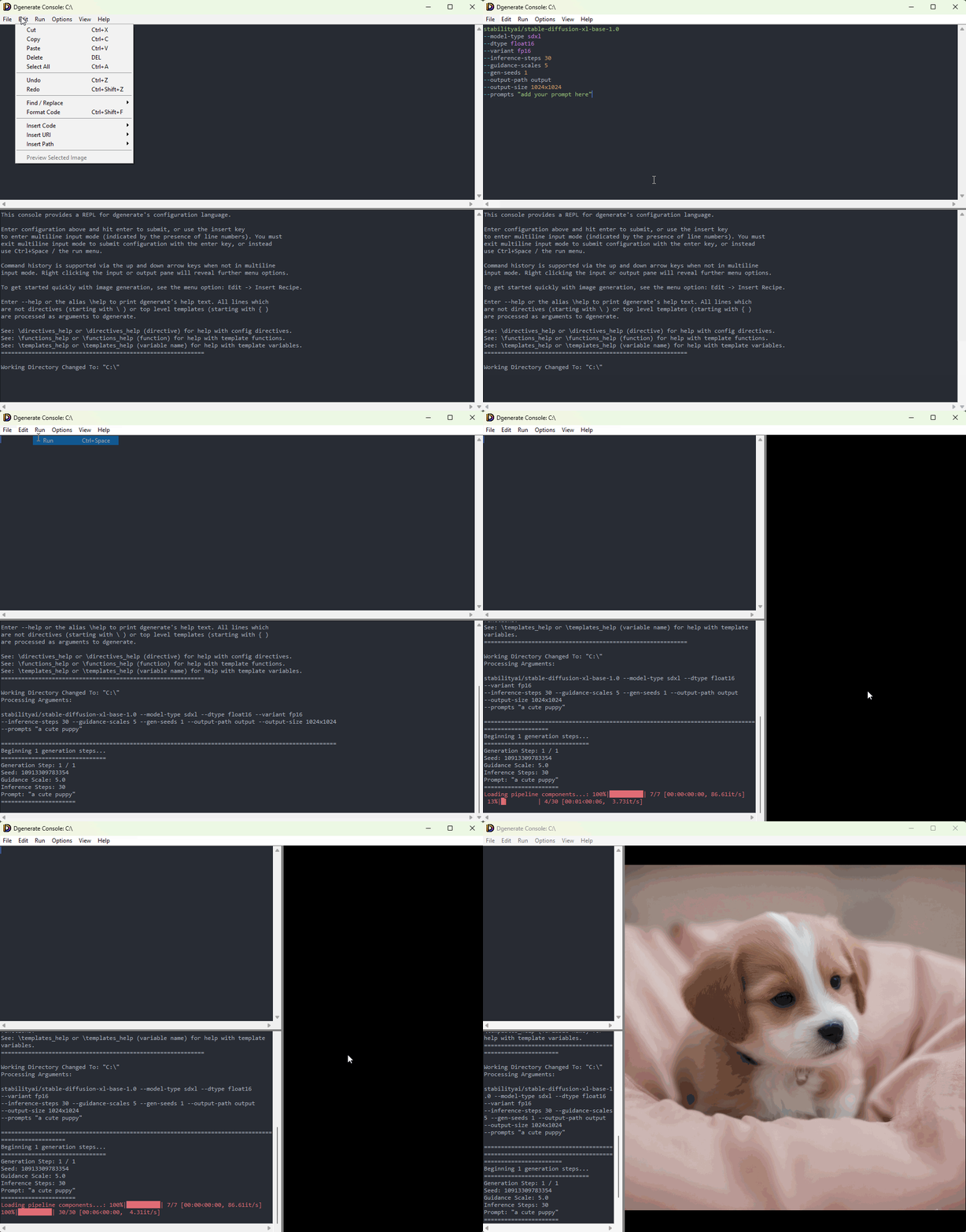
You can launch a cross platform Tkinter GUI for interacting with a
live dgenerate process using dgenerate --console or via the optionally
installed desktop shortcut on Windows.
This provides a basic REPL for the dgenerate config language utilizing
a dgenerate --shell subprocess to act as the live interpreter, it
also features full context aware syntax highlighting for the dgenerate
config language.
It can be used to work with dgenerate without encountering the startup overhead of loading large python modules for every command line invocation.
The GUI console supports command history via the up and down arrow keys as a normal terminal would, optional multiline input for sending multiline commands / configuration to the shell. And various editing niceties such as GUI file / directory path insertion, the ability to insert templated command recipes for quickly getting started and getting results, and a selection menu for inserting karras schedulers by name.
Also supported is the ability to view the latest image as it is produced by dgenerate or
\image_process via an image pane or standalone window.
The image viewer features bounding box and coordinate selection which can be helpful for interactive use, as well as loading arbitrary images, and a few other helpful things such as the ability to show the current image file in the systems file explorer, all via the right click context menu.
When the package extra console_ui_opengl is installed, zoom and pan operations
will be hardware accelerated for smooth operation. (Mouse Wheel or Ctrl+/Ctrl-),
(Alt+LeftClick or Middle Click), respectively.
The console UI always starts in single line entry mode (terminal mode), multiline input mode
is activated via the insert key and indicated by the presence of line numbers, you must deactivate this mode
to submit commands via the enter key, however you can use the run button from the run menu (or Ctrl+Space)
to run code in this mode. You cannot page through command history in this mode, and code will remain in the
console input pane upon running it making the UI function more like a code editor than a terminal.
The console can be opened with a file loaded in multiline input mode
by using the command: dgenerate --console filename.dgen
Ctrl+Q can be used in input pane for killing and then restarting the background interpreter process.
Ctrl+F (find) and Ctrl+R (find/replace) is supported for both the input and output panes.
All common text editing features that you would expect to find in a basic text editor are present,
as well as python regex support for find / replace, with group substitution supporting the syntax
\n or \{n} where n is the match group number.
Scroll back history in the output window is currently limited to 10000 lines however the console
app itself echos all stdout and stderr of the interpreter, so you can save all output to a log
file via file redirection if desired when launching the console from the terminal.
This can be configured by setting the environmental variable DGENERATE_CONSOLE_MAX_SCROLLBACK=10000
Command history is currently limited to 500 commands, multiline commands are also
saved to command history. The command history file is stored at ~/.dgenerate/console_history.json,
on Windows this equates to %USERPROFILE%\.dgenerate\console_history.json
This can be configured by setting the environmental variable DGENERATE_CONSOLE_MAX_HISTORY=500
Any UI settings that persist on startup are stored in ~/.dgenerate/console_settings.json or
on Windows %USERPROFILE%\.dgenerate\console_settings.json
If you have existing console settings or history files in the old locations
(~/.dgenerate_console_settings and ~/.dgenerate_console_history), they will be
automatically migrated to the new locations when the console UI starts. The old files
will be removed after successful migration.
Writing Plugins
dgenerate has the capability of loading in additional functionality through the use of
the --plugin-modules option and \import_plugins config directive.
You simply specify one or more module directories on disk, paths to python files, or references to modules installed in the python environment using the argument or import directive.
dgenerate supports implementing image processors, latents processors, config directives, config template functions, prompt weighters, prompt upscalers, and sub-commands through plugins.
Image Processors / Latents Processors
A code example as well as a usage example for image processor plugins can be found in the writing_plugins/image_processor folder of the examples folder.
The source code for the built in canny processor, the openpose processor, and the simple pillow image operations processors can also be of reference as they are written as internal image processor plugins.
Latents processors operate on the latent-space representation used by diffusion models. They can run on
raw/partially denoised latents, on latents used for img2img, or on fully denoised latents being
written to disk. For user-facing usage details, see the “Latents Processors” section of the manual.
Reference implementations can be found in the internal latents processors: scale, noise, and interposer.
The base interface is implemented in LatentsProcessor.
An example skeleton for a latents processor plugin can be found in writing_plugins/latents_processor.
An example for writing config directives can be found in the writing_plugins/config_directive example folder.
Config template functions can also be implemented by plugins, see: writing_plugins/template_function
Currently the only internal directive that is implemented as a plugin is the \image_process directive, who’s source file
can be located here.
The source file for the \image_process directive is terse as most of it is implemented as reusable code.
The behavior of \image_process which is also used for --sub-command image-process is
is implemented here.
Sub-command plugins
Reference for writing sub-commands can be found in the image-process sub-command implementation, and a plugin skeleton file for sub-commands can be found in the writing_plugins/sub_command example folder.
Prompt Weighters / Prompt Upscalers
Reference for writing prompt weighters can be found in the CompelPromptWeighter and SdEmbedPromptWeighter internal prompt weighter implementations.
A plugin skeleton file for prompt weighters can be found in the writing_plugins/prompt_weighter example folder.
In addition to prompt weighters, dgenerate also supports prompt upscaler plugins that can preprocess or
expand prompt text before it is fed to the pipeline. They can be enabled globally with
--prompt-upscaler or inline using the embedded prompt argument <upscaler: (uri here)>. Multiple
upscalers can be chained by repeating the embedded argument.
Reference implementations can be found in the internal prompt upscalers: DynamicPrompts, MagicPrompt, Attention, Translate, and GPT4All.
An example skeleton for writing a prompt upscaler plugin can be found in writing_plugins/prompt_upscaler.
For usage details, see the “Prompt upscaling” section of the user manual.
Utilizing the Python Environment for Training
The environment that dgenerate ships with is suitable for training and fine-tuning models using the dreambooth LoRA training example scripts from the diffusers repository.
The \\exec directive can be used to invoke python from dgenerate’s environment to run
these scripts if you desire.
You may also use tools like accelerate from the dgenerate environment.
This allows you to preform LoRA training and other training tasks without needing to spend time making sure your python environment is correct for it.
This works even when you install dgenerate using a network install wizard into an isolated python environment.
For example, you can setup a training configuration entirely inside of a dgenerate script like so:
#! /usr/bin/env dgenerate --file
#! dgenerate 5.0.0
# you can download the dreambooth LoRA training script from
# https://github.com/huggingface/diffusers/blob/v0.35.1/examples/dreambooth/train_dreambooth_lora_sdxl.py
# This would be appropriate for a single character fine-tuning task with about 30 curated images
\exec python train_dreambooth_lora_sdxl.py
--pretrained_model_name_or_path "https://huggingface.co/stabilityai/stable-diffusion-xl-base-1.0"
--dataset_name "dataset/instance_images"
--instance_prompt "My fancy character"
--caption_column "text"
--output_dir "output_lora"
--resolution 1024
--train_batch_size 1
--gradient_accumulation_steps 4
--learning_rate 1.5e-4
--text_encoder_lr 7.5e-5
--max_train_steps 1000
--rank 16
--lora_dropout 0.1
--train_text_encoder
--mixed_precision "fp16"
--enable_xformers_memory_efficient_attention
--gradient_checkpointing
--checkpointing_steps 100
--seed 42
xformers and datasets are included in the dgenerate environment, allowing for memory efficient training
and also the use of Hugging Face datasets, or folders in Hugging Face dataset format with advanced captioning.
The nice thing about this is that you can use dgenerates scripting features to automate training variations, for instance different learning rates, etc. if you just want to run a series of training jobs with different parameters.
#! /usr/bin/env dgenerate --file
#! dgenerate 5.0.0
# UNet and Text Encoder learning rates to try
\setp learn_rates {"mild": ("5e-5", "2.5e-5"), "moderate": ("1.5e-4", "7.5e-5"), "aggressive": ("1e-4", "5e-5")}
\setp ranks [8, 16, 32]
{% for rank in ranks %}
{% for rate in learn_rates.items() %}
\exec dpython train_dreambooth_lora_sdxl.py
--pretrained_model_name_or_path "https://huggingface.co/stabilityai/stable-diffusion-xl-base-1.0"
--dataset_name "dataset/instance_images"
--instance_prompt "My fancy character"
--caption_column "text"
--output_dir "output_lora_{{rank}}_{{rate[0]}}"
--resolution 1024
--train_batch_size 1
--gradient_accumulation_steps 4
--learning_rate rate[1][0]
--text_encoder_lr rate[1][1]
--max_train_steps 1000
--rank {{ rank }}
--lora_dropout 0.1
--train_text_encoder
--mixed_precision "fp16"
--enable_xformers_memory_efficient_attention
--gradient_checkpointing
--checkpointing_steps 100
--seed 42
{% endfor %}
{% endfor %}
Auth Tokens
dgenerate will automatically append your CivitAI token to CivitAI API links if you set the environmental variable CIVIT_AI_TOKEN
For Hugging Face hub downloads setting HF_TOKEN is sufficient if you wish to avoid using --auth-token or related token URI arguments.
File Cache Control
The base directory for files cached by dgenerate can be controlled with the environmental
variable DGENERATE_CACHE, which defaults to: ~/.cache/dgenerate, on Windows this equates
to: %USERPROFILE%\.cache\dgenerate.
Web Cache
dgenerate will cache downloaded non hugging face models, downloaded --image-seeds files,
files downloaded by the \download directive, download template function, and downloaded
files used by image processors in the directory $DGENERATE_CACHE/web
Files are cleared from the web cache automatically after an expiry time upon running dgenerate or when downloading additional files, the default value is after 12 hours.
This can be controlled with the environmental variable DGENERATE_WEB_CACHE_EXPIRY_DELTA.
The value of DGENERATE_WEB_CACHE_EXPIRY_DELTA is that of the named arguments of pythons
datetime.timedelta class
seperated by semicolons.
For example: DGENERATE_WEB_CACHE_EXPIRY_DELTA="days=5;hours=6"
Specifying "forever" or an empty string will disable cache expiration for every downloaded file.
spaCy Model Cache
spaCy models that need to be downloaded by dgenerate for NLP tasks are stored under $DGENERATE_CACHE/spacy.
These models cannot be stored in the python environments site-packages as is normal for spaCy.
spaCy relies on pip to install these models which are packaged as wheel files, and they cannot be installed
in degenerate’s frozen Windows installer environment created by pyinstaller.
Instead of being installed by pip, the models are extracted into this directory by dgenerate and loaded
directly.
Hugging Face Cache
Files downloaded from huggingface by the diffusers/huggingface_hub library will be cached under
~/.cache/huggingface/, on Windows this equates to %USERPROFILE%\.cache\huggingface\.
This is controlled by the environmental variable HF_HOME
In order to specify that all large model files be stored in another location,
for example on another disk, simply set HF_HOME to a new path in your environment.
You can read more about environmental variables that affect huggingface libraries on this huggingface documentation page.
Checkpoint Conversion Cache
In order to support quantization on single-file checkpoints from sources such as CivitAI, or in the case of quantization with LoRAs involved, dgenerate will load and then save the checkpoint sub-modules into diffusers format to an on disk cache before reloading them with quantization pre-processing applied.
In the case of single file checkpoints, this is just to get the checkpoint into diffusers format so that it can be processed by the auto quantizer, when LoRAs are involved, the LoRAs are first merged into the applicable checkpoint sub-modules at the desired scale values before being saved in diffusers format.
For LoRAs, this process allows for improved numerical stability, LoRAs are first merged with the applicable checkpoint sub-modules in original precision before the quantization pre-process occurs. If you change your LoRA scale values, this will equate to a cache miss, and the merge and save process will be repeated for the new scale values.
These converted module checkpoints exist in the directory $DGENERATE_CACHE/diffusers_converted.
They are not removed automatically, and will remain on disk until you manually delete them similar to the huggingface cache. If you use quantization with many different LoRAs or LoRA scale values, this directory can grow large over time.
Enable / Disable Torch Compile
Torch compile is enabled by default in dgenerate to improve performance in certain scenarios.
If it is causing issues you can disable it by setting the environment variable DGENERATE_TORCH_COMPILE=0
Startup Configuration
dgenerate supports automatic execution of a startup configuration file located at ~/.dgenerate/init.dgen
(on Windows: %USERPROFILE%\.dgenerate\init.dgen).
This file is executed every time dgenerate starts up, before processing any user commands. It can be used to:
Set environment variables using the
\envdirectiveImport plugins with
\import_pluginsSet up any other initialization logic
Example ~/.dgenerate/init.dgen for setting environment variables:
# Cache directories
\env DGENERATE_CACHE=/path/to/my/cache
\env HF_HOME=/path/to/hf/cache
# Authentication tokens
\env HF_TOKEN=your_huggingface_token_here
\env CIVIT_AI_TOKEN=your_civitai_token_here
# Performance and behavior
\env DGENERATE_TORCH_COMPILE=0
\env DGENERATE_OFFLINE_MODE=1
# Cache expiry control
\env DGENERATE_WEB_CACHE_EXPIRY_DELTA=days=7
The ~/.dgenerate/ directory and a default init.dgen file are created automatically when
dgenerate runs for the first time. The default file contains helpful comments and examples.
If there are any errors executing the init.dgen file, warnings will be logged but dgenerate
will continue to start normally.